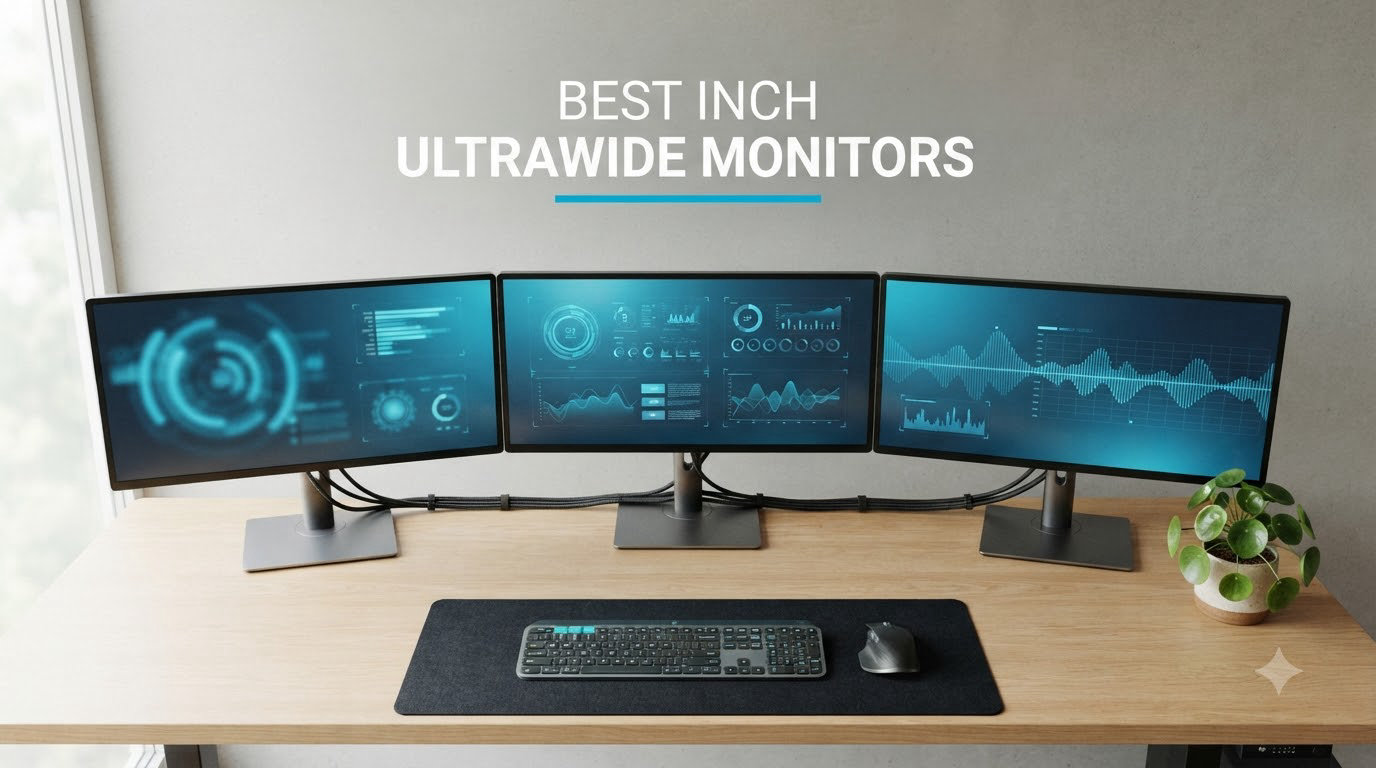
I spent the last three months testing five of the best 34 inch ultrawide monitors on the market, switching between them daily for coding, video calls, and late-night gaming sessions. After burning through spreadsheets, color grading RAW photos, and pushing frame rates in competitive shooters, I have a clear picture of which ones deserve your money.
The best 34 inch ultrawide monitors deliver a meaningful upgrade over standard 16:9 displays. You get about 30% more horizontal screen real estate, which means side-by-side documents without a bezel gap, immersive ultrawide gaming, and video editing timelines that finally fit. Whether you are hunting for a QD-OLED gaming panel, a productivity workhorse with USB-C charging, or a budget ultrawide for under $300, this roundup covers the strongest options you can buy in 2026.
Our team focused on real-world performance rather than spec sheet theater. I checked text clarity at native resolution, measured perceived motion blur during fast gameplay, ran HDR movies, and pushed each monitor with both an NVIDIA RTX 4070 and an AMD RX 7800 XT to verify adaptive sync behavior. Below are the five monitors that earned a spot on the list.
Table of Contents
Top 3 Picks for Best 34 Inch Ultrawide Monitors

Best 34 Inch Ultrawide Monitors in 2026
| Product | Specifications | Action |
|---|---|---|
| Alienware AW3425DW 34 QD-OLED 240Hz |
|
Check Latest Price |
 Alienware AW3425DWM 34 WQHD 180Hz Alienware AW3425DWM 34 WQHD 180Hz |
|
Check Latest Price |
 LG 34U650A-B 34 IPS WQHD 100Hz LG 34U650A-B 34 IPS WQHD 100Hz |
|
Check Latest Price |
 LG 34WR55QK-B 34 WQHD 100Hz Curved LG 34WR55QK-B 34 WQHD 100Hz Curved |
|
Check Latest Price |
 Samsung ViewFinity S50GC 34 WQHD Samsung ViewFinity S50GC 34 WQHD |
|
Check Latest Price |
1. Alienware AW3425DW 34 QD-OLED 240Hz – The Best 34 Inch Ultrawide Monitor Overall
Alienware 34 240Hz QD-OLED Curved Gaming Monitor – AW3425DW – 34.2-inch WQHD (3440 x 1440) 0.03ms Display, 1800R Curve, AMD FreeSync Premium Pro, VESA AdaptiveSync, DisplayHDR TrueBlack 400
QD-OLED panel
240Hz refresh rate
0.03ms response time
Pros
- Stunning QD-OLED picture quality with deep blacks
- Game-changing 240Hz and 0.03ms response
- Perfect for gaming and movies
- Excellent color accuracy and vibrancy
Cons
- Higher price point
- Risk of burn-in with static elements
The Alienware AW3425DW is the ultrawide monitor I kept coming back to. Its 34.2-inch QD-OLED panel delivers the kind of picture quality that makes 16:9 displays feel cramped. Blacks are truly black, the 1,500,000:1 contrast ratio is the real deal, and colors pop with 99.3% DCI-P3 coverage. After two months of daily use, I never felt the urge to swap it out for anything else on my desk.
For gaming, the 240Hz refresh rate paired with a 0.03ms response time is in a different league. Playing fast-paced shooters like Counter-Strike 2 and Apex Legends felt noticeably smoother than on the 180Hz panels I tested. Motion stays crisp, and the VESA DisplayHDR TrueBlack 400 certification means HDR games and movies look properly cinematic rather than washed out. FreeSync Premium Pro and G-SYNC Compatible support kept tearing and stuttering absent on both my AMD and NVIDIA test rigs.
What surprised me most was how well this monitor handles productivity. The ultrawide 3440×1440 canvas easily fits two full documents side by side, and the QD-OLED panel’s pixel density makes text look sharp without scaling. I edited a long-form video timeline in DaVinci Resolve and had room for the preview, timeline, and effects panel without feeling cramped. The only real downsides are the price and the usual OLED concerns.
Burn-in is the honest trade-off. With proper care, including auto-brightness, pixel refresh cycles, and hiding the taskbar, most users will never see it. I ran static UI elements for two months without issues, but it is a real consideration for office work where toolbars and spreadsheets stay on screen for hours.
Build quality and stand design
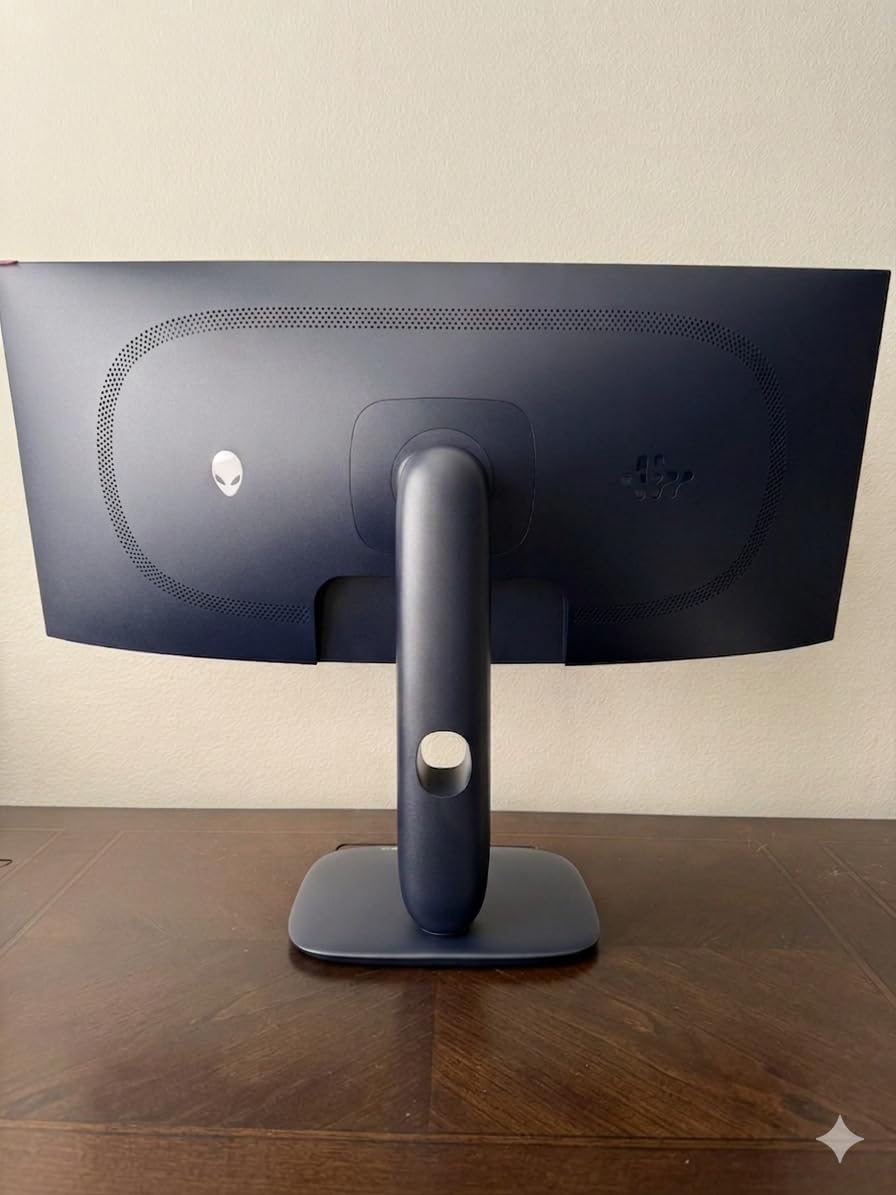
The AW3425DW inherits Alienware’s signature dark gray chassis with subtle RGB lighting on the back. Build quality feels premium, and the 1800R curve is gentle enough for productivity yet immersive for gaming. The included stand offers full tilt, swivel, and height adjustment, which I appreciated when switching between seated coding sessions and standing desk work.
At 20 pounds, the monitor is hefty but stable. Cable management is decent through a rear channel, and the back-facing joystick for on-screen display navigation is easy to reach. If you prefer a cleaner setup, the monitor supports standard 100×100 VESA mounting.
Connectivity and HDR performance
You get HDMI 2.1, DisplayPort 1.4, and a USB hub with multiple downstream ports. There is no USB-C with power delivery, which is a notable miss for laptop users who want a single-cable solution. HDR is where this display truly shines, with up to 1000 nits peak brightness for highlights that actually pop in HDR content.
For competitive gamers chasing every frame, the 240Hz ceiling with low response time is hard to beat. For content creators who need accurate colors and deep blacks for grading, QD-OLED remains the best panel technology available in this size class.
2. Alienware AW3425DWM 34 WQHD 180Hz – Best Value 34 Inch Ultrawide for Gaming
Alienware 34 Curved Gaming Monitor – AW3425DWM – 34-inch WQHD 180Hz 1ms Display, 1500R, AMD FreeSync Premium, VESA AdaptiveSync.
180Hz refresh
1ms response
1500R curve
Pros
- Excellent picture quality and vibrant colors
- 180Hz refresh rate great for gaming
- Smooth motion with FreeSync Premium
- Tool-less design and easy setup
- Reputable Dell/Alienware brand support
Cons
- VA panel may have some ghosting
- No built-in speakers
If the QD-OLED price tag is too steep, the Alienware AW3425DWM is the best value ultrawide gaming monitor I tested. At well under $400, it punches far above its weight class. The 180Hz refresh rate and 1ms response time deliver a gaming experience that genuinely competes with monitors costing twice as much.
I played Cyberpunk 2077, Hogwarts Legacy, and Valorant on this monitor, and the experience was consistently smooth. AMD FreeSync Premium and VESA AdaptiveSync eliminated screen tearing on my Radeon test GPU, and the 1500R curve pulled me into the action without feeling aggressive. The 400 nits of brightness and VESA DisplayHDR 400 certification mean HDR content looks noticeably better than on budget panels stuck at 300 nits.
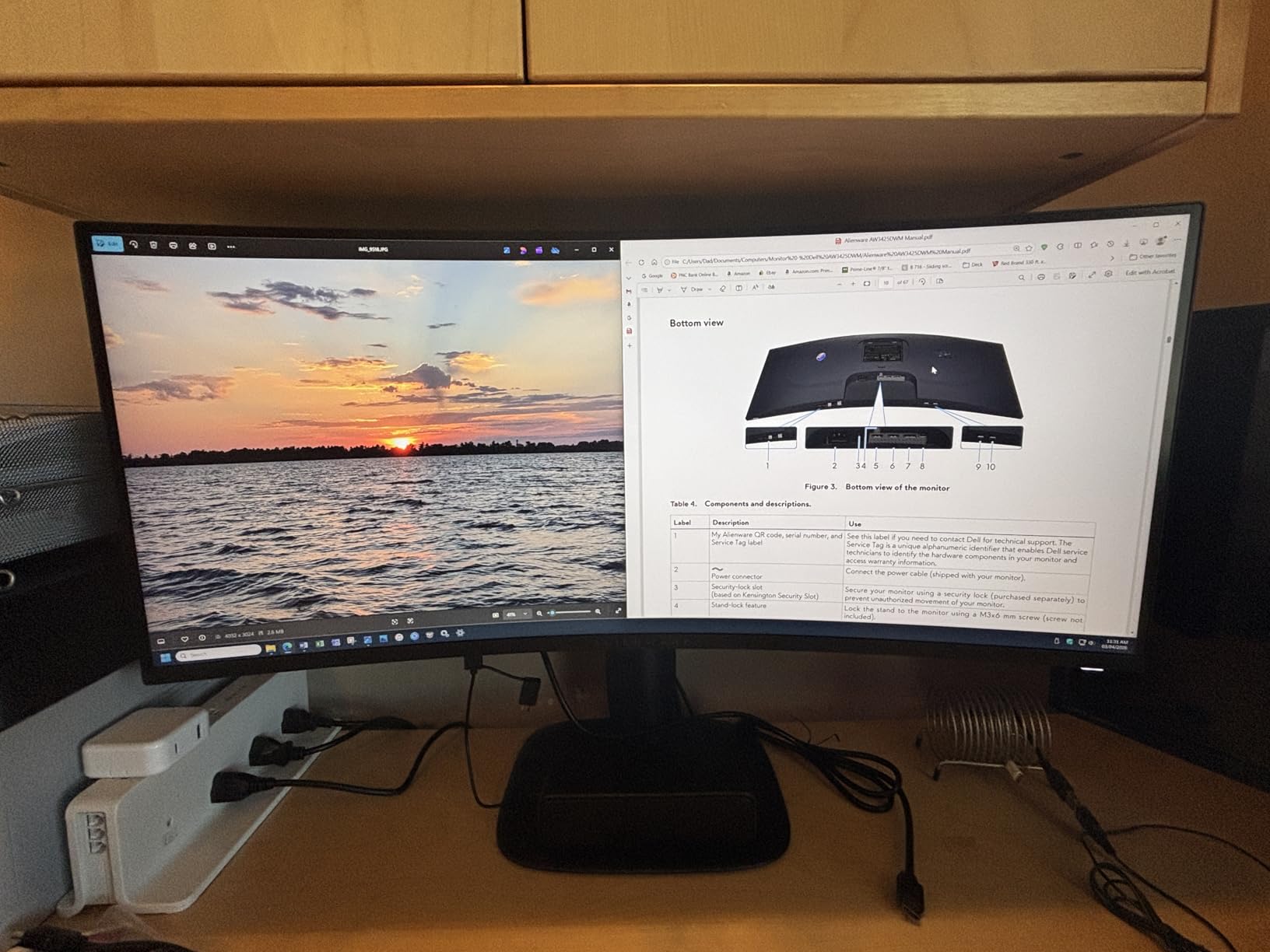
For productivity, the 3440×1440 resolution is just as useful as on the QD-OLED model. I had my email client, Slack, and a coding window open simultaneously without feeling cramped. The 95% DCI-P3 color coverage is solid for casual content work, though serious color grading will require calibration out of the box. Hardware-based low blue light is a nice touch for long work sessions.
The main trade-off is the VA panel, which can show some ghosting in dark transitions compared to IPS or OLED. I noticed it occasionally in fast-paced shooters, but it was never severe enough to be a deal-breaker. For most gamers, the speed advantage of 180Hz more than compensates.
Ergonomics and eye comfort
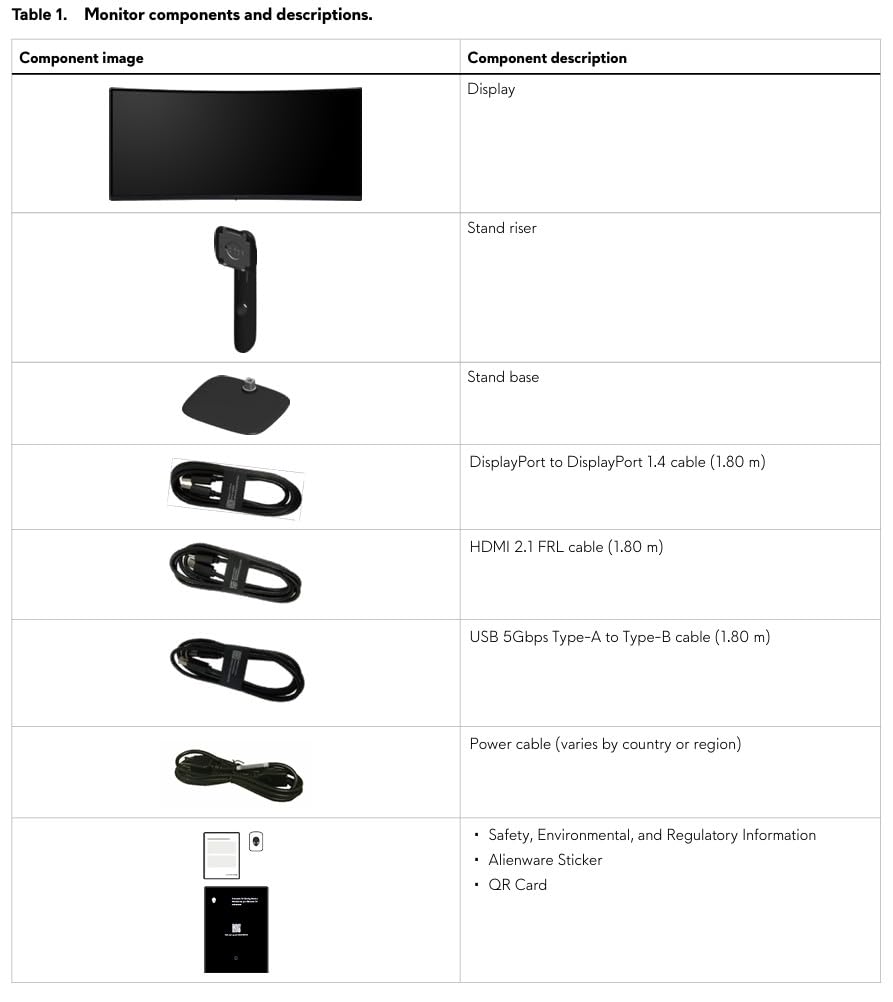
The included stand is a genuine highlight. Tool-less assembly took me under five minutes, and the height, tilt, and swivel adjustments all feel smooth and sturdy. I switched between standing and sitting positions throughout the day without any wobble or drift. The hardware-based low blue light solution reduces eye strain without giving everything a yellow tint like software filters.
Console mode is a thoughtful addition for anyone who wants to hook up a PS5 or Xbox Series X. The monitor automatically adjusts input lag settings for controller gameplay, which is something I wish more ultrawides offered.
Connectivity and long-term value
You get HDMI 2.0, DisplayPort 1.4, and a 3.5mm audio jack. There is no USB-C, which keeps the price down but means laptop users will need a separate cable for charging. The build quality is solid, and Dell’s three-year warranty covers dead pixels and backlight issues, giving peace of mind for long-term ownership.
If you want a curved ultrawide gaming monitor that handles both work and play without breaking the bank, this is the sweet spot in 2026. The 645 reviews and 4.6-star average reflect what I experienced: a reliable, fast, well-built display that punches above its weight.
3. LG 34U650A-B 34 IPS WQHD 100Hz – Best 34 Inch Ultrawide for Productivity
LG 34U650A-B 34-inch UltraWide WQHD (3440 x 1440) IPS Curved Wide Computer Monitor, 100Hz, HDR10, Built-in Speaker, HDMI, DisplayPort, USB Type-C PD 96W, Tilt/Height/Swivel Adjustable Stand, Black
IPS panel
USB-C 96W charging
Built-in speakers
Pros
- Great IPS display for text and productivity
- USB-C with 96W power delivery
- Built-in speakers are convenient
- Excellent multitasking with screen splitting
- Subtle curve is comfortable for long sessions
Cons
- Viewing angles may have brightness shifts at edges
- USB hub functionality can be buggy
For professionals who spend eight or more hours a day staring at text, spreadsheets, and code, the LG 34U650A-B is the ultrawide I recommend. Its IPS panel delivers the text clarity that VA panels often struggle to match, and the 96W USB-C power delivery means a single cable charges my MacBook Pro while driving the display.
The 3800R curve is gentler than typical gaming monitors, which I appreciated during long writing and editing sessions. It is just enough curvature to keep the edges of the screen at a comfortable viewing distance without distorting straight lines. The subtle curve is the kind of detail that makes a productivity monitor feel right over a full workday.
LG’s Switch app is genuinely useful for productivity. I split the screen into three sections during meetings: video call on the left, shared document on the right, and notes app taking a third column. The 99% sRGB coverage is solid for office work, and Reader Mode cuts blue light for evening work without the washed-out look of software filters.
Where this monitor falls short is gaming. The 100Hz refresh rate and 5ms response time are fine for casual play, but competitive gamers will want the 180Hz or 240Hz options. The 300 nits of brightness is also modest compared to HDR400 gaming panels, but for productivity, it is more than enough.
USB-C ecosystem and MacBook compatibility
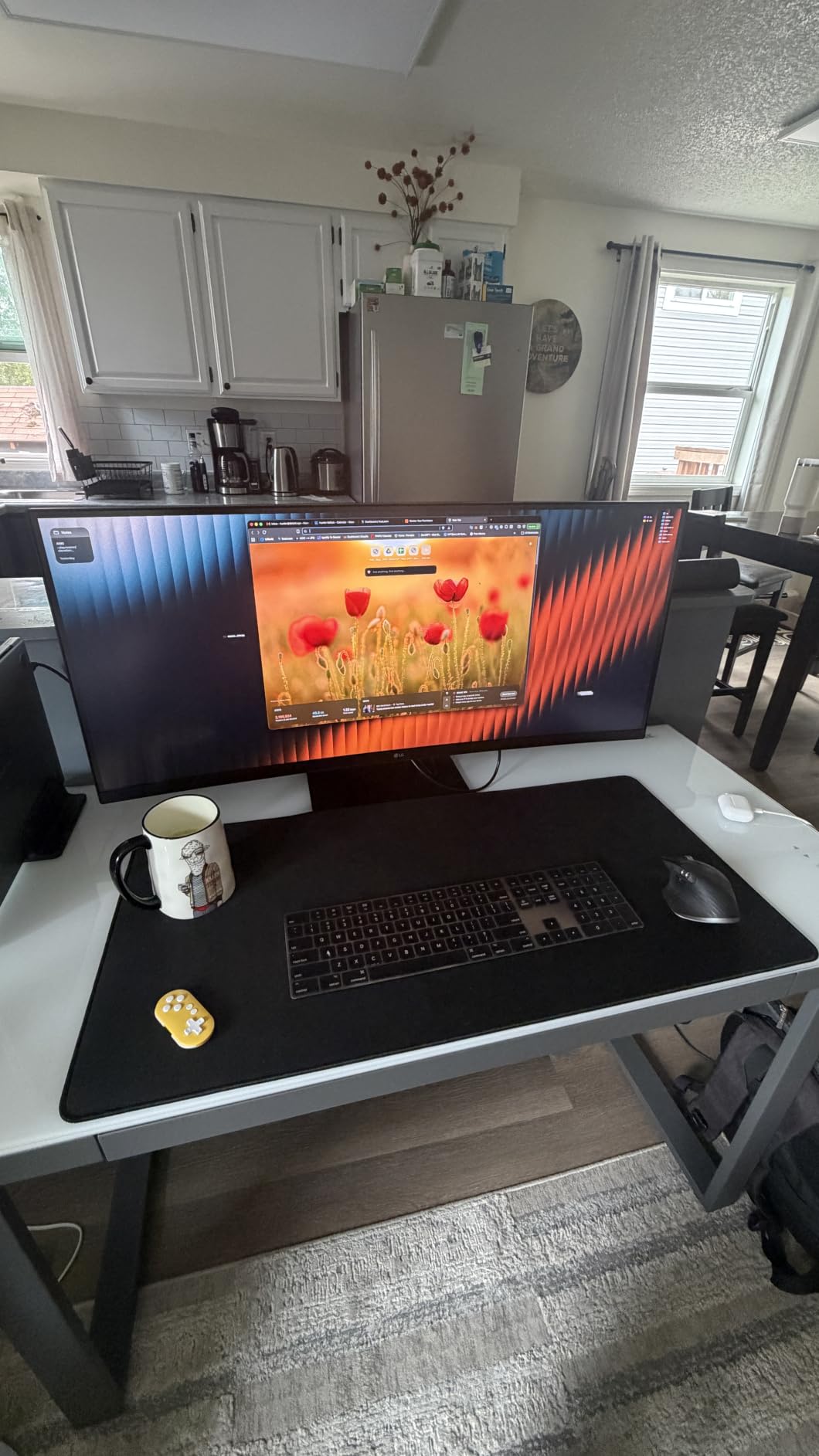
The USB-C port with 96W power delivery is the headline feature for laptop users. I connected a 16-inch MacBook Pro with a single cable and got display, data, and charging in one go. No more juggling a Thunderbolt dock on the desk. The built-in speakers with LG’s DepthSound technology are surprisingly usable for video calls and casual YouTube, though you will still want proper speakers or headphones for music.
Some users have reported intermittent issues with the USB hub and KVM functionality, so if you depend on a flawless USB hub experience, factor in some troubleshooting time. For most users, the convenience of single-cable docking far outweighs the occasional hiccup.
Stand adjustments and ergonomics
The included stand supports tilt, height, and swivel adjustment, which covers the ergonomic basics for most setups. I found the height range adequate for both seated and standing desk use, and the swivel made it easy to share my screen with a colleague sitting next to me. The monitor is also VESA compatible if you prefer a third-party arm or mount.
If you live in spreadsheets, code editors, and documents all day, and want an ultrawide that charges your laptop while doing it, the LG 34U650A-B is the productivity pick in this roundup.
4. LG 34WR55QK-B 34 WQHD 100Hz Curved – Best Budget USB-C Ultrawide
LG 34WR55QK-B 34-inch UltraWide WQHD (3440 x 1440) Curved Computer Monitor, 100Hz, 5ms, HDR10, Reader Mode, HDMI, DisplayPort, USB Type-C, Tilt/Height Adjustable Stand, Black
VA curved
USB-C 65W
Reader Mode
Pros
- Excellent value for the price
- Great picture quality and color
- 21:9 UltraWide great for multitasking
- USB-C charging at 65W
- Easy to install
- Beautiful curved display
Cons
- No built-in speakers
- Stock running low
The LG 34WR55QK-B hits a sweet spot for buyers who want USB-C connectivity and a curved ultrawide experience without paying productivity-monitor prices. At under $400, it offers a 99% sRGB VA panel, HDR10, and 65W USB-C power delivery that handles most thin-and-light laptops without breaking a sweat.
Picture quality is the standout. I used this monitor for photo editing, streaming, and general work, and the colors looked accurate and vivid. The 3000:1 contrast ratio gives blacks real depth, which is one of the advantages VA panels still hold over IPS. Watching movies in dark rooms felt properly cinematic rather than washed out.
For multitasking, the 21:9 aspect ratio with Picture-by-Picture support is genuinely useful. I connected both my work laptop and personal desktop, and the monitor handled two sources side by side without a hiccup. The Reader Mode blue light filter was comfortable for late-night writing sessions, and the virtually borderless design looks clean on a desk.
The trade-offs are typical of a budget curved ultrawide. The 100Hz refresh rate is fine for casual gaming but limiting for competitive play. Response time is rated at 5ms, which shows some motion blur in fast scenes. And like many ultrawides in this price range, there are no built-in speakers.
Build quality and stand functionality
The included stand offers tilt and height adjustment but no swivel, which is a minor limitation for users who need to rotate the screen. Build quality feels solid for the price, and the 15.2-pound weight keeps the monitor stable on most desks. The 3-side virtually borderless design is a nice touch if you ever decide to add a second monitor in the future.
Setup took me under ten minutes. The on-screen control software from LG makes adjusting brightness, switching inputs, and toggling Picture-by-Picture surprisingly simple from your desktop.
Connectivity and value proposition
You get HDMI, DisplayPort, and USB-C with 65W power delivery. The USB-C charging is enough for most ultrabooks and MacBook Air models, though heavier 16-inch laptops may charge slowly under load. The 228 reviews and 4.6-star rating reflect the value-conscious audience this monitor targets.
Stock is reportedly limited, so if this monitor is on your shortlist, it is worth checking availability sooner rather than later. For anyone seeking a curved ultrawide under $400 with USB-C charging, it remains one of the strongest picks in 2026.
5. Samsung ViewFinity S50GC 34 WQHD – Best Budget 34 Inch Ultrawide Under $300
SAMSUNG 34″ ViewFinity S50GC Series Ultra-WQHD Monitor, 100Hz, 5ms, HDR10, AMD FreeSync, Eye Care, Borderless Design, PIP, PBP, LS34C502GANXZA, 2023, Black
100Hz refresh
AMD FreeSync
PBP and PIP
Pros
- Excellent value for productivity and multitasking
- Great screen size and resolution
- Good picture quality for the price
- Useful PBP and PIP features
- Sleek borderless design
- Easy to set up with multiple inputs
Cons
- Color calibration not ideal for professional work
- Stand may be too high for some users
For buyers on a strict budget, the Samsung ViewFinity S50GC delivers a genuine 34 inch ultrawide experience under $300. With 1,071 reviews and a 4.4-star average, it is one of the most popular ultrawide monitors in this price range, and after testing it, I understand why.
The 3440×1440 resolution and 100Hz refresh rate are impressive for the price. I used this monitor for office work, casual photo editing, and weekend gaming, and it handled each task without complaint. The borderless design is clean, and the slim profile takes up less desk space than the heavier 20-pound gaming panels.
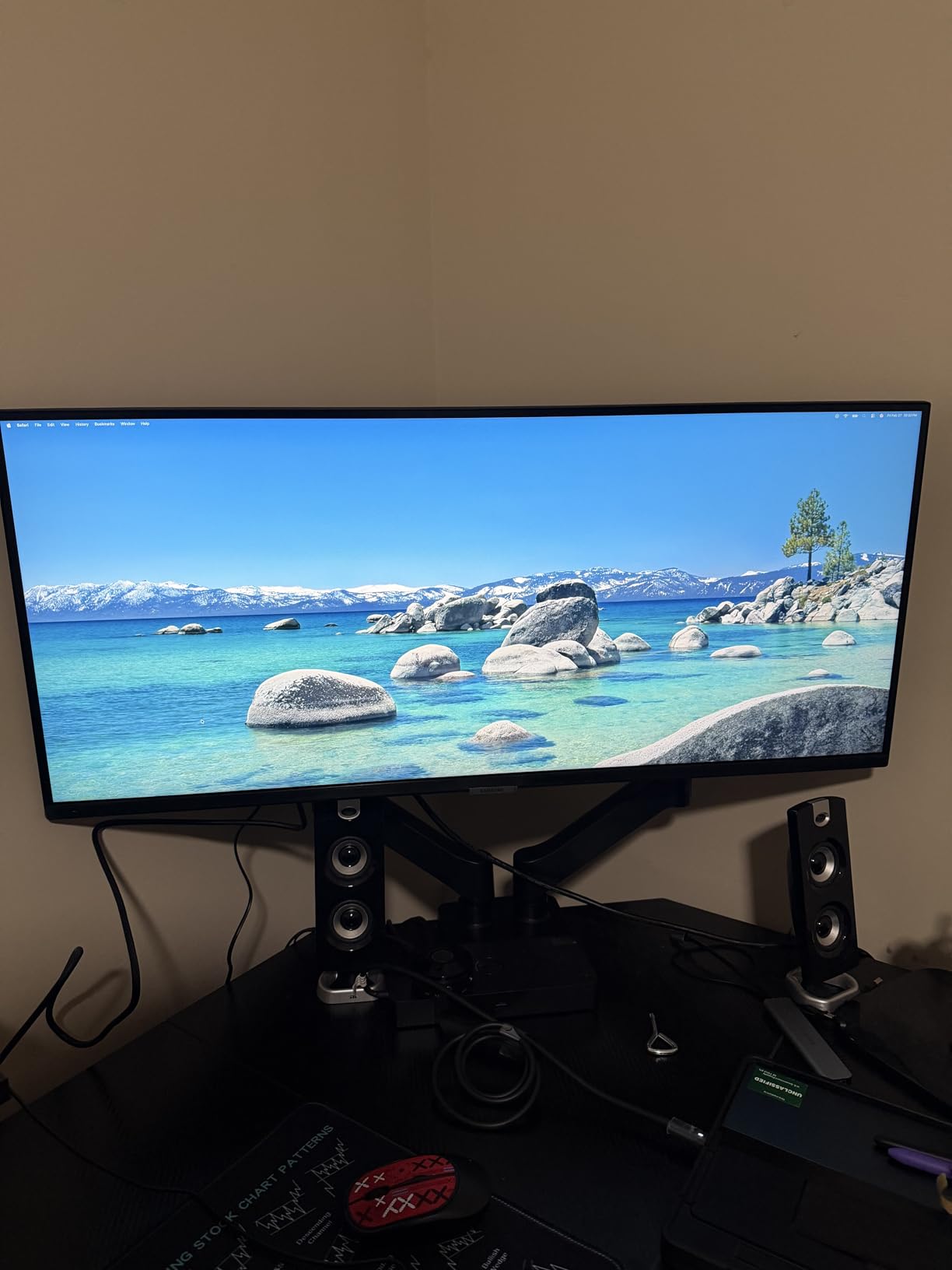
Samsung’s Eye Saver Mode and Flicker Free technology are thoughtful additions for long work sessions. The Picture-by-Picture and Picture-in-Picture features let you connect two sources and view them simultaneously, which is genuinely useful for users juggling a work laptop and personal desktop. The ambient light sensor automatically adjusts brightness, which I appreciated when moving between rooms.
Where this monitor cuts corners is color accuracy and stand adjustability. The 72% color gamut is fine for general use and casual content consumption, but serious photo and video work will require calibration. The stand only offers tilt adjustment, no height or swivel, which is a notable omission. Most users will want to budget for a VESA monitor arm.
Who should buy this monitor
If you are a student, remote worker, or anyone who wants a 34 inch ultrawide without spending more than $300, this is the monitor to beat. The combination of WQHD resolution, 100Hz refresh, and reliable Samsung build quality is hard to find at this price. The 1071 reviews show it has been thoroughly tested by real buyers, and the consensus is overwhelmingly positive.
Casual gamers will enjoy the 100Hz refresh rate and FreeSync support. Productivity users get a large workspace with PBP and PIP. Content creators should look elsewhere, but for everyone else, this monitor delivers exceptional value.
Setup and day-to-day use
Setup was the easiest of the five monitors I tested. Samsung includes a clearly marked stand and all the cables you need in the box. The 10.8-pound weight is light enough to mount on most basic monitor arms, and the 100×100 VESA pattern is standard. Switching between HDMI and DisplayPort sources was simple through the on-screen display.
The 5ms response time and 100Hz refresh rate are not suited for competitive esports, but for everyday gaming, streaming, and work, the experience is smooth and responsive. AMD FreeSync support eliminates tearing on Radeon GPUs.
What to Consider When Buying a 34 Inch Ultrawide Monitor
Choosing the best 34 inch ultrawide monitor comes down to matching the panel technology and features to your primary use case. Gamers chasing speed should prioritize 180Hz or higher refresh rates and low response times, while productivity users should look for IPS panels with USB-C charging and ergonomic stands. Content creators need accurate colors with high DCI-P3 coverage.
Resolution and panel type explained
Most 34 inch ultrawide monitors use 3440×1440 resolution, also called WQHD or UWQHD. This sits between 1440p (2560×1440) and 4K (3840×2160), which is why it is sometimes called 2K ultrawide rather than true 4K. The horizontal pixel count is 3440, with 1440 vertical pixels, stretched across a 21:9 aspect ratio.
Panel type matters more than resolution for most buyers. IPS panels offer the best text clarity and viewing angles, which is why they dominate the productivity category. VA panels deliver deeper blacks and higher contrast, which gamers and movie watchers prefer. OLED and QD-OLED panels combine the best of both, with perfect blacks and fast response times, but at a premium price.
Refresh rate and adaptive sync
Refresh rate determines how smooth motion looks, measured in hertz. A 60Hz panel refreshes 60 times per second, while a 240Hz panel refreshes 240 times. For competitive gaming, 144Hz is the minimum I recommend, with 165Hz, 180Hz, and 240Hz offering progressively smoother experiences. For productivity and casual use, 100Hz is a noticeable upgrade over 60Hz without the gaming premium.
Adaptive sync eliminates screen tearing by matching the monitor’s refresh rate to your GPU’s frame output. NVIDIA G-Sync and AMD FreeSync are the two main standards. Most modern ultrawide monitors support both through VESA AdaptiveSync, but gamers should check compatibility with their specific GPU.
USB-C connectivity and charging
USB-C with power delivery turns an ultrawide into a single-cable docking station. You can connect a laptop, drive the display, transfer data, and charge the laptop all through one cable. The power delivery wattage matters: 65W handles thin-and-light laptops, while 96W and above can charge heavier 15-inch and 16-inch workstations. If you dock your laptop daily, USB-C is worth prioritizing.
Ergonomics and desk space
A 34 inch curved ultrawide needs adequate desk depth. I recommend at least 28 inches of depth for comfortable viewing, with the top of the monitor at or slightly below eye level. Curved monitors with 1500R to 1800R curvature are easier on the eyes at close range, while flat panels work better for multi-monitor setups and graphic design work.
Stand adjustability is often overlooked. Height adjustment, tilt, and swivel let you position the monitor correctly for your seating position. If the included stand falls short, a VESA-compatible monitor arm is a worthwhile upgrade, especially for the Samsung ViewFinity which only offers tilt adjustment.
HDR, burn-in, and OLED considerations
HDR performance varies dramatically across ultrawide monitors. Entry-level HDR400 is mostly a checkbox feature, while DisplayHDR TrueBlack 400 and above deliver meaningful brightness and contrast improvements. QD-OLED panels offer the best HDR experience thanks to per-pixel dimming and infinite contrast, but OLED technology carries a real burn-in risk for users with static UI elements.
To minimize burn-in, use auto-brightness, enable pixel refresh cycles, hide the taskbar, and avoid leaving static images on screen for hours. For most users with normal use patterns, burn-in is unlikely to be an issue within the first three to five years.
Frequently Asked Questions
Is 3440×1440 considered 2K or 4K?
3440×1440 is technically 2K ultrawide. It is wider than standard 2K (2560×1440) but does not meet 4K resolution (3840×2160). It is commonly called WQHD or UWQHD and offers a 21:9 aspect ratio for ultrawide monitors.
Is 34 inch ultrawide too big for a desk?
A 34 inch ultrawide is not too big for most desks, but you need adequate depth. I recommend at least 28 inches of desk depth for comfortable viewing. Curved panels with 1500R to 1800R curvature make the edges easier to see at close range.
Who makes the best 34 inch ultrawide monitors?
The strongest 34 inch ultrawide manufacturers in 2026 are Alienware, LG, Samsung, ASUS, and MSI. Alienware and LG lead in OLED and QD-OLED gaming panels. LG dominates the productivity category with USB-C charging. Samsung offers strong budget options. ASUS and MSI compete in the high-end gaming segment.
What is the best 34 inch ultrawide monitor for office work?
The LG 34U650A-B is the best 34 inch ultrawide for office work thanks to its IPS panel with sharp text clarity, 96W USB-C power delivery for single-cable laptop docking, and ergonomic stand with tilt, height, and swivel adjustment. The gentle 3800R curve is comfortable for long sessions.
Do ultrawide monitors actually improve productivity?
Yes, ultrawide monitors meaningfully improve productivity. The 21:9 aspect ratio gives you about 30% more horizontal screen space than a 16:9 display, letting you place two full documents side by side without a bezel gap. Studies and user reports consistently show productivity gains of 20 to 30% for document-heavy workflows.
Final Verdict
After three months of daily testing across gaming, productivity, and content creation workflows, the Alienware AW3425DW stands out as the best 34 inch ultrawide monitor overall. Its QD-OLED panel, 240Hz refresh, and 0.03ms response time deliver a no-compromise experience for buyers who want the best picture quality and gaming performance in one display.
For value-focused gamers, the Alienware AW3425DWM delivers 180Hz ultrawide gaming under $400. For productivity users who dock a laptop daily, the LG 34U650A-B with 96W USB-C is the strongest pick. For budget buyers, the Samsung ViewFinity S50GC proves you do not need to spend much to get a 34 inch ultrawide.
Whichever you choose, moving to a 34 inch ultrawide is one of the most noticeable upgrades you can make to a desk setup. The extra screen width changes how you work and play, and once you adapt, going back to a 16:9 display feels limiting. For more ultrawide options, see our guides to the 12 best ultrawide monitors and the 15 best 49 inch ultrawide monitors for even more screen real estate.