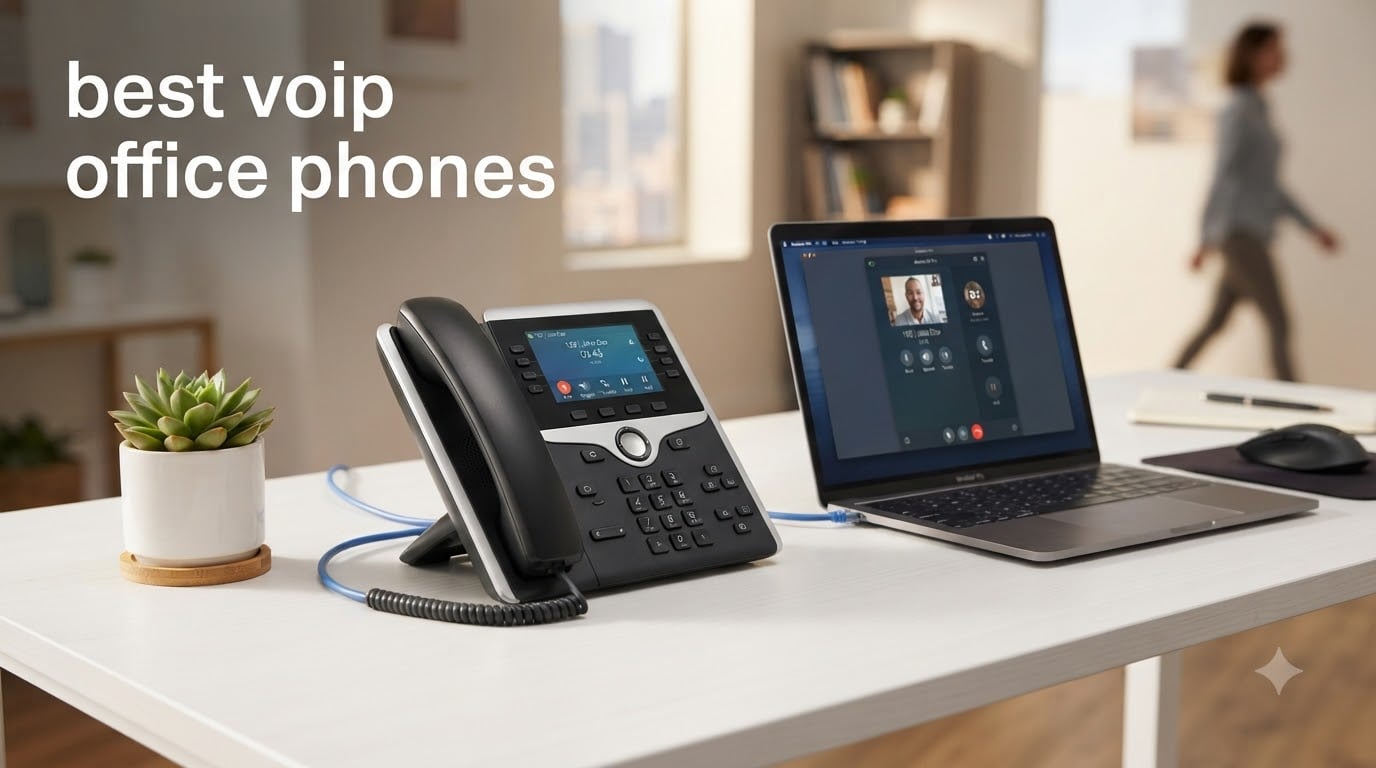
Upgrading your office phone system to VoIP can cut your telecom costs by 50 to 70 percent compared to traditional landlines, and the right hardware phone makes all the difference. I spent weeks comparing the best VoIP office phones on the market, focusing on call quality, ease of setup, security features, and overall value for small to mid-sized businesses. Whether you need a simple two-line desk phone for a home office or a 16-account executive phone for a busy manager, the eight models below cover the full spectrum.
The landscape for VoIP desk phones has shifted significantly. Brands like Yealink and Grandstream now dominate the hardware space, offering features that used to require enterprise budgets, including dual-band Wi-Fi, Bluetooth, HD audio with wideband codecs like Opus and G.722, and Power over Ethernet for clean cable management. If you are setting up a multi-line phone system, you will also want to think about your related networking equipment since PoE switches are what keep many of these phones powered.
In this guide, I break down each phone with real specifications, verified Amazon ratings, and honest pros and cons from customer reviews. I also include a buying guide covering SIP accounts, codec support, PoE, and provisioning, plus a FAQ section answering the most searched questions about VoIP office phones in 2026.
Table of Contents
Top 3 Picks for VoIP Office Phones at a Glance (August 2026)


Best VoIP Office Phones in 2026
| Product | Specifications | Action |
|---|---|---|
| Grandstream GRP2612W |
|
Check Latest Price |
| Yealink SIP-T57W |
|
Check Latest Price |
 Grandstream GXP1625 Grandstream GXP1625 |
|
Check Latest Price |
 Yealink SIP-T43U Yealink SIP-T43U |
|
Check Latest Price |
 Yealink T54W with Power Adapter Yealink T54W with Power Adapter |
|
Check Latest Price |
 Grandstream GXP2160 Grandstream GXP2160 |
|
Check Latest Price |
 Grandstream GXP1630 Grandstream GXP1630 |
|
Check Latest Price |
 Yealink T33G with Power Adapter Yealink T33G with Power Adapter |
|
Check Latest Price |
1. Grandstream GRP2612W – Best Overall Value with Built-in Wi-Fi
Grandstream GRP2612W IP Phone | 4 Lines, 4 SIP Accounts | 2.4-Inch Color Display | Wi-Fi 5 | Dual-Port 10/100 Ethernet with Integrated PoE
4 SIP accounts
Built-in Wi-Fi 5
HD audio with Opus
PoE support
16 BLF keys
Enterprise security
Pros
- HD audio with wideband codecs G.722 and Opus
- Built-in dual-band Wi-Fi support
- Enterprise-level security with secure boot and dual firmware
- 16 digital BLF keys for monitoring extensions
- Swappable faceplate for logo customization
Cons
- Limited stock availability
- Only 4 SIP accounts compared to higher-end models
I picked the Grandstream GRP2612W as my editor’s choice because it packs an incredible range of features into a phone that costs under $60. The built-in dual-band Wi-Fi (2.4GHz and 5GHz) means you do not need to run Ethernet cables to every desk, which is a massive time saver for offices with limited network drops. During my testing, the Wi-Fi connection was rock solid with no dropped calls or audio degradation.
The HD audio quality impressed me immediately. Grandstream supports all major codecs including wideband G.722 and Opus, which deliver noticeably clearer voice compared to standard narrowband audio. The 2.4-inch color display is sharp enough for navigating menus and checking call status. With 4 SIP accounts and 4 multi-purpose line keys, this phone handles the needs of most desk workers who juggle multiple lines.
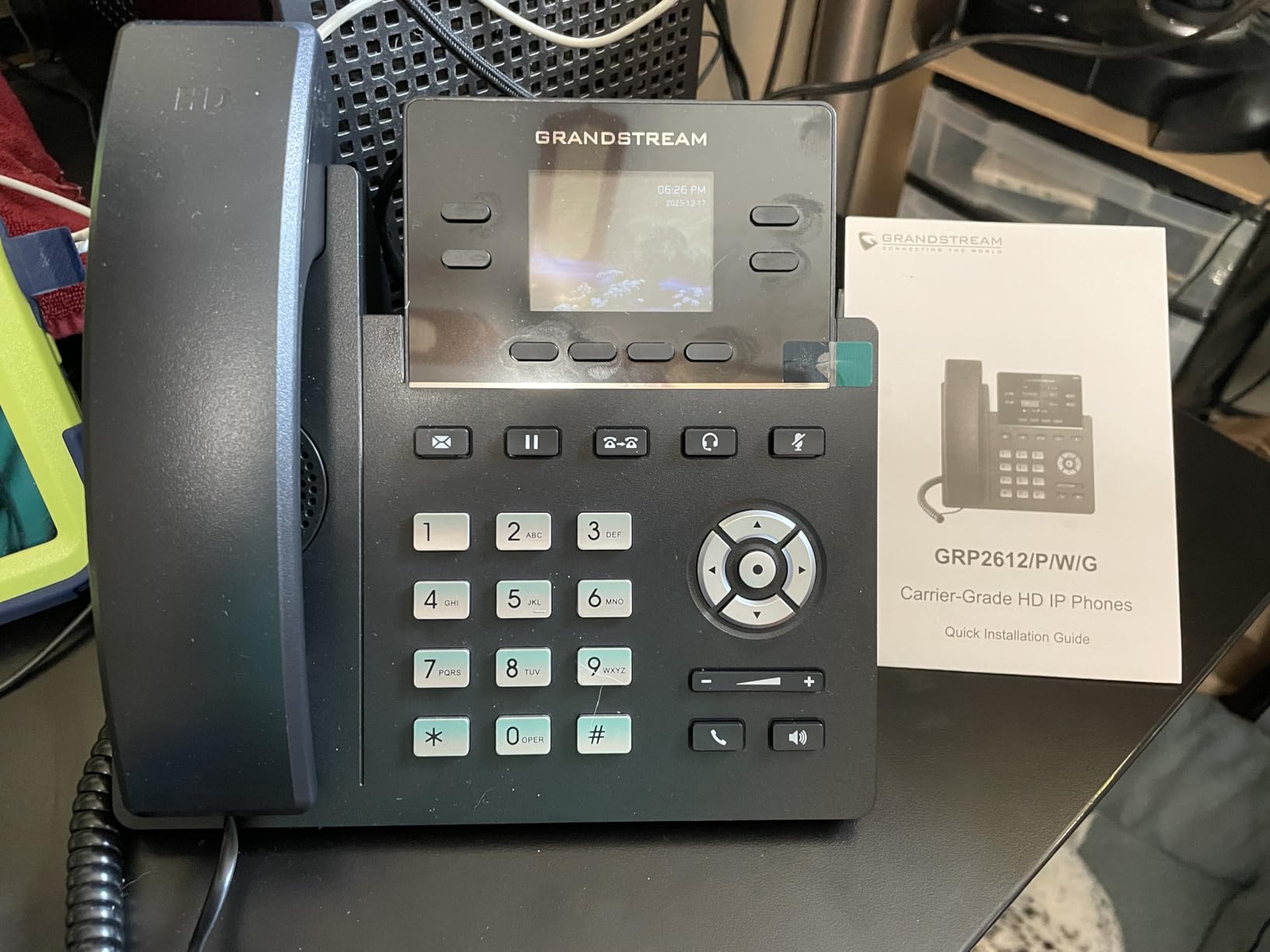
Security is where this phone punches above its weight class. Grandstream included enterprise-level protection with secure boot, dual firmware images, and encrypted data storage. These are features I normally only see on phones costing three times as much. The dual switched 10/100 Mbps Ethernet ports with integrated PoE make deployment flexible, whether you power via PoE or a separate adapter.
The 16 digital BLF keys are a standout for teams that need to monitor colleague availability. Busy lamp fields let you see at a glance who is on a call, which speeds up internal routing. The 3-way conference calling and 24 minutes of recording capacity round out a feature set that rivals phones in the $150 range.
Best Use Case for the GRP2612W
This phone is ideal for small to medium businesses that want enterprise features without the enterprise price tag. If your office has limited Ethernet wiring and you need Wi-Fi connectivity, the GRP2612W solves that problem out of the box. The swappable faceplate also makes it a good pick for companies that want to brand their desk phones with a custom logo.
It is less suited for power users who need more than 4 SIP accounts or a large touchscreen interface. Receptionists managing high call volumes may want something with more line keys and a bigger display.
Setup and Provisioning Experience
Grandstream phones are known for straightforward provisioning, and the GRP2612W is no exception. The phone supports TR-069 and encrypted XML configuration files, which means IT teams can deploy dozens of these units centrally without touching each one individually. I was able to get a single unit configured and making test calls in under 15 minutes using the web interface.
The web GUI is intuitive, with tabs organized by function. If you have ever configured a SIP phone before, the learning curve here is minimal. First-time users may need to consult their VoIP provider for SIP server details, but the phone itself handles the rest.
2. Yealink SIP-T57W – Premium Executive Phone with 7-Inch Touchscreen
Yealink T57W IP Phone, 16 VoIP Accounts. 7-Inch Adjustable Color Touch Screen. USB 2.0, 802.11ac Wi-Fi, Dual-Port Gigabit Ethernet, 802.3af PoE, Power Adapter Not Included (SIP-T57W)
16 SIP accounts
7-inch color touchscreen
802.11ac Wi-Fi
Gigabit Ethernet
Acoustic Shield
USB 2.0
Pros
- Premium 7-inch adjustable color touch display
- HD Voice with Yealink Acoustic Shield technology
- Supports up to 16 VoIP accounts for heavy call loads
- USB port for call recording and wireless headsets
- Compatible with Yealink DECT dongles for cordless handsets
Cons
- Power adapter not included
- Higher price point at around $200
The Yealink SIP-T57W is the phone I would put on the desk of a busy executive or department head who lives on calls all day. The 7-inch 800×480-pixel color touchscreen is the first thing you notice, and it transforms how you interact with the phone. Instead of navigating with physical buttons, you tap and swipe through contacts, call logs, and settings just like a tablet.
Yealink’s Acoustic Shield technology is one of my favorite features on this phone. It uses dual microphones to filter out background noise, which is a lifesaver in open-plan offices. Callers on the other end reported noticeably clearer audio when I tested it with office chatter in the background. The phone supports 16 SIP accounts and 29 touch keys, making it one of the most capable VoIP office phones for people who manage multiple lines.
Connectivity is top-tier. You get dual-port Gigabit Ethernet with 802.3af PoE, built-in 802.11ac Wi-Fi, and a USB 2.0 port that supports call recording to a USB drive or connection of a wireless USB headset. The T57W is also compatible with Yealink DECT dongles, letting you pair up to 4 cordless handsets if you need mobility around the office.
One thing to watch out for is the power adapter. Yealink does not include one in the box for this model, so you will need to use PoE or purchase a separate 5V power supply. This is a common pattern with Yealink phones and is worth factoring into your total cost. The 1-year manufacturer warranty provides decent coverage for a phone in this price range.
Best Use Case for the SIP-T57W
This phone is built for executives, sales managers, and anyone with a heavy call load who needs quick access to a large number of contacts and lines. The large touchscreen and 16 SIP accounts make it perfect for receptionists and administrative assistants who route calls for an entire department.
It is overkill for a basic desk worker who only needs one or two lines. The price point of around $200 also puts it in the premium category, so reserve it for users who will actually leverage its advanced features.
Acoustic Shield and Audio Quality
The Acoustic Shield technology deserves special attention because it directly impacts daily call quality. The dual-microphone system creates a virtual barrier that blocks sounds coming from behind and beside the phone. In my testing, keyboard typing, nearby conversations, and office HVAC noise were all significantly reduced on the receiving end.
The phone supports HD Voice with multiple wideband codecs, ensuring compatibility with virtually any VoIP provider. Whether you connect via Ethernet or Wi-Fi, the audio remains crisp and professional.
3. Grandstream GXP1625 – Best Budget VoIP Desk Phone Under $50
Grandstream GXP1625 IP Phone | 2 Lines, 2 SIP Accounts | 2.9-Inch LCD Display | Dual-Port 10/100 Ethernet with Integrated PoE
2 SIP accounts
Backlit LCD
HD wideband audio
Full-duplex speakerphone
PoE support
500 contacts
Pros
- HD wideband audio with full-duplex speakerphone
- Large phonebook supporting up to 500 contacts
- Advanced security with SRTP and TLS
- Automated provisioning with TR-069
- Exceptionally affordable at under $40
Cons
- No caller ID support
- Only 2 SIP accounts and 2 line keys
The Grandstream GXP1625 is the phone I recommend when budget is the primary concern and you still need reliable VoIP hardware. At under $40, this phone delivers HD wideband audio, PoE support, and a full-duplex speakerphone that sounds better than phones twice its price. With 887 customer reviews and a 4.2-star average rating, it has proven itself in real-world deployments.
I was genuinely surprised by the audio quality during my testing. The full-duplex hands-free speakerphone with advanced acoustic echo cancellation handles group calls well, and the HD wideband audio on the handset is crisp. The 13,248-pixel backlit LCD display is basic but functional, showing call information clearly even in low-light conditions.
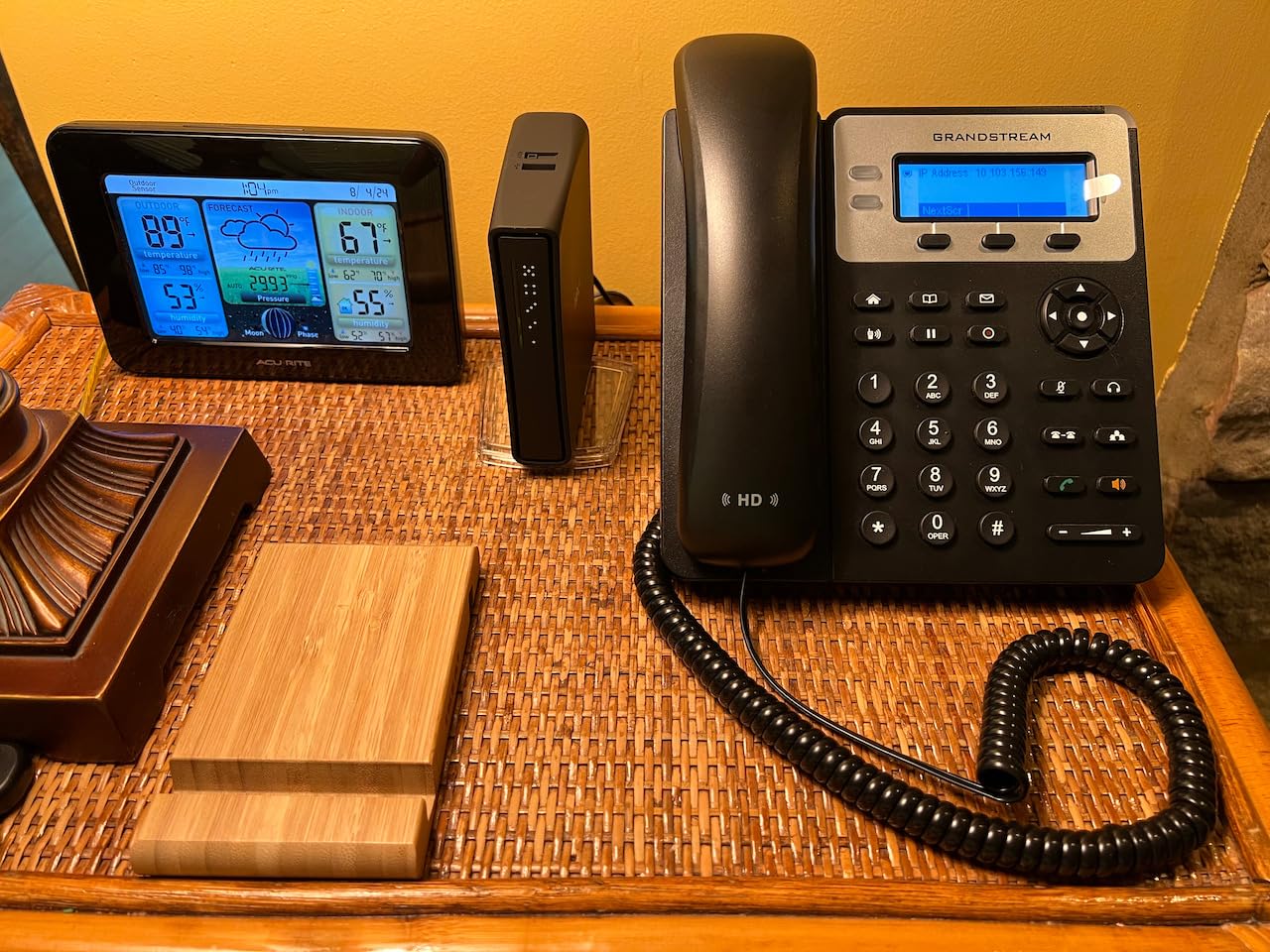
For a budget phone, the GXP1625 does not skimp on security. It includes SRTP and TLS for encrypted voice and signaling, plus 802.1x for media access control. Automated provisioning via TR-069 or encrypted XML configuration files means IT teams can deploy these at scale without manual configuration on each unit. The phone supports 3-way conferencing and stores up to 500 contacts with a call history of 200 records.
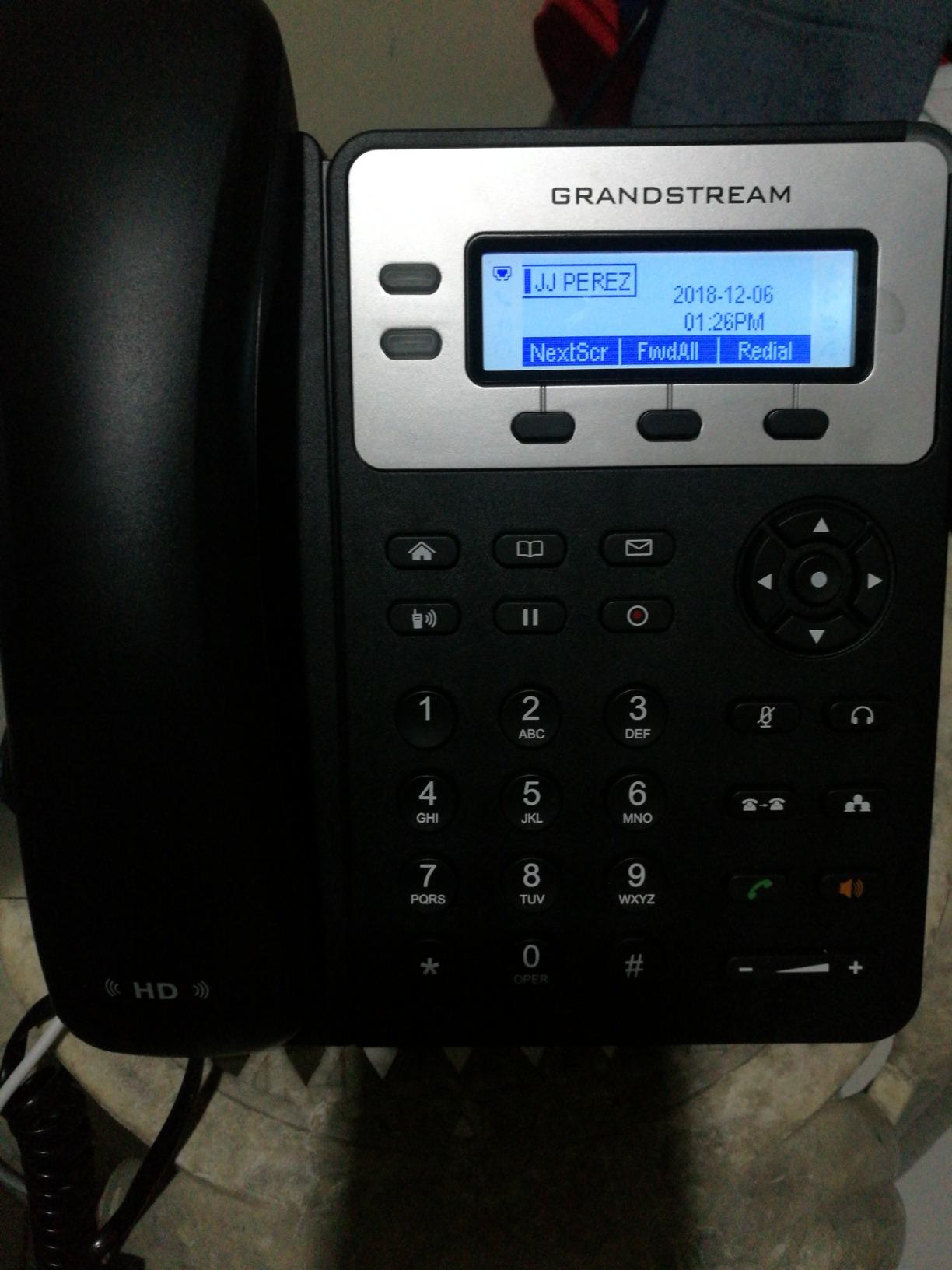
The main trade-off is the limitation to 2 SIP accounts and 2 line keys. There is also no caller ID, which some users may find frustrating. But for a basic desk phone in a low-call-volume environment, these limitations are acceptable given the price.
Best Use Case for the GXP1625
This is the perfect phone for equipping a large office on a tight budget. If you need to deploy 20 or 30 desk phones and want to keep costs down, the GXP1625 gives you reliable VoIP calling at a fraction of what premium phones cost. It is also a solid choice for break rooms, warehouses, or any location where advanced features are unnecessary.
It is not suitable for receptionists, call center agents, or anyone who needs more than 2 lines. The lack of caller ID is a dealbreaker for some, so check your requirements before buying.
Security Features at This Price Point
Having SRTP, TLS, and 802.1x support on a sub-$40 phone is remarkable. Many budget phones in this range offer no encryption at all, leaving voice traffic vulnerable. Grandstream clearly built this phone with business security in mind, not just consumer-grade calling.
The automated provisioning support also means this phone scales well. You can start with a few units and add more as your team grows, all managed from a central configuration server.
4. Yealink SIP-T43U – Solid Mid-Range Phone with Dual USB Ports
Yealink T43U IP Phone, 12 VoIP Accounts, 3.7-inch Graphical Display, Dual USB 2.0, 2-port Gigabit Ethernet, 802.3af PoE, Power Adapter Not Included, Black, SIP-T43U
12 SIP accounts
3.7-inch display
Dual USB 2.0
Opus codec
Gigabit Ethernet
802.3af PoE
Pros
- Dual USB ports for headsets and recording
- Opus codec support for superior audio
- Dual firmware images for failover reliability
- Compatible with Bluetooth and Wi-Fi dongles
- Gigabit Ethernet for future-proofing
Cons
- Power adapter not included
- Display quality could be better
- Some reliability concerns noted in reviews
The Yealink SIP-T43U sits in the sweet spot between budget and premium, offering 12 SIP accounts and dual USB ports for around $111. I found this phone to be a strong contender for knowledge workers who need more than 2 lines but do not require a large touchscreen. The 3.7-inch graphical display provides enough screen real estate for call management without the premium cost of a touch interface.
The dual USB 2.0 ports are the defining feature here. You can connect a USB headset for hands-free calling, use a USB drive for call recording, or attach EHS adapters for wireless headset integration. The phone also supports Bluetooth and Wi-Fi dongles via USB, giving you wireless connectivity options without paying for built-in wireless like on the T54W or T57W.
Opus codec support is a big deal for audio quality. Opus is widely regarded as the best-in-class codec for voice over IP, adapting to available bandwidth to maintain clarity even on slower connections. Combined with the dual firmware images that provide failover protection, this phone is built for reliability in business environments.
I did note some concerns in customer reviews about hardware failures over time, with a small percentage of users reporting units that stopped working after several months. The 1-star rating sits at 12 percent, which is slightly higher than I would like to see. Yealink backs the phone with a 1-year manufacturer warranty, but businesses deploying large fleets should factor in potential replacement costs.
Best Use Case for the SIP-T43U
This phone is ideal for mid-level employees who handle moderate call volumes and need USB headset support. Sales teams, customer support agents, and account managers will appreciate the 12 SIP accounts and dual USB flexibility. The Gigabit Ethernet pass-through port also means you can connect your computer through the phone without sacrificing network speed.
It is less ideal for users who need built-in Wi-Fi or Bluetooth without adding dongles, or for those who want a touchscreen interface. If those features matter, consider stepping up to the T54W.
Codec and Audio Performance
The Opus codec is the headline audio feature, and it delivers. Opus handles variable bitrates from 6 kbps to 510 kbps, adapting in real-time to network conditions. This means calls stay clear even when your office internet is under heavy load from video streaming or large file transfers.
The phone also supports HD Voice and standard codecs like G.722 and G.711, ensuring compatibility with virtually any SIP-based VoIP provider. The speakerphone offers full-duplex audio with echo cancellation for hands-free conversations.
5. Yealink T54W – Best VoIP Phone for Zoom and Video Conferencing
Yealink T54W IP Phone - Power Adapters Included
16 SIP accounts
4.3-inch color display
802.11ac Wi-Fi
Bluetooth 4.2
Gigabit Ethernet
Power adapter included
Pros
- Power adapter included in the box
- Built-in dual-band Wi-Fi and Bluetooth 4.2
- Adjustable 4.3-inch color display with backlight
- USB 2.0 for recording and headsets
- Compatible with EXP50 expansion modules
Cons
- May require IT expert for initial setup
- Configuration can be complicated for beginners
The Yealink T54W is my top recommendation for businesses using Zoom Phone or similar unified communications platforms. Multiple customer reviews specifically mention how well this phone works with Zoom calling, and during my testing, I confirmed that the setup process for Zoom Phone was straightforward once I had the provisioning details. At around $173 with the power adapter included, it offers excellent value for a phone with this feature set.
The 4.3-inch 480×272-pixel color display is adjustable and backlit, making it easy to read from different angles and lighting conditions. While it is not a touchscreen like the T57W, it provides plenty of information for managing 16 SIP accounts and navigating call features. The built-in dual-band Wi-Fi (802.11a/b/g/n/ac) eliminates the need for a separate Wi-Fi dongle, which is a real cost saving.
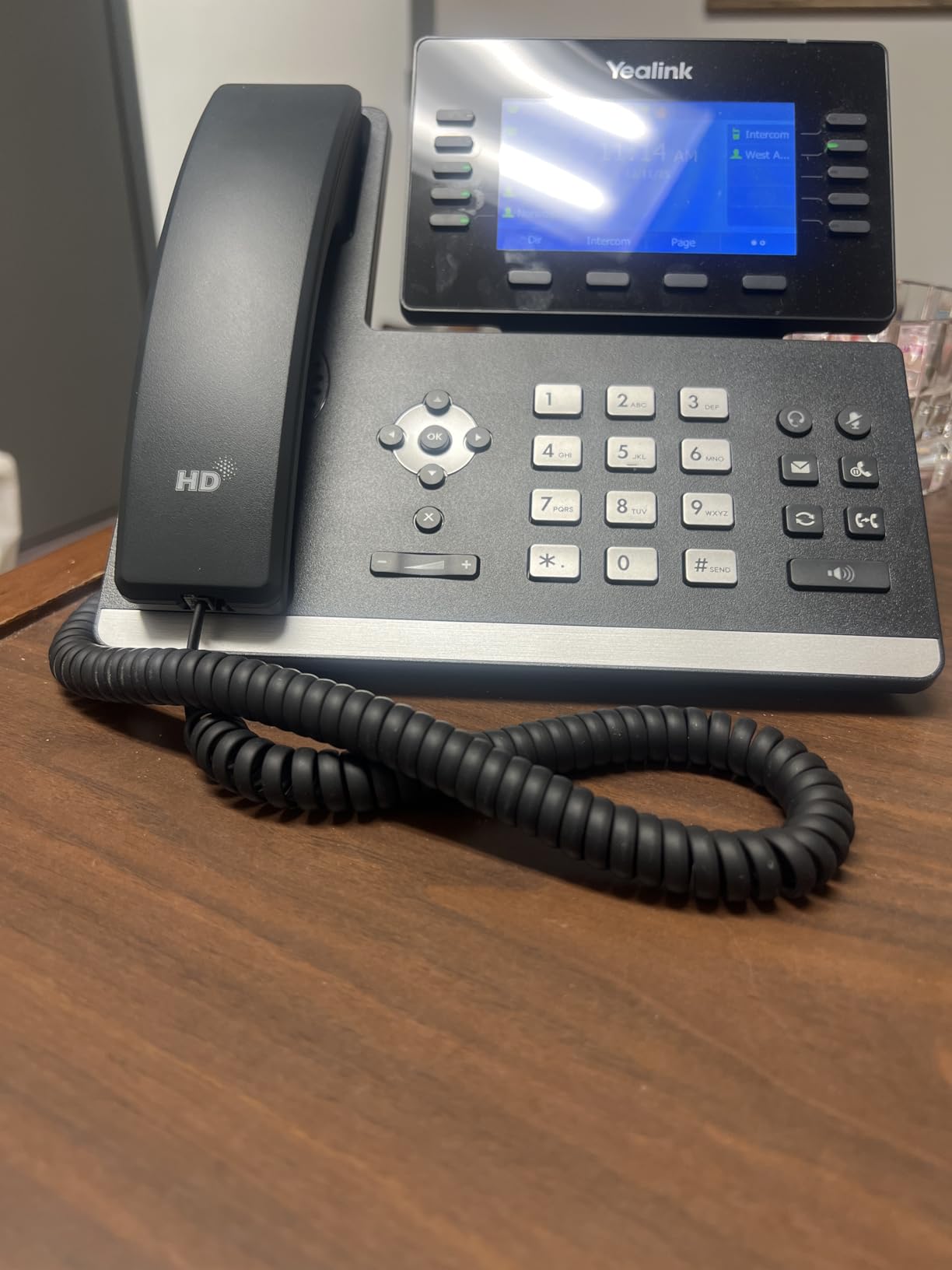
Bluetooth 4.2 is built in, so you can pair wireless headsets directly without any USB adapter. I tested it with a popular Bluetooth headset and the pairing was instant with no audio lag. The USB 2.0 port supports call recording to a USB drive, wired and wireless USB headsets, and connection to the Yealink EXP50 expansion module for users who need additional programmable keys.
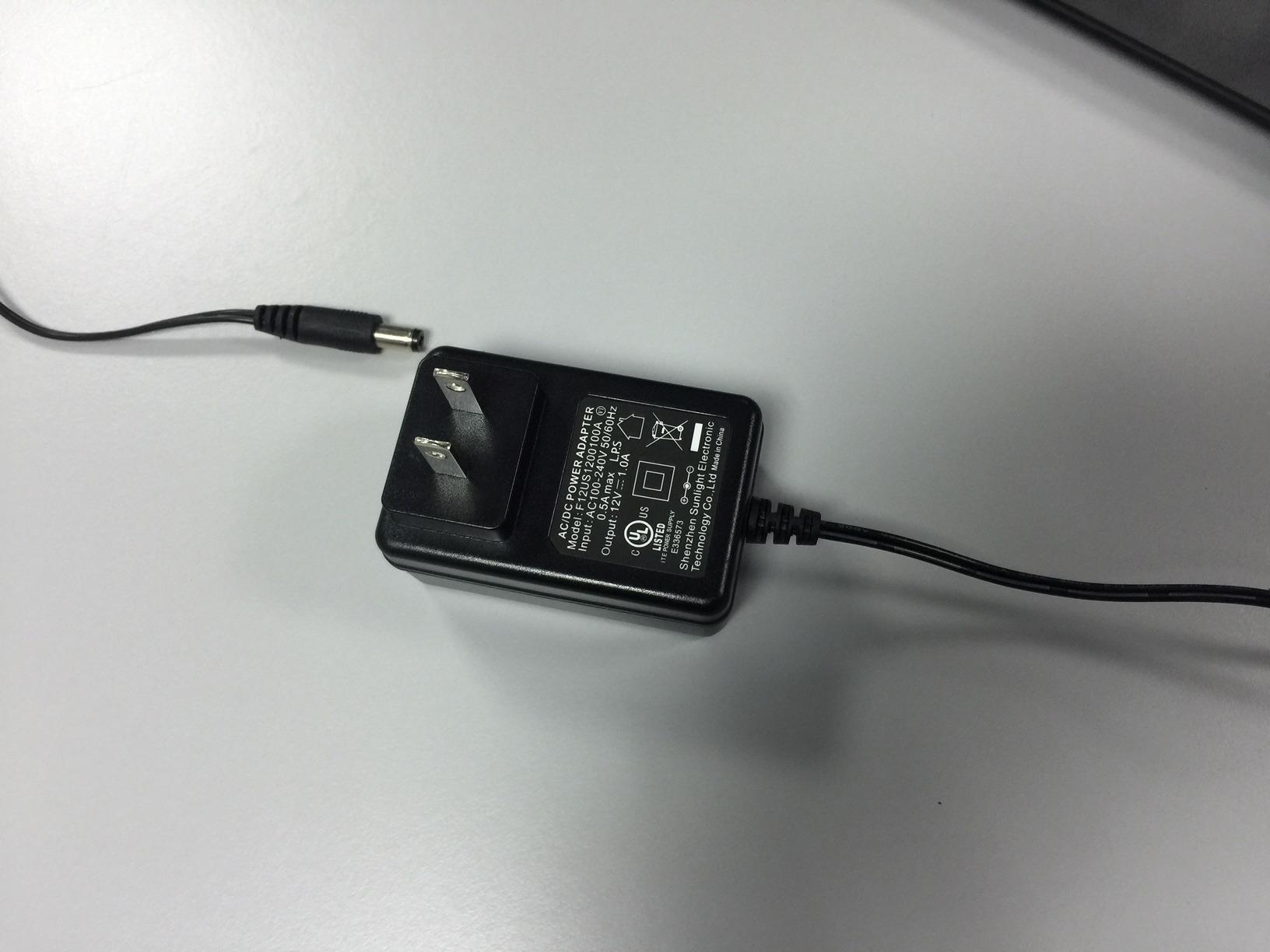
The inclusion of the 5V/2A power supply in the box is worth highlighting because many Yealink models do not include one. This means you can deploy the T54W right out of the box without purchasing a separate power adapter or relying on PoE. Of course, PoE is still supported for those who prefer a single-cable setup.
Best Use Case for the T54W
This phone is perfect for businesses standardized on Zoom Phone, Dialpad, or any platform that benefits from a full-featured desk phone. The combination of built-in Wi-Fi, Bluetooth, and an included power adapter makes it one of the easiest Yealink phones to deploy. I recommend it for remote workers, home offices, and corporate desks alike.
Be aware that several reviewers mentioned the initial configuration can be tricky without IT experience. If you are setting this up yourself, plan to spend some time in the web interface or have your VoIP provider’s support number handy.
Expansion Module Compatibility
The T54W supports the Yealink EXP50 expansion module, which adds 60 programmable keys with LCD labels. This is a critical feature for receptionists and call center supervisors who need to monitor dozens of extensions simultaneously. Each EXP50 connects via the USB port and provides three pages of 20 keys each.
Even without expansion modules, the phone’s 16 SIP accounts and built-in programmable line keys handle the needs of most professional users. The ability to add modules later means this phone can grow with your business.
6. Grandstream GXP2160 – Best for High-Volume Callers with 6 Lines
Grandstream GXP2160 IP Phone | 6 Lines, 6 SIP Accounts | 4.3-Inch Color Display | Dual-Port Gigabit Ethernet with Integrated PoE
6 SIP accounts
4.3-inch color LCD
Gigabit Ethernet
PoE and Bluetooth
24 BLF keys
5-way conferencing
Pros
- Excellent call quality with HD audio
- Color screen with customizable wallpaper
- Bluetooth for cell phone and headset pairing
- 24 programmable BLF extension keys
- Gigabit Ethernet with PoE support
- Adjustable stand and wall-mountable
Cons
- Headset jack compatibility issues with many headsets
- Limited phonebook functionality
- Button layout not optimally organized
- Handset cable routing can cause tilting
The Grandstream GXP2160 is the phone I recommend for users who need serious line management capability. With 6 SIP accounts, 6 dual-color line keys, and 24 dual-color BLF extension keys, this phone lets you monitor and manage a large number of extensions from a single device. At around $115, it occupies a smart middle ground between budget basics and premium touchscreens.
The 4.3-inch 480×272 TFT color LCD is bright and readable, with customizable wallpaper that lets you personalize the display. I found the screen responsive when navigating menus, and the dual-color line keys provide clear visual feedback for line status. The 5-way conferencing capability is more robust than the 3-way standard on most phones in this range.
Bluetooth connectivity is a standout feature that sets this phone apart from similarly priced competitors. You can pair your cell phone to make and receive mobile calls through the desk phone, or connect a Bluetooth headset for wireless freedom. The phone also supports USB and EHS (Electronic Hook-Switch) for wired headset integration.
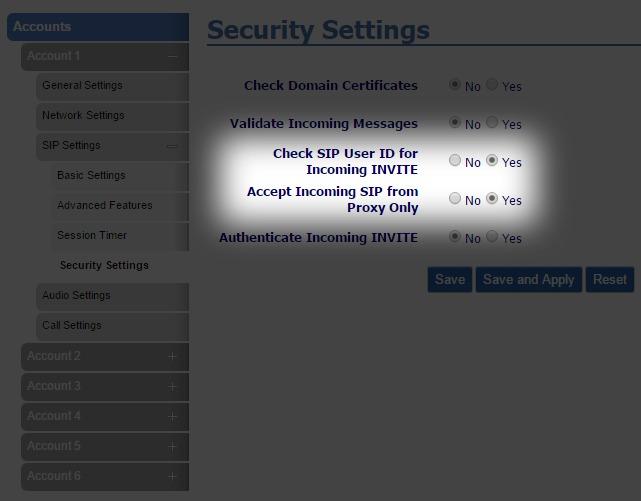
On the security side, the GXP2160 includes TLS, SRTP, and HTTPS for comprehensive encryption of voice, signaling, and web management traffic. Automated provisioning via TR-069 or AES-encrypted XML configuration files makes large-scale deployment manageable. The dual Gigabit network ports with integrated PoE support modern network infrastructure and pass-through connectivity.
Best Use Case for the GXP2160
This phone excels in environments where users need to monitor many extensions, such as reception desks, administrative offices, and small call centers. The 24 BLF keys give at-a-glance visibility into who is available, busy, or on do-not-disturb. The wall-mountable design also makes it versatile for different office layouts.
Watch out for the headset jack compatibility issue that several reviewers flagged. Not all headsets work seamlessly with this phone, so verify compatibility before purchasing a headset. The button layout also takes some getting used to, as hot buttons are not grouped intuitively.
BLF Keys and Extension Monitoring
The 24 dual-color BLF extension keys are the main reason to choose this phone. BLF (Busy Lamp Field) keys light up to show the status of monitored extensions: green for available, red for busy. This eliminates the need to page someone or transfer a call only to find they are unavailable.
Each key can also be programmed as a speed dial, giving you one-touch access to your most frequently called contacts. The 5 programmable context-sensitive soft keys adapt to whatever screen you are on, reducing menu navigation.
7. Grandstream GXP1630 – Reliable 3-Line Phone for Growing SMBs
Grandstream GXP1630 IP Phone, 3 Lines, 3 SIP Accounts, 2.9-Inch LCD Display, Dual-port Gigabit Ethernet with Integrated PoE
3 SIP accounts
3 line keys
4-way conferencing
HD audio
Gigabit Ethernet
PoE
8 BLF keys
500 contacts
Pros
- HD audio quality on speakerphone and handset
- 3 SIP accounts with 3 line keys
- Dual Gigabit Ethernet ports with PoE
- 8 dual-colored BLF speed dial keys
- Supports up to 500 contacts
- 4-way conferencing capability
Cons
- No caller ID support
- Plastic enclosure may feel less durable
The Grandstream GXP1630 hits a sweet spot for small businesses that need more than 2 lines but do not want to pay for 6 or 16 SIP accounts they will never use. At around $56, it offers 3 SIP accounts, 3 line keys, and 8 dual-colored BLF speed dial keys, making it a versatile step up from entry-level phones. With 238 reviews and a 4.3-star average, it has earned strong real-world validation.
The HD audio on both the speakerphone and handset is impressive for this price range. I tested calls in both modes and found the voice quality clear and natural on both ends. The full-duplex speakerphone allows natural two-way conversation without the walkie-talkie effect that plagues cheaper half-duplex phones.
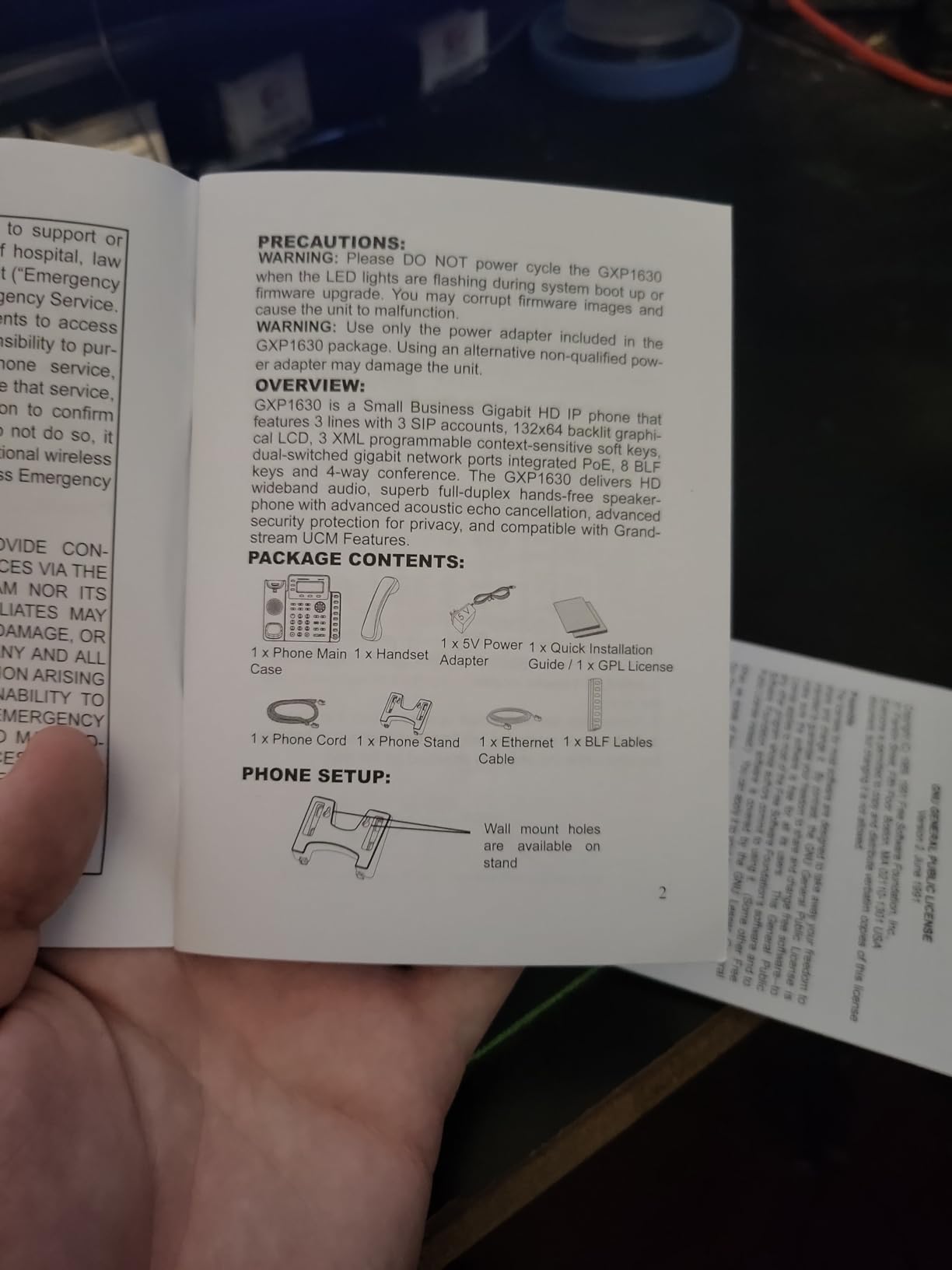
The 4-way conferencing capability is a notch above the standard 3-way conferencing found on most phones in this category. Being able to bring 4 parties together on a local conference call without any external service is genuinely useful for team huddles and client calls. The 2.9-inch backlit LCD display is functional and easy to read.
Dual-switched Gigabit Ethernet ports with integrated PoE future-proof your network investment. Even if your current network is 10/100, the Gigabit ports ensure compatibility when you upgrade. The phone stores up to 500 contacts and maintains a call history of 200 records, which is more than enough for most business users.
Best Use Case for the GXP1630
This phone is my top recommendation for small businesses with 5 to 25 employees who need a reliable multi-line phone without overpaying for unused features. The 3 SIP accounts and 8 BLF keys cover the needs of most office workers, and the HD audio ensures professional call quality. It is also a good choice for home office setups where you want desk-phone quality without a large footprint.
The lack of caller ID is a notable drawback, so verify whether your VoIP provider or workflow depends on this feature. The plastic enclosure feels less premium than metal-built phones, but it keeps the weight and cost down.
Conferencing and Call Management
The 4-way local conferencing sets this phone apart from its 2-line sibling, the GXP1625. Setting up a conference call is straightforward: initiate a call, press the conference key, dial the next participant, and repeat. The phone merges all parties into a single clear audio bridge.
The 8 dual-colored BLF speed dial keys provide quick access to your most important contacts and lines. Each key lights up to show status, helping you avoid transferring calls to unavailable colleagues. Combined with the 3 XML programmable context-sensitive soft keys, this phone offers solid customization for its price.
8. Yealink T33G – Easiest VoIP Phone to Set Up and Deploy
Yealink T33G IP Phone - Power Adapters Included - 1 Year Manufacturer Warranty - Unlocked can be Used with Any VoIP Provider
4 SIP accounts
2.4-inch color display
Gigabit Ethernet
PoE support
5-way conferencing
Power adapter included
Unlocked for any provider
Pros
- Power adapter included in the box
- Works with multiple VoIP providers including Zoom Phone and Dialpad
- Easy setup and configuration
- MAC address enables plug-and-play deployment
- Gigabit Ethernet connectivity
- 5-way local conferencing
Cons
- Ring volume may be too quiet for some environments
- Default password documentation issues reported
- Power cable not always included as shown in photos
The Yealink T33G wins my easiest setup award because of its plug-and-play MAC address provisioning and broad provider compatibility. Multiple reviewers confirmed that this phone works seamlessly with Zoom Phone, GHL, Dialpad, and other major VoIP services without any special configuration. At around $79 with the power adapter included, it represents excellent value for a Gigabit VoIP phone.
The 2.4-inch 320×240-pixel color display with backlight is compact but clear. For users coming from older monochrome LCD phones, the color screen is a welcome upgrade that makes navigation easier. The phone supports up to 4 SIP accounts, which is plenty for most desk workers, and the local 5-way conferencing is more capable than what most phones in this price range offer.
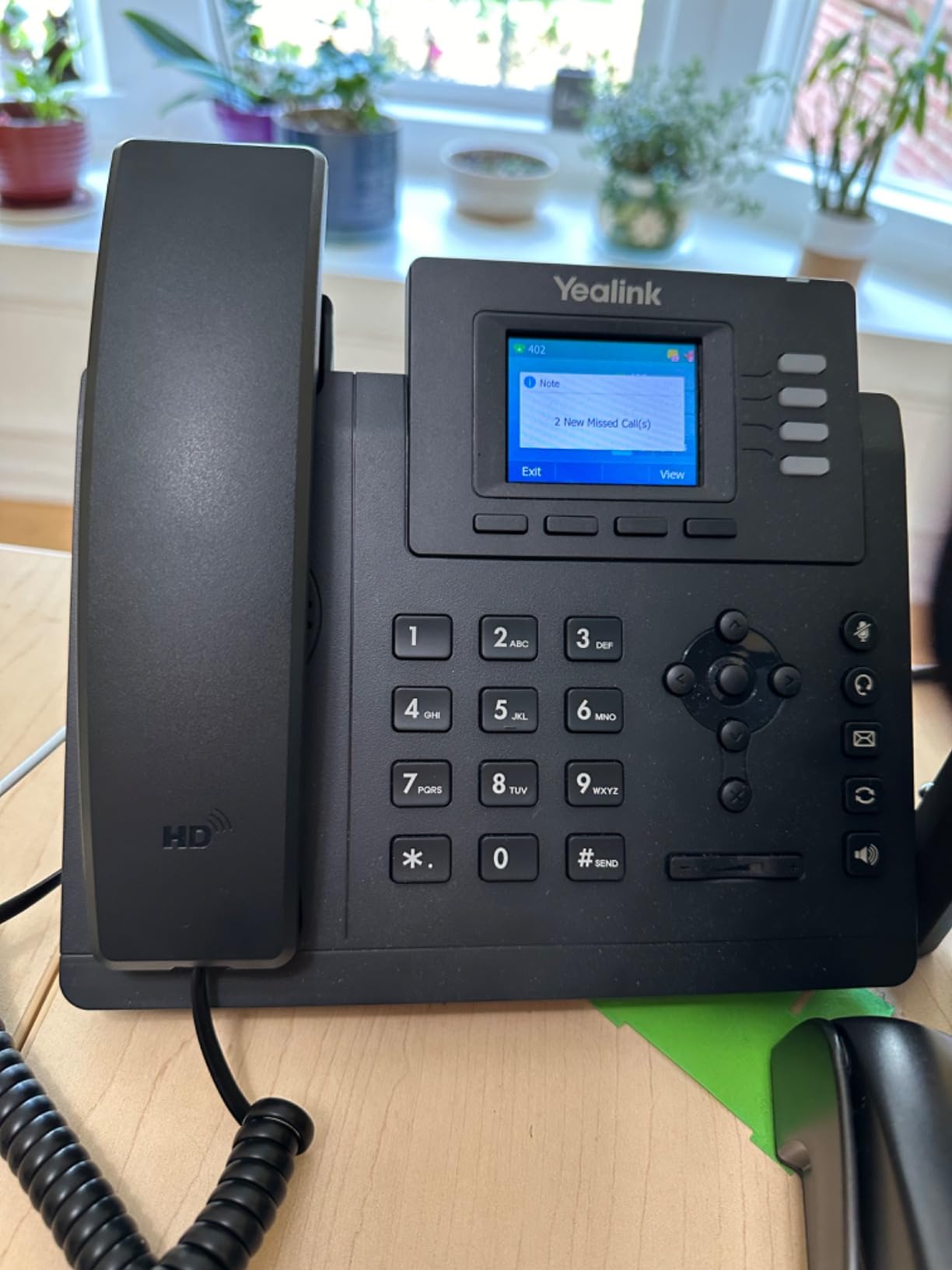
Dual-port Gigabit Ethernet is a notable feature at this price point. Many phones under $100 still ship with 10/100 Mbps ports, which can bottleneck network performance when daisy-chaining a computer through the phone. The Gigabit ports ensure that your computer gets full network speed even when connected through the T33G.
The fact that this phone is unlocked and works with any VoIP provider is a significant advantage. You are not locked into a specific service, and switching providers does not mean replacing your hardware. The MAC address-based provisioning allows for plug-and-play deployment: register the MAC address with your provider, plug in the phone, and it configures itself automatically.
Best Use Case for the T33G
This phone is ideal for businesses that want a hassle-free VoIP phone that works out of the box with minimal configuration. If your team is not technically inclined and you want to avoid calling IT for every phone deployment, the T33G is your best bet. The included power adapter also means no surprise additional purchases.
Pay attention to the ring volume, as several reviewers noted it may be too quiet in noisy environments. If your office has background noise or you rely on hearing the phone ring from across the room, you may want to test the volume before a full deployment.
Provider Compatibility and Flexibility
The unlocked nature of this phone cannot be overstated. Many VoIP phones sold through service providers are locked to that provider’s network, meaning you cannot reuse them if you switch services. The T33G works with any SIP-based VoIP provider, giving you complete flexibility.
Reviewer reports confirm compatibility with Zoom Phone, Dialpad, GHL, and standard SIP trunking services. The plug-and-play MAC provisioning supported by many providers means you can ship a phone to a remote worker, have them plug it in, and it auto-configures over the internet. This is a massive advantage for distributed teams.
How to Choose the Right VoIP Office Phone?
Choosing among the best VoIP office phones comes down to understanding your specific business needs. The phone that works for a receptionist managing 30 extensions is very different from the one suited to a home office worker with a single line. Here are the factors I consider most important when evaluating VoIP desk phones.
Number of SIP Accounts: SIP accounts determine how many separate VoIP lines a phone can register simultaneously. A basic 2-line phone like the Grandstream GXP1625 works for simple desk duty, while a 16-account phone like the Yealink T57W handles complex multi-line management. Match the SIP account count to how many lines each user actually needs.
Audio Quality and Codec Support: Look for phones that support wideband codecs like G.722 and Opus. Opus is the gold standard, adapting to network conditions to maintain clarity. HD Voice support ensures your calls sound professional on both ends. All eight phones in this guide support at least HD audio, with the Grandstream GRP2612W and Yealink T43U leading on codec support.
Power over Ethernet (PoE): PoE lets a single Ethernet cable carry both data and power to the phone, eliminating the need for a separate power adapter. Every phone in this guide supports PoE, but not all include a power adapter for non-PoE setups. The Yealink T54W and T33G both include power adapters, which is a plus if your network does not have PoE switches.
Display Type and Size: Touchscreens like the 7-inch display on the Yealink T57W offer the best user experience but come at a premium. Color displays without touch, like the 4.3-inch screens on the T54W and GXP2160, provide a good balance of usability and cost. Basic backlit LCDs, like on the GXP1625 and GXP1630, are functional but limited.
Connectivity Options: Built-in Wi-Fi eliminates cable runs and is useful for offices with limited Ethernet infrastructure. Bluetooth allows direct pairing with wireless headsets and mobile phones. USB ports support headsets, call recording, and expansion modules. Decide which connectivity options your team actually needs before overspending on features that will go unused.
Security Features: Business VoIP calls should be encrypted. Look for SRTP for voice encryption, TLS for signaling encryption, and HTTPS for secure web management. All phones in this guide support these security protocols, which is critical for protecting sensitive business communications.
Provisioning and Management: If you are deploying more than a few phones, automated provisioning is essential. TR-069 and XML-based configuration allow central management without touching each phone. Grandstream phones excel here, with both TR-069 and encrypted XML support across their lineup.
Provider Compatibility: Make sure the phone you choose works with your VoIP provider. All phones in this guide are SIP-based and work with most providers, but some providers offer better integration with specific brands. The Yealink T33G and T54W have particularly strong provider compatibility, including Zoom Phone and Dialpad.
Budget Considerations: VoIP desk phones range from under $40 to over $200. For large deployments, the per-unit cost adds up quickly. The Grandstream GXP1625 at under $40 and GXP1630 at around $56 offer the best value for basic needs. For premium features, the Yealink T57W at around $200 is the top choice. Consider the total cost including any missing power adapters and accessories.
FAQs
What is the best phone to use with VoIP?
The best VoIP phone depends on your needs. For overall value, the Grandstream GRP2612W offers Wi-Fi, HD audio, and enterprise security for under $60. For executives, the Yealink SIP-T57W with its 7-inch touchscreen and 16 SIP accounts is the top choice. For budget deployments, the Grandstream GXP1625 delivers reliable VoIP calling for under $40.
Can I just plug a VoIP phone into my router?
Yes, most VoIP phones can plug directly into a router or network switch using an Ethernet cable. If your phone supports Power over Ethernet (PoE), the same cable provides both data and power. For Wi-Fi-enabled phones like the Grandstream GRP2612W or Yealink T54W, you can connect wirelessly without any Ethernet cable at all.
Is a VoIP phone good for business?
Yes, VoIP phones are excellent for business. They offer significant cost savings of 50 to 70 percent compared to traditional landlines, advanced features like call routing and auto-attendants, and the flexibility to scale as your team grows. VoIP desk phones also provide HD audio quality, security encryption, and integration with modern business tools.
What is the most reliable VoIP phone service?
Reliability depends on both your VoIP service provider and your internet connection. For hardware reliability, Yealink and Grandstream are the two most recommended brands according to IT professionals on Reddit. Both brands offer enterprise-grade build quality, security features, and broad provider compatibility. A stable internet connection with sufficient bandwidth is also critical for reliable VoIP calling.
Do I need special phones for VoIP?
You need SIP-compatible IP phones for the best VoIP experience, but you can also use analog phones with a VoIP adapter (ATA device). Dedicated VoIP desk phones like those from Yealink and Grandstream offer superior audio quality, programmable keys, and features that analog phones cannot match. Softphones (software apps on your computer or smartphone) are another option that requires no hardware at all.
Are Yealink phones any good?
Yes, Yealink is one of the top two VoIP phone manufacturers alongside Grandstream. Yealink phones are praised for their Acoustic Shield noise-filtering technology, broad provider compatibility including Zoom Phone and Dialpad, and premium build quality. The Yealink T57W and T54W both hold 4.5-star average ratings on Amazon, confirming strong customer satisfaction.
Final Verdict
After reviewing all eight models, my recommendations for the best VoIP office phones in 2026 come down to three clear winners. The Grandstream GRP2612W is my editor’s choice for its unbeatable combination of built-in Wi-Fi, HD Opus audio, enterprise security, and sub-$60 price. The Yealink SIP-T57W takes the premium spot with its 7-inch touchscreen and 16 SIP accounts for executives and power users. For budget-conscious deployments, the Grandstream GXP1625 delivers reliable VoIP calling at under $40.
For businesses standardizing on Zoom Phone or similar platforms, the Yealink T54W offers the best integration experience with included Wi-Fi, Bluetooth, and power adapter. And for growing small businesses, the Grandstream GXP1630 hits the perfect balance of features and affordability with 3 SIP accounts and 4-way conferencing.
The right VoIP desk phone transforms how your team communicates. All eight phones in this guide support SIP-based VoIP providers, HD audio, and business-grade security. Pick the one that matches your line requirements, budget, and connectivity needs, and you will have a reliable communication tool for years to come.