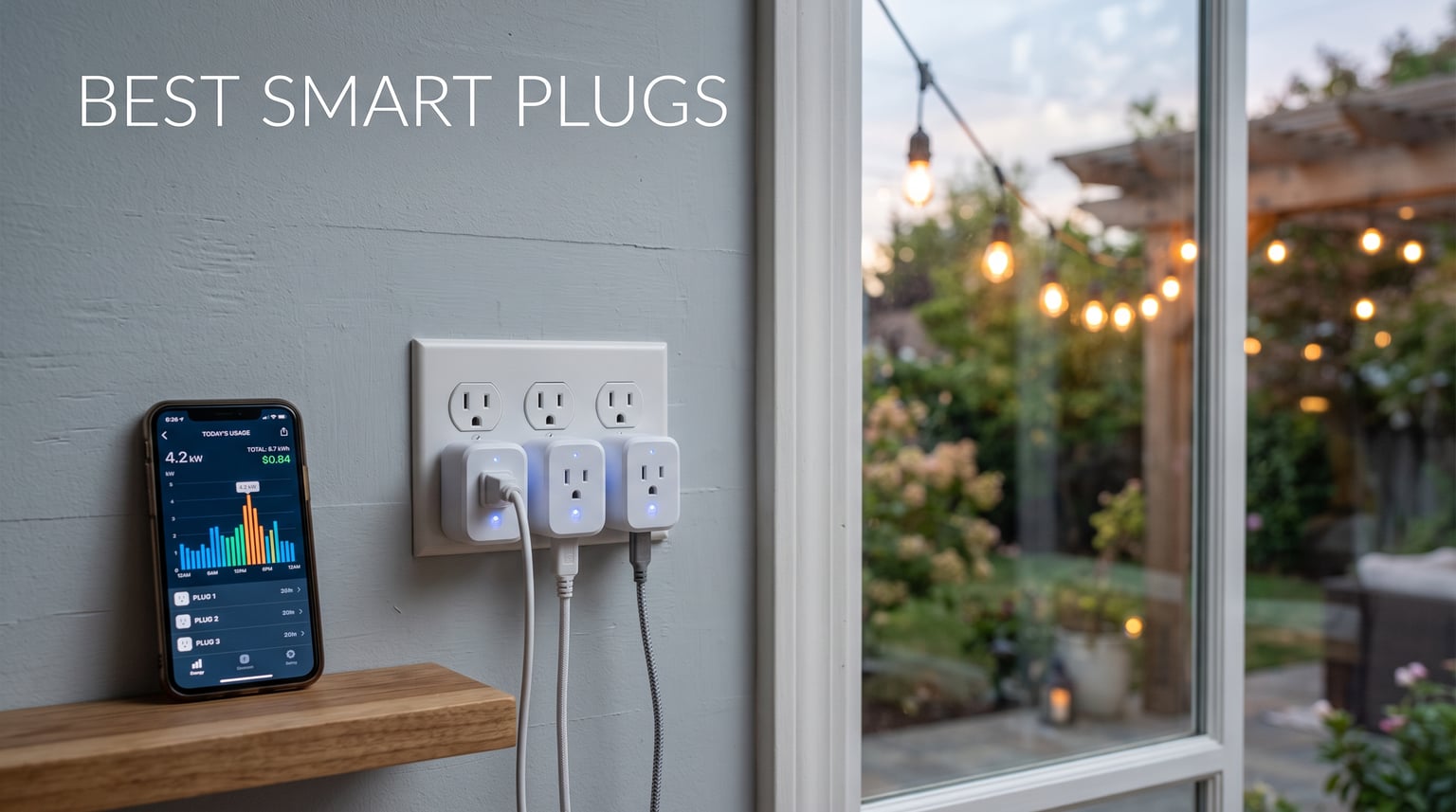
The THIRDREALITY Smart Plug Gen3 is our top best smart plugs pick because it combines Zigbee 3.0, a 15A rating, and stated ±1% real-time power monitoring. It is the strongest match here for a hub-based home that wants accurate usage data and a plug that can also extend a Zigbee network.
A smart plug sits between a wall outlet and a compatible device, then lets you switch that device on or off through an app, automation, physical control, or voice assistant. Depending on the model, it can add schedules, remote access, energy reporting, or support for standards such as Matter and Zigbee.
We ranked these ten models from the supplied product specifications, listed feature sets, certifications, ratings, and customer-review summaries rather than claiming a hands-on test we did not perform. That matters because forum users regularly report that router bands, hub requirements, app behavior, and local-control preferences shape whether an app controlled outlet works well at home.
Our short answer is simple: choose THIRDREALITY for a Zigbee hub and precise monitoring, Kasa EP40M for two weather-resistant outdoor outlets, and Govee for a Wi-Fi and Bluetooth energy-monitoring option. The rest of this guide separates the right choice for HomeKit, Matter, 5GHz Wi-Fi, compact outlets, privacy-minded setups, and unusually long-range automation.
Table of Contents
Top 3 Picks for Best Smart Plugs (September 2026)
These three are the clearest starting points: a Zigbee choice for hub users, an outdoor Matter model, and a connected indoor monitoring model. Check the full reviews before choosing, since the connection method is more important than a long feature list.
10 Best Smart Plugs In 2026
The comparison below covers every product reviewed in this guide. It places network type, monitoring, capacity, weather use, and platform support ahead of vague feature claims.
| Product | Specifications | Action |
|---|---|---|
 THIRDREALITY Smart Plug Gen3 THIRDREALITY Smart Plug Gen3 |
|
View on Amazon |
 YoLink Smart Energy Plug YoLink Smart Energy Plug |
|
View on Amazon |
 Kasa Matter Outdoor Plug EP40M Kasa Matter Outdoor Plug EP40M |
|
View on Amazon |
 NOUS Wi-Fi Smart Plug A9 NOUS Wi-Fi Smart Plug A9 |
|
View on Amazon |
 Govee Smart Plug H5086 Govee Smart Plug H5086 |
|
View on Amazon |
 Tapo P110M Smart Plug Mini Tapo P110M Smart Plug Mini |
|
View on Amazon |
 EIGHTREE ET15 Mini Smart Plug EIGHTREE ET15 Mini Smart Plug |
|
View on Amazon |
 meross MSS315 Matter Plug meross MSS315 Matter Plug |
|
View on Amazon |
 SwitchBot Smart Plug Mini SwitchBot Smart Plug Mini |
|
View on Amazon |
 GE Cync Smart Indoor Plug GE Cync Smart Indoor Plug |
|
View on Amazon |
1. THIRDREALITY Smart Plug Gen3 is the best Zigbee choice for precise monitoring
Pros
- Zigbee 3.0 hub support
- ±1% power monitoring
- enhanced repeater
- restores chosen power state
Cons
- Zigbee hub required
THIRDREALITY’s Gen3 stands out because it is not another ordinary Wi-Fi smart plug. It uses Zigbee 3.0, works with named ecosystems including Home Assistant, SmartThings, Hubitat, Homey, several Echo devices, and specified eero models, and requires a compatible Zigbee hub.
The stated ±1% power-detection accuracy is the main reason it leads this list for energy awareness. Its review summary reports a 4.9 rating from 75 reviews, with users praising integration and reliable operation, though that is a smaller review base than some Wi-Fi models here.
The plug has a 15A current rating at 110V and offers remote and voice control through its connected ecosystem. Its enhanced repeater function is useful where a Zigbee mesh needs another powered device to help carry signals through a larger home.
I also like the listed customizable power-on restoration setting because a recovered network or power interruption should not force the same behavior for every device. A lamp may be fine returning to its previous state, while another device may be better left off; configure that choice deliberately.
It fits a Zigbee hub household that values local-style automation
Choose this pack if Home Assistant, SmartThings, Hubitat, Homey, or a compatible Echo hub already anchors your home. The space-saving shape and group control make it suited to several lamps or low-complexity devices where you also want measured power data.
It is also a sensible pick when the hub is located away from some devices, because the product lists an upgraded Zigbee repeater. Placement still matters, so start with one plug in a location that helps the existing mesh rather than hiding every repeater behind dense furniture.
It requires a hub and is not a direct Wi-Fi answer
Do not buy it expecting to connect straight to a router with no Zigbee controller. The hub requirement is explicit, and this choice is better for someone already committed to Zigbee than for a first-time user seeking a one-app setup.
The supplied information lists 110V operation, so confirm that this matches your installation. It is an indoor smart plug in the available data; it has no listed outdoor weather rating.
2. YoLink Smart Energy Plug is the long-range choice with cycle schedules
Pros
- Up to 1/4-mile LoRa range
- cycle schedules
- exportable reports
- overload protection
Cons
- YoLink Hub required
- hub-based setup
The YoLink Smart Energy Plug is the unusual pick here because it uses LoRa rather than Wi-Fi or Zigbee. YoLink states up to a quarter-mile range, which makes it especially interesting for a detached location or a large property where ordinary router coverage is the weak point.
Its 4.9 rating comes from 62 reviews, and the review summary specifically highlights the range and cycle scheduling. It requires a YoLink Hub, so its appeal is not simplicity for every household but a distinct communication system with a defined purpose.
The specifications list a 15A current rating, 120V operation, and 1800W capacity. It adds real-time energy monitoring with exportable reports, instant app status, overload protection, and a maximum listed temperature of 113 degrees Fahrenheit.
Cycle schedules are more specific than a simple on/off calendar because the listed feature set supports repeating operating patterns. That can be meaningful for a device that needs regular periods of operation, provided the connected equipment is appropriate for switch-based control.
It answers range problems better than a typical Wi-Fi plug
Pick YoLink when the target outlet is far from your main router or when you already use the brand’s hub and LoRa devices. Its Alexa, Google Assistant, IFTTT, and Home Assistant compatibility gives that long-range system several paths into a wider smart home.
The device-to-device communication feature is another reason to consider it for automation that should not depend only on an internet connection. That stated capability is different from saying every automation runs locally, so confirm the exact rule you plan to create in the YoLink setup.
It asks you to accept a separate ecosystem and hub
This plug is not the direct answer for a renter who wants to join a familiar Wi-Fi app in minutes. The required YoLink Hub is an added component, and a user should allow space and setup time for it before choosing this model.
Use the listed limits as hard boundaries, not targets to exceed. For equipment with safety-sensitive controls, motor behavior, or manufacturer restrictions, consult the equipment documentation before adding remote switching.
3. Kasa Matter Smart Outdoor Plug EP40M is the best outdoor dual-outlet option
Kasa Matter Smart Outdoor Plug, Dual Outlet, IP64 Weather Resistance, Works with Apple HomeKit, Amazon Alexa, Google Home, SmartThings, 15A/1800W Max, ETL Certified, 2.4G Wi-Fi Only, EP40M
Matter
IP64 outdoor
Dual 15A outlets
Pros
- Matter support
- IP64 weather resistance
- two independent outlets
- voice control
Cons
- 2.4GHz Wi-Fi only
- requires a 2.4GHz network
The Kasa EP40M is the clearest outdoor smart plug in this group because its feature list includes IP64 weather resistance and operating resistance from -4 to 122 degrees Fahrenheit. It has two individually controlled outlets, so one outlet can run a schedule while the other follows a different routine.
It carries a 4.7 rating from 336 reviews in the supplied data. That larger review base and the two-outlet format make it a practical answer for outdoor lights, seasonal decorations, or other weather-appropriate devices that need separate control points.
Matter support is its other defining strength. The product lists Apple HomeKit, Alexa, Google Home, SmartThings, the Kasa app, and the Tapo app among its supported smart-home connections, which reduces the chance of being locked into one voice platform.
Its published electrical limit is 15A with a 1800W maximum. The individual-outlet controls, schedules, countdown timer, and voice options make it flexible, but outdoor installation still needs a protected outlet and adherence to the product’s placement instructions.
It is built for two separately controlled outdoor loads
Choose the EP40M if an exterior outlet needs two controllable connections instead of a single socket. Its IP64 rating and stated temperature range are the relevant facts for this role, not a generic claim that any indoor plug can live outdoors.
It is also a strong HomeKit smart plug candidate for an outdoor plan because Matter is listed alongside Apple HomeKit. Matter can make cross-platform control easier, but the home controller and software must also support the intended connection.
It still depends on a 2.4GHz Wi-Fi path
The EP40M is 2.4G Wi-Fi only, a common pain point in smart-plug discussions. If your router combines bands under one network name, consult its device-joining steps or temporarily make the 2.4GHz connection available during setup.
It is not a replacement for a weatherproof electrical installation. Review the outlet cover, cable routing, and the specific devices connected to each socket before using it outdoors.
4. NOUS Wi-Fi Smart Plug A9 is the direct dual-band Wi-Fi answer
NOUS Wi-Fi Smart Plug 15A, Dual-Band 2.4GHz & 5GHz, Energy Monitoring, Compatible with Alexa, Google Home, Tuya App, Remote Control, Timer, Compact Design, Smart Outlet, 3 Pack
2.4GHz and 5GHz Wi-Fi
15A
1800W
Pros
- Dual-band Wi-Fi
- real-time monitoring
- compact shape
- no hub required
Cons
- Lower review count
The NOUS A9 directly addresses a question that appears often in smart-home forums: which smart plug can join 5GHz Wi-Fi? Its supplied features state support for both 2.4GHz and 5GHz Wi-Fi, eliminating the band limitation called out on several competing models.
It has a 4.7 rating from 43 reviews and comes as a three-pack. That rating is encouraging, but the review count is modest, so I would give more weight to its published connection capability than to a small set of customer impressions.
NOUS lists 15A, 120V, and 1800W ratings, plus real-time energy monitoring, remote control, timer functions, and Alexa, Google Home, and Tuya app compatibility. The compact body measures 2.36 by 1.5 by 2.05 inches in the supplied specifications.
No hub is required according to the product data. That makes it a simple Wi-Fi smart plug route for a home that does not want to maintain a separate coordinator just to control lamps, approved small appliances, or scheduled devices.
It suits homes where the router band’s setup rules are frustrating
Choose the A9 if your network is mainly 5GHz or you want the freedom to connect across both common Wi-Fi bands. Dual-band support can remove a setup obstacle, though signal strength and router settings still affect every wireless device.
Its energy monitor and timer also make it a useful smart plug for lamp automation and routines. The physical switch function should remain part of your plan so a household member can control the outlet without reaching for an app.
It has a smaller pool of customer feedback than leading alternatives
There are 43 reviews in the supplied data, versus hundreds or thousands for several models below. That does not prove a defect, but it gives less long-term owner feedback to review before treating it as the only choice for a whole home.
The data does not list Matter, HomeKit, an outdoor rating, or a Zigbee connection for this model. Buy it for its explicit Wi-Fi, Tuya, Alexa, and Google Home fit rather than assuming extra platform support.
5. Govee Smart Plug H5086 is the best Wi-Fi and Bluetooth monitoring pack
Govee Smart Plug with Energy Monitoring, WiFi Bluetooth Plug Work with Alexa and Google Assistant, 15A Smart Outlets with Timer & Group Controller, No Hub Required, ETL&FCC Certified for Home, 4 Pack
Wi-Fi and Bluetooth
15A 1800W
1-year energy history
Pros
- Wi-Fi and Bluetooth
- one-year data history
- group control
- no hub required
Cons
- No 5GHz Wi-Fi support
- not Matter listed
Govee’s H5086 is a strong indoor choice for readers who want energy information without a hub. It combines Wi-Fi and Bluetooth connectivity, and its feature list says the Govee Home app can keep one year of real-time monitoring data across daily, weekly, monthly, and yearly views.
Its 4.6 rating is supported by 1,122 reviews, the second-largest review volume in this selection. The supplied review summary highlights energy monitoring and dual connectivity, which are the two reasons this pack earns a top-three place.
The listed specifications are 15A, 120V AC, and 1800W. It includes scheduling, group control, Alexa and Google Assistant voice control, shared app access for family members, and FCC and ETL certification with fire-resistant materials.
Bluetooth does not turn the H5086 into a 5GHz product: the supplied cons state that it does not support 5G Wi-Fi. Treat Bluetooth as the stated second connection method, not as a substitute for checking the network requirements.
It gives monitoring households a longer energy record to inspect
Pick Govee if you want to look for recurring consumption patterns over more than a day or a week. Energy monitoring identifies what a connected device uses; it does not by itself create savings, which only follow when you change a schedule or behavior safely.
Group control is useful when several compatible outlets follow one routine, such as lights in a room. I would label groups clearly in the app, since a vague group name makes it easier to switch the wrong device.
It is for Alexa and Google users, not a stated Matter setup
The supplied compatibility data names Alexa, Google Assistant, and IFTTT, while Matter, Apple Home, and SmartThings are not listed. Choose it when those stated platforms match your setup rather than relying on an assumed future connection.
The 15A and 1800W figures still require careful device selection. Do not treat app access as a reason to control equipment that should be supervised or equipment whose manufacturer advises against remote power switching.
6. Tapo P110M is the best Matter smart plug for power-management tools
TP-Link Tapo Smart Plug Mini, Matter Compatible, Compatible with Alexa, Google Home & Samsung SmartThings, Energy Monitoring, 15A, UL Certified, 2.4G Wi-Fi Only, Tapo P110M(4-Pack)
Matter and Wi-Fi
15A 1800W
Energy monitoring
Pros
- Matter-certified
- energy monitoring
- overcharge prevention
- UL certified
Cons
- 2.4GHz Wi-Fi only
- no 5GHz support
The Tapo P110M puts Matter and energy monitoring into a four-pack built around 15A and 1800W operation. Matter certification makes it one of the clearest choices for a household that wants a device intended to work across more than one smart-home platform.
It holds a 4.6 rating from 572 reviews in the supplied data. The customer-review summary calls out Matter, reliable monitoring, and voice control, while the feature list adds billing integration, overcharge prevention, and power-management functions.
Tapo says the P110M works through Matter and Wi-Fi, with remote, voice, and scheduling control. It does not need a hub, but its Wi-Fi connection is limited to 2.4GHz, a condition to confirm before buying several plugs at once.
UL certification is listed, and the product includes four plugs and a quick installation guide. That pack format makes it relevant for an energy-monitoring smart plug plan covering several indoor outlets with the same app and automation rules.
It makes sense for a Matter-first multi-platform home
Choose the P110M if Matter is your main requirement and you want an indoor pack with reported energy data. Matter is a shared smart-home standard, not a promise that every app exposes every feature in exactly the same way.
Its overcharge-prevention and power-management features are worth reading about in the product documentation before setup. Use the plug’s own specified controls and limits rather than building an automation around assumptions about its protective behavior.
It needs a working 2.4GHz network during setup and use
The P110M does not support 5GHz Wi-Fi according to the supplied cons. That makes the NOUS A9 or EIGHTREE ET15 a more direct fit if a dual-band Wi-Fi requirement comes before Matter.
This is an indoor plug based on the data provided. It does not list a weather rating, so choose the Kasa EP40M when an outdoor dual outlet is the actual need.
7. EIGHTREE ET15 is a compact 5GHz-compatible option with monitoring
EIGHTREE Mini Smart Plug 5GHz Wi-Fi Compatible 15A, Smart Plugs That Work with Alexa & Google Home & SmartThings, Energy Monitor, Remote Control, Timer & Schedule, Wi-Fi Plugs
2.4GHz and 5GHz Wi-Fi
15A
1500W
Pros
- Dual-band Wi-Fi
- energy monitoring
- compact body
- Alexa Google SmartThings
Cons
- 1500W maximum
- Bluetooth needed for setup
The EIGHTREE ET15 is the other clear answer for dual-band Wi-Fi. It supports both 2.4GHz and 5GHz, includes Bluetooth and Wi-Fi connectivity, and lists compatibility with Alexa, Google Home, and SmartThings.
Its 4.5 rating comes from 922 reviews, giving it a much broader owner-feedback base than the NOUS A9. The supplied summary says users appreciate the compact design, energy monitoring, and wide platform compatibility.
The ET15 is rated at 15A but has a listed 1500W maximum, lower than the 1800W figure stated for several other plugs in this guide. Its dimensions are 1.7 by 2.5 by 2.5 inches, and the feature list says its compact design can allow two plugs in one outlet.
It includes remote control, timer and schedule functions, energy monitoring, ETL and FCC certification, and a two-year warranty. Initial setup requires Bluetooth, an extra step that should be treated as a setup requirement rather than an optional bonus.
It is the better dual-band choice when review volume matters
Select EIGHTREE when a 5GHz-capable smart plug matters but you also want a larger supplied review count. The combination of dual-band support, monitoring, and a compact body is useful for an outlet where preserving the neighboring socket matters.
Its stated Alexa, Google Home, and SmartThings support gives it a broad set of voice and app-control routes. Confirm your desired controller is already working on the same home network before adding the plug.
Its 1500W ceiling should guide the connected-device decision
The 1500W maximum is a real differentiator, even with a 15A rating. Check the device label and use manual before connecting anything that could approach the stated limit.
The data lists no Matter certification, HomeKit connection, outdoor protection, or hub-based protocol. It is most compelling as a direct Wi-Fi indoor plug, not as a universal ecosystem solution.
8. meross MSS315 is the privacy-focused Matter and LAN-control pick
meross Matter Smart Plug, Energy Monitoring Smart Outlet, Wi-Fi Plug Work with Alexa, Apple HomeKit, Google with Schedule Timer, 15A/1800W, 100% Privacy Matter Smart Home, App & Voice Control 4 Pack
Matter and Wi-Fi
15A 1800W
LAN control
Pros
- Matter support
- LAN control
- energy monitoring
- fire-retardant material
Cons
- 2.4GHz and IPv6 required
- hub needed for some platforms
The meross MSS315 is the best fit here for buyers who put local control and privacy near the top of their list. The supplied product data lists LAN control with no cloud required, Matter compatibility, energy monitoring, and fire-retardant V0-rated materials.
It has a 4.5 rating from 191 reviews. The review summary praises broad platform compatibility, local-control privacy, energy reporting, and Echo auto-pairing, while also making clear that hub support may still be needed for some platforms.
The plug lists 15A, 1800W, 2.4GHz Wi-Fi, Bluetooth, and Matter. Its stated compatible systems include Apple Home, Alexa, Google Home, Home Assistant, and SmartThings, creating unusually broad ecosystem coverage from the supplied information.
Forum discussions often raise concerns about cloud-dependent plugs and app reliability. A product that lists LAN control gives a privacy-minded buyer a concrete capability to investigate, but it does not remove the need to review app permissions, router security, and the documentation for the exact automation path.
It is the strongest choice when local network control is a priority
Choose the MSS315 when you want a Matter smart plug with a stated LAN-control option rather than an entirely cloud-dependent routine. This is especially relevant for someone building a Home Assistant or mixed-platform home and wanting fewer unnecessary external dependencies.
The 2-year manufacturer warranty listed in the data and the V0-rated fire-retardant material add useful selection facts. They should complement, not replace, correct outlet use and appropriate load selection.
It has specific network and platform requirements to verify
The supplied limitations say it works only with 2.4GHz and IPv6 networks, and some platform use requires a Matter-compatible hub. Check both requirements before treating the broad compatibility list as a guaranteed plug-and-play result.
It is not listed as weather resistant. Keep this model for indoor installations and use an explicitly rated product such as the Kasa EP40M for exposed exterior use.
9. SwitchBot Smart Plug Mini is the compact Wi-Fi and Bluetooth option
SwitchBot Smart Plug Mini, 15A Energy Monitoring, WiFi & Bluetooth Outlet, Compatible with Alexa, Google Assistant, Home Assistant, App Control, Timer Function, No Hub Required, Compact Design
Wi-Fi and Bluetooth
15A
Second-by-second monitoring
Pros
- Compact non-blocking body
- Wi-Fi and Bluetooth
- one-second power updates
- no hub required
Cons
- Bluetooth is fallback
- pack-count listing differs
The SwitchBot Smart Plug Mini focuses on a small, non-blocking form factor and dual Wi-Fi and Bluetooth connectivity. The product data calls it a compact 1 by 1 inch design and lists 15A operation, real-time energy monitoring updated every second, a timer, and no hub requirement.
It earns a 4.5 rating from 154 reviews. The supplied review insights point to the compact design, dual connectivity, and rapid monitoring updates as the most appreciated parts of the product.
The listed platform compatibility includes Alexa, Google Assistant, Siri, SmartThings, and Home Assistant. That does not specify Matter, so consider it broad controller support rather than Matter-based interoperability.
The specifications name ETL certification and overload protection. Its Bluetooth connection is described as a fallback rather than primary connectivity, which helps set realistic expectations about how it should join and stay connected in a typical setup.
It is for outlets where the adjacent socket must remain usable
Pick SwitchBot when physical size matters as much as automation. A compact outlet body can be the difference between using a duplex outlet normally and blocking the neighboring connection with a large plug.
The one-second monitoring update claim also makes it relevant when you want closely updated power information. Review that data in context rather than assuming rapid updates are the same as a certified measurement instrument.
Its listing has a pack-count inconsistency worth checking
The product title describes a 4-pack, while the supplied product details list included components as plug times three and identify a three-pack concern in the cons. Verify the exact package quantity shown at checkout before deciding how many outlets your plan covers.
The availability of Siri in the compatibility list does not by itself identify its full Apple Home setup path. If HomeKit or Matter is non-negotiable, select a product where that support is expressly listed.
10. GE Cync Smart Indoor Plug is the popular Matter-compatible indoor pick
GE Cync Smart Indoor Plug, Smart Outlet Control, WiFi Outlet Plug, Matter Compatible, Works with Alexa and Google Home
Matter and Wi-Fi
15A 1800W
Slim indoor body
Pros
- Matter compatible
- broad platform support
- scheduling
- keeps adjacent outlet open
Cons
- Single unit
- plastic contact material
The GE Cync Smart Indoor Plug is a straightforward Matter-compatible option with the largest review count in this guide. Its 4.4 rating comes from 2,668 reviews, and the supplied review summary says users value Matter compatibility, scheduling, and a compact design that does not block the adjacent outlet.
It supports Bluetooth, Matter, and Wi-Fi, with listed compatibility for Alexa, Google Assistant, Samsung SmartThings, and Apple Home. That platform list makes it a flexible indoor starting point for a household that may use more than one controller.
The specifications list 15A, 1800W, a 2.36 by 2.36 by 4.49 inch body, and a 2.4-ounce weight. Remote control, scheduling, voice control, ETL certification, and FCC certification are part of the supplied feature set.
This model is sold as one plug in the provided information, which can be useful for trying a location before standardizing on a larger set. Its plastic contact material is also a stated limitation to include in a buying decision.
It is a sensible first indoor Matter plug with broad owner feedback
Choose GE Cync when you want a single indoor Matter plug and value a large body of supplied customer feedback. Its slim design is a meaningful benefit for a busy outlet where a bulky device would obstruct a second connection.
Apple Home, Alexa, Google Assistant, and SmartThings are named in the data, so it offers several platform paths. Set up one controller first and then decide whether you need the same device exposed across other supported services.
It is not the right product for outdoor use or multi-plug coverage
The available information calls it an indoor plug and gives no weather rating. Do not substitute it for an IP-rated outdoor product where moisture and temperature exposure are part of the use case.
It also covers one outlet per unit. A multi-outlet plan may be better served by a listed pack such as THIRDREALITY, Govee, Tapo, EIGHTREE, or meross, after checking each model’s connection requirements.
How To Choose The Best Smart Plugs?
A good buying decision starts with the control method, not the box claims. Decide whether you want direct Wi-Fi, a hub-based Zigbee device, YoLink’s LoRa system, or Matter support across platforms before comparing secondary features.
Matter is the cross-platform standard, not a feature guarantee
Matter is a smart-home protocol intended to help compatible products work with more than one ecosystem. In this group, Kasa EP40M, Tapo P110M, meross MSS315, and GE Cync explicitly list Matter; that makes them logical starting points for Apple Home, Alexa, Google Home, or SmartThings users who want broader stated compatibility.
Still, use the manufacturer documentation to check whether a preferred feature, such as energy reports or advanced schedules, appears inside the controller you use. A plug can be compatible with a platform while certain advanced controls remain in the maker’s app.
Your Wi-Fi band can decide the purchase before any feature does
Many smart plugs use 2.4GHz Wi-Fi because it generally reaches farther than 5GHz, but forum users often report trouble joining a router that favors 5GHz. Kasa EP40M, Tapo P110M, Govee H5086, and meross MSS315 list a 2.4GHz requirement or limitation.
NOUS A9 and EIGHTREE ET15 explicitly list both 2.4GHz and 5GHz support. If you need an option that avoids Wi-Fi-band setup, THIRDREALITY uses Zigbee with a hub and YoLink uses LoRa with its required hub.
Energy monitoring explains consumption but does not guarantee lower use
Monitoring models show what a connected device draws over time, so you can identify a schedule worth changing or a device that uses more than expected. THIRDREALITY lists ±1% real-time detection, Govee states one-year history, YoLink offers exportable reports, and several others list app-based monitoring.
Use energy data as evidence for a safer routine, such as limiting a lamp to the hours you need it. Do not create aggressive automations for appliances that need an orderly shutdown, human supervision, or a manufacturer-approved control method.
Outdoor ratings and electrical limits are non-negotiable checks
For an exterior outlet, use a plug with a stated weather rating rather than carrying an indoor Wi-Fi model outside. Kasa EP40M lists IP64 weather resistance and a -4 to 122 degrees Fahrenheit operating range; no other item in this group has an equivalent listed outdoor rating.
Several plugs list 15A and 1800W, while EIGHTREE lists a 1500W maximum. Check both the plug limit and the device’s own instructions, keep cords and outlets in sound condition, and do not use a smart plug where the device maker prohibits it.
Privacy starts with the control path and account settings
Privacy-conscious buyers should look at whether a product depends on a cloud account, whether a hub can run automations locally, and what permission the companion app requests. The meross MSS315 lists LAN control with no cloud required, while THIRDREALITY’s Zigbee design works through supported hubs that may offer different control arrangements.
Use a unique account password, keep router and smart-home software updated, and remove old device access when someone leaves the household. No product is automatically the most secure in every home; the safer choice is the one whose documented control path and update practices you can maintain.
Schedules and physical access make everyday control less frustrating
For a smart plug for lamp use, a basic timetable and an accessible physical button may be all you need. Name every outlet by room and device, then test a manual on/off action before trusting a voice routine or an away mode.
Choose a compact body where the neighboring outlet is occupied, a dual outlet where two separate devices need control, and a pack only after confirming the same protocol fits every intended location. That small amount of planning prevents the common problem of buying a capable plug that cannot join the network you actually have.
FAQs
Which Wi-Fi smart plug is best?
The NOUS A9 and EIGHTREE ET15 are the clearest Wi-Fi choices when 5GHz support matters because both explicitly list 2.4GHz and 5GHz compatibility. For 2.4GHz-only Wi-Fi with extensive energy history, Govee H5086 is a strong option; check platform and load requirements before choosing.
What are the cons of smart plugs?
Common drawbacks include 2.4GHz-only setup on many models, dependence on an app or hub, possible Wi-Fi or cloud-service issues, and limited compatibility with certain appliances. They also have stated electrical limits, so a smart plug is not appropriate for every high-draw or safety-sensitive device.
What is the most secure smart plug?
There is no single most secure smart plug for every home. Look for a documented local-control option, timely software updates, a supported ecosystem, strong unique account credentials, and a secured home router; the meross MSS315 is notable here because its supplied data lists LAN control with no cloud required.
What smart plugs should I buy?
Buy THIRDREALITY Gen3 for a Zigbee hub and precise listed monitoring, Kasa EP40M for a weather-resistant dual outdoor outlet, Govee H5086 for Wi-Fi and Bluetooth energy history, or a Matter model such as Tapo P110M, meross MSS315, or GE Cync when cross-platform support is the priority.
The best smart plugs choice is the one that matches the system you already use
For 2026, THIRDREALITY Smart Plug Gen3 is our leading recommendation for a Zigbee home that values stated monitoring precision and repeater support. Kasa EP40M takes the outdoor role, while Govee H5086 is the practical Wi-Fi and Bluetooth monitoring pick with a substantial supplied review base.
For the best smart plugs list to help rather than confuse, begin with the required protocol and network band, then check platform support, electrical limits, and location. Buy the model whose documented features fit the outlet and device you plan to control, not the one with the longest generic feature list.