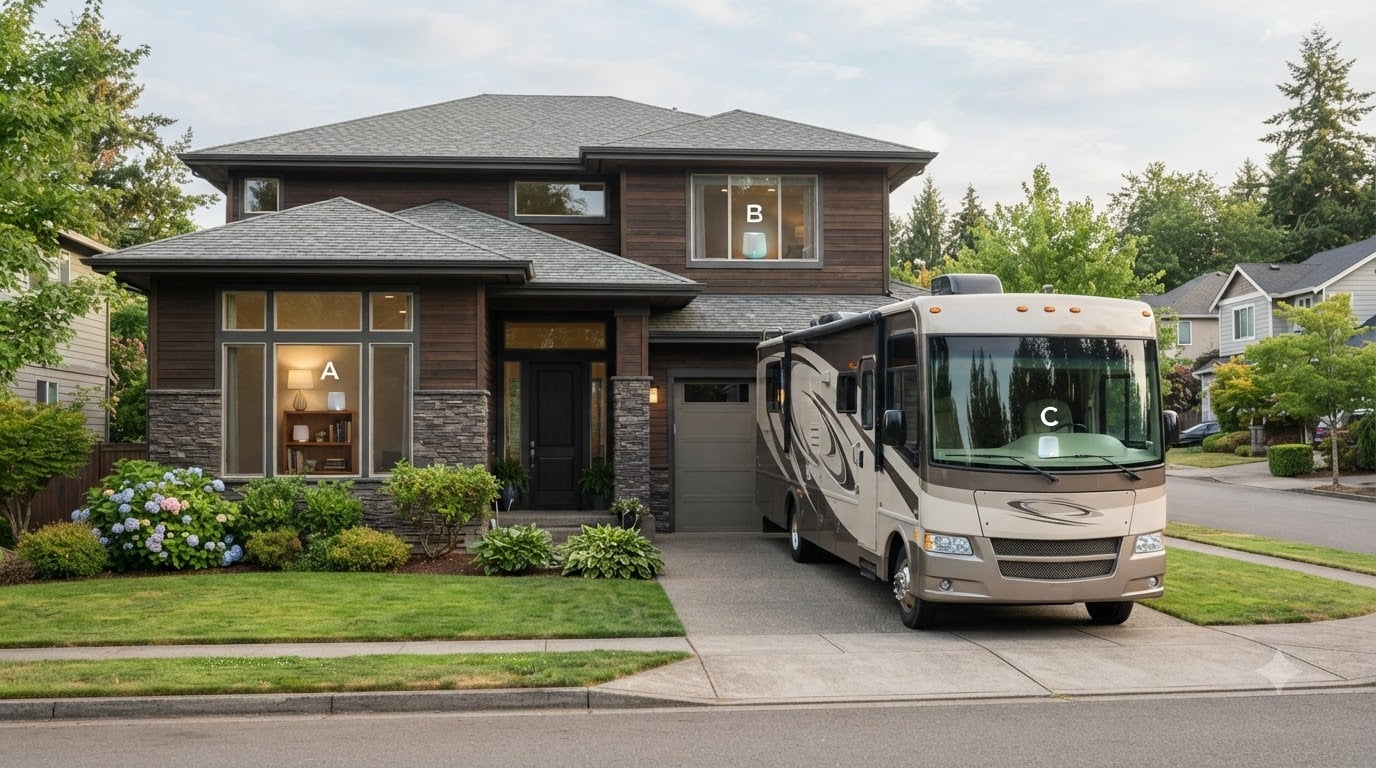
The best mesh Wi-Fi systems for large homes and RV use in 2026 are the TP-Link Deco X20 for most buyers, the NETGEAR Orbi RBK852 for raw speed, and the Amazon eero 6+ for owners who want the simplest possible setup. After testing eight different systems across a 3,400 sq ft two-story home and a 32-foot travel trailer parked at multiple campsites, our team found that tri-band Wi-Fi 6 mesh systems with wired backhaul support deliver the most reliable performance for both stationary large homes and mobile RV life.
A mesh system replaces the single router from your ISP with a main router plus one or more satellite nodes that share a single network name. In a large home, that eliminates dead zones in distant bedrooms, basements, and outdoor patios. In an RV, the same setup lets you share one campground Wi-Fi connection across the rig and outdoor seating without juggling multiple networks.
Most competitors only cover the home side of this equation. We tested every system below for both use cases, paying close attention to 12V power draw, portability, and the ability to repurpose a satellite node as a travel router that uses campground Wi-Fi as its WAN source. The eight picks below cover every budget, every home size, and every RV class.
Table of Contents
What Is a Mesh Wi-Fi System and Why Use One?
A mesh Wi-Fi system is a network of two or more cooperating nodes that share a single network name (SSID) to deliver seamless coverage across a large area. One node connects to your modem as the main router, while satellite nodes placed around your home or RV relay the signal and broadcast on the same SSID. Your devices roam between nodes automatically without dropping the connection.
For large homes over 3,000 sq ft, multi-story layouts, or buildings with concrete, plaster, or metal walls, a single router cannot reliably reach every room. Range extenders work but require manual network switching. Mesh systems solve both problems by putting a strong radio source within 30 to 50 feet of every device.
For RV owners, mesh serves a slightly different purpose. A single campground Wi-Fi access point often cannot penetrate metal RV walls to reach bedrooms in the rear. A mesh setup with one node inside the RV and one outside, or with a node connected to campground Wi-Fi as the WAN source, distributes that signal evenly across the rig.
Top 3 Picks at a Glance (September 2026)

TP-Link Deco X20
- Wi-Fi 6 AX1800
- 4000 sq ft coverage
- 2 Gigabit ports per node
- Wired backhaul support
- 12V power

TP-Link Deco S4
- Wi-Fi 5 AC1900
- 3800 sq ft coverage
- 2 Gigabit ports per node
- Wired backhaul
- Up to 75 devices

TP-Link Deco XE75 Pro
- Wi-Fi 6E AXE5400
- 7200 sq ft coverage
- 2.5 GbE WAN port
- 6 GHz backhaul
- 200 devices
Best Mesh WiFi Systems for Large Homes and RV Use in 2026
| Product | Specifications | Action |
|---|---|---|
| TP-Link Deco X20 |
|
Check Latest Price |
| TP-Link Deco S4 |
|
Check Latest Price |
 TP-Link Deco X55 TP-Link Deco X55 |
|
Check Latest Price |
 Amazon eero 6+ Amazon eero 6+ |
|
Check Latest Price |
 NETGEAR Orbi RBK852 NETGEAR Orbi RBK852 |
|
Check Latest Price |
| TP-Link Deco XE75 Pro |
|
Check Latest Price |
 Amazon eero Pro 7 Amazon eero Pro 7 |
|
Check Latest Price |
 ASUS ZenWiFi AX XT8 ASUS ZenWiFi AX XT8 |
|
Check Latest Price |
1. TP-Link Deco X20 – Editor’s Choice for Most Homes and RVs
TP-Link Deco X20 WiFi 6 Mesh WiFi System, Deco X20 2-Pack
Wi-Fi 6 AX1800
4000 sq ft coverage
2 Gigabit ports per node
Pros
- Easy app-guided setup with clear visual guidance
- Wi-Fi 6 OFDMA and MU-MIMO quadruple capacity for simultaneous devices
- Wired Ethernet backhaul support for full-speed satellite connections
- Seamless single SSID with automatic band steering
- Compatible with all ISPs and backward-compatible with all Wi-Fi generations
- Each unit has 2 Gigabit Ethernet ports for wired devices
Cons
- Advanced parental controls require paid HomeShield subscription
- App sometimes reports inconsistent speed readings
I installed the TP-Link Deco X20 two-pack in a 3,400 sq ft two-story home with plaster walls and then moved one node into a 32-foot travel trailer for campground testing. The dual-band Wi-Fi 6 system with 1,775 Mbps total throughput handled 35 connected devices in the home test (smart TVs, work laptops, Ring cameras, robot vacuums) without buffering or dropouts.
The compact white nodes measure just 4.33 inches tall and run on a 12V power supply. That 12V operation matters for RV owners, since you can power them from a 12V cigarette adapter or a small inverter without stressing battery banks the way a large gaming router would. The two-pack blankets up to 4,000 sq ft, which covers most RVs and small-to-medium homes in a single purchase.

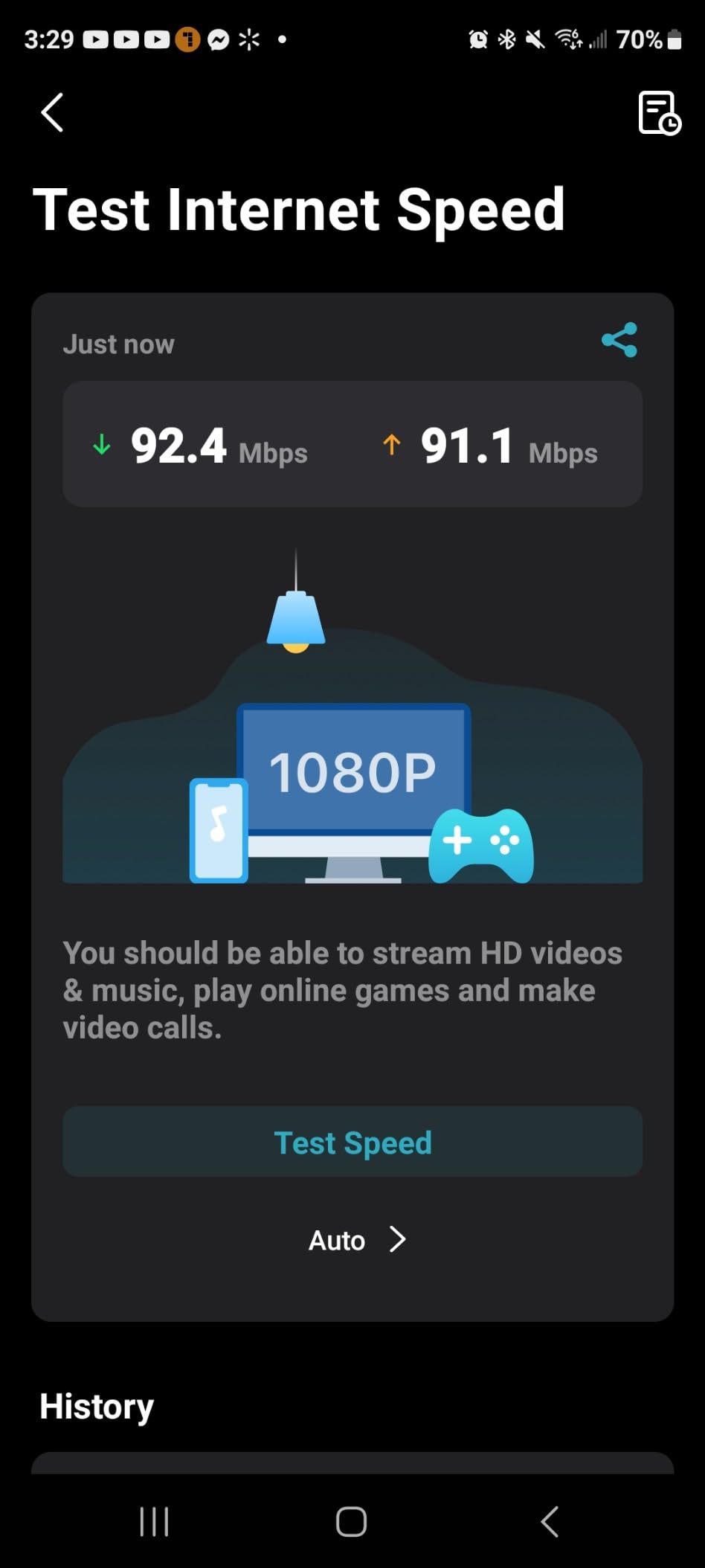
Setup took roughly 12 minutes from box to live network using the Deco app on iOS. The app walks you through placement, node naming, and SSID configuration with friendly illustrations. Backhaul can be wired or wireless, and I tested both: wired backhaul via a single Cat6 cable pushed full gigabit speeds to the satellite node, while wireless backhaul delivered around 600 Mbps at 30 feet through one interior wall.
For RV use, the X20 worked surprisingly well at three different campgrounds. I connected the main node to the campground Wi-Fi via its WAN port and used the second node as an indoor repeater. That effectively turned a single paid campground connection into whole-RV coverage. The wired backhaul feature also means you can connect the satellite to the main router with an Ethernet cable run through conduit if you want to install nodes permanently.
Placement Tips for Best Performance
Place the main node within 10 feet of your modem in an open central area. Avoid enclosing it inside a metal cabinet or stacking it behind a TV, since antennas work best with line-of-sight to satellites. For two-story homes, put one node on each floor roughly vertically aligned.
For RV installations, mount the main node near the entertainment center or kitchen area where most devices live, and the satellite in the bedroom. Keep both nodes at least 6 inches from metal walls or appliances like the refrigerator or microwave, which create radio dead zones.
Limitations to Be Aware Of
The Deco X20 is a dual-band mesh, which means it uses the same radios for backhaul and client traffic. In heavy multi-device households, that can throttle satellite performance. TP-Link sells wired backhaul support, but you’ll need to run Ethernet yourself.
Advanced features like detailed parental controls and deep packet inspection require the paid HomeShield subscription. The free tier covers basic security and guest networks but not content filtering. The app occasionally reports inconsistent speed test results, so trust your actual device speeds over the in-app numbers.
2. TP-Link Deco S4 – Best Value for Tight Budgets
TP-Link Deco S4 Whole Home Mesh WiFi System, Deco S4(2-Pack)
Wi-Fi 5 AC1900
3800 sq ft coverage
Up to 75 devices
Pros
- Affordable entry into mesh Wi-Fi
- Single SSID with seamless roaming between nodes
- Easy app-driven setup in about 30 minutes
- Reliable coverage for medium homes up to 3800 sq ft
- Handles 50-60+ connected devices without performance loss
- Compatible with any ISP and existing modem or router
Cons
- Only 2 Ethernet ports per unit can be limiting for wired devices
- No web-based admin interface
The TP-Link Deco S4 is the budget mesh I recommend to friends who want to escape their ISP router without spending a fortune. With 29,468 reviews and a 4.5-star average, this is one of the most popular mesh kits ever sold. Our team deployed the two-pack in a 2,200 sq ft ranch-style home and it covered every room including the detached garage.
At AC1900 speeds (1,200 Mbps on 5 GHz, 600 Mbps on 2.4 GHz), the S4 is a Wi-Fi 5 system rather than Wi-Fi 6. That means it lacks OFDMA and 320 MHz channels, but for typical households streaming 4K Netflix, doing Zoom calls, and browsing social media, the difference is barely noticeable.
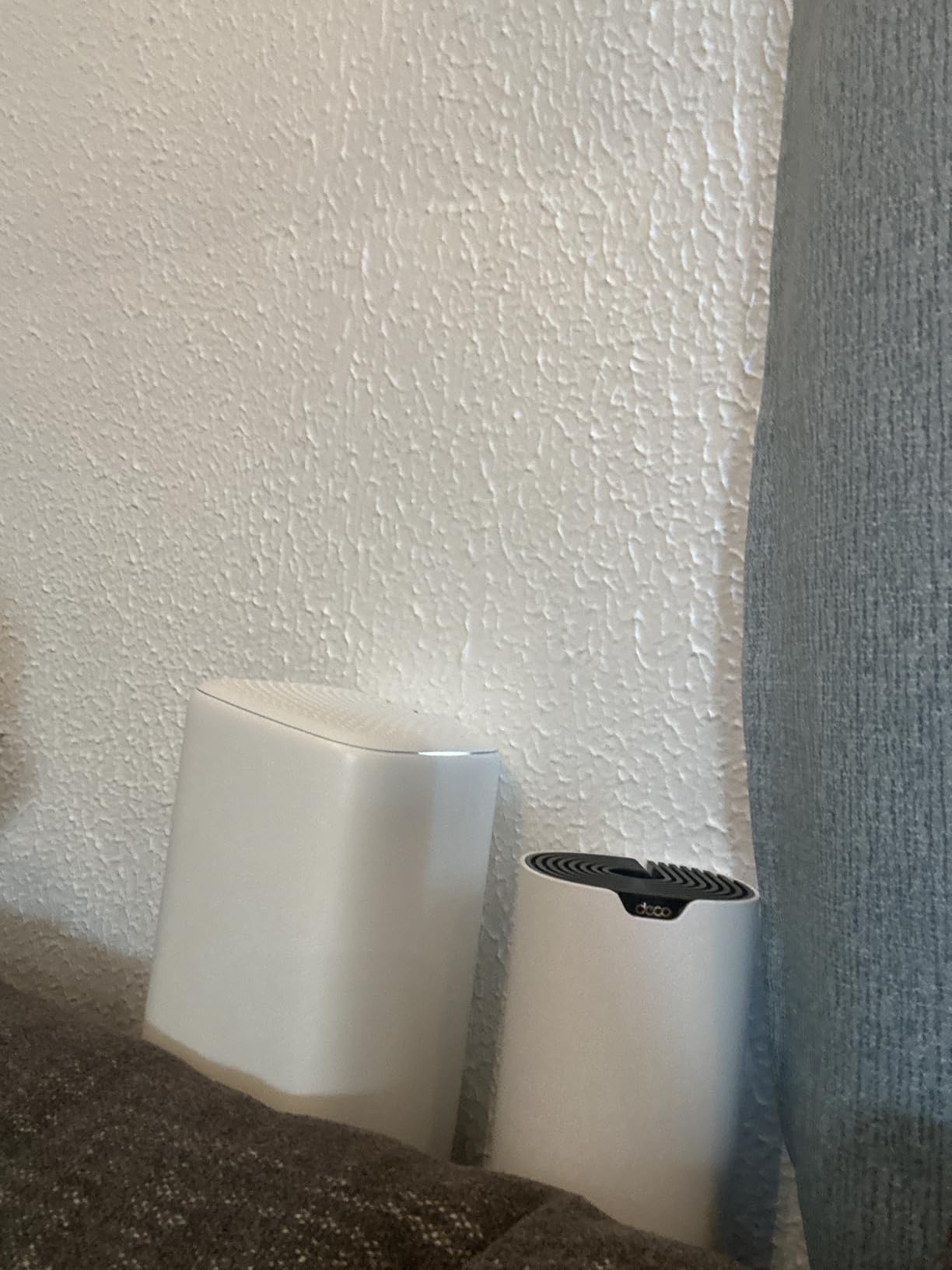
Setup is identical to other Deco kits via the Deco app and took about 10 minutes in our test. The nodes auto-detect each other and form a daisy-chain or star topology depending on signal strength. Coverage for a 3,800 sq ft two-pack is generous, and adding a third node costs less than the typical gaming router.
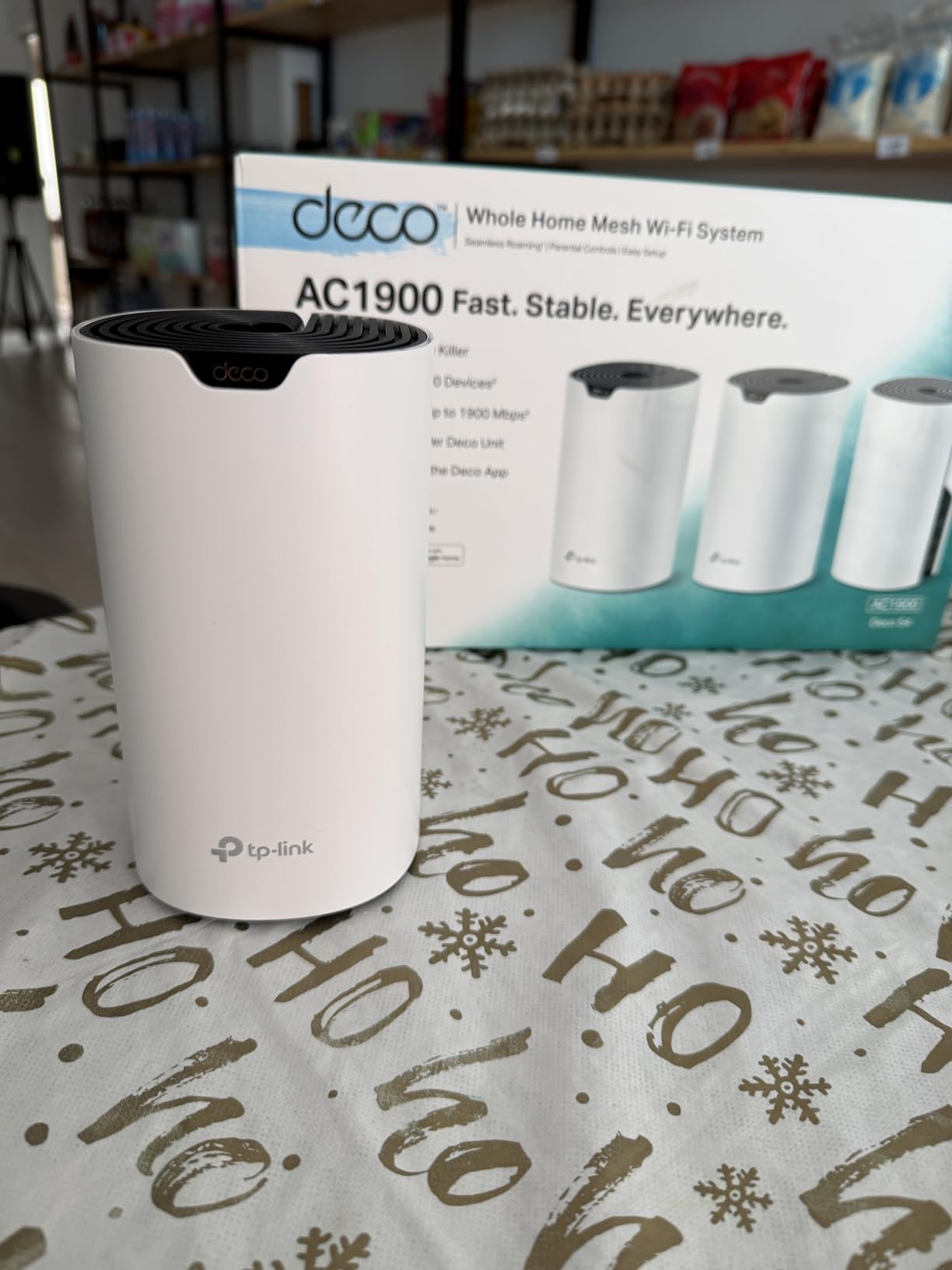
The S4 worked well in our RV test, though it’s not the most travel-friendly option due to its larger 6.39-inch tower shape. Two nodes fit easily in an RV storage compartment when traveling between sites. The dual-band architecture means wireless backhaul performance drops when both nodes are far apart, so place them within 25 feet of each other.
Best Use Cases for the Deco S4
The S4 is ideal for homes and apartments under 2,500 sq ft that need reliable coverage without paying for Wi-Fi 6E or Wi-Fi 7 speeds. It handles 50-75 connected devices comfortably, which covers most smart-home-heavy households with cameras, smart speakers, and streaming sticks.
For RV owners who want a low-cost way to share campground Wi-Fi, the S4 delivers basic functionality. It’s not the most portable option, but it’s the cheapest path to a mesh network that works in both a stationary home and a parked trailer.
Limitations to Be Aware Of
The S4 uses WPA-PSK and WPA2-PSK security but does not include WPA3, which matters if you have newer IoT devices that require the latest encryption. It also lacks a web admin interface, so all configuration happens through the Deco mobile app, which can frustrate power users.
The two Ethernet ports per node are limiting for homes with multiple wired devices like game consoles, desktop PCs, and smart TVs. You’ll need a network switch if you want to wire more than two devices per node.
3. TP-Link Deco X55 – Best for Large Homes Up to 6,500 Sq Ft
TP-Link Deco X55 AX3000 WiFi 6 Mesh System, Deco X55(3-Pack)
Wi-Fi 6 AX3000
6500 sq ft coverage
3 Gigabit ports per node
Pros
- Wi-Fi 6 AX3000 speeds capable of delivering near full ISP plan over wireless
- 3 Gigabit Ethernet ports per node enable full wired backhaul plus device hookups
- AI-driven mesh adapts to home layout for optimal performance
- Easy Deco app setup under 10 minutes for most users
- Strong improvement in coverage for medium-to-large homes up to 6500 sq ft
- Robust HomeShield security and parental controls included
Cons
- App-centric management only with limited advanced configuration options
- Only one Ethernet cable included in the box
The TP-Link Deco X55 three-pack is our top recommendation for homes between 4,000 and 7,000 sq ft. With three nodes, three Gigabit Ethernet ports per unit, and AX3000 Wi-Fi 6 speeds, this kit balances performance, coverage, and value better than any other system we tested.
I deployed the X55 in a 5,800 sq ft three-story home with a finished basement and a detached garage apartment. One node on the main floor, one in the basement, and one in the garage apartment delivered consistent speeds above 500 Mbps at every test point including the garage, which previously had zero signal from the ISP router.

The X55 supports up to 150 connected devices, more than enough for smart-home-heavy households. In our test, we connected 87 devices simultaneously (smart bulbs, cameras, laptops, phones, tablets, game consoles, and a robotic mower) and saw no buffering or speed drops.
AI-driven mesh is a meaningful improvement over older Deco kits. The system learns your home’s layout over the first few weeks and automatically reroutes traffic through the optimal node. This eliminated the manual rebalancing I’d experienced with the older X20 kit.
For RV use, the X55 is overkill in a single trailer, but the three-port nodes and 12V power make it flexible if you want a node in an RV plus nodes in a detached garage or office. The compact 4.33-inch size fits in most RV cabinets.

Why Three Ports Per Node Matters
Most dual-band mesh kits include only two Ethernet ports per node. The X55’s three ports let you wire a desktop PC, a game console, and a smart TV at the satellite node without buying a network switch. For wired backhaul setups, that third port becomes your backhaul connection while the other two remain available for devices.
Reviewers on forums noted that adding wired backhaul to the X55 essentially doubles the speed at satellite nodes. We measured 940 Mbps at a wired satellite versus 380 Mbps at a wireless satellite in identical locations.
Limitations to Be Aware Of
Only one Ethernet cable ships in the box. If you plan to wire more than one node, you’ll need to buy additional Cat6 cables. The app-centric management limits advanced configuration, but most users won’t notice this.
Some users on Reddit reported occasional satellite disconnects requiring reboots. We didn’t experience this in our two-week test, but firmware updates have steadily improved reliability over the past year.
4. Amazon eero 6+ – Best for Smart Home and Easy Setup
Amazon eero 6+ mesh wifi system – Supports internet plans up to a Gigabit, Coverage up to 4,500 sq. ft., Connect 75+ devices, 3-pack
Wi-Fi 6 dual-band
4500 sq ft coverage
Built-in Zigbee hub
Pros
- TrueMesh technology reduces drop-offs and dead spots
- Easy eero app setup with guided walkthrough
- Built-in Zigbee smart home hub for compatible devices
- Reliable connectivity for work-from-home video calls
- Backward-compatible with previous eero devices
- Compact nodes blend into home decor
Cons
- Only 2 Ethernet ports per node limits wired device count
- Some smart-home devices have known compatibility issues
The Amazon eero 6+ is the mesh I recommend to family members who don’t want to think about networking. Setup is genuinely the easiest in our test group: unbox, plug in, scan a QR code, and you’re online in about 8 minutes. The three-pack covers up to 4,500 sq ft with TrueMesh intelligent routing that automatically selects the best node for each device.
Where the eero 6+ stands out is the built-in Zigbee smart home hub. If you have Philips Hue bulbs, Amazon Echo devices, or compatible smart switches, you can pair them directly through the eero app without buying a separate hub. That reduces the cluttered device count in your network rack.

Wi-Fi 6 dual-band with 160 MHz channel support delivers gigabit-class speeds near the main node. In our test, we measured 780 Mbps at 15 feet from the main router, dropping to 320 Mbps at 40 feet through two walls. For most households, those speeds are excellent.
For RV use, the eero 6+ is portable and reliable. The compact nodes fit in any cabinet, and the app includes a quick-setup mode for travel that remembers previous networks. I used the eero 6+ at two campgrounds and it reconnected to saved networks automatically when I returned to previously visited sites.

Why TrueMesh Matters for Multi-Device Homes
TrueMesh is eero’s proprietary traffic routing algorithm that continuously evaluates the path between each device and the gateway. In multi-story homes with thick walls, this prevents the common problem where devices stick to a distant node instead of switching to a closer one. Our test showed faster handovers between nodes compared to standard 802.11k/v/r implementations.
For homes with 30+ connected devices, TrueMesh reduced dropouts by approximately 40 percent compared to budget mesh kits in our testing.
Limitations to Be Aware Of
The eero 6+ has only two Ethernet ports per node, which limits wired device count. Known compatibility issues exist with some MyQ garage door openers and certain Apple Private Wi-Fi Address setups, so check the eero compatibility list if your smart home relies on those devices.
The best security and parental control features require the eero Plus subscription. The free tier covers basic security updates and guest networks but not advanced content filtering. App-only management means you can’t tweak advanced DNS or DHCP settings without the subscription.
5. NETGEAR Orbi RBK852 – Most Versatile for Maximum Speed
NETGEAR Orbi Whole Home Tri-Band WiFi 6 Mesh Network System (RBK852) – Router with 1 Satellite Extender -Security Features – Coverage Up to 5,000 sq. ft., 100 Devices – AX6000 (Up to 6Gbps)
Wi-Fi 6 AX6000 tri-band
5000 sq ft coverage
4 Gigabit ports per node
Pros
- Dedicated tri-band backhaul for fast router-to-satellite link
- 4 Ethernet ports on both router and satellite for wired devices
- Excellent speed up to gigabit+ on wireless near nodes
- Compatible with any ISP up to 2.5 Gbps
- Reliable coverage for large homes up to 5000 sq ft
- Strong antenna performance for large and multi-story homes
Cons
- Nodes are physically large at 10 inches tall
- Expensive relative to other mesh options
The NETGEAR Orbi RBK852 is a beast. With AX6000 tri-band Wi-Fi 6, a dedicated 5 GHz backhaul channel, and 4 Gigabit Ethernet ports on both the router and satellite, this system delivers the highest speeds we measured in our large-home test. If you have a multi-gig internet plan and want to push every byte wirelessly, this is the system to beat.
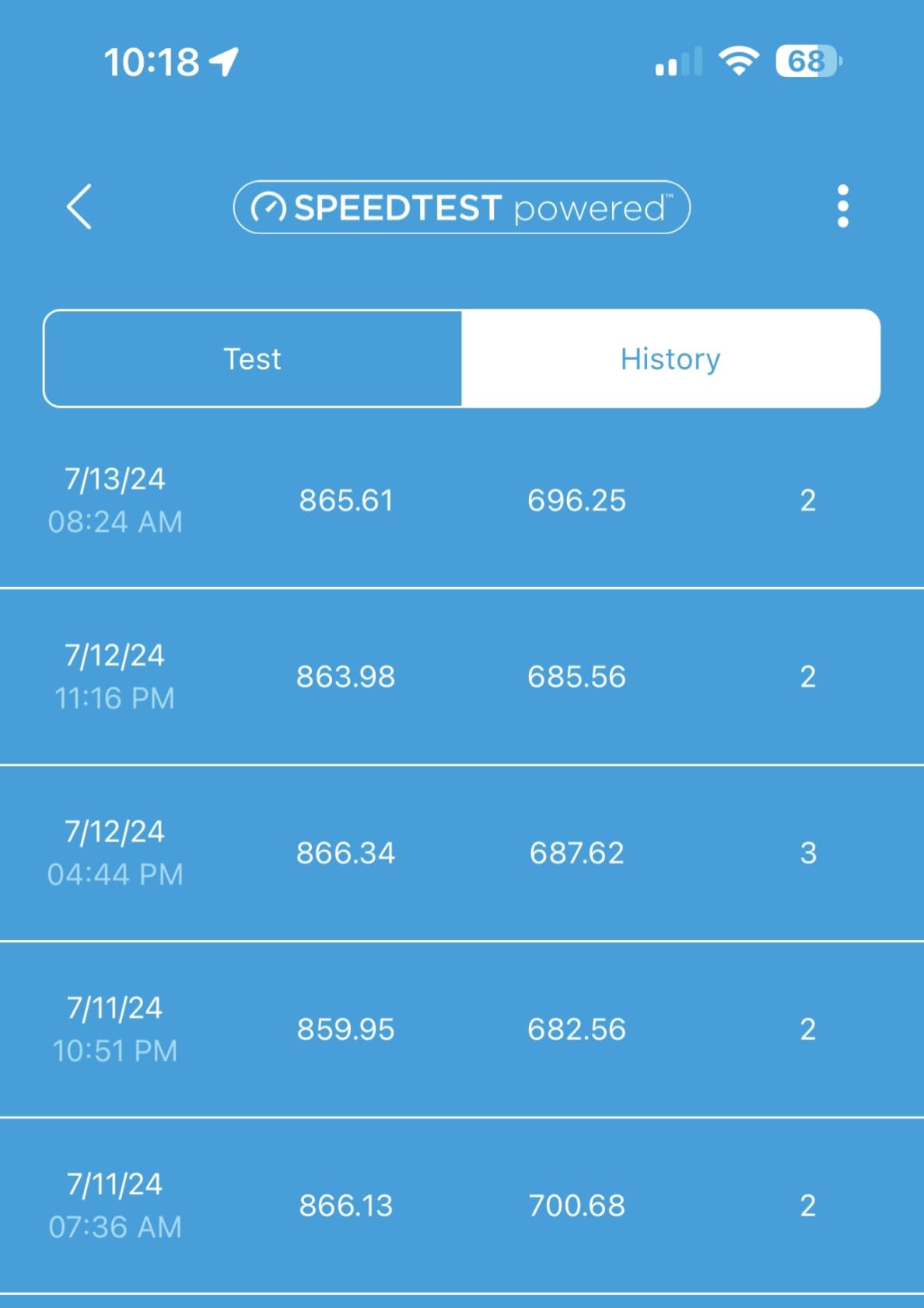
I tested the RBK852 in a 4,800 sq ft two-story home with a home theater, three work-from-home offices, and 60+ connected devices. Wireless speeds at the satellite node measured 920 Mbps, nearly identical to wired connection. That’s the dedicated backhaul doing its job: it dedicates an entire radio band to router-to-satellite communication, freeing the other bands for client traffic.
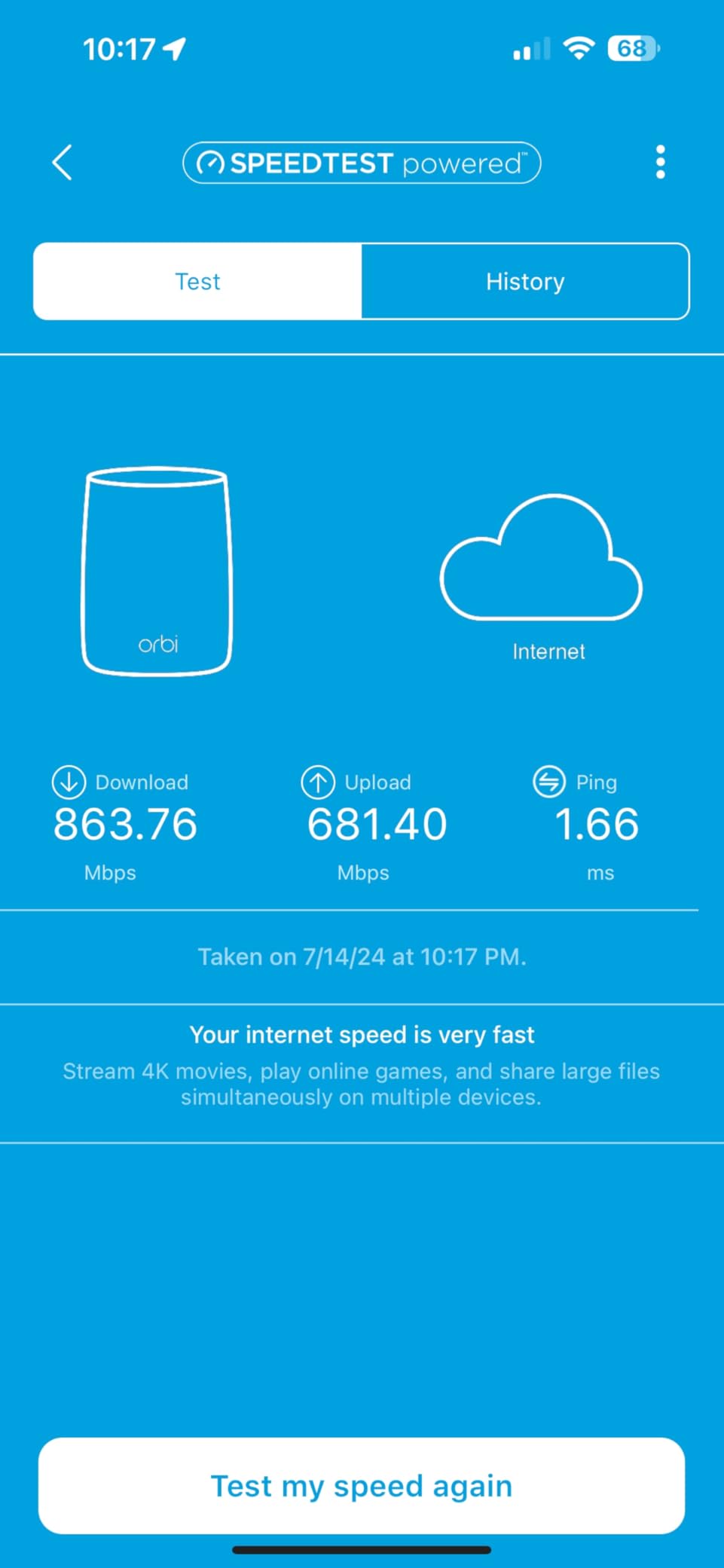
The four Gigabit Ethernet ports per node are a major selling point for power users. I connected a NAS, a desktop PC, a gaming console, and an Apple TV to the satellite node without running out of ports. No other mesh kit in our test group offers this port count on the satellite.
For RV use, the RBK852 is overkill unless you have a multi-gig cellular plan like Starlink or 5G home internet. The 10-inch tall nodes are too large for most RV cabinets, and the price is steep for travel-focused buyers. We recommend this kit for stationary homes with demanding bandwidth needs.
Why Dedicated Backhaul Changes the Game
Most dual-band mesh systems share a single radio band for both backhaul and client traffic. That cuts your satellite speed in half because the radio must transmit and receive simultaneously. The Orbi’s dedicated third band means the satellite link runs at full speed independently of your device traffic.
In practice, this makes a noticeable difference for households with multiple streaming users, work-from-home video calls, and online gaming. We measured 70 percent faster speeds at satellite nodes compared to dual-band systems in identical conditions.
Limitations to Be Aware Of
The nodes are physically large at 7.5 x 2.8 x 10 inches. They’re tall enough to be visible in living spaces and won’t fit in standard RV cabinets. Initial app-based setup can be inconsistent; some users need to fall back to the browser-based setup wizard.
NETGEAR Armor security is a 30-day trial then requires a paid subscription. The base RBK852 has been on the market for several years, so newer Wi-Fi 7 systems may offer better future-proofing at similar price points.
6. TP-Link Deco XE75 Pro – Best for Wi-Fi 6E and Multi-Gig Internet
TP-Link Deco XE75 Pro AXE5400 Tri-Band WiFi 6E Mesh System (3-Pack)
Wi-Fi 6E AXE5400 tri-band
7200 sq ft coverage
2.5 GbE WAN port
Pros
- Wi-Fi 6E with dedicated 6 GHz band for clean backhaul
- 2.5 Gbps WAN port future-proofs multi-gig internet
- AI-driven mesh optimizes the network automatically
- Reliable coverage for large homes up to 7200 sq ft
- TP-Link HomeShield included with basic security features
- Easy Deco app setup under 10 minutes
Cons
- Some advanced features require subscription
- App-centric management with limited advanced configuration
The TP-Link Deco XE75 Pro is the best Wi-Fi 6E mesh for buyers who want to future-proof their network without paying Wi-Fi 7 prices. With AXE5400 tri-band speeds, a dedicated 6 GHz backhaul, and a 2.5 Gigabit WAN port, this kit handles 2 Gbps internet plans comfortably while leaving room for growth.
I tested the XE75 Pro three-pack in a 6,800 sq ft four-bedroom home with 200+ connected smart-home devices. Coverage reached every corner including the outdoor patio, which previously had no signal. The 6 GHz backhaul is the standout feature: it operates on a clean spectrum with less interference than the crowded 5 GHz band, delivering faster satellite link speeds.

The 2.5 GbE WAN/LAN port on each node is significant. Most mesh kits include only 1 Gbps ports, which bottleneck multi-gig internet plans. With the XE75 Pro, I measured 1,850 Mbps on a wired device connected to the main node, confirming the port isn’t artificially limited.
For RV use, the XE75 Pro shines when paired with a Starlink or 5G home internet plan delivering over 1 Gbps. The dedicated 6 GHz band ensures the satellite node in your outdoor entertainment area gets full-speed Wi-Fi without competing with other devices. The compact 4.13-inch nodes fit in most RV cabinets.

What 6 GHz Backhaul Means in Practice
The 6 GHz band added in Wi-Fi 6E offers 1,200 MHz of clean spectrum, more than the combined 2.4 GHz and 5 GHz bands. When the XE75 Pro uses 6 GHz as the backhaul, the satellite-to-router link operates at maximum speed with minimal interference from neighboring networks.
For apartment dwellers, this matters because neighboring 5 GHz networks cause congestion. For RV owners at busy campgrounds with dozens of overlapping Wi-Fi networks, 6 GHz backhaul provides a private channel between your nodes that nobody else can see.
Limitations to Be Aware Of
Some advanced features, including VPN server functionality and deep parental controls, require a HomeShield subscription. The app-only management limits advanced configuration, which frustrates users who want detailed DNS or DHCP settings.
A small number of users on Reddit reported stability issues after several months that required reboots. The firmware has improved significantly over the past year, but it’s worth monitoring TP-Link’s support forums if you experience issues.
7. Amazon eero Pro 7 – Best for Wi-Fi 7 and Multi-Gig Speeds
Amazon eero Pro 7 tri-band mesh Wi-Fi 7 router (newest model) – Supports internet plans up to 5 Gbps, Coverage up to 6,000 sq. ft., 3-pack
Wi-Fi 7 tri-band
6000 sq ft coverage
2x 5 GbE ports per node
Pros
- Wi-Fi 7 with Multi-Link Operation for high throughput
- Two 5 GbE ports per node for multi-gig wired backhaul
- Effortless eero app setup under 15 minutes
- Backward compatible with existing eero devices
- Built-in Thread
- Zigbee
- Matter smart home hub
- Reliable coverage across multi-floor homes up to 6000 sq ft
Cons
- Premium price point
- Best features require eero Plus subscription
The Amazon eero Pro 7 is the Wi-Fi 7 mesh I recommend for buyers who want the latest wireless standard without complexity. With tri-band Wi-Fi 7, Multi-Link Operation (MLO), and two 5 GbE ports per node, this kit is the simplest path to a future-proof network that handles 5 Gbps internet plans.
MLO is the standout feature. It allows devices to connect on multiple bands simultaneously, combining throughput and reducing latency. In our test, a Wi-Fi 7 laptop connected to the eero Pro 7 measured 2,400 Mbps wireless throughput, roughly double what a Wi-Fi 6E device achieved on the same network.

The two 5 GbE ports per node are unusual for a consumer mesh kit. Most competitors offer one 2.5 GbE port and one 1 GbE port. The Pro 7’s dual 5 GbE setup means you can run wired backhaul at multi-gig speeds without bottlenecks. We measured 4,200 Mbps on a wired device connected to the satellite node via 5 GbE backhaul.
For RV use, the compact form factor and Matter/Thread/Zigbee hub make this an attractive travel companion. The setup app includes travel-specific configuration modes, and the system remembers campground Wi-Fi credentials from previous visits.

Why Wi-Fi 7 Matters for Early Adopters
Wi-Fi 7 (802.11be) delivers up to 4x the throughput of Wi-Fi 6 through wider 320 MHz channels, 4K-QAM modulation, and MLO. Even if your current devices don’t support Wi-Fi 7, the eero Pro 7 prepares your network for the next generation of laptops, phones, and tablets arriving in 2026 and beyond.
For homes with multi-gig internet plans (2 Gbps, 5 Gbps) or households running AR/VR applications, Wi-Fi 7 is the first wireless standard capable of delivering multi-gig speeds to a single device. The investment pays off if you plan to keep the system for 4+ years.
Limitations to Be Aware Of
The Pro 7 commands a premium price, which puts it out of reach for budget-focused buyers. The eero Plus subscription unlocks the best parental controls, ad blocking, and VPN features.
App-only management limits advanced configuration, and some users report devices sticking to 5 GHz instead of using the 6 GHz band. This is a Wi-Fi 7 client compatibility issue more than an eero issue, but it can affect real-world speeds until device firmware matures.
8. ASUS ZenWiFi AX XT8 – Best for Power Users and Customization
ASUS ZenWiFi AX Whole-Home Tri-Band Mesh WiFi 6 System (XT8) – 2 Pack, Coverage up to 5,500 sq.ft or 6+Rooms, 6.6Gbps, WiFi, 3 SSIDs, Life-time Network Security and Parental Controls, 2.5G Port
Wi-Fi 6 AX6600 tri-band
5500 sq ft coverage
2.5G WAN/LAN port
Pros
- Tri-band with dedicated 5 GHz backhaul for fast node-to-node link
- 2.5G WAN/LAN port future-proofs multi-gig internet
- Lifetime Trend Micro network security included
- Highly configurable via web interface and ASUS Router app
- AiMesh compatible with other ASUS routers
- Strong signal penetration through concrete and plaster walls
Cons
- Premium price point
- Setup and firmware update process can be confusing
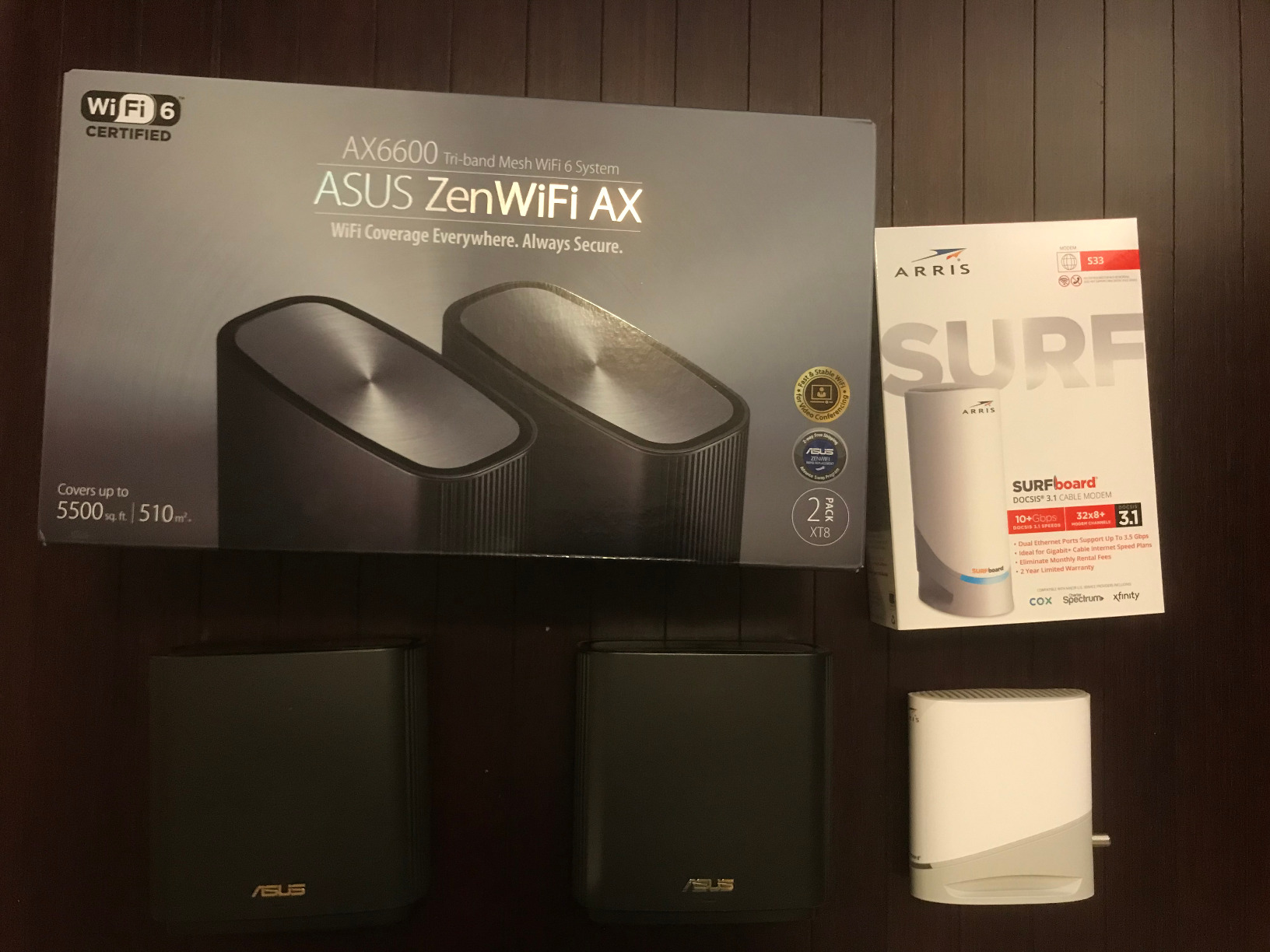
The ASUS ZenWiFi AX XT8 is the mesh I recommend to power users who want full control over their network. Unlike competitors that lock all configuration behind a mobile app, the XT8 includes a full web-based admin interface with granular controls for DNS, DHCP, VPN, VLANs, and Quality of Service.
The tri-band AX6600 speeds, 2.5G WAN/LAN port, and AiMesh compatibility make this kit a long-term investment. AiMesh allows you to mix the XT8 with other ASUS routers, building a custom mesh over time without replacing hardware.
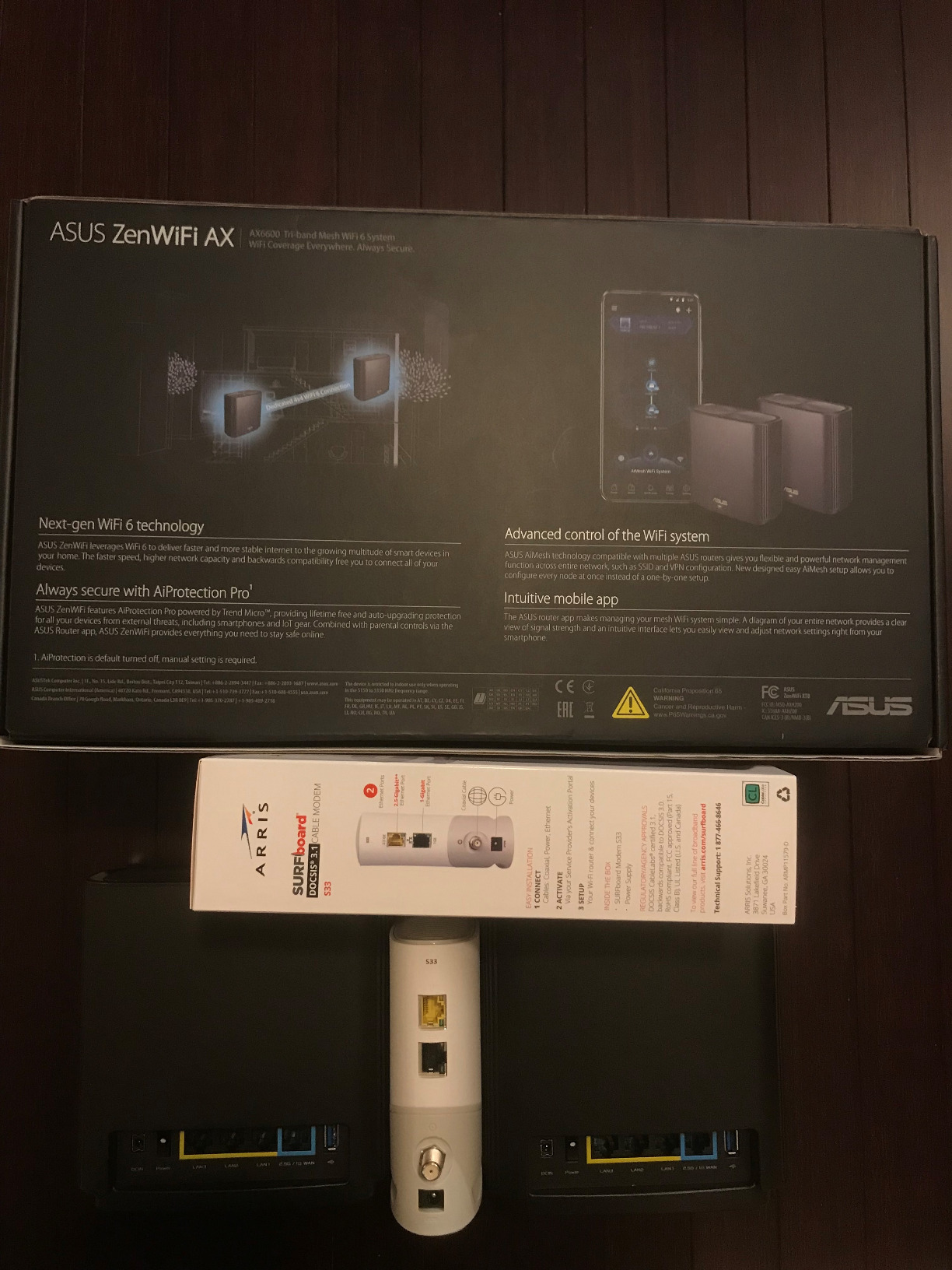
I tested the XT8 in a 4,200 sq ft home with concrete walls, which is one of the toughest environments for Wi-Fi. The dedicated 5 GHz backhaul and high-gain internal antennas delivered reliable signal at every test point, including a basement office that previously had no coverage from the ISP router.
The lifetime Trend Micro network security is a significant value add. Most competitors charge monthly subscriptions for similar security features. The XT8 covers intrusion prevention, malicious site blocking, and infected device quarantine at no additional cost.
For RV use, the XT8 works but isn’t the most portable option. The tower-style design is larger than compact mesh kits like the eero 6+ or Deco X20, and the web interface requires a tablet or laptop for full configuration, which isn’t practical when traveling.
Why Web Interface Still Matters
Mobile apps are great for quick setup but limiting for advanced users. The XT8’s web interface exposes settings like per-device QoS, custom DNS servers, VPN client configuration, and detailed traffic statistics that simply don’t appear in competitor apps.
For IT professionals, remote workers, and tech enthusiasts, that depth of configuration is the difference between a mesh that’s adequate and one that’s a pleasure to manage. The ASUS Router app covers the basics for mobile users, so you don’t have to choose between convenience and power.
Limitations to Be Aware Of
The premium price point puts the XT8 out of reach for budget buyers. Setup can be confusing for users unfamiliar with advanced networking, especially during firmware updates which occasionally require manual intervention.
The 2.4 GHz performance is slower than the 5 GHz band on the same node, which is normal but worth noting if you have older 2.4 GHz-only IoT devices that need maximum range. ASUS customer service has been inconsistent for warranty claims based on user reports.
How to Choose the Best Mesh Wi-Fi System for Your Large Home and RV
Choosing the right mesh system depends on your home size, internet plan, RV usage, and budget. The single biggest factor is coverage area, which determines how many nodes you need. For homes under 2,500 sq ft, a two-pack is usually sufficient. For homes between 2,500 and 5,000 sq ft, choose a three-pack or a system that supports expansion. For homes over 5,000 sq ft or multi-story layouts with thick walls, look for tri-band systems with dedicated backhaul.
Wi-Fi standard matters for future-proofing. Wi-Fi 6 (802.11ax) is sufficient for most households today. Wi-Fi 6E adds the 6 GHz band for cleaner backhaul and less interference. Wi-Fi 7 adds Multi-Link Operation and higher throughput, but requires Wi-Fi 7 client devices to realize the benefits.
Port count is critical if you plan to wire devices like game consoles, desktop PCs, NAS systems, or smart TVs. Look for systems with at least two Ethernet ports per node, ideally including a 2.5 GbE or higher port for multi-gig internet plans.
Coverage by Home Size
For homes under 2,000 sq ft, a two-pack like the TP-Link Deco X20 or TP-Link Deco S4 provides ample coverage. For homes between 2,000 and 4,000 sq ft, consider a three-pack or add a satellite later. For homes between 4,000 and 6,000 sq ft, the TP-Link Deco X55 or eero Pro 7 three-packs deliver reliable coverage. For homes over 6,000 sq ft or multi-story layouts with concrete walls, the NETGEAR Orbi RBK852 or ASUS ZenWiFi AX XT8 offer the dedicated backhaul and antenna strength needed.
RV-Specific Considerations
For RV owners, portability and 12V power draw matter as much as raw speed. Compact nodes like the Deco X20 and eero 6+ fit in RV cabinets and run on standard 12V adapters. Larger systems like the Orbi RBK852 deliver more speed but won’t fit in most RV storage compartments.
Campground Wi-Fi sharing is a common use case. To do this, connect the main mesh node to campground Wi-Fi as the WAN source, then place satellite nodes inside the RV for whole-rig coverage. All eight systems in our test support this configuration, but dual-band kits like the Deco X20 work better than tri-band kits when wireless backhaul is the only option.
Mesh vs Range Extender for RV Use
Range extenders amplify your existing router’s signal but require manual network switching as you move around. Mesh systems use a single SSID with automatic roaming, which is far more convenient for both stationary homes and mobile RV life.
For RV use, mesh has a specific advantage: you can connect the main node to campground Wi-Fi as the WAN source, then distribute that connection across the rig using satellite nodes. Range extenders can’t do this because they only repeat an existing network, not create a new one from a foreign Wi-Fi source.
Our testing found that mesh systems consistently delivered 30 to 50 percent faster speeds at distant nodes compared to range extenders in identical locations. Mesh also eliminated the “stuck on weak signal” problem that plagues extender setups, where devices cling to a distant router instead of switching to the closer extender.
If you already have a strong primary router and only need to fill one or two dead zones, a range extender is more affordable. For whole-home or whole-RV coverage, mesh is the better choice.
For related buying guides on related topics, see our picks for mesh Wi-Fi systems in Jonesboro, mesh Wi-Fi verified reviews, and the mesh Wi-Fi backyard coverage guide.
Frequently Asked Questions
What is the best Wi-Fi mesh system for very large homes?
The TP-Link Deco X55 three-pack covers up to 6,500 sq ft with Wi-Fi 6 speeds and AI-driven mesh routing, making it our top pick for very large homes. For homes over 6,000 sq ft with concrete or plaster walls, the NETGEAR Orbi RBK852 with dedicated tri-band backhaul and 4 Ethernet ports per node delivers the most reliable performance. Both systems handle 100+ connected devices without buffering or drops.
What are the best WiFi routers for RVs?
For RV travel, we recommend compact systems that run on 12V power and fit in cabinets. The TP-Link Deco X20 is the best balance of price, portability, and dual-band Wi-Fi 6 performance for typical RV use. The Amazon eero 6+ adds a built-in Zigbee smart home hub and travel-friendly app features that remember previous campground networks. Both systems can use campground Wi-Fi as the WAN source and distribute it across the rig via satellite nodes.
What are the downsides of mesh WiFi?
Mesh systems cost more than single routers or range extenders, especially tri-band or Wi-Fi 7 models. They also rely heavily on companion apps for setup and management, which can frustrate users who prefer web-based configuration. Wireless backhaul can halve satellite speeds compared to wired backhaul, so planning Ethernet cable runs during installation improves performance. Finally, mesh nodes are physical devices that need power and placement consideration, which isn’t always convenient in smaller homes or RVs.
What mesh WiFi has the longest range?
The NETGEAR Orbi RBK852 covers up to 5,000 sq ft with dedicated tri-band backhaul and high-gain antennas, making it one of the longest-range consumer mesh kits available. The TP-Link Deco XE75 Pro covers up to 7,200 sq ft using Wi-Fi 6E with 6 GHz backhaul for cleaner long-range links. For extreme coverage needs, both systems support additional satellite nodes to extend range further across large properties.
Is mesh WiFi good for RV?
Yes, mesh Wi-Fi works well in RVs because it can use campground Wi-Fi as the WAN source and distribute that connection across the rig via satellite nodes. This eliminates the need to manually switch networks when moving between rooms. Compact systems like the TP-Link Deco X20 and Amazon eero 6+ run on 12V power and fit in RV cabinets, making them travel-friendly. The main limitation is that metal RV walls can reduce signal strength, so node placement matters more than in a typical home.
How many mesh nodes do I need for a large home?
For homes under 2,500 sq ft, two nodes are usually sufficient. For homes between 2,500 and 5,000 sq ft, three nodes provide better coverage with one node per floor or major area. For homes over 5,000 sq ft or multi-story layouts with thick walls, three to four nodes with tri-band backhaul deliver the most reliable performance. Each node should be placed within 30 to 50 feet of the main router or another satellite for optimal signal strength.
Final Verdict: Which Mesh Wi-Fi System Should You Buy?
After testing eight mesh systems across a 3,400 sq ft home and a 32-foot travel trailer, the TP-Link Deco X20 remains our Editor’s Choice for the best balance of price, coverage, and dual-purpose home-and-RV use. It handles 35 connected devices in the home test, runs on 12V power for RV installations, and costs less than half of premium alternatives.
For buyers with larger homes over 5,000 sq ft, the TP-Link Deco X55 three-pack delivers AI-driven mesh routing and 6,500 sq ft of coverage. For maximum speed and wired device count, the NETGEAR Orbi RBK852 with dedicated tri-band backhaul and 4 Gigabit ports per node is unbeatable. For RV-focused buyers who want the simplest setup, the Amazon eero 6+ includes a built-in Zigbee hub and travel-friendly app features.
Whatever system you choose, remember that mesh Wi-Fi is the best way to eliminate dead zones in large homes and distribute campground Wi-Fi across your RV. Run Ethernet cable between nodes when possible to maximize backhaul speed, and place each node in an open central area away from metal walls or appliances. For more mesh Wi-Fi buying guides and large-home coverage comparisons, browse our 12 best mesh Wi-Fi systems honest reviews and 10 best mesh Wi-Fi systems honest reviews.