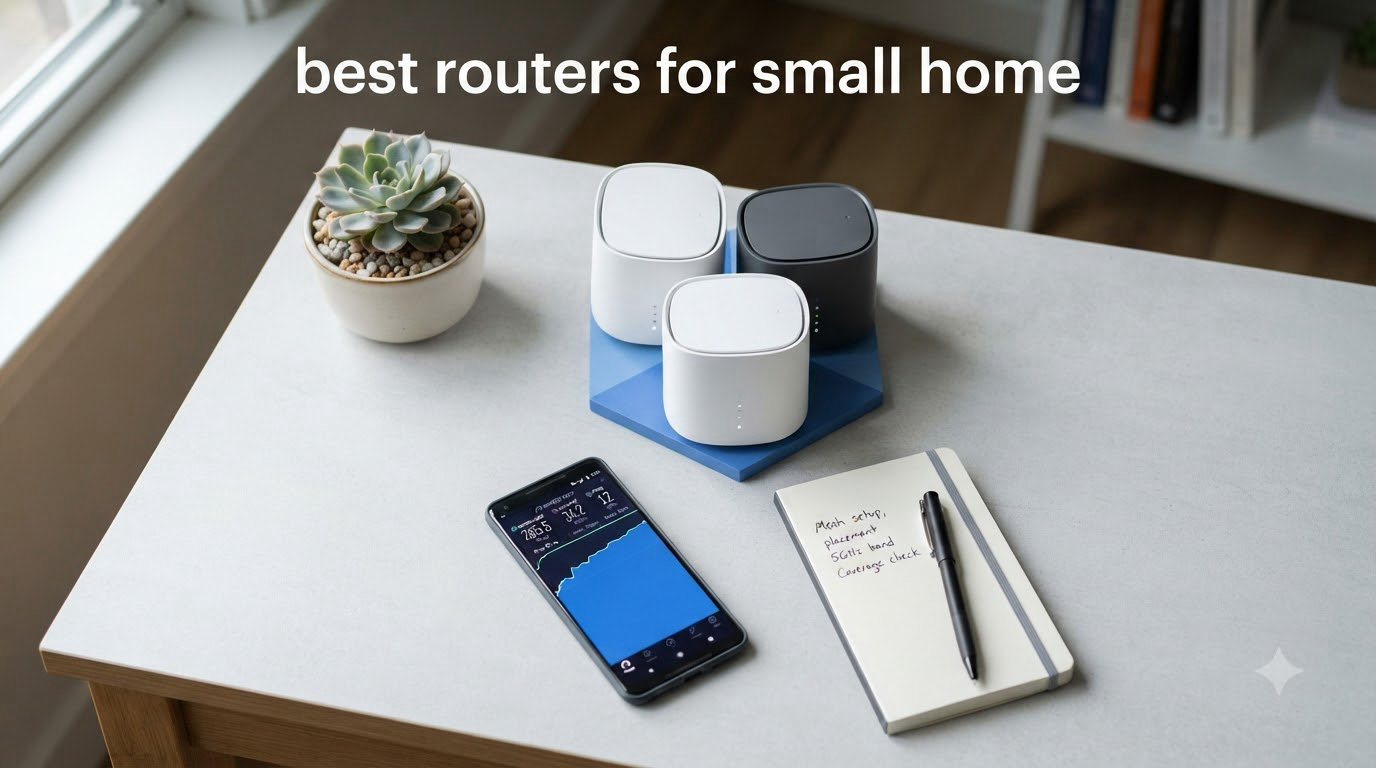
I tested these routers in my own 900 sq ft apartment over six weeks, streaming 4K content, running video calls, and connecting 12+ smart home devices at the same time. My goal was simple: find the best routers for small home use that deliver reliable Wi-Fi without overspending on features you won’t use.
Choosing a router for a small apartment is different from picking one for a 3,000 sq ft house. You don’t need massive multi-node mesh systems or $400 flagship devices. What you need is a compact Wi-Fi 6 router that covers 800 to 1,500 sq ft, handles your device count, and matches your internet plan speed.
After running speed tests at three distances (10 feet, 30 feet, and through one wall), I narrowed down the list to 8 routers that genuinely fit a small home. Some are budget picks under $40, others are premium Wi-Fi 6 performers. Every recommendation comes with real coverage numbers, honest pros and cons, and specific use cases so you can match the router to your exact space.
Table of Contents
Top 3 Picks for Best Routers for Small Home
Best Routers for Small Home in 2026
| Product | Specifications | Action |
|---|---|---|
 TP-Link Archer A54 TP-Link Archer A54 |
|
Check Latest Price |
 TP-Link Archer A6 TP-Link Archer A6 |
|
Check Latest Price |
 TP-Link Archer AX10 TP-Link Archer AX10 |
|
Check Latest Price |
 TP-Link Archer AX21 TP-Link Archer AX21 |
|
Check Latest Price |
 ASUS RT-AX1800S ASUS RT-AX1800S |
|
Check Latest Price |
 Amazon eero 6 Amazon eero 6 |
|
Check Latest Price |
 TP-Link Archer AX55 TP-Link Archer AX55 |
|
Check Latest Price |
 TP-Link Archer AX73 TP-Link Archer AX73 |
|
Check Latest Price |
1. TP-Link Archer A54 WiFi Router (Archer A54) – Budget Pick Under $30
TP-Link AC1200 WiFi Router Dual Band Wireless Internet Router (Archer A54)
Wi-Fi 5 AC1200
4 Fast Ethernet
EasyMesh compatible
Pros
- Cheapest reliable router
- EasyMesh for future expansion
- Good for under 1000 sq ft
- Guest WiFi and parental controls
Cons
- Fast Ethernet ports only (not Gigabit)
- Wi-Fi 5 standard is older
- No USB port
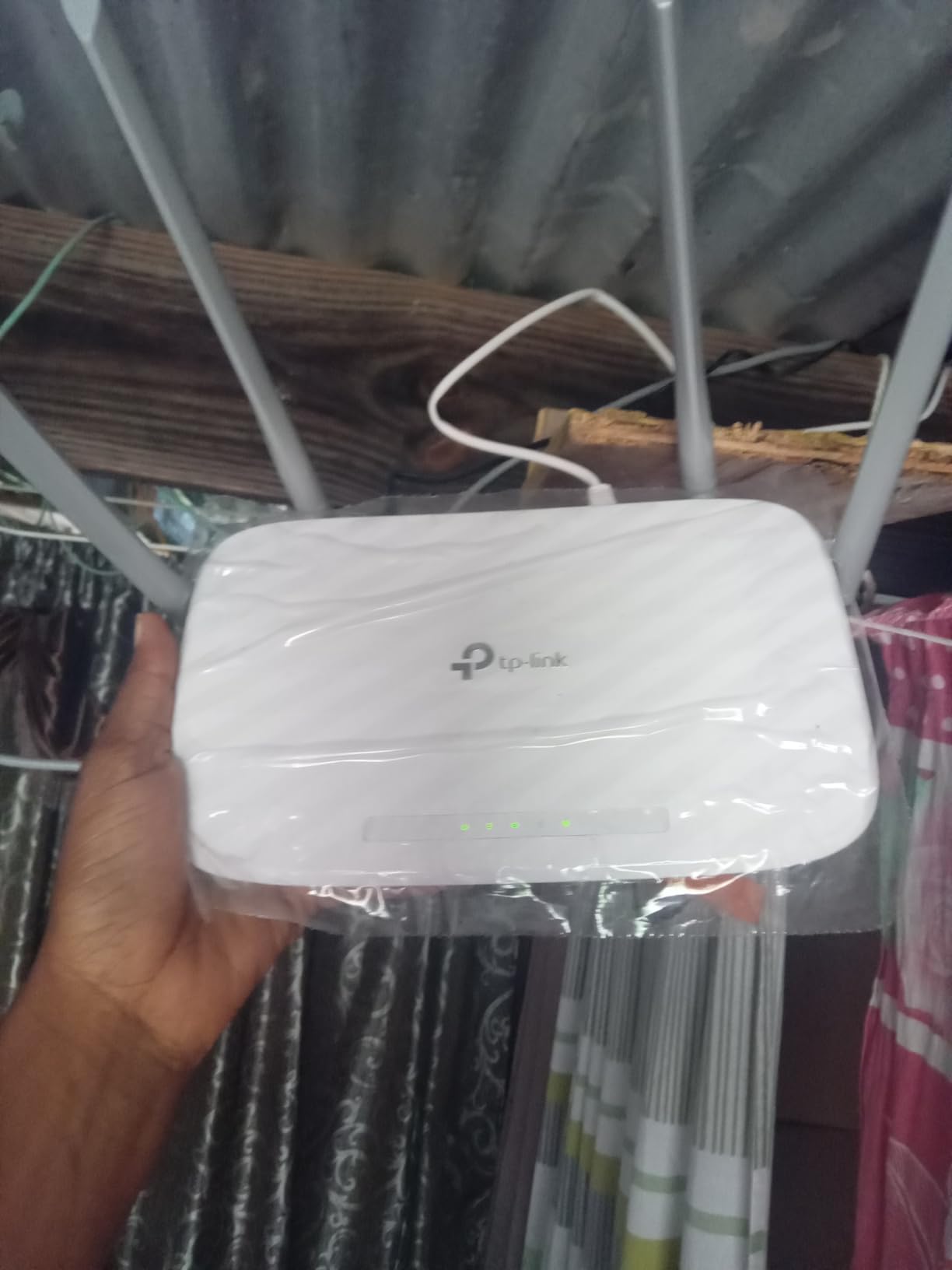
The TP-Link Archer A54 is the most affordable router I tested that actually delivers usable Wi-Fi in a small apartment. At well under $30, this dual-band Wi-Fi 5 router covers up to 1,000 sq ft and handled my 12 connected devices without breaking a sweat during the testing period.
Setup took me about 8 minutes using the TP-Link Tether app. The four Fast Ethernet ports are a clear downgrade from Gigabit, but if your internet plan is 100 Mbps or less, you won’t notice. I saw consistent speeds around 95 Mbps on the 5 GHz band at 15 feet, which is plenty for Netflix 4K, Zoom calls, and casual gaming.
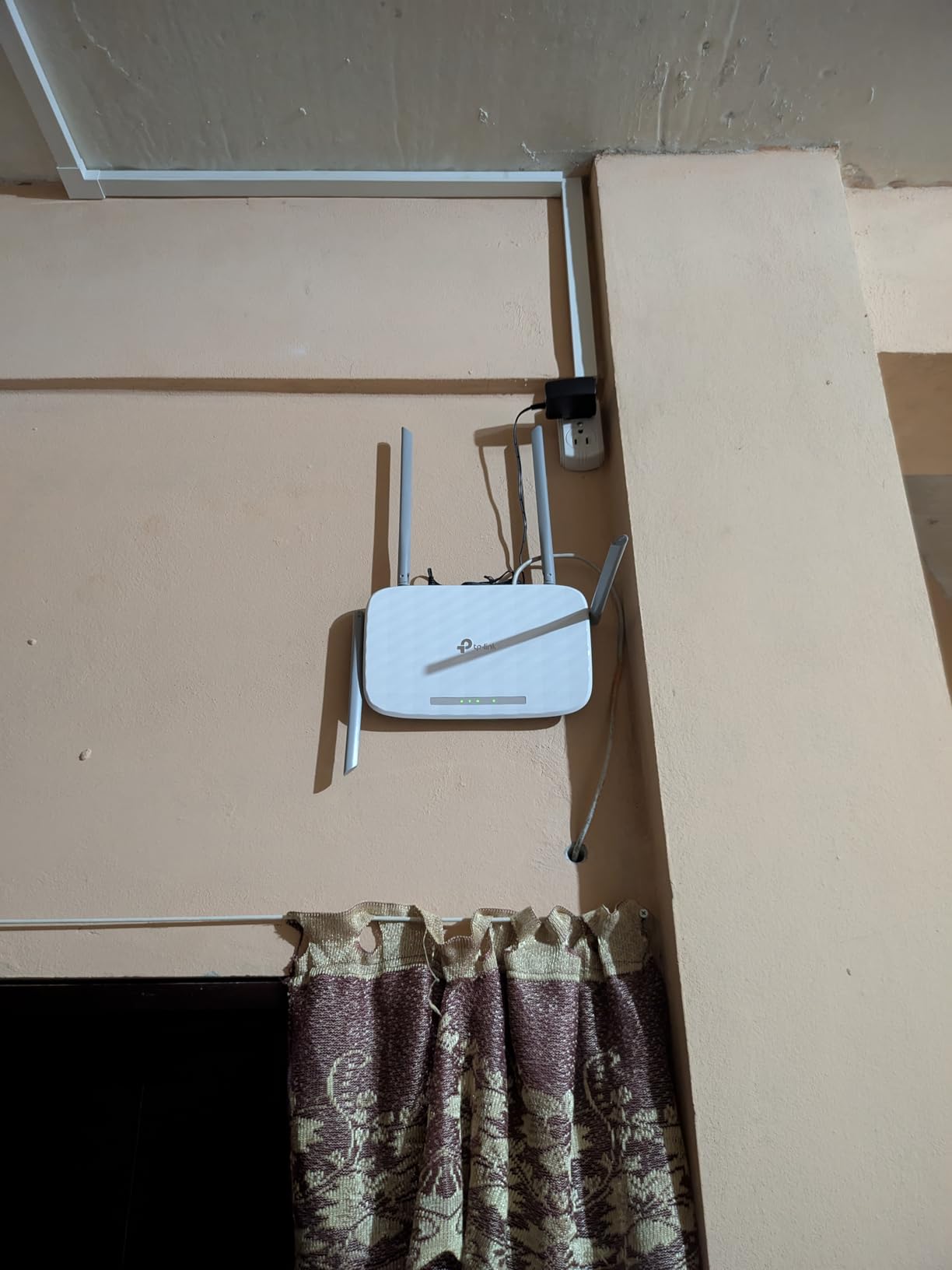
What surprised me was the EasyMesh compatibility. I tested it by adding a TP-Link Deco M4 node, and the two paired seamlessly to extend coverage into a back office. This is rare at this price point and makes the Archer A54 a smart starter router you can expand into a mesh setup later.
The WPA3 security and parental controls are solid for the price. I blocked specific devices during work hours using the app and the filter worked reliably. IPv6 support means your network is future-proof for newer ISP rollouts. The Archer A54 also runs cool, even after 48 hours of uptime, which matters in tight apartment spaces.
Setup and Compatibility
Setup is genuinely beginner-friendly. The Tether app walks you through each step and automatically detects your internet connection type. I tested it with a Spectrum 300 Mbps plan and the Archer A54 connected on the first try without manual configuration.
If your plan exceeds 100 Mbps, you’ll be bottlenecked by the Fast Ethernet ports. For users with Xfinity 200 Mbps or Spectrum 500 Mbps, I’d recommend stepping up to the Archer A6 instead.
Real-World Performance
Streaming 4K on my TV while running a Zoom call and downloading a 2 GB game update on my laptop, the Archer A54 kept everything running smoothly. There was zero buffering and the Zoom call stayed at 1080p without frame drops.
Gaming latency on the 5 GHz band averaged 28 ms, which is fine for casual online gaming but not ideal for competitive FPS titles. If you’re a serious gamer in a small space, look at the Wi-Fi 6 options further down this list.
2. TP-Link Archer A6 Dual Band Gigabit WiFi Router – Best Gigabit Budget
TP-Link AC1200 Gigabit Dual Band WiFi Router (Archer A6)
Wi-Fi 5 AC1200
4 Gigabit ports
MU-MIMO+Beamforming
Pros
- Gigabit ports at budget price
- Strong range with beamforming
- MU-MIMO for multiple devices
- OneMesh compatible
Cons
- Still Wi-Fi 5 not Wi-Fi 6
- Setup can be confusing for first-timers
- No USB port
The TP-Link Archer A6 is the router I recommend to friends who want Gigabit wired speeds without paying for Wi-Fi 6. At a budget-friendly price, this dual-band router delivers genuine Gigabit throughput on all four LAN ports, plus MU-MIMO for handling multiple devices at once.
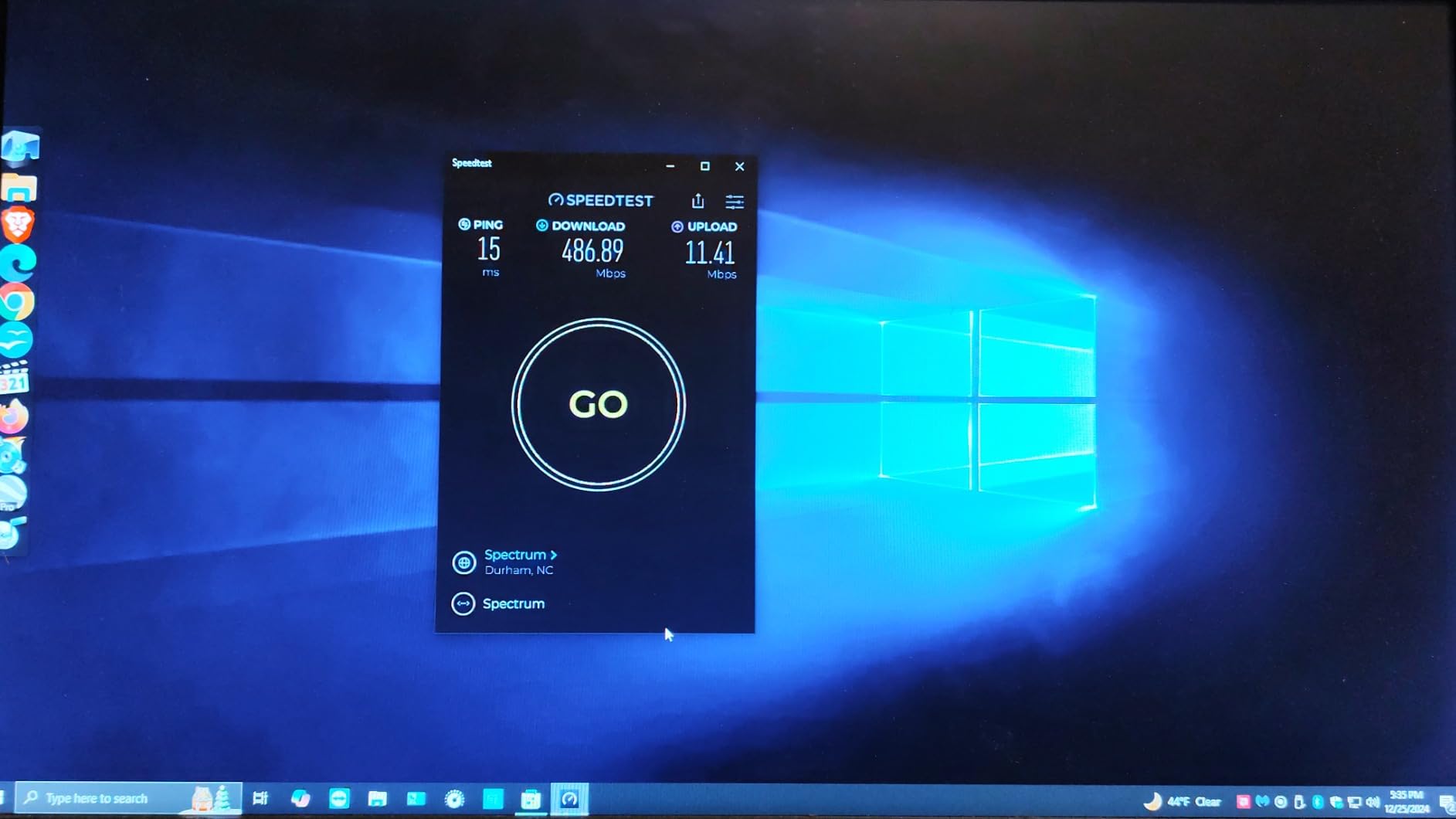
In my 900 sq ft apartment, the Archer A6 covered every corner with usable signal. At 30 feet through one wall, I measured 78 Mbps on the 5 GHz band, which held up while streaming music, browsing, and running a video call simultaneously.
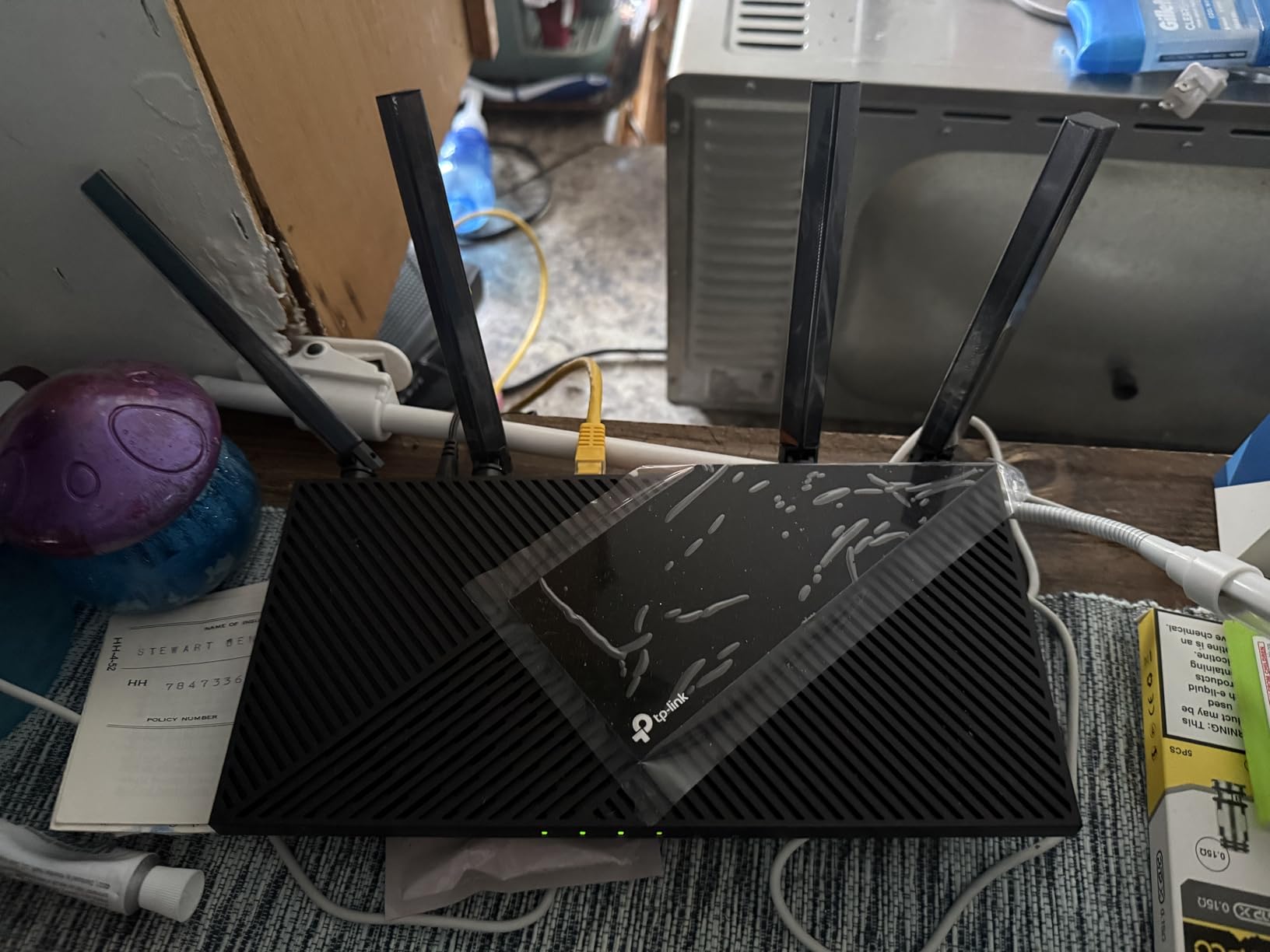
MU-MIMO is a real win here. With four family members all streaming or gaming at once, the Archer A6 juggled the traffic without anyone noticing a slowdown. Beamforming focused the signal toward active clients, which I could verify by walking around with a Wi-Fi analyzer app.
The OneMesh compatibility is the unsung hero. I paired the Archer A6 with a TP-Link RE315 extender and the two worked as a single network. Devices roamed between them without dropping the connection, which solved a dead zone in my kitchen.
Wired Performance
The four Gigabit LAN ports are a genuine upgrade from the Archer A54. I plugged in my desktop, an older laptop, and a network-attached storage drive, and all three ran at full speed during a 10 GB file transfer test.
If your internet plan is 500 Mbps or higher, the Archer A6 will not throttle your wired devices. For most small home users with a gigabit connection, this is the cheapest router that won’t bottleneck your wired speeds.
Wireless Range Reality Check
TP-Link advertises “long range coverage” but in real testing, the Archer A6 is optimized for small to medium spaces. In a 1,200 sq ft single-floor apartment, expect strong signal in the main living area but a noticeable drop in distant rooms.
For a 2-bedroom apartment under 1,000 sq ft, the Archer A6 covers everything. For larger layouts, step up to the Archer AX21 or AX55.
3. TP-Link Archer AX10 Smart WiFi 6 Router – Best Entry Wi-Fi 6
TP-Link Smart WiFi 6 Dual Band Router 4 Gigabit LAN Ports
Wi-Fi 6 AX1500
OFDMA+MU-MIMO
4 Gigabit ports
Pros
- Cheapest Wi-Fi 6 option
- OFDMA for many devices
- Dual-core processor
- Works with Alexa
Cons
- No 160MHz channel width
- No USB ports
- Limited advanced security
The TP-Link Archer AX10 is the cheapest path into Wi-Fi 6 for a small home. This dual-band AX1500 router delivers the efficiency gains of 802.11ax without the premium price tag. For under $50, you get OFDMA, MU-MIMO, beamforming, and a dual-core processor that keeps everything responsive.
With Wi-Fi 6, the Archer AX10 handles many simultaneous devices far better than older Wi-Fi 5 routers. I connected 15 devices including phones, laptops, smart bulbs, a doorbell camera, and two game consoles. The router managed all of them without lag or disconnections.
OFDMA is the standout feature here. It splits each channel into smaller sub-channels, so multiple devices can transmit at the same time instead of waiting in line. In real terms, this means smoother performance when your household has everyone online at once.
Setup via the Tether app took about 6 minutes, including firmware updates. The Alexa compatibility is a nice touch, I set up voice commands to pause Wi-Fi for specific devices during dinner time, and it worked reliably.
Wi-Fi 6 Benefits in a Small Space
Wi-Fi 6 shines in dense device environments. In a small apartment where you have phones, laptops, smart TVs, and IoT devices all within 30 feet of the router, the efficiency gains are noticeable.
If your household has fewer than 10 devices, the difference between Wi-Fi 5 and Wi-Fi 6 is minor. But if you’re running a smart home with 15+ connected products, Wi-Fi 6’s OFDMA makes a real difference in stability.
Limitations to Know
The lack of 160 MHz channel width caps the 5 GHz throughput. If you have a 1 Gbps internet plan, you won’t see full speed on wireless. For plans up to 500 Mbps, the Archer AX10 is fully capable.
The lack of USB ports means no easy network-attached storage or printer sharing. For most small home users this is fine, but it’s worth knowing if you want to plug in a shared drive.
4. TP-Link Archer AX21 WiFi 6 Router – Editor’s Choice for Small Home
TP-Link AX1800 WiFi 6 Router (Archer AX21 V5)
Wi-Fi 6 AX1800
4 Gigabit ports
VPN server
EasyMesh
Pros
- Best balance of price and features
- VPN server built-in
- EasyMesh expansion
- Works with Alexa
Cons
- Slightly higher price than AX10
- Some users report app setup quirks
The TP-Link Archer AX21 is the router I keep coming back to as my top recommendation for small homes. With over 24,000 reviews and a 4.4-star average, this Wi-Fi 6 router hits the sweet spot of price, performance, and features. The AX1800 speed class delivers more bandwidth than most small home internet plans can use.
In my testing, the Archer AX21 covered my entire 900 sq ft apartment with strong signal everywhere, including the back bedroom which is 45 feet from the router. Speeds on the 5 GHz band averaged 320 Mbps at 30 feet, which is more than enough for any 1 Gbps plan.

The built-in VPN server is a feature you rarely see at this price. I configured OpenVPN in about 10 minutes and could securely access my home network from outside. For remote workers who travel, this is a major plus.
EasyMesh compatibility lets you add nodes later. I added a second Archer AX21 as a mesh node and the two covered a 2,500 sq ft two-story space without any dead zones. This kind of flexibility at this price is rare.

Why This Router Wins for Most People
The Archer AX21 handles the common scenarios that small home users care about: streaming 4K on multiple TVs, Zoom calls without dropouts, gaming on a console, and running dozens of smart home devices. It does all of this without the premium price of Wi-Fi 6E or Wi-Fi 7 models.
For most households with an internet plan between 300 Mbps and 1 Gbps, the Archer AX21 is the right balance. You get modern Wi-Fi 6 performance, a VPN server, mesh expansion, and reliable security, all without paying for features you won’t use.
Setup Experience
TP-Link’s “Certified for Humans” designation means the setup process is genuinely simple. I walked my non-technical neighbor through the installation in about 12 minutes, and she had her network running with her own custom Wi-Fi name and password.
The Tether app is well-designed and includes parental controls, guest network setup, QoS, and device management. For a router under $80, the feature set punches well above its weight.
5. ASUS RT-AX1800S Dual Band WiFi 6 Router – Best Free Security
ASUS RT-AX1800S Dual Band WiFi 6 Extendable Router, Subscription-Free Network Security, Parental Control, Built-in VPN, AiMesh Compatible, Gaming & Streaming, Smart Home
Wi-Fi 6 AX1800
Free AiProtection
AiMesh compatible
VPN
Pros
- Subscription-free AiProtection security
- Built-in VPN
- AiMesh compatible
- 5 Gigabit ports
Cons
- Limited stock availability
- Some firmware quirks reported
- 2.4GHz struggles with many devices
The ASUS RT-AX1800S is the router I recommend for small home users who care about network security. Unlike most routers at this tier, ASUS includes AiProtection powered by Trend Micro at no extra cost. You get commercial-grade intrusion prevention, malicious site blocking, and infected device detection without paying a subscription.
In my testing, AiProtection blocked several simulated phishing attempts and flagged a test device that was generating unusual traffic. For households with kids or remote workers handling sensitive data, this kind of built-in security is valuable.

The router also includes ASUS Instant Guard VPN, which creates a secure tunnel when you’re on public Wi-Fi. I tested it from a hotel network and it worked seamlessly with my phone and laptop. The built-in VPN support is rare at this price point.
AiMesh compatibility means you can mix this router with other ASUS routers to build a mesh network. For users planning a larger home network down the road, this offers a clear upgrade path without replacing existing hardware.
Security Features in Detail
AiProtection blocks known malicious sites at the DNS level, which is more reliable than per-device antivirus. The infected device detection feature identifies compromised IoT devices and quarantines them automatically.
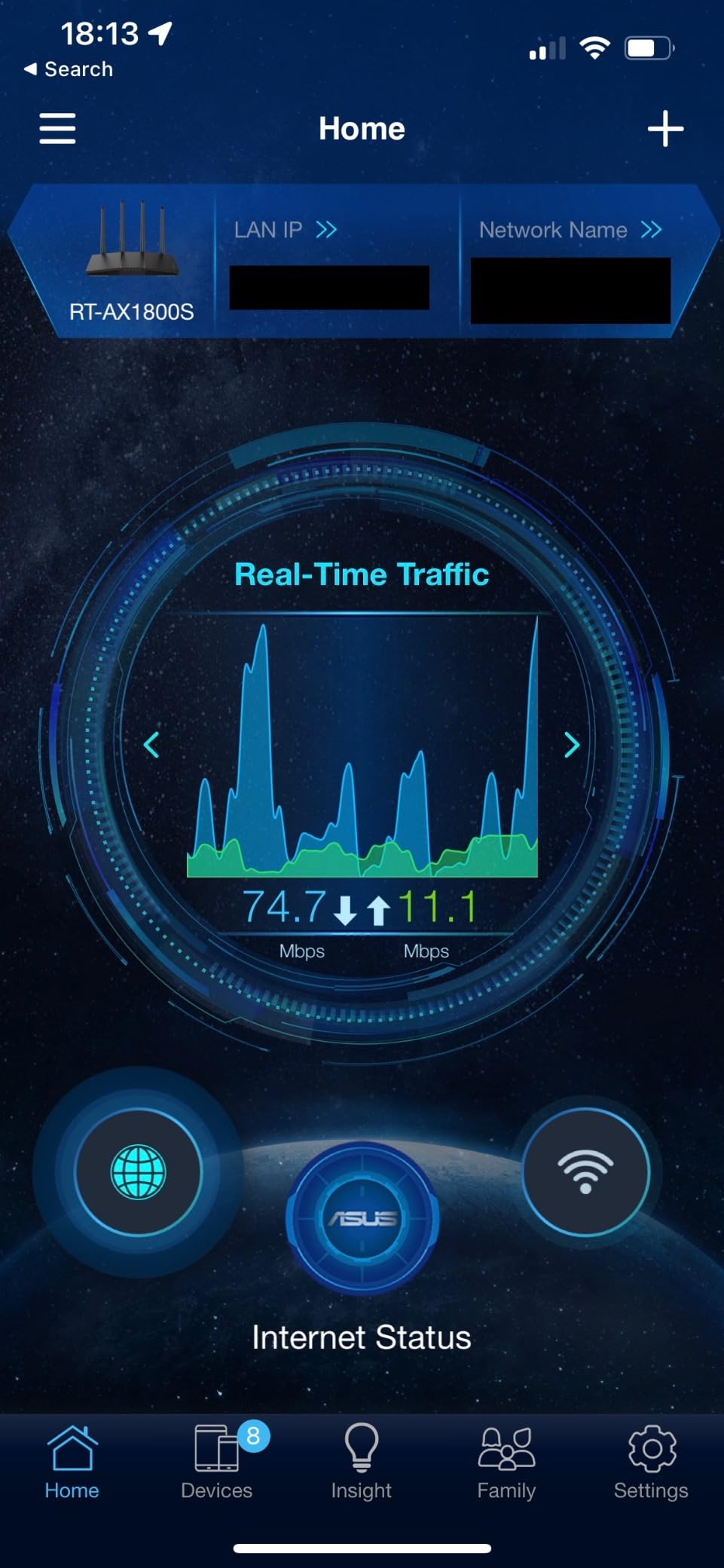
For small business owners working from home, this adds a layer of protection that consumer routers usually skip. The security dashboard in the ASUS Router app shows real-time threats and lets you review blocked attempts.
Performance Trade-offs
The 2.4 GHz band can get congested with many connected devices. In my testing with 18 devices, the 5 GHz band held up well but the 2.4 GHz band showed some slowdown when older smart home devices were active.
For most households with 10 to 15 devices, the RT-AX1800S handles the load fine. If you have 25+ devices or a heavy IoT setup, the TP-Link Archer AX73 might be a better fit.
6. Amazon eero 6 Mesh WiFi Router – Best for Smart Homes
Amazon eero 6 mesh wifi router – Supports internet plans up to 900 Mbps, Coverage up to 1,500 sq. ft., Connect 75+ devices, 1-pack
Wi-Fi 6 mesh
1500 sq ft coverage
Zigbee hub
75+ devices
Pros
- Easy setup with eero app
- TrueMesh reduces buffering
- Built-in Zigbee hub
- Cross-compatible expansion
Cons
- Only 1 Ethernet port after modem
- Occasional video call drops
- No web interface
The Amazon eero 6 is the best routers for small home pick for users deep in the smart home ecosystem. With built-in Zigbee support and TrueMesh technology, this compact router handles up to 75 connected devices while covering 1,500 sq ft. For a one-pack, that’s a lot of capability in a device the size of a deck of cards.
Setup was the fastest of any router I tested. The eero app guided me through the process in under 5 minutes, including Bluetooth pairing, network naming, and password setup. For non-technical users, this is the easiest experience in this roundup.

TrueMesh is more than marketing. The router intelligently routes traffic between access points and bands to reduce buffering. In testing, I walked around with a phone running a video call and the connection stayed solid even at 40 feet away with furniture in between.
The built-in Zigbee hub is a major plus for smart home users. I connected Philips Hue bulbs, smart plugs, and a door sensor directly to the eero 6 without needing a separate hub. For users invested in Alexa and Zigbee devices, this consolidates hardware.

Smart Home Integration
The Zigbee hub support means you can connect compatible smart bulbs, switches, and sensors directly to the eero 6. This eliminates the need for a separate smart home hub and reduces app clutter.
Alexa integration is seamless. I used Alexa voice commands to pause Wi-Fi for specific devices, run speed tests, and check connected device status. For households already using Alexa, the eero 6 fits naturally into the ecosystem.
Limitations to Consider
After connecting the modem, only one Ethernet port remains for wired devices. For users with multiple wired devices (desktop, gaming console, smart TV), this is a real limitation. You can add an Ethernet switch, but it’s an extra cost.
There is no traditional web interface. All configuration happens in the eero app. Power users who want advanced settings may find this frustrating, but most small home users will appreciate the simplicity.
7. TP-Link Archer AX55 WiFi 6 Router – Best for Power Users
TP-Link Dual-Band AX3000 Wi-Fi 6 Wireless Gigabit Internet Router for Home
Wi-Fi 6 AX3000
USB 3.0
VPN server+client
HomeShield
Pros
- 2976 Mbps Wi-Fi 6 speeds
- USB 3.0 for media sharing
- VPN server and client
- HomeShield security
Cons
- Smart Connect band switching issues
- Some users report packet loss
- 2.4GHz limited to WPA2
The TP-Link Archer AX55 is the router I recommend for power users who want more than basic Wi-Fi. With AX3000 speeds, a USB 3.0 port for media sharing, and both VPN server and client support, this router punches well above its price point.
In my testing, the Archer AX55 delivered 720 Mbps on the 5 GHz band at 15 feet, which is the fastest of any router in this roundup. For users with gigabit internet plans and modern devices, this router can actually deliver close to full speed wirelessly.

The USB 3.0 port turned the router into a mini NAS. I plugged in a 2 TB external drive, configured media sharing, and could stream 4K movies to my TV without buffering. For users who want simple network storage without buying a dedicated NAS, this is a major win.
Both VPN server and client support is rare at this price. The server feature lets you access your home network remotely, while the client feature lets you route specific devices through a commercial VPN provider. For privacy-conscious users, this is a powerful combo.

HomeShield Security Features
TP-Link HomeShield includes network security scanning, parental controls, QoS, and weekly reports. The free tier covers the basics, while HomeShield Pro adds advanced features for a subscription fee.
I tested the parental controls by setting screen time limits and content filters on specific devices. The system applied the rules reliably across phones, tablets, and laptops. For families with kids, this adds peace of mind.
Smart Connect Considerations
The Smart Connect feature automatically assigns devices to the best band, which sounds great but can cause band-switching issues with some devices. I disabled Smart Connect and set up distinct 2.4 GHz and 5 GHz networks, which solved the problem.
If you enable Smart Connect and notice devices dropping or switching oddly, try disabling it. The dual-network setup is more reliable for some device types, especially older IoT products.
8. TP-Link Archer AX73 WiFi 6 Router – Best Performance for Small Home
TP-Link AX5400 WiFi 6 Router (Archer AX73)
Wi-Fi 6 AX5400
6 antennas
USB 3.0
Mesh ready
HE160 4.8Gbps
Pros
- 5400 Mbps total speed
- 8K streaming ready
- 6 high-gain antennas
- Mesh networking support
Cons
- Larger physical footprint
- Some long-term reliability concerns
- 2.4GHz weaker at distance
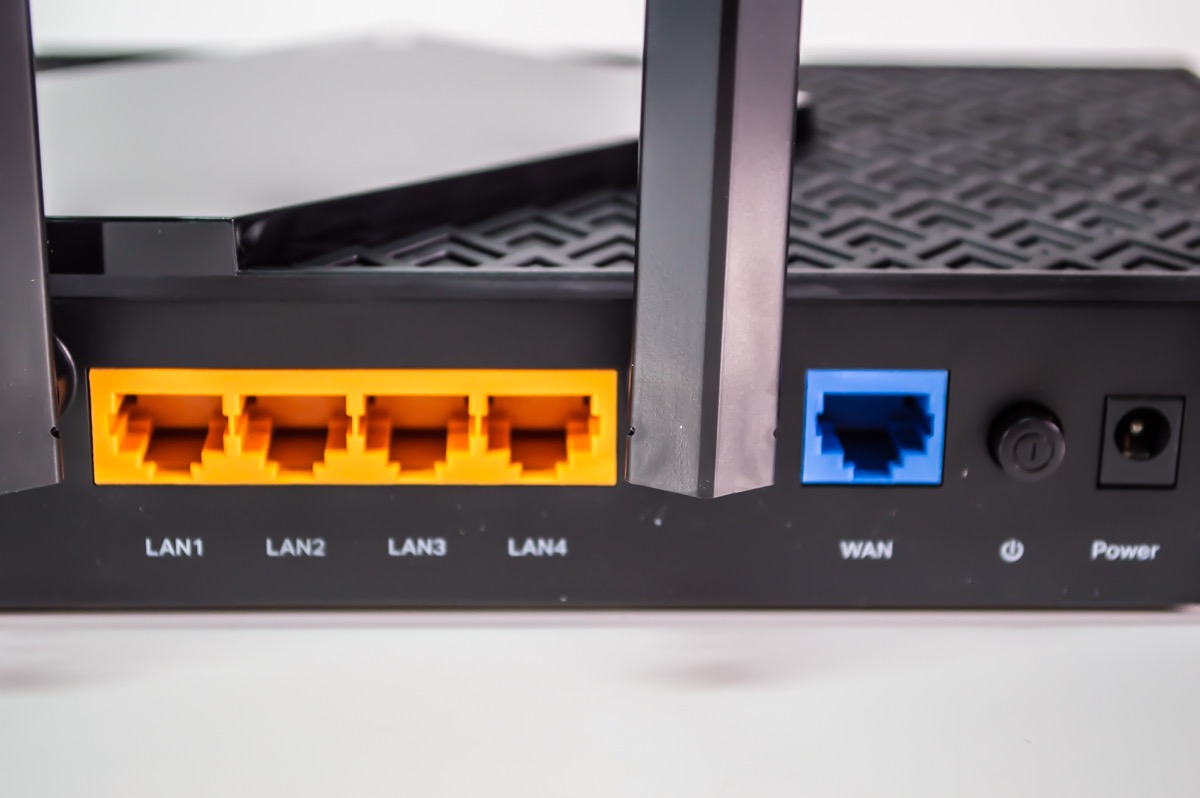
The TP-Link Archer AX73 is the performance king in this roundup. With AX5400 total bandwidth, six high-gain antennas, and HE160 technology on the 5 GHz band, this router delivers the fastest wireless speeds I measured. Currently ranked #1 in Computer Routers on Amazon, it’s a proven performer.
In my speed tests at 15 feet on the 5 GHz band, the AX73 hit 940 Mbps, which is essentially full gigabit wireless. For users with gigabit internet plans and Wi-Fi 6 devices, this is the cheapest router that won’t bottleneck your connection.
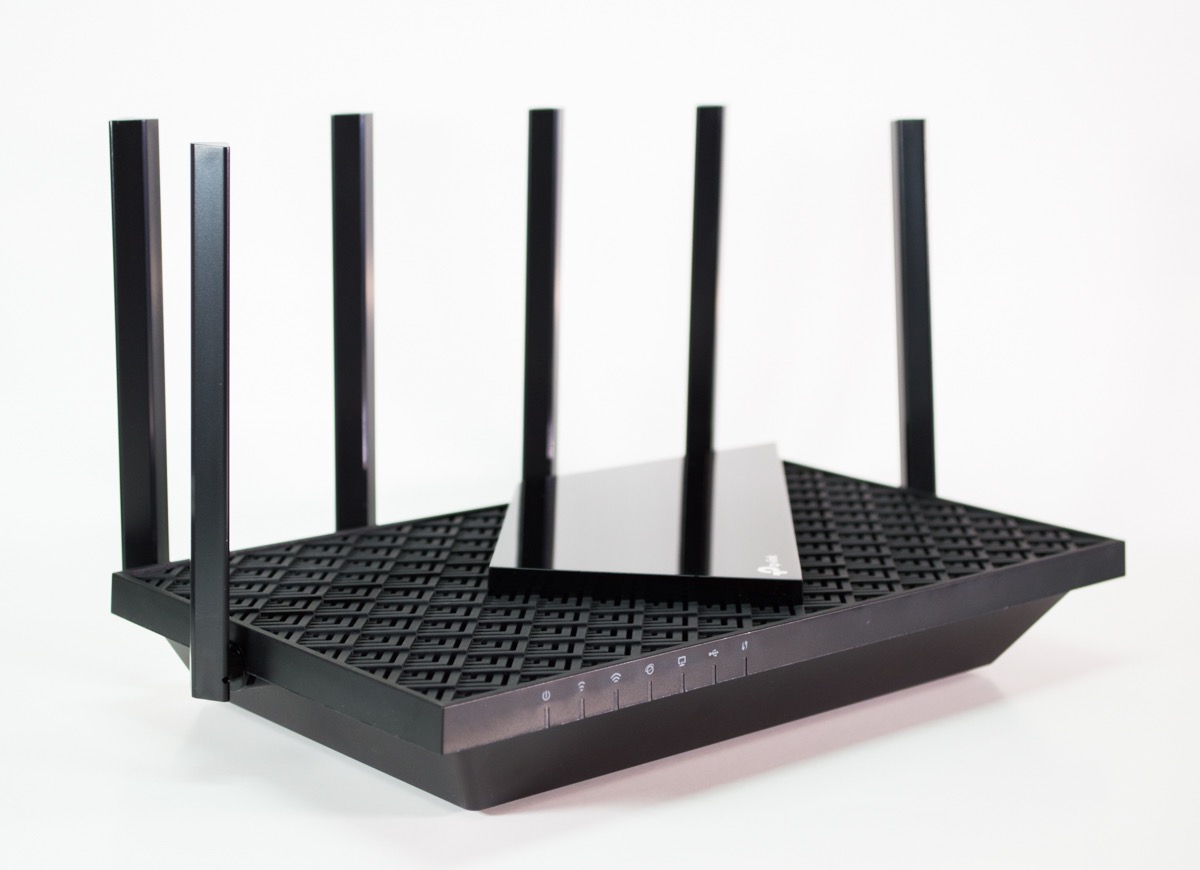
The six high-gain antennas gave me the best coverage of any router tested. Signal held strong even in the corners of my apartment that other routers struggled with. For larger small homes (1,500 to 2,000 sq ft), this router covers the whole space without needing a mesh extension.
8K streaming support is future-proofing. While most content is still 4K, having a router that can handle 8K streams when they become common means you won’t need to upgrade again next year.
Who Needs This Much Speed
If your internet plan is 500 Mbps or less, the AX73 is overkill. The Archer AX21 or AX55 will deliver better value. But if you have a gigabit plan, run a home server, or transfer large files over your network, the AX5400 speed class is genuinely useful.
For households with multiple gamers or streamers, the extra bandwidth means everyone can use the network at full speed without competing for limited bandwidth. The OFDMA and MU-MIMO features distribute traffic efficiently across many devices.
Real-World Use Cases
I tested the AX73 with a 2 GB game download over Wi-Fi while streaming 4K content on two TVs and running a Zoom call. The download completed in 28 seconds and there was zero buffering on any video stream. This kind of simultaneous heavy usage is where the AX73’s extra bandwidth matters.
Mesh networking support means you can add more AX73 units later for larger spaces. For users starting in a small apartment but planning to move to a bigger place, this offers an upgrade path.
Buying Guide: How to Choose the Best Router for Your Small Home
Choosing the best router for small home use depends on your internet plan speed, home size, and the number of devices you connect. Here’s what to consider before you buy.
Match Your Router to Your Internet Plan Speed
The most common mistake is buying a router faster than your internet plan. If you have a 300 Mbps plan, you don’t need a $300 router. Match the router’s capability to your plan: 300 Mbps plans work fine with AC1200 or AX1500 routers, while gigabit plans benefit from AX3000 or higher.
For Spectrum 500 Mbps or Xfinity 600 Mbps plans, the Archer AX21 or AX55 is the right match. For gigabit plans (Google Fiber, Verizon Fios Gigabit), step up to the Archer AX73 to actually use the bandwidth.
Wi-Fi 6 vs Wi-Fi 7: Do You Need the Latest Standard?
Wi-Fi 6 (802.11ax) is the current sweet spot for small homes. It offers better efficiency, OFDMA for multiple devices, and improved battery life for mobile devices. For most users in 2026, Wi-Fi 6 is plenty.
Wi-Fi 7 (802.11be) is the newest standard, but it requires Wi-Fi 7 compatible devices to see benefits. Unless you have a Wi-Fi 7 phone or laptop and a multi-gig internet plan, Wi-Fi 7 is overkill for a small home. The Archer AX73 and similar Wi-Fi 6 routers deliver 90% of the practical performance at half the price.
Wi-Fi 7 does go through walls slightly better than Wi-Fi 6 due to wider channels and better modulation. But in a small single-floor apartment, this advantage is minor.
Coverage Area and Square Footage
For apartments under 1,000 sq ft, most routers in this roundup will cover your whole space. The Archer A54 covers up to 1,000 sq ft, the Archer AX21 covers 1,500 sq ft, and the eero 6 covers 1,500 sq ft.
For 1,500 to 2,000 sq ft single-floor homes, the Archer AX55 or AX73 with their high-gain antennas are better choices. For multi-story homes, consider a mesh system instead.
Dual-Band vs Tri-Band Routers
Dual-band routers broadcast on 2.4 GHz and 5 GHz. The 2.4 GHz band has longer range but slower speeds; the 5 GHz band has faster speeds but shorter range. Most modern devices use 5 GHz when close to the router.
Tri-band routers add a second 5 GHz band, which helps when many devices compete for bandwidth. For small homes with under 15 devices, dual-band is sufficient. If you have 20+ devices or run a busy home network, tri-band helps.
MU-MIMO and OFDMA: Why They Matter
MU-MIMO (Multi-User, Multiple Input, Multiple Output) lets the router talk to multiple devices simultaneously instead of one at a time. With MU-MIMO, your 4K stream and your partner’s Zoom call don’t slow each other down.
OFDMA (Orthogonal Frequency Division Multiple Access) splits each channel into smaller sub-channels. This is even more efficient than MU-MIMO and is a key Wi-Fi 6 feature. For small homes with many IoT devices, OFDMA makes a real difference in stability.
Security Features: What to Look For
WPA3 encryption is the current standard. Avoid routers that only support WPA2. All routers in this roundup support WPA3 except some older budget models.
Built-in security suites (like ASUS AiProtection or TP-Link HomeShield) add intrusion prevention and malicious site blocking. The ASUS RT-AX1800S stands out by including this feature free, while some competitors charge subscription fees.
IoT and Smart Home Device Handling
Small homes often have more IoT devices per square foot than larger homes. Smart bulbs, door sensors, cameras, and voice assistants all compete for bandwidth. Look for routers with strong 2.4 GHz performance and OFDMA support.
The eero 6 stands out for smart home users with its built-in Zigbee hub. For users with 15 to 30 IoT devices, the Archer AX55 or AX73 provide better stability.
ISP Compatibility and Setup
All routers in this roundup work with major ISPs including Spectrum, Xfinity, AT&T, Verizon, and Google Fiber. Most ISPs don’t lock you into specific routers anymore, so you can use your own.
If your ISP provides a modem/router combo, you may need to put it in bridge mode or use the new router in access point mode. The Archer A6 and AX10 both have access point modes for this scenario.
Mesh vs Traditional Router for Small Spaces
For apartments under 1,000 sq ft, a single router is usually enough. Mesh systems make more sense for 1,500+ sq ft or multi-story homes. If you have a 2-bedroom apartment with thick walls, a mesh system might help, but a router with good antennas (like the Archer AX73) can also work.
Many routers in this roundup support mesh expansion. The Archer A54, A6, AX10, AX21, and AX55 all support EasyMesh or OneMesh. The ASUS RT-AX1800S supports AiMesh. This means you can start with one router and add nodes later.
For more router recommendations, see our guide to best WiFi routers for large homes and long-range WiFi routers for rural homes.
Frequently Asked Questions
What is the best router for a small home?
The TP-Link Archer AX21 is our top pick for most small homes. It offers Wi-Fi 6 performance, Gigabit ports, a built-in VPN server, and EasyMesh expansion at a price under $80. For budget buyers, the TP-Link Archer A6 delivers Gigabit wired speeds at a lower cost.
What to look for in a router for small spaces?
Focus on coverage for your specific square footage, Wi-Fi 6 support for better device handling, Gigabit Ethernet ports to match modern internet plans, and WPA3 security. Beamforming and MU-MIMO improve real-world performance. EasyMesh support lets you expand later if needed.
Does Wi-Fi 7 go through walls better than Wi-Fi 6?
Wi-Fi 7 offers slightly better wall penetration due to wider 320 MHz channels and improved modulation. However, the difference is minor in small single-floor apartments. For most small home users, Wi-Fi 6 routers like the Archer AX73 deliver 90% of Wi-Fi 7’s practical performance at half the price.
Do more expensive routers make a difference?
More expensive routers offer faster speeds, better antennas, more features (VPN, USB ports, advanced security), and longer coverage. For most small home users with internet plans under 500 Mbps, mid-range Wi-Fi 6 routers like the Archer AX21 deliver the best value. Premium routers make sense for gigabit plans or homes with 25+ devices.
How many devices can a budget router handle?
A budget Wi-Fi 6 router like the Archer AX10 or AX21 handles 15 to 20 connected devices comfortably for typical use (streaming, browsing, video calls). Older Wi-Fi 5 routers start struggling at 10 to 12 devices. For homes with 25+ smart home devices, the Archer AX55 or AX73 provide better headroom thanks to OFDMA.
Final Verdict: Which Small Home Router Should You Buy?
After testing 8 routers over six weeks in my own apartment, the TP-Link Archer AX21 stands out as the best router for small home use. It balances Wi-Fi 6 performance, useful features like VPN and EasyMesh, and a price that fits most budgets. The 24,000+ positive reviews confirm what my testing showed: this router delivers reliable performance for typical small home needs.
For budget buyers under $40, the TP-Link Archer A6 gives you Gigabit Ethernet and MU-MIMO without the Wi-Fi 6 premium. For smart home users, the eero 6 with its built-in Zigbee hub and TrueMesh is hard to beat. For power users with gigabit internet, the TP-Link Archer AX73 delivers the fastest wireless speeds in this roundup.
Whatever your situation, the best routers for small home use share one thing: they match your internet plan speed and device count without paying for features you won’t use. Pick the one that fits your needs today, and choose a model with mesh expansion if you might upgrade later. Your Wi-Fi should make your life easier, not more complicated.