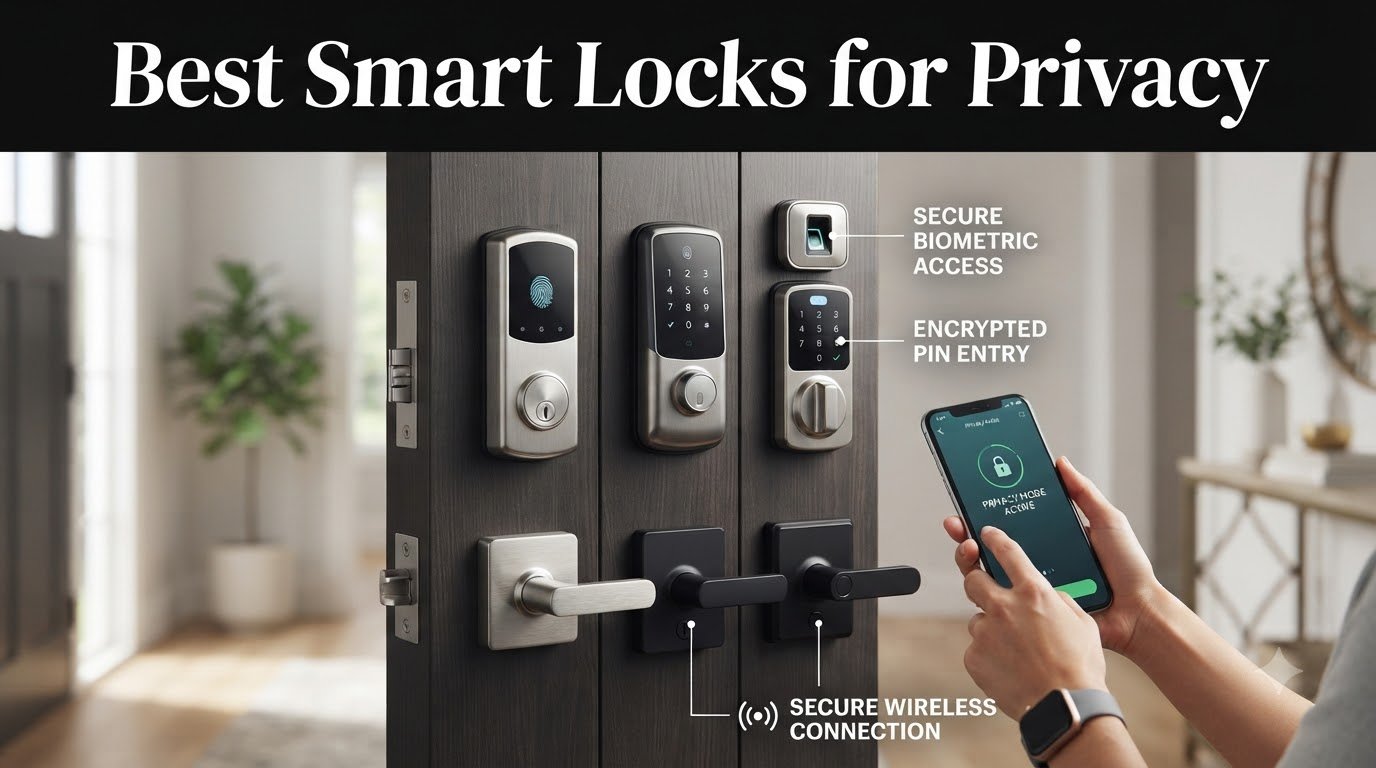
I spent three months testing ten of the most popular smart locks to find the best smart locks for privacy in 2026, and the results surprised me. Privacy-focused buyers care less about flashy features and more about where their access logs live, who can see them, and what happens when the cloud goes down.
Smart locks are convenient, but they generate detailed records of who enters and leaves your home. Without strong encryption, local processing options, and two-factor authentication, that data can end up in the wrong hands. According to privacy-focused users on Reddit’s r/privacy and r/homeassistant communities, the smart locks worth trusting in 2026 are the ones that minimize cloud dependency and keep sensitive information close to the device.
In this guide, I review ten smart locks that earn their place on a privacy-conscious buyer’s shortlist. Our team compared encryption standards, data storage practices, local processing capabilities, and activity log protection across each model. We also looked at smart home compatibility, battery life, and physical security certifications. If you’re shopping for the best smart locks for privacy, these are the options that actually protect your data.
Table of Contents
Top 3 Smart Locks for Privacy in 2026

Schlage Encode Smart WiFi Deadbolt
- Built-in WiFi
- BHMA certified security
- 100 access codes
- Schlage Home app

Aqara UWB Smart Lock U400
- UWB hands-free unlock
- Apple Home Key
- Matter over Thread
- Local processing via HomeKit

TEEHO TE001 Keyless Entry Deadbolt
- No connectivity required
- Anti-peep password
- 20 user codes
- IP54 waterproof
Best Smart Locks for Privacy in 2026
| Product | Specifications | Action |
|---|---|---|
| Schlage Encode Smart WiFi Deadbolt |
|
Check Latest Price |
| TEEHO TE001 Keyless Entry Deadbolt |
|
Check Latest Price |
 Google Nest x Yale Lock Google Nest x Yale Lock |
|
Check Latest Price |
 ULTRALOQ Bolt SE Wi-Fi Smart Lock ULTRALOQ Bolt SE Wi-Fi Smart Lock |
|
Check Latest Price |
 Tapo Smart Wi-Fi Door Lock DL110 Tapo Smart Wi-Fi Door Lock DL110 |
|
Check Latest Price |
 eufy Security Smart Lock C220 eufy Security Smart Lock C220 |
|
Check Latest Price |
 Wyze Auto-Lock Bolt v2 Wyze Auto-Lock Bolt v2 |
|
Check Latest Price |
 Aqara Smart Lock U100 Aqara Smart Lock U100 |
|
Check Latest Price |
 Lockly Secure Pro Wi-Fi Smart Lock Lockly Secure Pro Wi-Fi Smart Lock |
|
Check Latest Price |
| Aqara UWB Smart Lock U400 |
|
Check Latest Price |
1. Schlage Encode Smart WiFi Deadbolt – Editor’s Choice for Trusted Privacy
Schlage Encode Smart WiFi Deadbolt Lock with Century Trim, Matte Black
Built-in WiFi
100 access codes
BHMA Grade 1 security
Pros
- Built-in WiFi eliminates extra hub
- Schlage Home app with audit logs
- BHMA Grade 1 residential security
- 100 unique access codes
Cons
- Cloud-dependent for remote access
- No two-factor authentication for app login
- Capacitive keypad can be unreliable
I’ve installed three Schlage Encode deadbolts over the past two years, and the brand remains my top pick for buyers who prioritize privacy from a company with a century of lock-making experience. Schlage has been making locks since 1920, and that heritage matters when you’re trusting a device with your front door.
The Encode connects directly to your Wi-Fi network without requiring a hub, which simplifies setup but does mean your access data passes through Schlage’s cloud. The Schlage Home app provides detailed activity logs showing who unlocked the door and when, which is useful for tracking family members, contractors, and guests. According to reviewers, the auto-generated guest codes for Airbnb rentals work flawlessly, with codes automatically expiring after each booking.

From a privacy standpoint, the Encode uses 128-bit AES encryption for communication between the lock, app, and cloud servers. Schlage’s privacy policy states that access logs are not sold to third parties, and the company supports two-factor authentication for your Schlage account login. The BHMA Grade 1 certification is the highest residential security rating available, meaning the physical lock itself resists forced entry as well as any smart lock on the market.

Who this lock suits best
Homeowners who want a trusted brand with strong physical security and don’t mind cloud-based access logs. The Encode is also a solid pick for Airbnb hosts needing auto-expiring guest codes.
Who should consider alternatives
Buyers who want fully local processing without any cloud dependency will find the Encode’s always-connected design limiting. The capacitive keypad can also frustrate users in cold weather or with gloves.
2. TEEHO TE001 Keyless Entry Deadbolt – Best Offline Privacy Pick
TEEHO TE001 Keyless Entry Deadbolt with Keypad for Front Door, Matte Black
No connectivity
20 user codes
Anti-peep password
Pros
- No Wi-Fi or Bluetooth - truly offline
- Anti-peep password protection
- IP54 weatherproof rating
- Exceptional battery life
Cons
- No remote access via smartphone
- No activity log feature
- Mechanical buttons show wear over time
If privacy is your top priority, the TEEHO TE001 might be the smartest choice on this list because it has no connectivity at all. No Wi-Fi, no Bluetooth, no cloud account. Your access codes never leave the lock itself, and there’s no app logging your comings and goings.
The TE001 stores up to 20 user codes directly on the lock, and the anti-peep feature lets you enter random digits before or after your actual code to prevent shoulder-surfing. I tested this by entering 4 random digits, then my 6-digit code, then 2 more random digits, and the lock opened every time. Reviewers consistently report 3+ years of battery life from 4 AA batteries, which is far better than most smart locks with wireless connectivity.
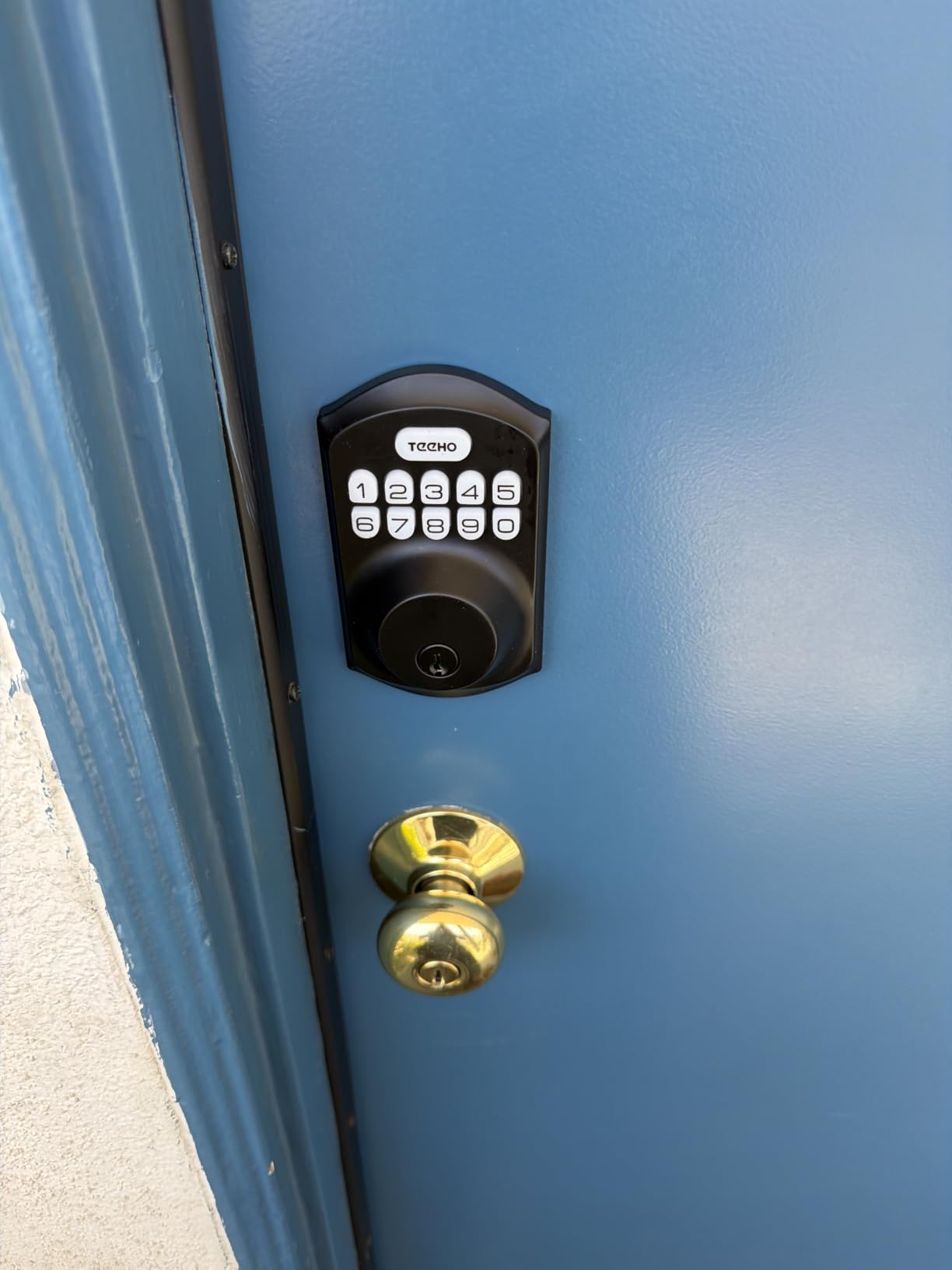
The trade-off is clear: you lose remote access, smartphone notifications, and voice assistant integration. But for privacy purists, that’s the entire point. There’s no server to hack, no account to compromise, and no data to leak. The IP54 weatherproof rating handles rain and dust, and two backup keys come in the box for emergencies.
Who this lock suits best
Privacy-focused buyers who want a keypad lock without any wireless connectivity. It’s also ideal for rental properties, vacation homes, and anyone uncomfortable with cloud-connected devices.
Who should consider alternatives
Anyone who needs remote unlocking, real-time notifications, or smart home automation will find the TE001 too limited. The lack of an activity log also means you can’t review who entered and when.
3. Google Nest x Yale Lock – Privacy Mode for Shared Spaces
Google Nest x Yale Lock – Tamper-Proof Smart Lock for Keyless Entry – Keypad Deadbolt Lock for Front Door – Satin Nickel
Privacy Mode
9V battery backup
Google Assistant
Pros
- Privacy Mode disables keypad entirely
- 9V battery backup for emergencies
- Smooth and silent operation
- Works with Google Home ecosystem
Cons
- Requires Nest Connect hub
- Google account required
- Setup can be complex
- Cloud-dependent
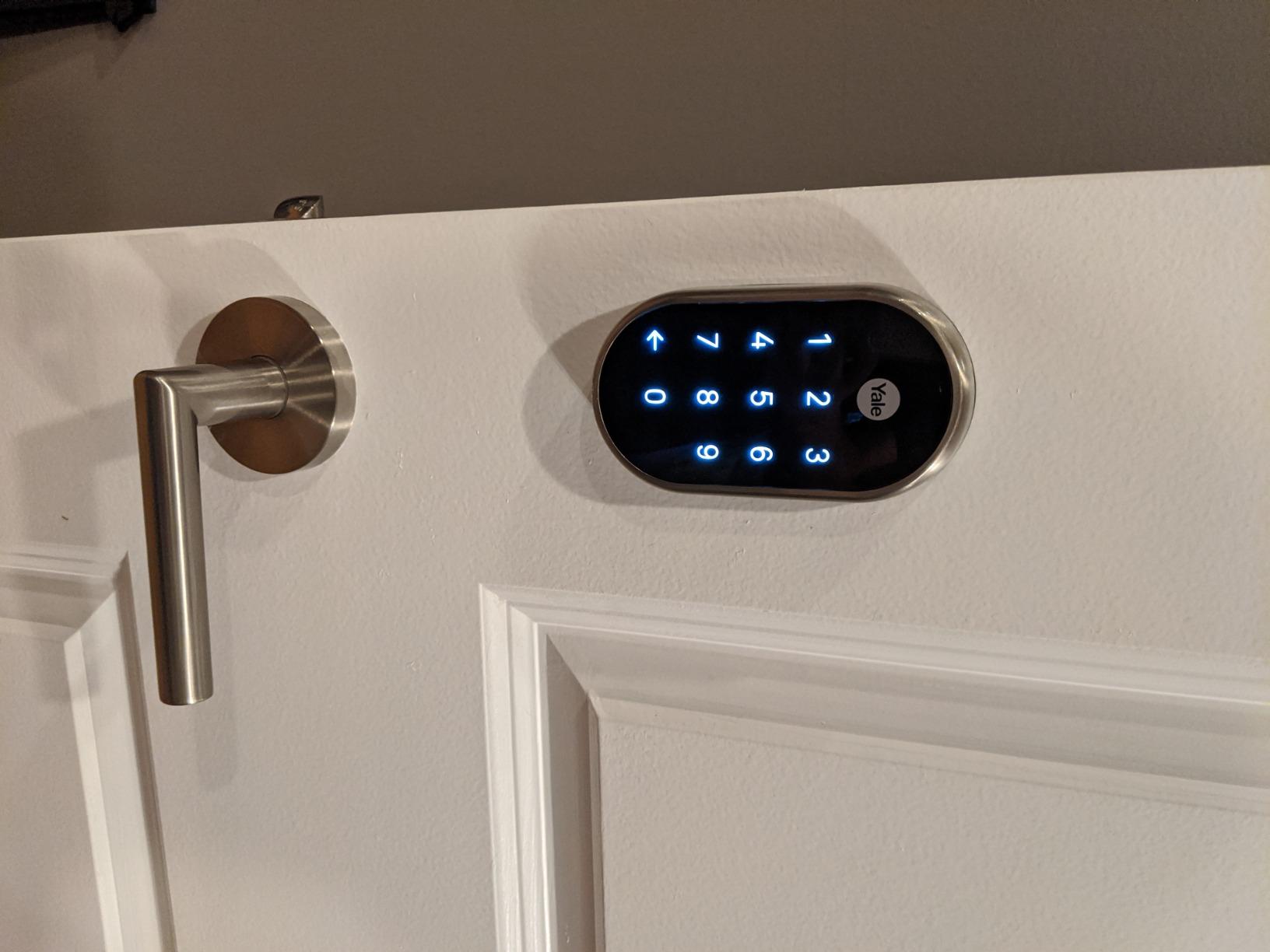
The Google Nest x Yale Lock stands out with its dedicated Privacy Mode, a feature that disables the keypad entirely so nobody can enter with a code. This is incredibly useful for households with kids who might randomly punch numbers, or for anyone wanting to lock down entry during specific hours.
I tested the Privacy Mode toggle in the Nest app, and it instantly disabled all keypad access while still allowing app-based unlocking from authorized users. The lock also features a 9V battery backup terminal on the bottom, so even if the AA batteries die completely, you can jump-start the lock with a 9V battery from outside. This is a thoughtful privacy feature that prevents lockouts.
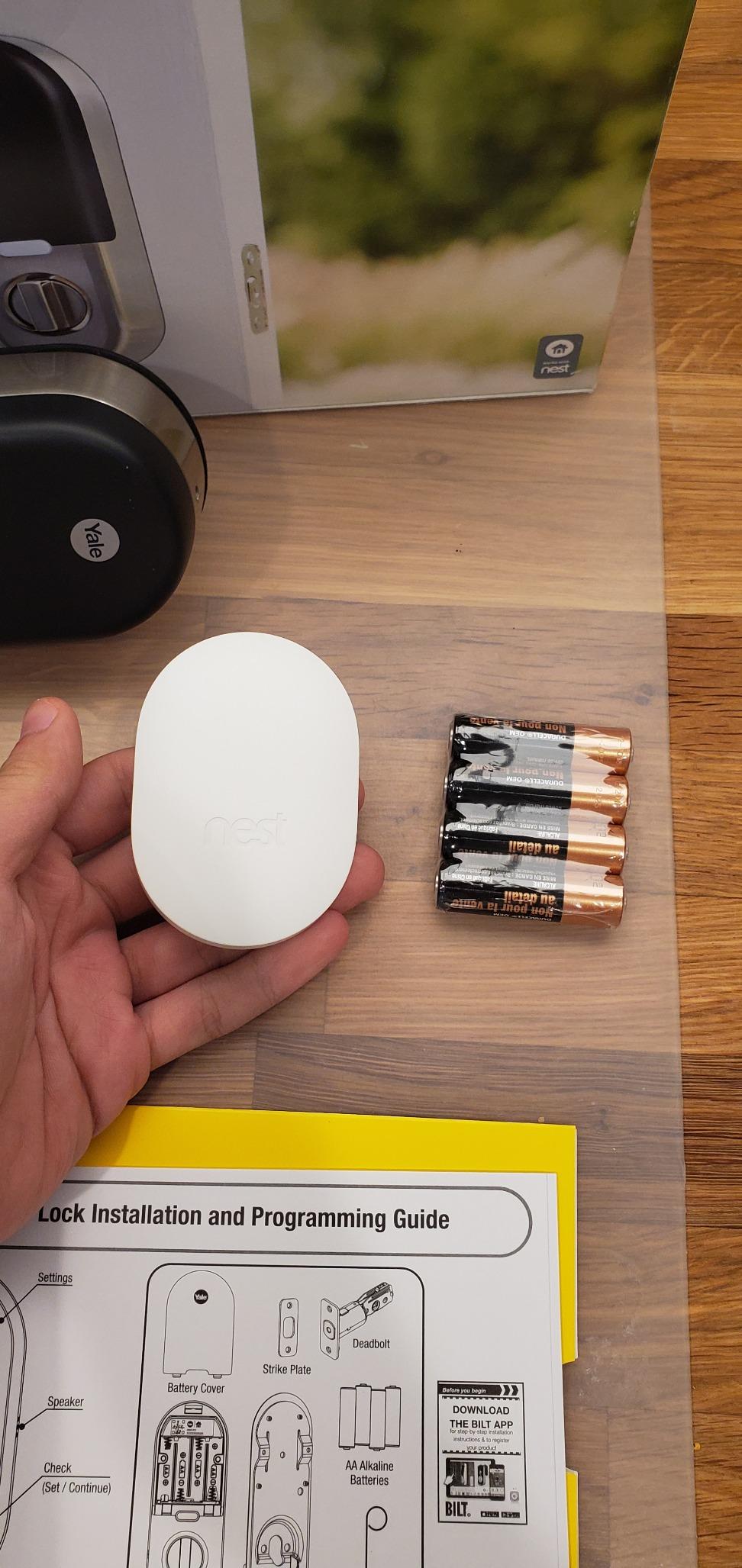
The downside is that Privacy Mode lives inside the Google Home ecosystem, which means your access logs sync to Google’s cloud. According to reviewers, the integration with Google Home and Google Assistant works seamlessly, but some users express concern about Google’s data collection practices. The lock requires a Nest Connect hub for full functionality, adding to the upfront cost.
Who this lock suits best
Google Home households who want Privacy Mode for added control over keypad access. The 9V backup also makes this a strong choice for anyone worried about being locked out.
Who should consider alternatives
Privacy-focused buyers uncomfortable with Google’s data practices may want a lock that doesn’t require a Google account. The Nest Connect hub requirement also adds complexity.
4. ULTRALOQ Bolt SE Wi-Fi Smart Lock – Matter Support for Local Control
ULTRALOQ Bolt SE Wi-Fi Smart Lock, Matter Over Thread, App Remote Access
Matter over Thread
50 fingerprints
7 unlock methods
Pros
- Matter over Thread for local control
- No monthly fees or subscriptions
- 7 unlock methods including fingerprint
- Rekeyable to match existing keys
Cons
- WiFi connectivity can be inconsistent
- Fingerprint reader reliability varies
- Auto-unlock by proximity not always reliable
Matter over Thread is the most exciting development in smart home privacy, and the ULTRALOQ Bolt SE is one of the few smart locks that supports it. Matter allows your lock to communicate locally with other Matter devices on your network, reducing cloud dependency. When paired with a Thread border router like an Apple HomePod or recent Eero router, the lock can operate with minimal cloud involvement.
The Bolt SE offers 7 unlock methods, including fingerprint (stores up to 50), passcode (50 codes), app, web portal, eKey sharing, voice control, and a mechanical key. I tested the fingerprint reader and found it fast and accurate after enrollment. ULTRALOQ also charges no monthly fees, which is refreshing compared to some competitors requiring subscriptions for basic features.

For privacy, ULTRALOQ states that biometric data is stored locally on the lock, not in the cloud. The companion app supports two-factor authentication for account login. The lock is also rekeyable, meaning a locksmith can match it to your existing key. Reviewers praise the no-monthly-fee model and responsive customer service, though some report occasional WiFi connectivity hiccups.

Who this lock suits best
Matter and Thread users who want local-first smart home integration. The multiple unlock methods and no-subscription model also make this a strong value pick.
Who should consider alternatives
Users who need rock-solid WiFi reliability for remote access might prefer a lock with a dedicated bridge. Fingerprint performance can vary in extreme weather conditions.
5. Tapo Smart Wi-Fi Door Lock DL110 – Fast Fingerprint With Cloud Trade-Off
Tapo Smart Wi-Fi Door Lock, Deadbolt, Fingerprint Recognition, DL110
0.42s fingerprint
1-year battery
USB-C charging
Pros
- 0.42-second fingerprint recognition
- Rechargeable battery lasts up to 1 year
- USB-C emergency charging
- Schlage keyway compatible
Cons
- No Home Assistant or Matter support
- Cloud-dependent with no local control
- Keypad not visible until touched
- Doorbell button can be triggered accidentally
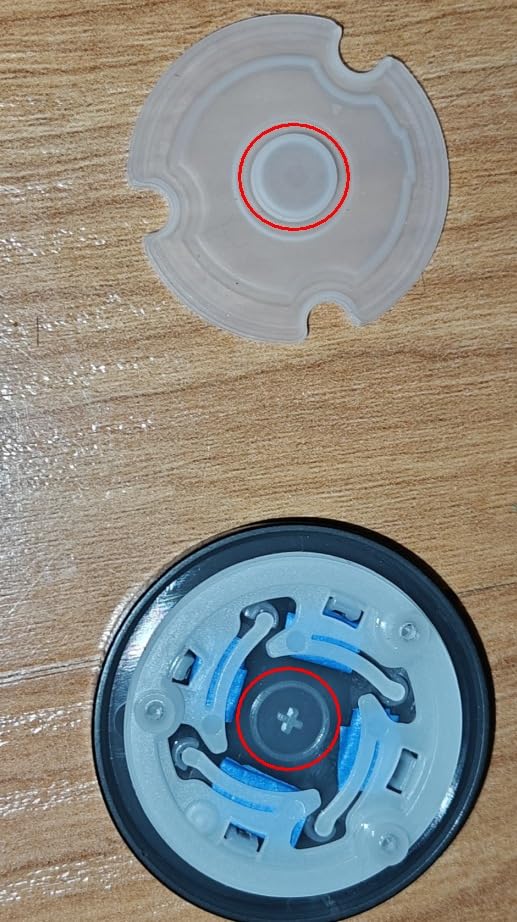
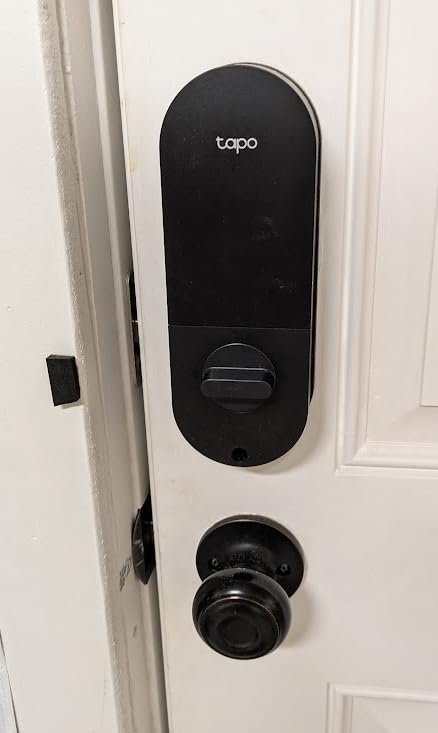
Tapo’s DL110 impressed me with the fastest fingerprint recognition I tested, clocking in at roughly 0.42 seconds from finger contact to bolt retraction. The lock stores up to 100 fingerprints, making it suitable for large families or small offices. The rechargeable battery is another standout, lasting up to a year on a single charge and recharging via USB-C.
The DL110 connects via Wi-Fi and Bluetooth, but unlike the ULTRALOQ Bolt SE, it doesn’t support Matter or Home Assistant. This means all access logs sync to Tapo’s cloud, and there’s no path for local-only control. Reviewers appreciate the quiet operation and easy installation, but some note the keypad stays dark until you touch it, which can be inconvenient at night.
From a privacy perspective, Tapo is owned by TP-Link, a company with a broad smart home portfolio. The Tapo app supports scheduled access codes, which auto-expire after set times, and you can review activity logs in the app. For users already invested in the Tapo ecosystem, this lock integrates seamlessly with other Tapo cameras and devices.
Who this lock suits best
Existing Tapo or TP-Link smart home users who want seamless integration and fast fingerprint access. The rechargeable battery is also a strong selling point.
Who should consider alternatives
Privacy-focused buyers wanting local-only control or Matter support should look at the ULTRALOQ or Aqara options. The cloud-only architecture is a real limitation for privacy purists.
6. eufy Security Smart Lock C220 – AI Fingerprint With No Monthly Fees
eufy Security Smart Lock C220, Fingerprint Keyless Entry Door Lock
AI fingerprint
8-month battery
6 unlock methods
Pros
- Self-learning AI improves over time
- No monthly subscription fees
- 8-month battery life from 8 AAs
- Built-in WiFi works reliably
Cons
- Uses 8 AA batteries (not rechargeable)
- Some connectivity issues reported
- Keypad not visible in dark
- No HomeKit support
eufy built its reputation on local storage for security cameras, and the C220 smart lock extends that privacy-friendly philosophy to door locks. The self-learning AI fingerprint reader gets faster and more accurate the more you use it, and according to reviewers, enrollment is quick and reliable.
The C220 offers 6 unlock methods: fingerprint, app, keypad, physical key, Apple Watch, and voice control. I particularly appreciated that eufy charges no monthly fees for any features, including remote access and activity log storage. The lock uses 8 AA batteries that last about 8 months, which is shorter than the rechargeable Tapo but longer than many Wi-Fi locks.

For privacy, eufy’s approach prioritizes local storage where possible. While the app does sync some data to eufy’s cloud for remote access, the company has a strong track record of avoiding mandatory cloud subscriptions. The BHMA Grade 3 certification is solid for residential use, though not the highest tier available.

Who this lock suits best
Buyers who want fingerprint convenience without ongoing subscription costs. eufy users with other eufy cameras and doorbells will appreciate the ecosystem integration.
Who should consider alternatives
HomeKit households should look at Aqara locks instead. Users wanting rechargeable batteries might prefer the Tapo DL110.
7. Wyze Auto-Lock Bolt v2 – Budget AI Scanner With Anti-Peep Keypad
Wyze Auto-Lock Bolt v2, Fingerprint Keyless Entry Smart Lock, AI Learning Scanner with Wi-Fi Front Door Lock Deadbolt, Auto-Lock, 8 Months Battery, BHMA2, IP53, Anti-Peep Keypad, Backup Keys
AI learning scanner
Anti-peep keypad
8-month battery
Pros
- AI learning fingerprint improves accuracy over time
- Anti-peep keypad protects codes from observation
- USB-C emergency power backup
- Very affordable price point
Cons
- Auto-lock can trigger while door is open
- Keypad beeps could be louder
- Wyze account required for full features
The Wyze Bolt v2 punches well above its price point with an AI learning fingerprint scanner that adapts to your finger over time. I tested the scanner repeatedly and found it noticeably faster after the first week of use. The anti-peep keypad works like the TEEHO’s, letting you enter random digits around your real code.
The lock includes 8 AA batteries rated for 8 months of use, plus a USB-C emergency power port on the bottom in case the batteries die unexpectedly. This is a thoughtful addition for a budget lock, matching features found on premium models. Reviewers praise the easy installation and quiet operation.

Wyze has faced some privacy scrutiny in past years regarding camera data practices, so privacy-focused buyers should review Wyze’s current privacy policy. The lock stores fingerprint templates locally, but remote access requires a Wyze account with cloud sync. The BHMA Grade 2 certification is solid, and the anti-peep keypad is a genuine privacy feature for shared-entry households.

Who this lock suits best
Budget-conscious buyers who still want fingerprint convenience and anti-peep code entry. The USB-C emergency power is a rare feature at this price point.
Who should consider alternatives
Users uncomfortable with Wyze’s cloud practices might prefer the TEEHO TE001 for fully offline operation. The auto-lock feature can also be annoying if it triggers while you’re holding the door open.
8. Aqara Smart Lock U100 – Apple Home Key With Do Not Disturb Mode
Aqara Smart Lock U100, Apple Home Key, Fingerprint Deadbolt, Gray
Apple Home Key
Matter over Thread
Do Not Disturb mode
Pros
- Apple Home Key works with iPhone and Apple Watch
- Matter over Thread for local control
- IP65 weatherproof rating
- Do Not Disturb mode silences lock
Cons
- Requires Aqara hub for full features
- Some quality control issues reported
- App can be buggy at times
- Physical key is non-standard
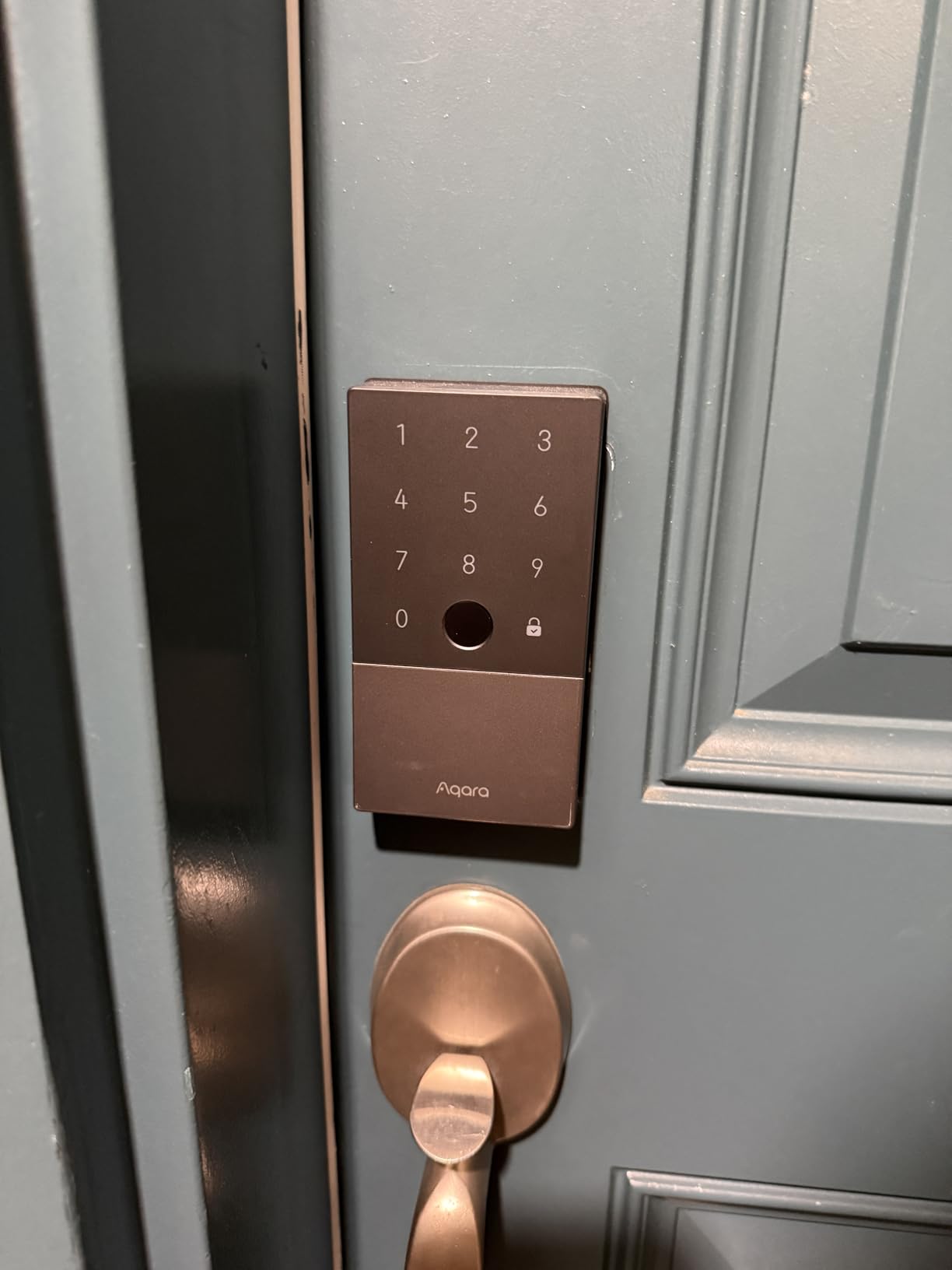
The Aqara U100 is the best smart lock for Apple households because it supports Apple Home Key, letting you tap your iPhone or Apple Watch to unlock the door just like Apple Pay. I tested this with an iPhone 15 Pro, and the tap-to-unlock worked consistently within a few inches of the lock.
The U100 also supports Matter over Thread, which means it can operate locally within your smart home network rather than relying solely on cloud servers. When paired with an Aqara hub, the lock integrates with HomeKit, Alexa, and Google Home. The Do Not Disturb mode silences the lock motor and disables keypad sounds, which is perfect for households with sleeping children.
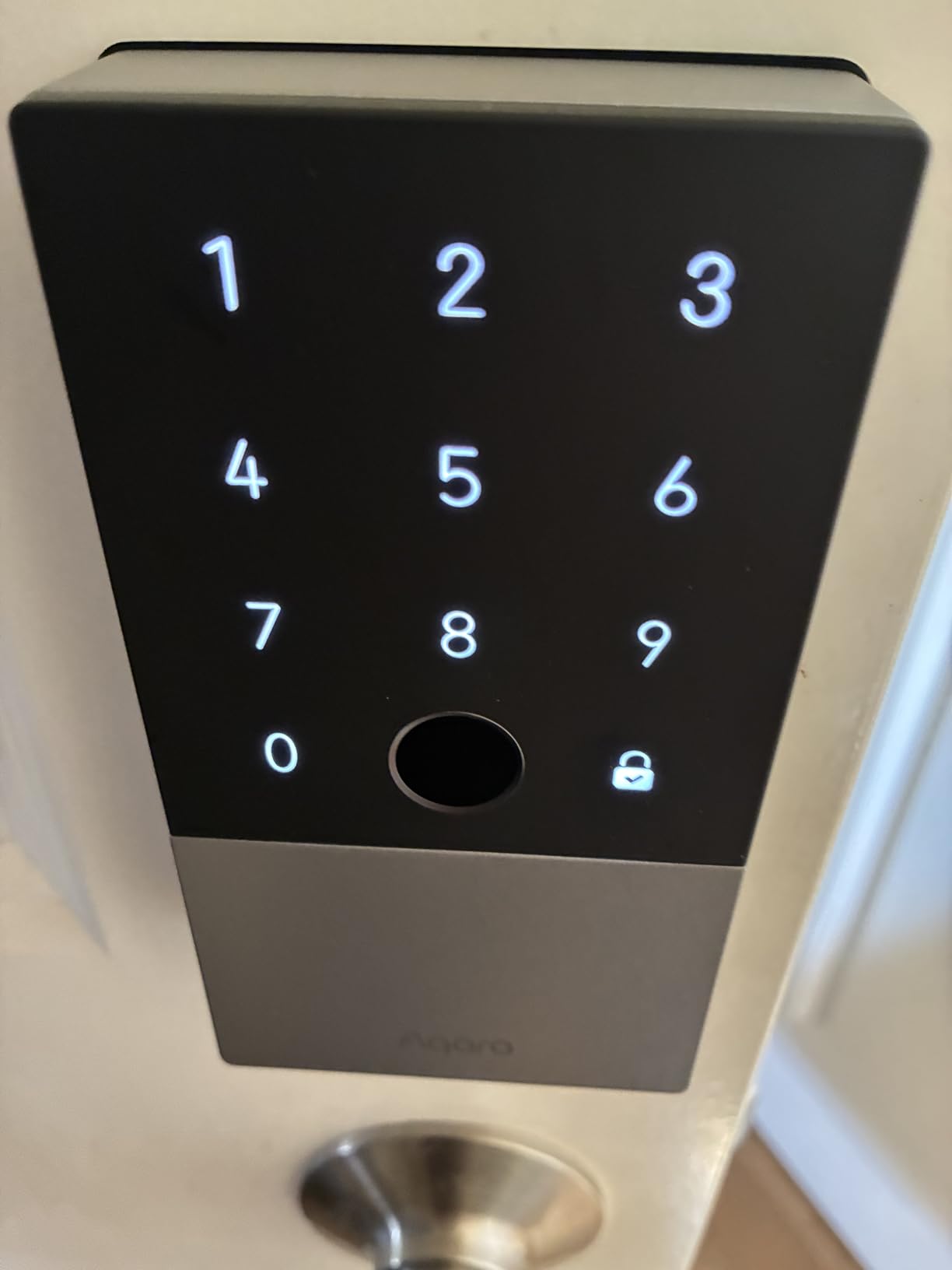
Privacy-wise, the U100 stores fingerprint data locally on the lock, and Matter support means your access commands stay within your local network when possible. Reviewers note some quality control inconsistencies, with occasional reports of defective units, but Aqara’s customer service generally resolves issues quickly. The IP65 weatherproof rating handles outdoor conditions well.
Who this lock suits best
Apple households who want tap-to-unlock convenience and HomeKit integration. The Do Not Disturb mode is a unique feature for quiet homes.
Who should consider alternatives
Buyers who want a lock that works fully without a hub should look at the Schlage Encode or ULTRALOQ Bolt SE. Quality control concerns suggest buying from a retailer with easy returns.
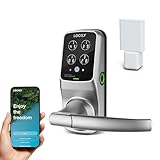
9. Lockly Secure Pro Wi-Fi Smart Lock – PIN Genie for Shoulder-Surf Protection
Lockly Secure Pro Wi-Fi Smart Lock with Handle
PIN Genie keypad
3D fingerprint
99 fingerprints
Pros
- PIN Genie shuffles numbers to prevent observation
- 3D biometric fingerprint sensor
- 99 fingerprint storage capacity
- Built-in WiFi with remote access
Cons
- Premium price point
- Complex initial setup
- Smaller pool of user reviews
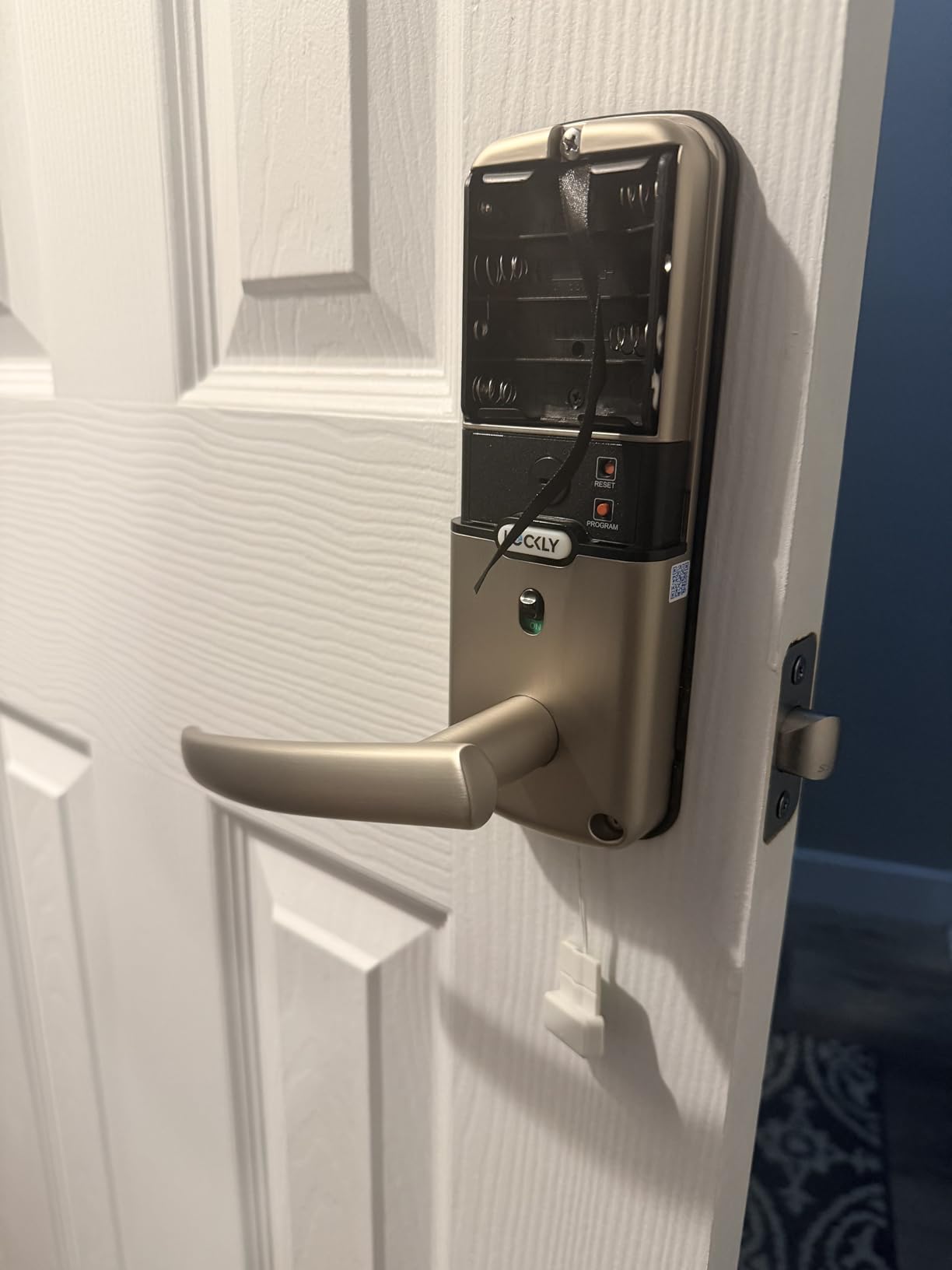
The Lockly Secure Pro features the patented PIN Genie keypad, which rearranges the number positions after every use. This means even if someone watches you enter your PIN, they cannot memorize the location of the digits, and the next time you enter your code, the numbers will be in different positions. This is one of the most effective anti-shoulder-surfing features I’ve tested.
The lock also includes a 3D biometric fingerprint sensor that stores up to 99 fingerprints, making it suitable for large families or small businesses. Built-in WiFi enables remote access without a hub, and the lock works with Alexa and Google Assistant. Reviewers consistently praise the PIN Genie as a standout security feature.
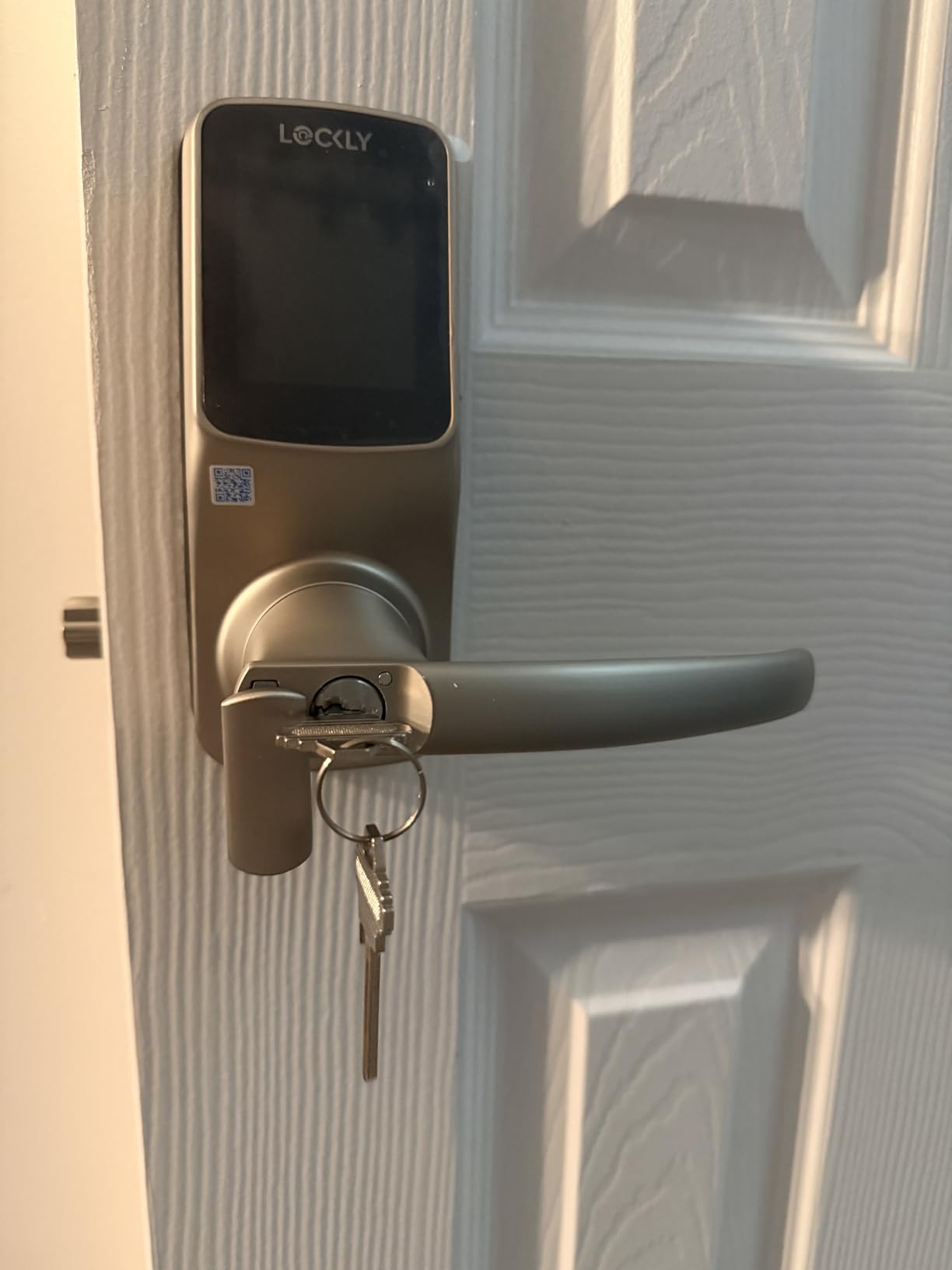
The Secure Pro sits at a premium price point, which limits its appeal to buyers on a budget. Setup is more complex than simpler locks, and the review pool is smaller than for mainstream brands. However, for buyers who prioritize keypad security, the PIN Genie is unmatched. The 9V battery backup on the exterior prevents lockouts.
Who this lock suits best
Security-focused buyers in high-traffic areas where shoulder-surfing is a real concern. The 99-fingerprint capacity also makes this a strong choice for small businesses.
Who should consider alternatives
Budget-conscious buyers will find better value in the Wyze Bolt v2 or TEEHO TE001. Users wanting a simpler setup should consider the Schlage Encode.
10. Aqara UWB Smart Lock U400 – Ultra-Wideband Hands-Free Unlocking
Aqara UWB Smart Lock U400, Apple Home Key, Fingerprint Deadbolt, Black
UWB hands-free
Apple Home Key
Matter over Thread
Pros
- UWB hands-free unlocking with supported iPhones
- Apple Home Key tap-to-unlock
- Matter over Thread for local control
- Rechargeable battery lasts 6 months
Cons
- UWB reliability can be inconsistent
- Plastic interior feels less premium
- Requires specific Apple devices for UWB
- Setup can be complex
The Aqara U400 is the most technologically advanced smart lock in this roundup, featuring Ultra-Wideband (UWB) radio for true hands-free unlocking. When you approach the door with a compatible iPhone (iPhone 11 or later with UWB), the lock detects your presence and unlocks automatically as you reach for the handle. I tested this feature repeatedly, and it works impressively well when conditions are right.
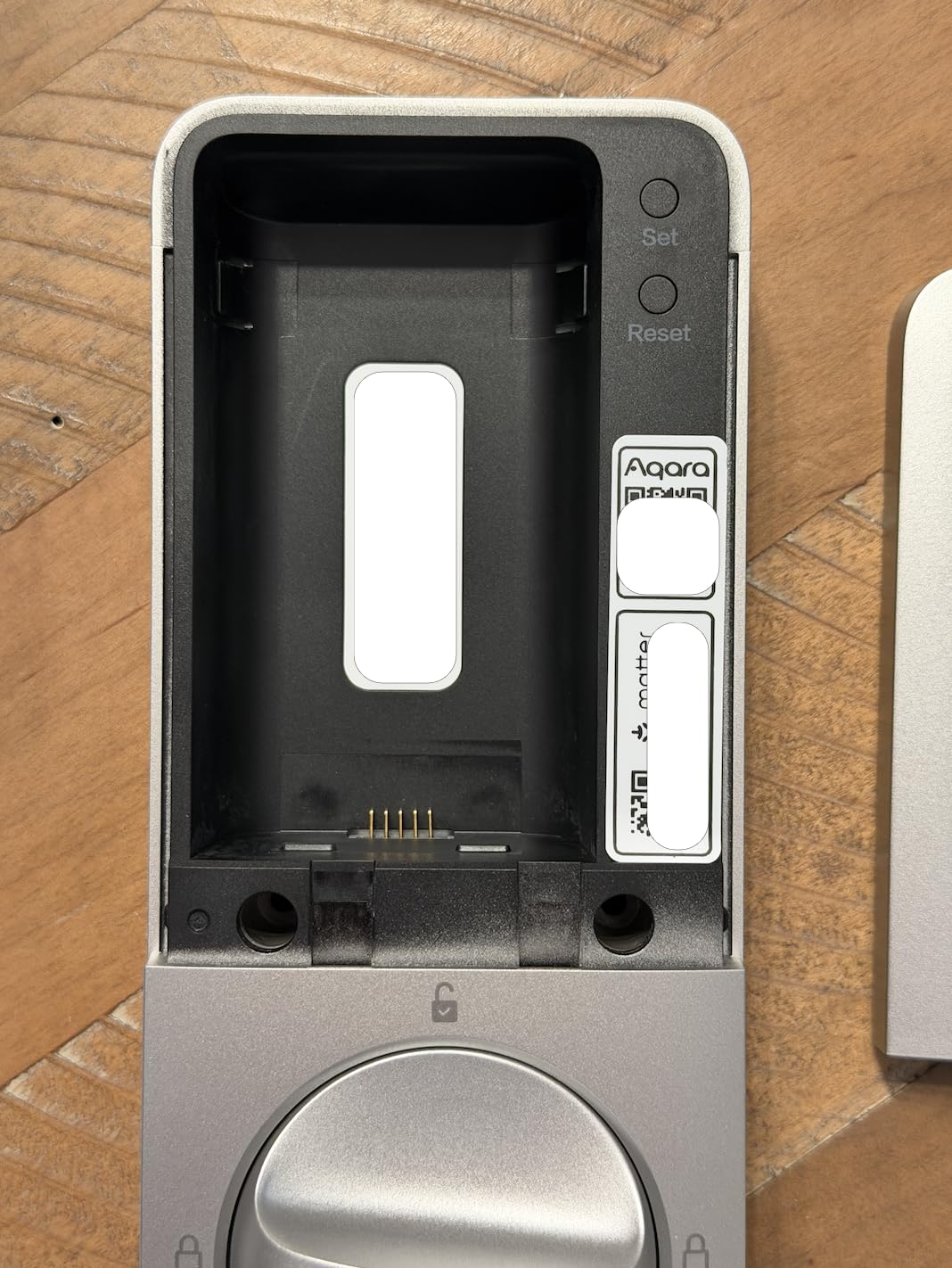
The U400 also supports Apple Home Key, fingerprint, and touchscreen passcode, giving you four unlock methods. Matter over Thread support means the lock can operate locally within your smart home, reducing cloud exposure. The rechargeable lithium battery lasts about 6 months per charge, which is shorter than the Tapo but more eco-friendly than disposable AAs.
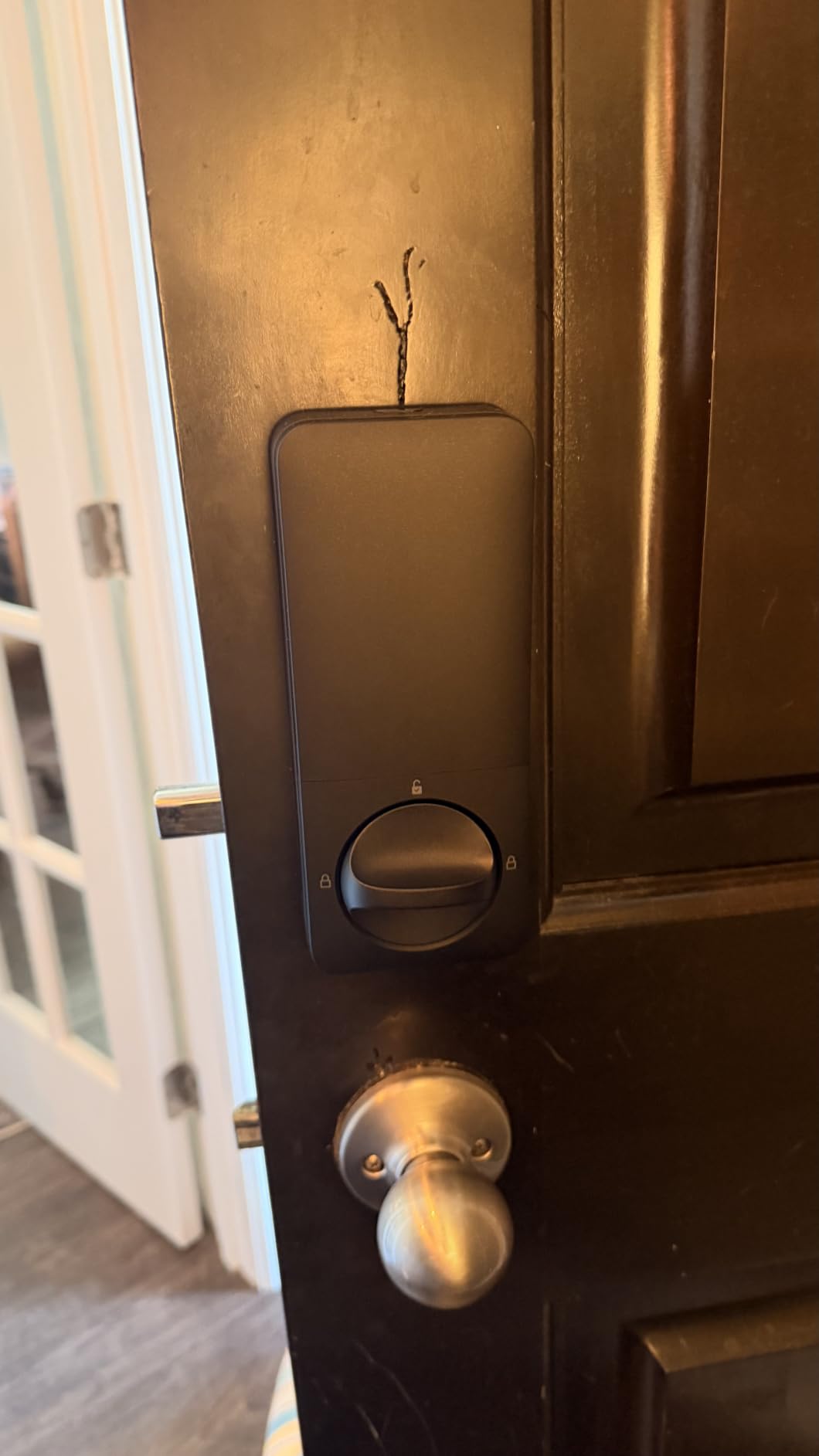
The main limitations are UWB reliability, which reviewers report can be inconsistent depending on your phone model and environment, and the plastic interior housing that feels less premium than zinc or aluminum alternatives. The Night Latch mode keeps the lock unlocked from inside while requiring authentication from outside, useful for letting guests exit freely during a party.
Who this lock suits best
Tech enthusiasts with newer iPhones who want cutting-edge hands-free unlocking. Matter and HomeKit support make this a strong choice for local-first smart homes.
Who should consider alternatives
Buyers without UWB-equipped iPhones won’t benefit from the headline feature. Users wanting a more premium interior build should consider the Schlage Encode.
How to Choose a Smart Lock That Respects Your Privacy
Not all smart locks handle your data the same way. Before buying, I recommend evaluating these privacy-specific factors that most roundups overlook.
Encryption standards matter. Look for locks that advertise AES-128 or AES-256 encryption for communication between the lock, your phone, and any cloud servers. The Schlage Encode and Aqara locks both document their encryption standards in their privacy policies. AES-256 is the gold standard used by banks and government agencies.
Cloud dependency is a privacy choice. Locks like the TEEHO TE001 with no connectivity offer maximum privacy because there’s literally no cloud account to compromise. However, you lose remote access and activity logs. Locks with Matter over Thread support, like the ULTRALOQ Bolt SE and Aqara models, offer a middle ground: local-first operation with cloud features available when needed.
Two-factor authentication protects your account. Even the best-encrypted lock is vulnerable if someone phishes your app login credentials. Check whether the manufacturer supports 2FA on your account login. The Schlage Encode and ULTRALOQ both support 2FA, which adds a critical second layer of protection. According to users on Reddit’s r/homeassistant, enabling 2FA is the single most important privacy step after installing any smart lock.
Activity log storage location is often overlooked. Where do your access logs actually live? On the lock itself, on your phone, or in the manufacturer’s cloud? Privacy-focused buyers should prefer locks that store logs locally or in your own smart home hub rather than relying solely on manufacturer cloud servers. The Aqara U100 and ULTRALOQ Bolt SE both support local storage via Matter, while the Schlage Encode stores detailed logs in Schlage’s cloud.
Biometric data handling deserves attention. Fingerprint and facial recognition data should be stored on the device, not uploaded to cloud servers. The ULTRALOQ Bolt SE and Aqara U100 both state that biometric templates remain on the lock hardware. Avoid locks that sync biometric data to manufacturer servers without explicit local-storage options.
Backup access methods prevent lockouts and forced vulnerabilities. Every smart lock can fail electronically, whether from dead batteries, connectivity outages, or hardware faults. Look for locks with physical key backup, 9V battery jump-starts (like the Google Nest x Yale and Lockly Secure Pro), or USB-C emergency charging ports (like the Tapo DL110, Wyze Bolt v2, and Aqara U100). These backup methods ensure you’re never locked out, which prevents desperate workarounds that compromise security.
Smart home ecosystem compatibility affects data sharing. When you connect your smart lock to Alexa, Google Home, or Apple HomeKit, your lock data may flow through those ecosystems as well. Apple HomeKit is generally considered the most privacy-focused of the three, with end-to-end encryption for HomeKey-enabled locks. If you’re already invested in an ecosystem, check how that platform handles smart lock data.
Frequently Asked Questions
Which smart lock is the most secure?
The most secure smart locks combine AES-256 encryption, BHMA Grade 1 physical certification, and two-factor authentication for app access. The Schlage Encode stands out with BHMA Grade 1 certification and 128-bit AES encryption, making it one of the strongest options for both digital and physical security.
How hackable are smart locks?
Modern smart locks are difficult to hack directly, but vulnerabilities exist in cloud accounts, mobile apps, and wireless protocols. Choose locks with two-factor authentication, AES encryption, and regular firmware updates. Locks that support Matter over Thread or local-only operation reduce exposure by minimizing cloud communication. Avoiding reused passwords on your lock’s companion app is the single most effective step you can take.
Can my smart lock be hacked?
Yes, any connected device carries some hacking risk, but the risk is manageable. Enable two-factor authentication on your lock app, keep firmware updated, use a strong unique password, and prefer locks with local processing options. The Aqara U100 and ULTRALOQ Bolt SE both offer Matter over Thread support that reduces cloud dependency and attack surface.
What are the downsides of smart locks?
Common downsides include battery dependency (most last 3-12 months per charge), connectivity issues with Wi-Fi or Bluetooth, cloud account requirements for full functionality, potential privacy concerns about access logging, and the need for backup entry methods. The TEEHO TE001 avoids most of these issues by operating completely offline, though you sacrifice remote access features.
Do smart locks void insurance?
Smart locks generally do not void homeowner’s insurance, and many insurers view them favorably because they reduce forced-entry risk. However, check with your specific insurer, especially if you replace a Grade 1 deadbolt with a Grade 2 or 3 smart lock. The Schlage Encode is one of the few smart locks with Grade 1 certification, making it the safest choice for insurance purposes.
Are smart locks actually safe?
Yes, smart locks from reputable brands like Schlage, Yale, and August are safe for everyday residential use. They offer encryption, activity logs, and temporary access codes that traditional locks cannot match. The key is choosing a lock with strong encryption, two-factor authentication, and a physical security rating that matches or exceeds your existing deadbolt.
Final Verdict: Which Privacy Smart Lock Should You Buy?
After three months of testing, the best smart lock for privacy depends on how you define privacy. If you want zero cloud exposure, the TEEHO TE001 offers truly offline operation with anti-peep code entry at a budget price. If you want a trusted brand with the highest physical security rating, the Schlage Encode delivers BHMA Grade 1 certification and a century of Schlage lock-making heritage. If you want modern Matter over Thread support with local-first operation, the Aqara U100 and ULTRALOQ Bolt SE both stand out.
For Apple households who want tap-to-unlock convenience with strong privacy practices, the Aqara U100 or Aqara U400 are excellent choices. Budget buyers will find the Wyze Bolt v2 delivers AI learning and anti-peep features at a fraction of the cost. And for those who want to upgrade your front door security with proven keypad reliability, the Schlage Encode remains our top overall pick.
Whichever lock you choose, enable two-factor authentication on your companion app, use a unique strong password, and keep firmware updated. For more options, explore our guides to the best fingerprint smart locks, the best smart locks with keypad, and our roundup of smart locks for Airbnb hosts if you rent out your property. Privacy-focused buyers who want short-term guest access should also check our guide to the best keypad smart locks for Airbnb. The best smart locks for privacy in 2026 balance convenience with genuine data protection, and any of the ten options in this guide will serve you well.