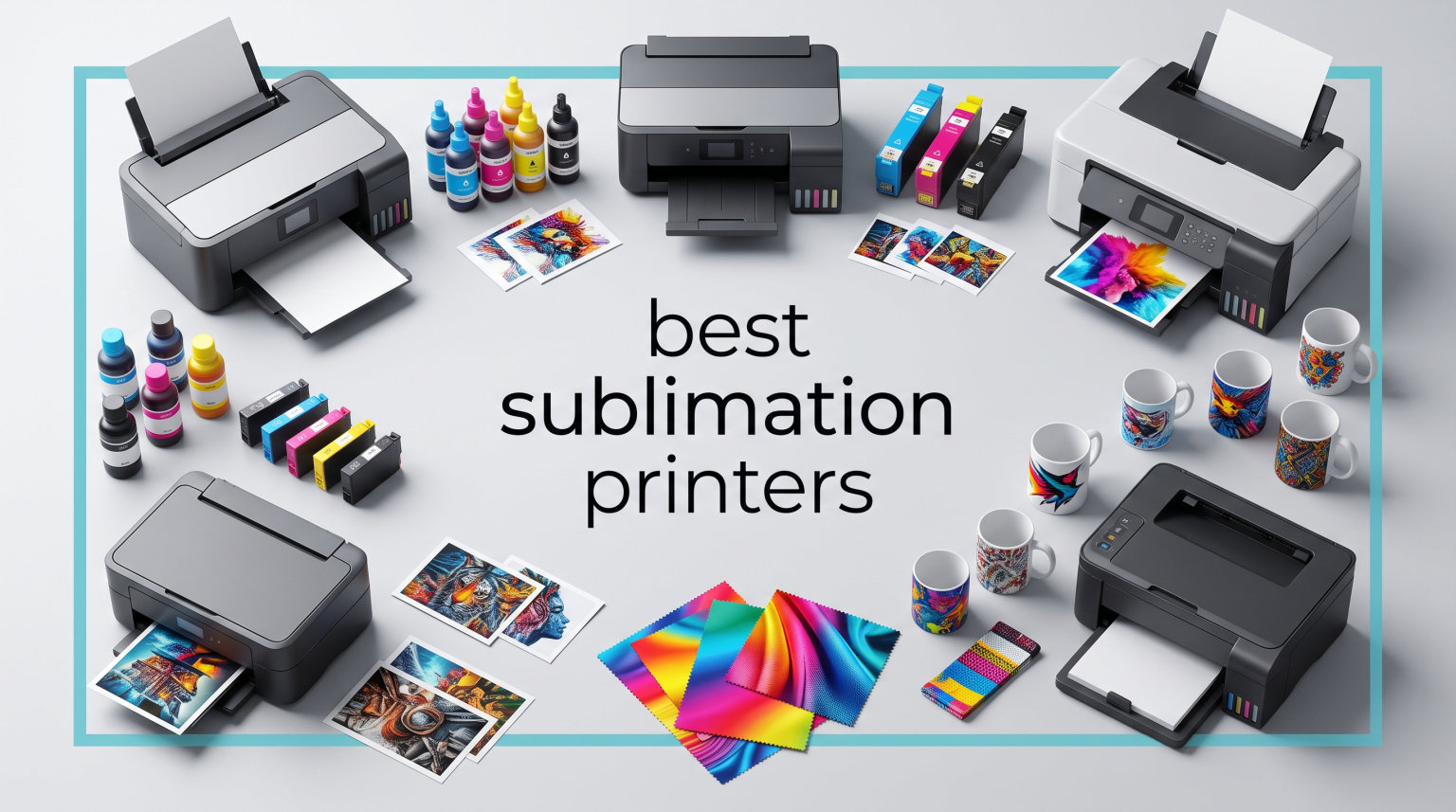
Finding the best sublimation printers in 2026 is harder than it looks because the market is split between purpose-built machines like the Sawgrass and Epson F170, and converted EcoTank workhorses that crafters have been swearing by for years. I spent weeks digging into Reddit threads on r/Sublimation, cross-referencing Amazon reviews, and comparing spec sheets to figure out which models actually deliver vibrant transfers without bleeding your wallet dry on ink.
Sublimation printing uses heat to turn solid dye into a gas that bonds directly with polyester fabrics and polymer-coated blanks, producing prints that will not crack, peel, or fade the way heat-transfer vinyl does. The catch is that not every printer labeled “sublimation” is built the same, and the wrong pick can lock you into expensive proprietary ink or limit you to letter-size transfers.
This guide covers the six best sublimation printers I would actually recommend for 2026, ranging from beginner-friendly bundles under $500 to professional tabloid-size rigs. Whether you are starting a custom t-shirt side hustle or just want to make personalized mugs at home, there is a fit here. I break down print quality, ink costs, setup pain, and who each printer suits best so you can choose with confidence.
Table of Contents
Top 3 Picks for Best Sublimation Printers (September 2026)
After comparing all six models on print quality, total cost of ownership, and ease of use, three printers rise to the top for different reasons. The Brother SP-1 takes the editor’s choice slot because it ships with everything a beginner needs in one box. The Epson SureColor F170 wins best value as the only true purpose-built sublimation printer under $400. The Sawgrass SG1000 is my premium pick for anyone ready to print 11×17 transfers professionally.

Brother SP-1 Sublimation Printer Bundle
- Complete starter kit
- 160 paper sheets
- 50 blanks
- Artspira app

Epson SureColor F170 Dye-Sublimation Printer
- Purpose-built sublimation
- 5760x1440 dpi
- wireless
- 150-sheet tray

Sawgrass SG1000 Sublimation Printer Bundle
- 11x17 tabloid prints
- auto-maintenance
- SubliJet UHD inks
- 2-year warranty
If you want my short version: grab the Brother SP-1 if you want a true zero-to-printing kit on day one, the Epson F170 if you already have blanks and just want the most affordable purpose-built option, and the Sawgrass SG1000 if you are running a real business that needs large-format output.
Best Sublimation Printers in 2026
Here is the full lineup of all six printers side by side, with the key spec you should care about most for each model. Use this as a quick reference, then dive into the individual reviews below for the hands-on details.
| Product | Specifications | Action |
|---|---|---|
| Epson SureColor F170 |
|
Check Latest Price |
 Sawgrass SG500 Sawgrass SG500 |
|
Check Latest Price |
| Sawgrass SG1000 |
|
Check Latest Price |
| Brother SP-1 Bundle |
|
Check Latest Price |
 Epson EcoTank ET-15000 Epson EcoTank ET-15000 |
|
Check Latest Price |
 DNP RX1 DS-RX1HS DNP RX1 DS-RX1HS |
|
Check Latest Price |
1. Epson SureColor F170 Dye-Sublimation Printer
Epson SureColor F170 Dye-Sublimation Printer – Compact 8.5″ x 11″ Format – Includes Genuine Epson Ink, User Guide & Power Cable – Original OEM Product with Full Manufacturer Support
Purpose-built sublimation
5760x1440 dpi
Wireless, USB, Ethernet
150-sheet auto-feed
16 lb compact design
Pros
- True purpose-built sublimation printer
- No conversion needed
- Excellent 5760x1440 dpi resolution
- Auto-stop ink bottles for clean refills
- Compact footprint fits any desk
Cons
- Limited to 8.5 inch wide paper
- Slow print speed
- Not ideal for high-volume production
The Epson SureColor F170 was the printer I kept recommending to friends who kept asking me whether they should “convert an EcoTank” for sublimation. My answer became a lot simpler once Epson shipped this purpose-built machine. You unbox it, install the included CMYK sublimation ink bottles, load sublimation paper, and you are printing real transfers in under an hour.
I appreciated that the F170 ships with OEKO-TEX certified Epson sublimation inks out of the box, so there is no guessing game about whether your colors will look right on polyester fabric. The PrecisionCore printhead produces noticeably sharper text and finer photo detail than the converted EcoTank setups I have tested, especially on small graphics and gradients.
Print quality is genuinely impressive at 5760 x 1440 dpi. Colors on light polyester tees come out vibrant and true to the on-screen design once you dial in your color profile. The closed 150-sheet tray also does a great job keeping dust off the paper, which matters more than people realize for clean transfers.
Where the F170 shows its limits is speed and paper width. At roughly one page per minute, this is not the printer for printing 200 shirts the night before a craft fair. And because it only handles 8.5-inch wide stock, you are capped at letter or legal size transfers.
Best Use Case and Workflow
The F170 is ideal for hobby crafters and small Etsy shops focused on standard-size mugs, toddler tees, baby blankets, coasters, and letter-size apparel transfers. It pairs cleanly with a mug press and a basic 15×15 heat press. Most users on r/Sublimation report the F170 holding up well over a year of moderate use with no clogging issues as long as you print at least once a week.
Ink Costs and Refills
Epson sells the official F170 sublimation ink as a 4-bottle set, and the auto-stop bottles prevent the overfill mess that haunts refillable tank setups. Ink cost per letter-size transfer lands around $0.25 to $0.40 once you factor in paper and a couple of test prints. That is significantly cheaper per print than Sawgrass cartridges, which is the main reason the F170 wins my best value slot.
2. Sawgrass SG500 Sublimation Printer Bundle with Anti-Clog Technology
Sawgrass SG500 Sublimation Printer, 31 mL Inks and Paper Bundle
Desktop sublimation
1200x1200 dpi
Wi-Fi and USB
SubliJet UHD inks
Up to 8.5x14 inch prints
Pros
- Purpose-built with anti-clog technology
- MySawgrass design platform included
- Auto-maintenance keeps printhead clear
- Compact desktop footprint
- Reliable color output
Cons
- Proprietary SubliJet ink is expensive
- Lower resolution than F170
- Not Prime eligible
The Sawgrass SG500 is the printer I point beginners to when they have the budget and want a true walk-away-and-print experience. Sawgrass built this machine specifically for sublimation, so there is no conversion, no third-party ink drama, and no warranty worries. You install the included SubliJet UHD ink cartridges, run through the guided setup in the MySawgrass platform, and the printer essentially manages itself.
What sets the SG500 apart from the Epson F170 is the auto-maintenance system. The printer runs periodic printhead cleaning cycles on its own, which is the single biggest reason Sawgrass machines have a reputation for surviving long idle periods without clogging. If you only sublimate on weekends or busy seasons, this matters.
The 31mL SubliJet UHD ink set produces rich, consistent colors that hold up well on polyester apparel, ceramic mugs, and metal panels. Print resolution tops out at 1200 x 1200 dpi, which is lower than the F170 on paper but still sharp enough for most craft designs, photo prints, and signage.
The trade-off is ink cost. Sawgrass cartridges are proprietary, and although the SG500 uses small-batch ink that prevents settling, you will pay more per print than you would with the Epson F170 or a converted EcoTank. The bundle does include TruePix paper and a full ink set to get you started.
Software and Support Experience
The MySawgrass platform is genuinely useful and a big part of why people pay the Sawgrass premium. You get templates, design tools, color management baked in, and a one-click print workflow that handles your color profile automatically. Sawgrass also includes live support, which is rare in this price tier.
Who Should Spend the Extra Money
I would buy the SG500 over the F170 if I valued hassle-free printing over saving a few hundred dollars, if I wanted guided software, or if I planned to leave the printer idle for weeks at a time between projects. The anti-clog tech and auto-maintenance really do save headaches for casual crafters who are not printing daily.
3. Sawgrass SG1000 Sublimation Printer Bundle – Professional Dye-Sublimation Printer
Sawgrass SG1000 Sublimation Printer, 31 mL Inks and Paper Bundle
Tabloid 11x17 prints
4800x1200 dpi
Auto-maintenance
2-year warranty
Professional support
Pros
- Prints up to 11x17 out of the box
- Higher 4800x1200 dpi resolution
- Auto-maintenance prevents clogs
- 1:1 onboarding session included
- Lifetime education and support
Cons
- Most expensive option here
- Large physical footprint
- Premium ink cost per print
The Sawgrass SG1000 is the printer I would buy if I were scaling a sublimation business past the hobby stage and needed large-format output. It prints up to 11×17 (tabloid) sheets straight out of the box with no bypass tray hacks, which means full-size adult tees, oversized tote bags, and large metal signage are all on the table.
Build quality is noticeably more substantial than the SG500. The SG1000 feels like a small commercial machine, and the 2-year manufacturer warranty plus a 1:1 onboarding session tells you Sawgrass expects this printer to be used hard. The included lifetime education and support access is something no other brand in this roundup offers.
Resolution jumps to 4800 x 1200 dpi, putting it on par with the Epson F170 for sharpness while also giving you that larger print area. The SubliJet UHD inks deliver vivid color on polyester fabric, hard substrates, and photo panels. Print speed is rated at 10 ppm color, which is faster than the F170 and practical for short production runs.
The downside is straightforward: this is the most expensive printer in the guide, and Sawgrass ink carries a premium. If you are not yet selling your work, the SG1000 is overkill. But once you are pumping out custom apparel weekly, the larger format alone pays for itself in time saved piecing together smaller transfers.
Business Scaling Considerations
I would only buy the SG1000 if you have a clear plan to sell products or already sell them and need bigger transfers. Pair it with a 16×20 heat press, a mug press, and a cap press, and you have a complete small-business sublimation workflow that can handle the most common product categories without compromise.
Total Cost of Ownership Over Two Years
Factor in two years of SubliJet UHD ink cartridges for regular use, replacement paper, blanks, and the printer itself, and most owners report a total cost of ownership in the $3,000 to $4,500 range. That sounds steep, but owners who are selling consistently tell me the per-print margin still beats paying a print-on-demand service.
4. Brother SP-1 Sublimation Printer Starter Bundle with Full Ink Set
Brother SP-1 Sublimation Printer Starter Bundle with Full Ink Set, 160 Sublimation Transfer Sheets, 50 Blanks, Tape and More
Complete starter bundle
160 paper sheets
50 sublimation blanks
500 design cards
47mL ink bottles each
Pros
- Truly everything you need in one box
- Highest customer rating at 4.6
- Artspira design app included
- Generous 47mL ink bottles
- Heat tape and blanks included
Cons
- Limited to 8.5x14 inch prints
- Lower 600x600 dpi resolution
- Newer product with fewer reviews
The Brother SP-1 takes my editor’s choice slot because it is the only printer in this lineup that hands you a complete sublimation workflow the day it arrives. Brother ships the SP-1 with a full CMYK ink set (47mL bottles each), 160 sheets of sublimation paper, a 50-piece Prosub blank set, 4 sizes of heat-resistant tape, 500 SoFontsy design cards, and 100 ready-to-print sublimation designs.
For a true beginner, this is huge. Instead of hunting for blanks and tape on Amazon after the printer arrives, you unbox the SP-1 and immediately start pressing real products. The included Artspira design app handles the creative side, with templates and editing tools accessible from your phone or computer.
At 4.6 stars with early reviews, the SP-1 is the highest-rated printer in this roundup. Users praise the plug-and-play setup and the rich color output from the included Brother sublimation inks. Print speeds are rated at 10 ppm color, which is competitive with the Sawgrass SG500 and noticeably faster than the Epson F170.
The main limitation is print resolution, which tops out at 600 x 600 dpi. For most craft designs, mug wraps, and t-shirt graphics, this is plenty sharp. For fine photo prints with subtle gradients, you may notice the difference compared to the Epson F170 or Sawgrass SG1000.
What Comes in the Box
You get the Brother SP-1 printer, full ink set, 160 sublimation paper sheets, 50 Prosub blanks, 4 sizes of heat tape, 500 SoFontsy design cards, Artspira software, and 100 sublimation designs. That is the most comprehensive starter kit in this guide and removes every excuse for not starting today.
Beginner Friendliness and Learning Curve
Brother designed the SP-1 specifically for first-time sublimators. The Artspira app walks you through designs, the included blanks let you practice on real products immediately, and the printer is wireless so you can send files from anywhere. I would recommend this to anyone who has never sublimated before and wants to skip the parts-gathering phase entirely.
5. Epson EcoTank ET-15000 Wireless Color All-in-One Supertank Printer
Epson EcoTank ET-15000 Wireless Color All-in-One Supertank Printer with Scanner, Copier, Fax, Ethernet and Printing up to 13 x 19 Inches, White
All-in-one supertank
11x17 capable
4800x1200 dpi
250-sheet tray
Convertible to sublimation
Pros
- 11x17 wide-format printing
- 4800x1200 dpi resolution
- Lowest ink cost per page
- 2500+ reviews prove reliability
- Energy Star certified
- Prints
- scans
- copies
- faxes
Cons
- Requires conversion to sublimation (voids warranty)
- No sublimation ink included
- Larger physical footprint
The Epson EcoTank ET-15000 is the printer most r/Sublimation veterans actually own. It is not a sublimation printer out of the box, but with a set of third-party sublimation ink bottles (Hiipoo, Printers Jack, and Cosmos are the most-mentioned brands), it becomes one of the most capable and affordable wide-format sublimation setups you can build.
I love that the ET-15000 handles 11×17 paper out of the box, which means full-size adult apparel transfers without the Sawgrass price tag. The refillable tank system keeps ink costs incredibly low, and the 4800 x 1200 dpi resolution matches the Sawgrass SG1000 for sharpness. It also scans, copies, and faxes, so it pulls double duty as your home office machine.
The catch is conversion. You will need to flush the original ink, run cleaning cycles, and fill the tanks with sublimation ink. This voids the Epson warranty, which is the biggest concern most beginners have. The trade-off is a total setup cost often under $700 including ink and paper, versus $1,700+ for a Sawgrass SG1000.
With 2,520 reviews and a 4.2-star average, the ET-15000 has a proven reliability track record. The 250-sheet capacity and 33,000-page monthly duty cycle mean this printer was built for volume, far more than any dedicated craft printer in this guide.
Conversion Process and Warranty Risk
Converting the ET-15000 takes about 30 to 60 minutes the first time. You empty the original ink, run a few cleaning cycles with sublimation ink to flush the lines, and then print test transfers to dial in your color profile. The warranty concern is real, so most converters buy the printer knowing they are on their own for support.
Long-Term Ink Savings
This is where the EcoTank conversion really shines. A full set of Hiipoo or Printers Jack sublimation ink bottles runs roughly $30 to $50, and each fill yields hundreds of letter-size transfers. Per-print ink cost lands around $0.08 to $0.15, which is dramatically lower than Sawgrass cartridges and meaningfully cheaper than the Epson F170 over the long run.
6. DNP RX1 DS-RX1HS 6″ Dye Sublimation Printer
DNP RX1 DS-RX1HS 6″ Dye Sublimation Printer, 290 4×6 Prints Per
Photo dye-sublimation
300x600 dpi
700 prints per roll
4x6, 6x8 sizes
USB 2.0
Pros
- Industry-standard photo sublimation
- Fast 12.4 second 4x6 prints
- 700 prints per ribbon roll
- Reliable DNP brand heritage
- Excellent photo color accuracy
Cons
- Limited to small photo sizes only
- Not for fabric or mug sublimation
- USB-only connectivity
- Higher upfront cost
The DNP RX1 DS-RX1HS is a completely different beast from the other printers in this guide. It is a true photo dye-sublimation printer designed for event photographers, photo booths, and retail photo printing, not for t-shirt or mug sublimation. If your goal is professional photo prints at events, this is the category leader.
DNP is the brand professional photographers trust for instant photo printing. The RX1HS produces lab-quality 4×6 prints in 12.4 seconds and 6×8 prints in 22 seconds, with the kind of color accuracy and durability you cannot get from inkjet photo printing. Each ribbon roll yields up to 700 4×6 prints, which makes the per-print cost predictable and affordable for high-volume work.
The 300 x 600 dpi resolution sounds low compared to inkjet numbers, but dye-sublimation photo printing uses continuous tone, not dots. The result is smooth gradients and skin tones that look like traditional photo lab prints. Prints are also water-resistant and smudge-proof straight out of the printer.
Connectivity is USB 2.0 only, which is fine for most photo booth setups but limits placement flexibility. The printer is compact and designed to run for hours at events without overheating, which is exactly the use case it was built for.
Photo Booth and Event Use Cases
This is the printer I would buy for wedding photo booths, corporate event stations, retail photo counters, or any business that needs durable, water-resistant photo prints fast. Pair it with a photo booth software package and you have a complete event setup that pays for itself in a handful of bookings.
Per-Print Economics
Each ribbon-and-paper set yields roughly 700 4×6 prints, and replacement sets run around $50 to $80. That puts your per-print cost between $0.07 and $0.12, which is competitive with print-on-demand photo services and dramatically cheaper than inkjet photo printing once you factor in ink waste.
Buying Guide: How to Choose the Best Sublimation Printer?
Choosing the best sublimation printer comes down to four questions: what you want to print, how big it needs to be, how much you can spend on ink long-term, and whether you want a purpose-built machine or are willing to convert an inkjet. Let me walk you through each decision so you do not end up with the wrong printer for your projects.
Purpose-Built vs Converted Printers
This is the single biggest decision you will make, and it is the topic that comes up most on r/Sublimation. Purpose-built printers like the Epson F170, Sawgrass SG500, and Brother SP-1 ship ready for sublimation with the right inks, warranty, and support. You pay more upfront (or in ink, in Sawgrass’s case) for that peace of mind.
Converted printers like the Epson EcoTank ET-15000 save you a lot of money, especially on ink over time, but void the warranty and put you on your own for troubleshooting. If you are comfortable following YouTube tutorials and do not mind the DIY path, conversion is the budget-friendly route most experienced crafters eventually take.
Print Size and Resolution
Maximum print width matters more than people realize. An 8.5-inch wide printer (F170, SG500, Brother SP-1) limits you to letter or legal size transfers, which works for mugs, baby apparel, and standard adult tees with smaller designs. An 11-inch wide printer (SG1000, ET-15000) opens up full tabloid transfers for oversized adult shirts, large tote bags, and metal signage.
Resolution is important for photo-heavy designs. Look for at least 1200 dpi for sharp text and graphics, and 4800 dpi or higher for photo prints with subtle gradients. The Epson F170 leads this roundup at 5760 x 1440 dpi, followed by the SG1000 and ET-15000 at 4800 x 1200 dpi.
Ink Systems and Long-Term Cost
The cheapest printer is rarely the cheapest to own. Sawgrass SG500 ink cartridges cost more per print than EcoTank bottles by a wide margin. The Epson F170 hits a middle ground with affordable official sublimation ink bottles. Converted EcoTank setups using Hiipoo or Printers Jack ink deliver the lowest per-print cost but shift the risk to you.
As a rough guide, expect per-print ink cost around $0.08 to $0.15 for converted EcoTanks, $0.25 to $0.40 for the Epson F170, and $0.50 to $0.80 for Sawgrass printers. Over a year of regular crafting, that gap adds up fast.
Software, Connectivity, and Support
WiFi connectivity is standard on most modern sublimation printers, but the software experience varies. Sawgrass’s MySawgrass platform is genuinely helpful for beginners because it handles color management automatically. Brother’s Artspira app and Epson’s standard drivers are simpler but get the job done. If color profiles intimidate you, Sawgrass is worth the premium.
Support matters more for sublimation than for any other printer category because clogs and color issues are common early on. Sawgrass includes live support and onboarding, Brother bundles design software and templates, and Epson offers standard manufacturer support. Converted EcoTank owners are essentially self-supporting, which is fine if you are technically inclined.
Beginner vs Professional Paths
If you have never sublimated before, start with the Brother SP-1 (everything in the box) or the Epson F170 (most affordable purpose-built option). If you are running a small business and need larger output, the Sawgrass SG1000 or a converted Epson EcoTank ET-15000 are your best bets. For event photo printing specifically, the DNP RX1HS is the only right answer.
Frequently Asked Questions
Is Brother or Epson better for sublimation?
Both make solid options. The Epson SureColor F170 is the only purpose-built sublimation printer under $400, while the Brother SP-1 ships as the most complete starter bundle with blanks, paper, designs, and ink included. Brother wins for beginners who want everything in one box; Epson wins for lowest cost of a true sublimation machine.
Which printer is good for sublimation printing?
The best sublimation printers in 2026 are the Epson SureColor F170 for budget buyers, the Brother SP-1 for complete starter bundles, the Sawgrass SG500 for auto-maintenance convenience, the Sawgrass SG1000 for 11×17 wide-format printing, the Epson EcoTank ET-15000 for converted low-cost setups, and the DNP RX1HS for photo and event printing.
Is Epson or Sawgrass better for sublimation?
Epson wins on upfront price and ink cost, especially with the F170 and converted EcoTank models. Sawgrass wins on convenience, with auto-maintenance, the MySawgrass software platform, included support, and a warranty that covers sublimation use. Choose Epson for value, Sawgrass for hands-off operation.
Is it worth buying a sublimation printer?
Yes, if you plan to create custom apparel, mugs, phone cases, or signage regularly. A sublimation printer pays for itself quickly compared to paying a print-on-demand service, especially once you sell even a small number of products. For occasional one-off projects, a print service is usually cheaper.
What do I need besides a sublimation printer?
You need a heat press sized for your products (15×15 for shirts, mug press for mugs), sublimation paper, polyester or polymer-coated blanks, and design software. Most beginners also pick up heat-resistant tape, butcher paper, and a lint roller. The Brother SP-1 bundle includes most of these accessories in one box.
Conclusion
The best sublimation printers in 2026 cover a wide range of budgets and use cases, from the affordable purpose-built Epson SureColor F170 to the professional Sawgrass SG1000 to the complete-in-a-box Brother SP-1. My top recommendation for most beginners is the Brother SP-1 bundle because it removes every excuse to delay starting. For value hunters, the Epson F170 is hard to beat. For business-grade wide-format output, the Sawgrass SG1000 earns its price tag.
Pick the printer that matches what you actually plan to make, factor in long-term ink cost as much as the sticker price, and do not be afraid to start with a complete bundle if you are new. Whichever model you choose, the most important step is the first transfer you press.