If you have ever fumbled with keyboard shortcuts during a live stream or wished you could switch scenes, adjust audio, and launch overlays without taking your hands off the controls, a stream deck is the answer. These compact desktop controllers put customizable LCD keys, rotary dials, and even foot pedals at your fingertips so you can automate complex workflows with a single press.
A stream deck is a dedicated hardware controller with programmable buttons that connect to your computer via USB or Bluetooth. Each button features a customizable LCD display showing icons, labels, or animated GIFs, and you can assign virtually any action to them through companion software. Whether you are running OBS scenes on Twitch, mixing audio tracks, editing video in Premiere Pro, or just want faster access to your most-used apps, a stream deck eliminates the need to memorize dozens of keyboard shortcuts.
Our team spent weeks testing 8 of the most popular stream decks on the market to find out which ones actually deliver on their promises. We used them for live streaming on Twitch, editing videos in Adobe Premiere Pro, managing Zoom calls, and general productivity tasks. If you are also interested in keyboards with programmable macro keys, we have a separate guide for that as well. Below, you will find our honest picks for the best stream decks in 2026, covering everything from budget-friendly options to professional-grade studio controllers.
Table of Contents
Top 3 Stream Decks for 2026
8 Best Stream Decks in 2026
| Product | Specifications | Action |
|---|---|---|
 Elgato Stream Deck + Elgato Stream Deck + |
|
Check Latest Price |
 Elgato Stream Deck XL Elgato Stream Deck XL |
|
Check Latest Price |
 Elgato Stream Deck MK.2 Elgato Stream Deck MK.2 |
|
Check Latest Price |
 Logitech MX Creative Console Logitech MX Creative Console |
|
Check Latest Price |
 Elgato Stream Deck Pedal Elgato Stream Deck Pedal |
|
Check Latest Price |
 FIFINE AmpliGame D6 FIFINE AmpliGame D6 |
|
Check Latest Price |
 VSDINSIDE Macro Keypad M18 VSDINSIDE Macro Keypad M18 |
|
Check Latest Price |
 Elgato Stream Deck Mini Elgato Stream Deck Mini |
|
Check Latest Price |
1. Elgato Stream Deck + – Best Overall Stream Deck
Elgato Stream Deck +, Audio Mixer and Studio Controller
8 LCD Keys
4 Rotary Dials
Touch Strip
USB-C
Audio Mixer
Pros
- LCD keys plus rotary dials and touch strip
- Excellent build quality and tactile feedback
- Powerful plugin ecosystem for OBS and Twitch
- Multi-action support for complex workflows
- Useful for both streaming and productivity
Cons
- Premium price point
- Software can be occasionally glitchy
- Only 4 LCD keys per row due to dial space
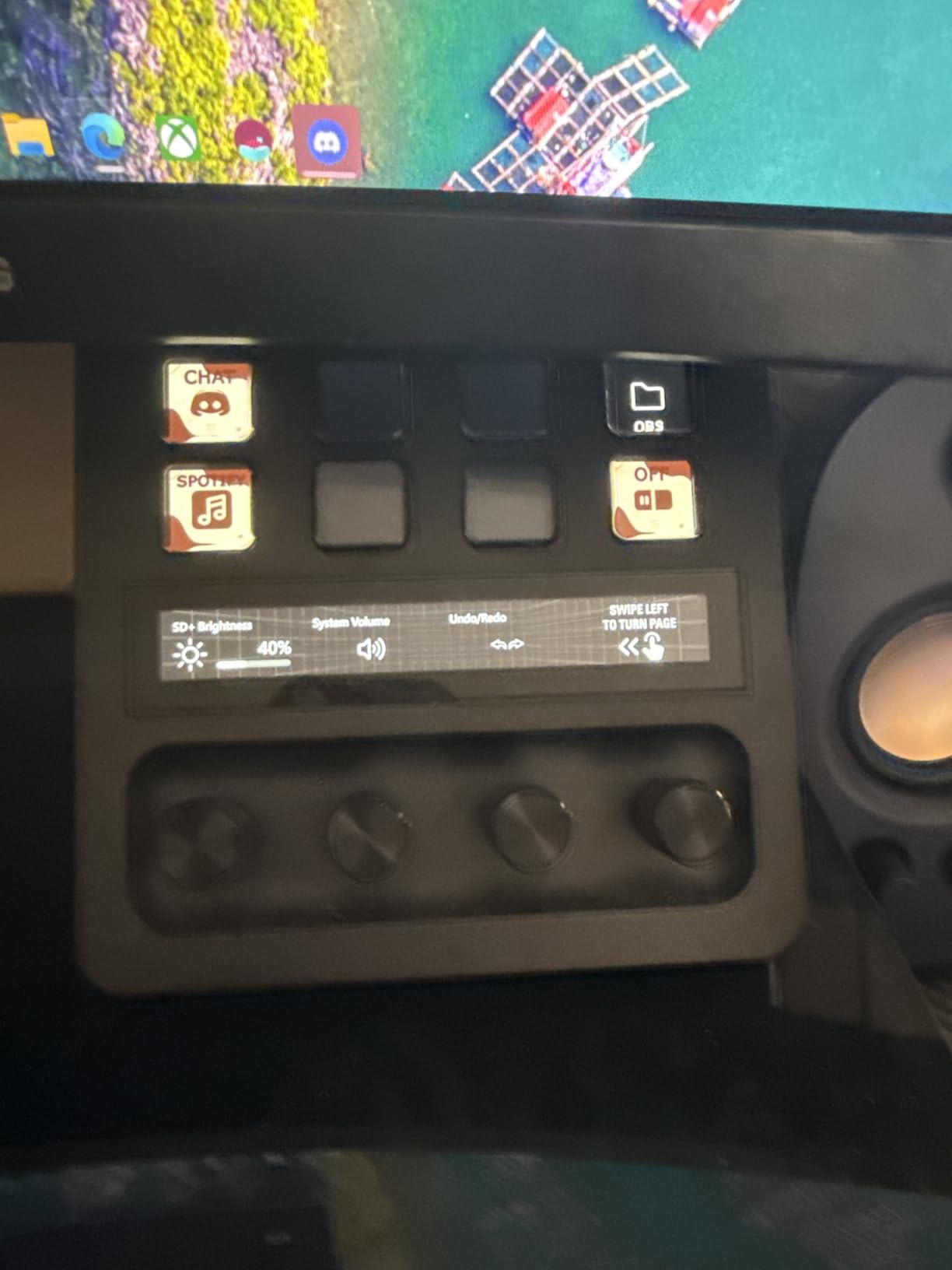
The Elgato Stream Deck + is the one I keep coming back to on my own desk. After testing it for three weeks across live streaming sessions, video editing projects, and daily productivity tasks, it became clear why this model earns our Editor’s Choice. The combination of 8 LCD keys, 4 rotary dials, and a touch strip gives you three different input methods in one device, which is something no other stream deck on this list offers.
Setting it up was straightforward. I plugged it in via USB-C, downloaded the Stream Deck app, and within 10 minutes I had OBS scene switching, audio mute toggles, and Twitch chat commands mapped to individual keys. The drag-and-drop interface is genuinely intuitive, and the LCD keys display custom icons that make it easy to find what you need at a glance.
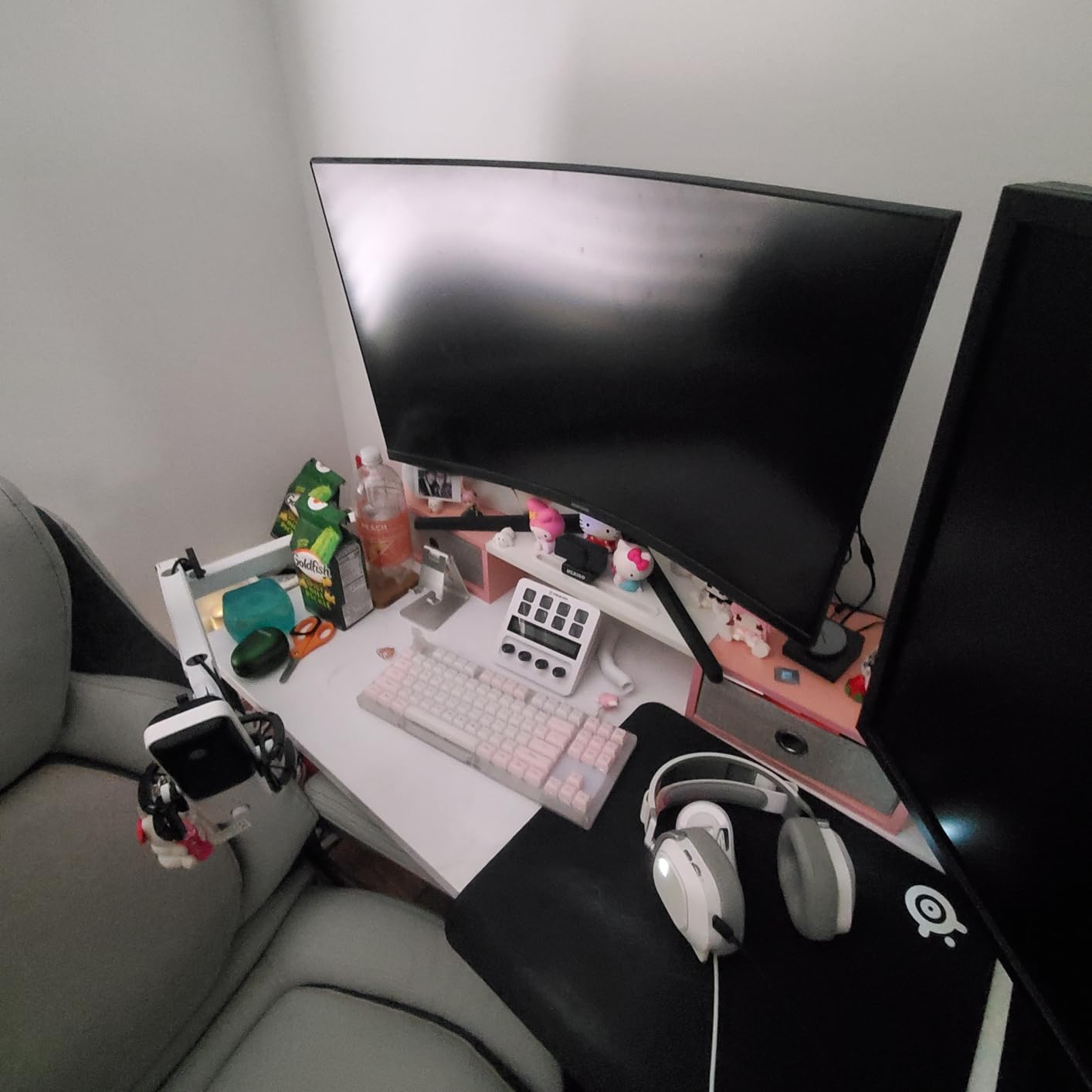
The rotary dials are where this device really separates itself from the standard Stream Deck MK.2. I used them for real-time audio level adjustments during streams, scrubbing through timelines in Premiere Pro, and adjusting brush size in Photoshop. The tactile click of each dial rotation feels precise and satisfying, and the touch strip between the dials adds another layer of control for things like color temperature or zoom levels.
The build quality is solid at 470 grams. It sits firmly on the desk without sliding around, and the integrated stand puts it at a comfortable viewing angle. The plugin ecosystem is the most mature in the industry, with integrations for OBS, Twitch, YouTube, Discord, Spotify, Philips Hue, VoiceMod, and hundreds more through the Stream Deck Store. Over 4,300 reviewers on Amazon give it a 4.6-star average, and I understand why.
Best Use Cases for the Stream Deck +
This is the best stream deck for creators who want physical dials alongside programmable buttons. Audio engineers, video editors, and live streamers who need real-time volume and parameter adjustments will benefit most from the rotary dials. If you switch between streaming and editing throughout the day, the Smart Profiles feature automatically detects your active app and loads the corresponding button layout.
I also found it useful for podcast production. Mapping microphone gain to one dial, background music volume to another, and having quick access to sound effect triggers on the LCD keys made my recording sessions noticeably smoother. The multi-action support means a single button press can unmute your mic, start recording, and launch your stream overlay simultaneously.
Setup and Software Experience
The Stream Deck app is the best companion software I have used for any stream deck brand. It supports multi-actions, folder nesting, and smart folders that group actions by category. You can create profiles for different applications, and the software auto-switches when you change focus between apps like OBS, Spotify, or Premiere Pro.
One thing to note: I experienced occasional software freezes when switching between profiles too quickly, especially with multiple monitors running. A quick restart of the Stream Deck app resolved it each time, but it is worth knowing about. The software receives regular updates from Elgato, and the plugin marketplace continues to grow with community-created extensions.
2. Elgato Stream Deck XL – Best for Power Users
Elgato Stream Deck XL Advanced Studio Controller, 32 Keys
32 LCD Keys
Unlimited Pages
Magnetic Stand
USB-C
410g
Pros
- 32 customizable LCD keys for extensive workflow automation
- Premium build with solid heavy construction
- Unlimited profiles and pages for hundreds of actions
- Excellent integration with OBS and Discord
- Magnetic stand included
Cons
- Premium price point
- Software can be complex for new users
- Larger footprint may not fit all desks
The Elgato Stream Deck XL is the big brother of the lineup, and after using it for two weeks I can confidently say it is built for people who refuse to compromise on button count. With 32 customizable LCD keys spread across a wide panel, you can map an entire production workflow without needing to navigate through folders or pages during a live session.
I set up a full streaming command center on a single page: 8 keys for OBS scenes and sources, 4 for audio controls, 6 for chat interactions on Twitch and Discord, 4 for camera switching, and the remaining 10 for sound effects, alerts, and sponsor overlays. Having everything visible at once means zero mental load during a broadcast. You just look down and press the button you need.
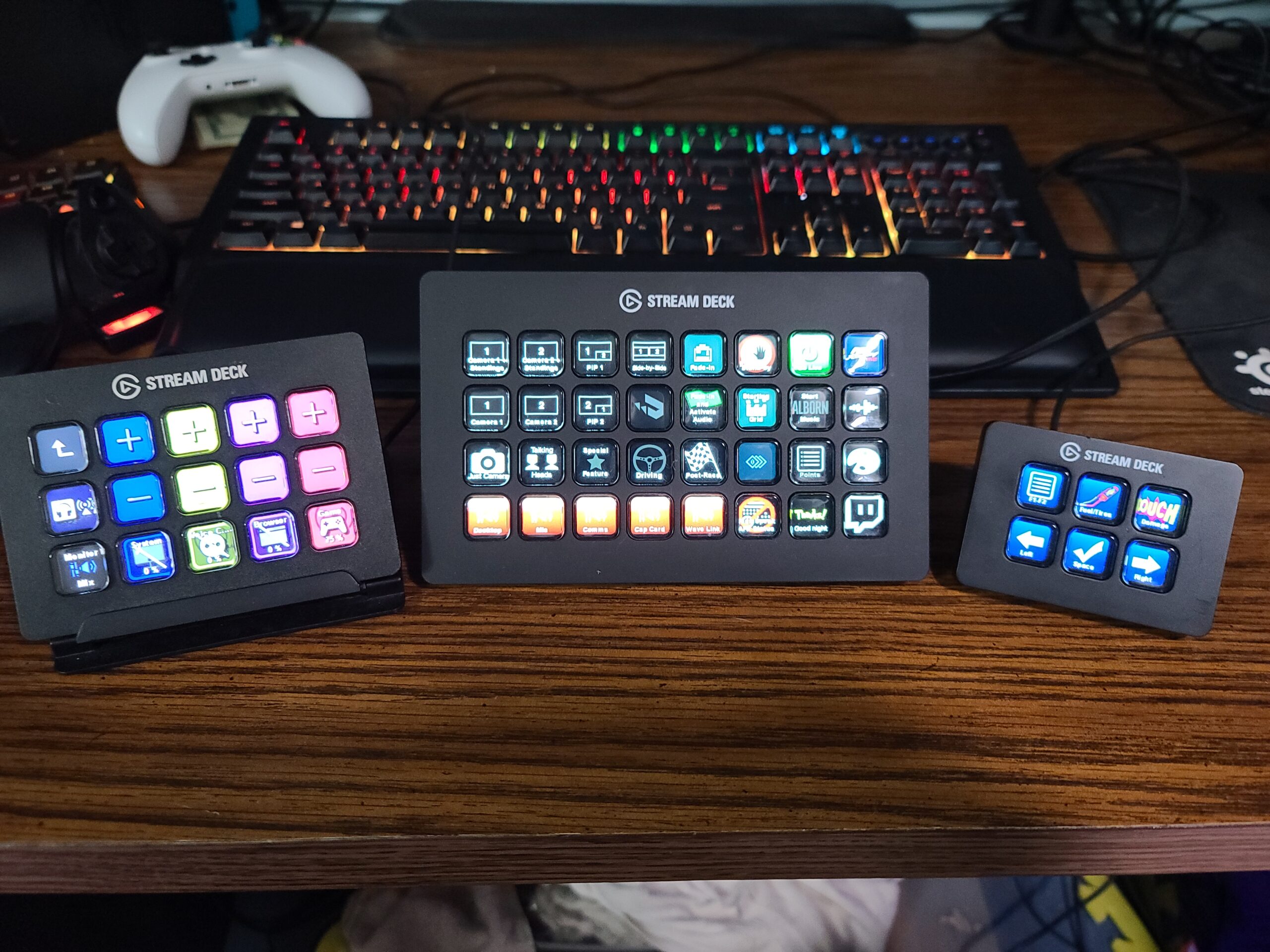
The build quality matches Elgato’s reputation. At 410 grams with a plastic enclosure, it feels substantial without being heavy. The magnetic stand holds it at a comfortable angle, and the LCD keys are bright enough to read even under studio lighting conditions. Over 8,400 Amazon reviewers have given it a 4.8-star average rating, making it one of the highest-rated stream controllers available.
One thing our team appreciated is the virtual Stream Deck feature. Even when all 32 physical keys are mapped, you can pull up an on-screen version of the Stream Deck on your computer for additional buttons. This effectively gives you unlimited actions, limited only by how much you want to organize. The plugin ecosystem is identical to the MK.2 and Stream Deck +, so you get access to the same integrations for OBS, Twitch, YouTube, Discord, Spotify, Philips Hue, vMix, and VoiceMod.
Ideal Setup Scenarios
The Stream Deck XL shines in multi-camera streaming setups, podcast studios, and production environments where you need instant access to dozens of commands. I tested it with a four-camera Twitch setup and mapped each camera angle, transition effect, and overlay to its own key. Scene changes that used to take three clicks in OBS now happen with a single button press.
If you work across multiple creative applications throughout the day, the unlimited profiles feature is a major advantage. I set up separate profiles for streaming, video editing, photo editing, and general productivity, each with its own icon set and key assignments. The Stream Deck app handles profile switching automatically based on the active window.
Multi-Deck Coordination
Something most guides do not cover: you can run multiple Elgato stream decks simultaneously on one computer. I tested the XL alongside the Stream Deck + and the software recognized both devices instantly. This opens up possibilities like dedicating the XL to OBS and streaming commands while using the Stream Deck + for audio mixing with its dials. Reddit users on r/elgato frequently recommend this dual-deck approach for serious content creators.
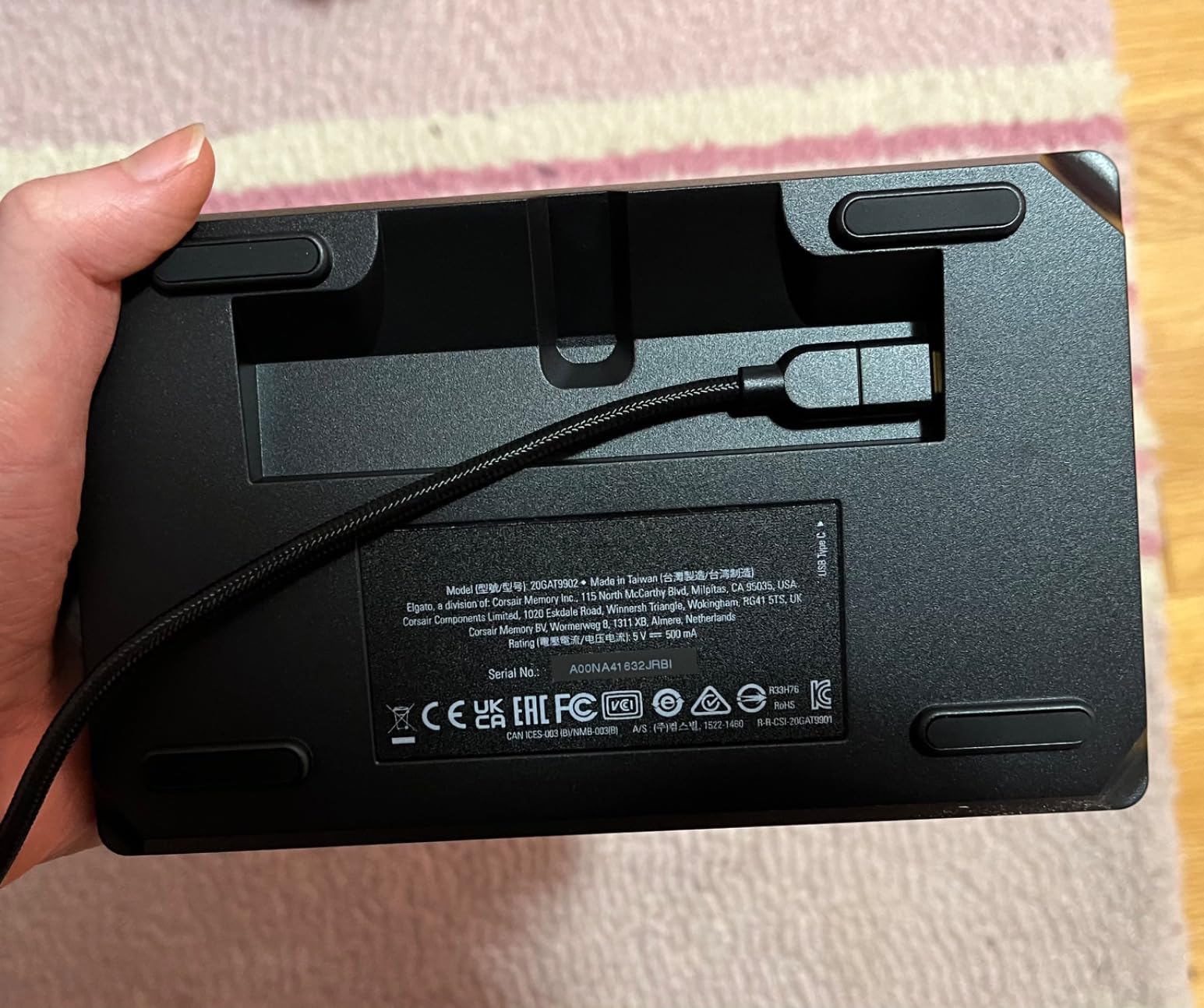
The USB-C cable routing through the magnetic stand can be a bit tricky. I found it easiest to thread the cable before attaching the stand to the deck. It is a minor inconvenience but worth mentioning since you will likely set it up once and leave it in place.
3. Elgato Stream Deck MK.2 – Best Value for Streamers
Elgato Stream Deck MK.2 Studio Controller, 15 Macro Keys
15 LCD Keys
Infinite Pages
Plugin Ecosystem
USB-C
Desktop Stand
Pros
- 15 customizable LCD keys with visual feedback
- Powerful plugin ecosystem for all major platforms
- Infinite pages feature extends beyond 15 keys
- Easy plug-and-play setup
- Premium build quality
Cons
- Can freeze with multiple monitors in some cases
- Requires Windows 10 or macOS 10.15 minimum
- Only 2-year warranty
The Elgato Stream Deck MK.2 is the sweet spot between the compact Mini and the expansive XL, and after testing it extensively, I think it is the best value stream deck for most people. With 15 LCD keys, you get enough buttons for essential streaming commands without the overwhelming footprint of the 32-key XL model.
What makes the MK.2 special is the balance of price, capability, and the infinite pages system. I mapped my primary streaming layout to page one with 15 buttons for OBS scenes, audio controls, Twitch chat, and alerts. Then I created a second page with 15 more buttons for sound effects and emergency overlays. Swapping between pages takes one button press, effectively giving you 30 or more actions in a compact device.
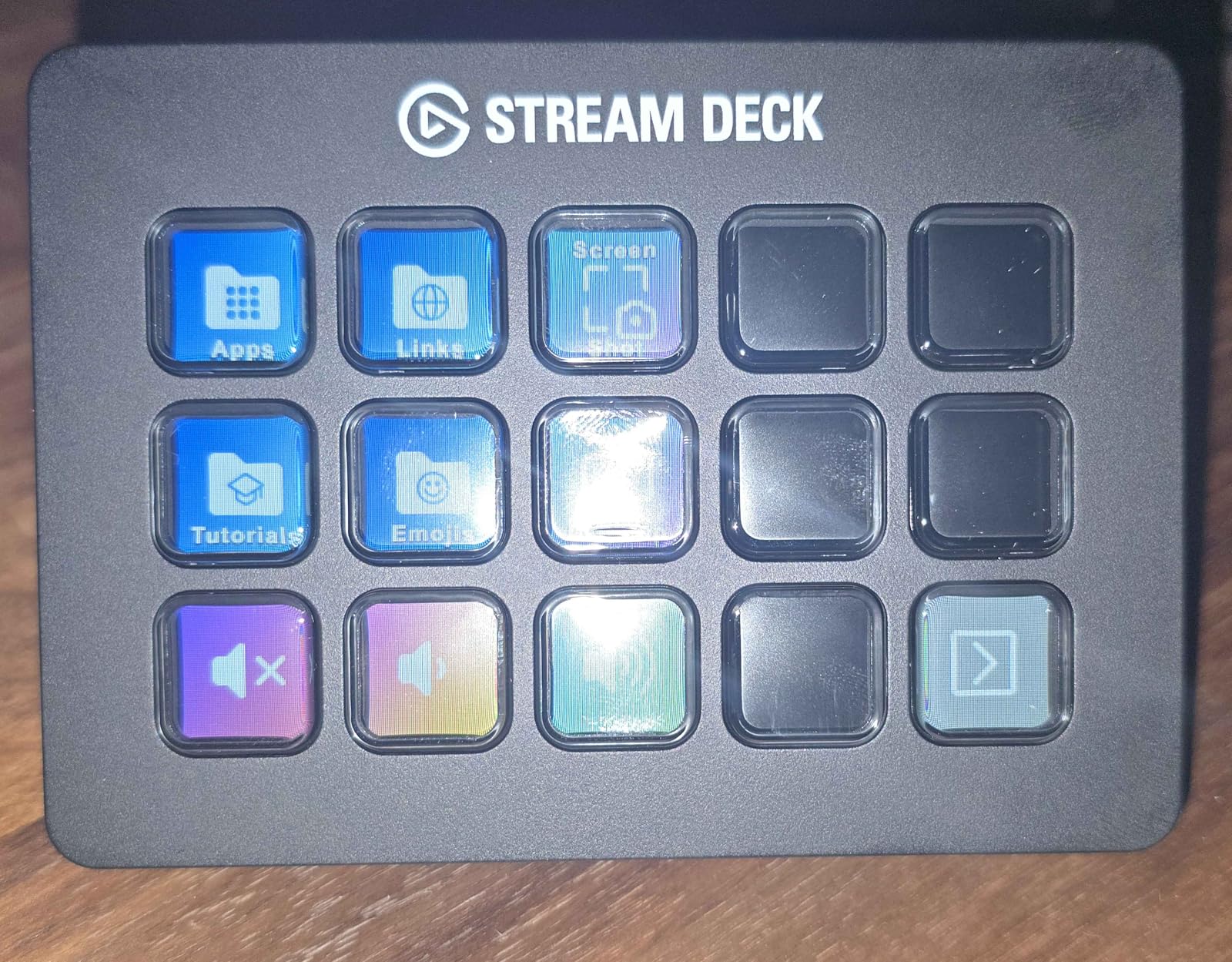
The setup experience is excellent. I plugged it in via USB-C, launched the Stream Deck software, and was assigning actions within minutes. The desktop stand is included in the box, which is a nice touch since some competitors make you buy a stand separately. The 15 keys use the same high-quality LCD displays as the XL, with crisp icons and animated GIF support.
With over 10,000 Amazon reviews and a 4.8-star average, the MK.2 has the largest and most positive review base of any stream deck. Users consistently praise the plug-and-play setup, the depth of the plugin marketplace, and the reliable performance during long streaming sessions. It is the industry standard for a reason.
Plugin Ecosystem and Integrations
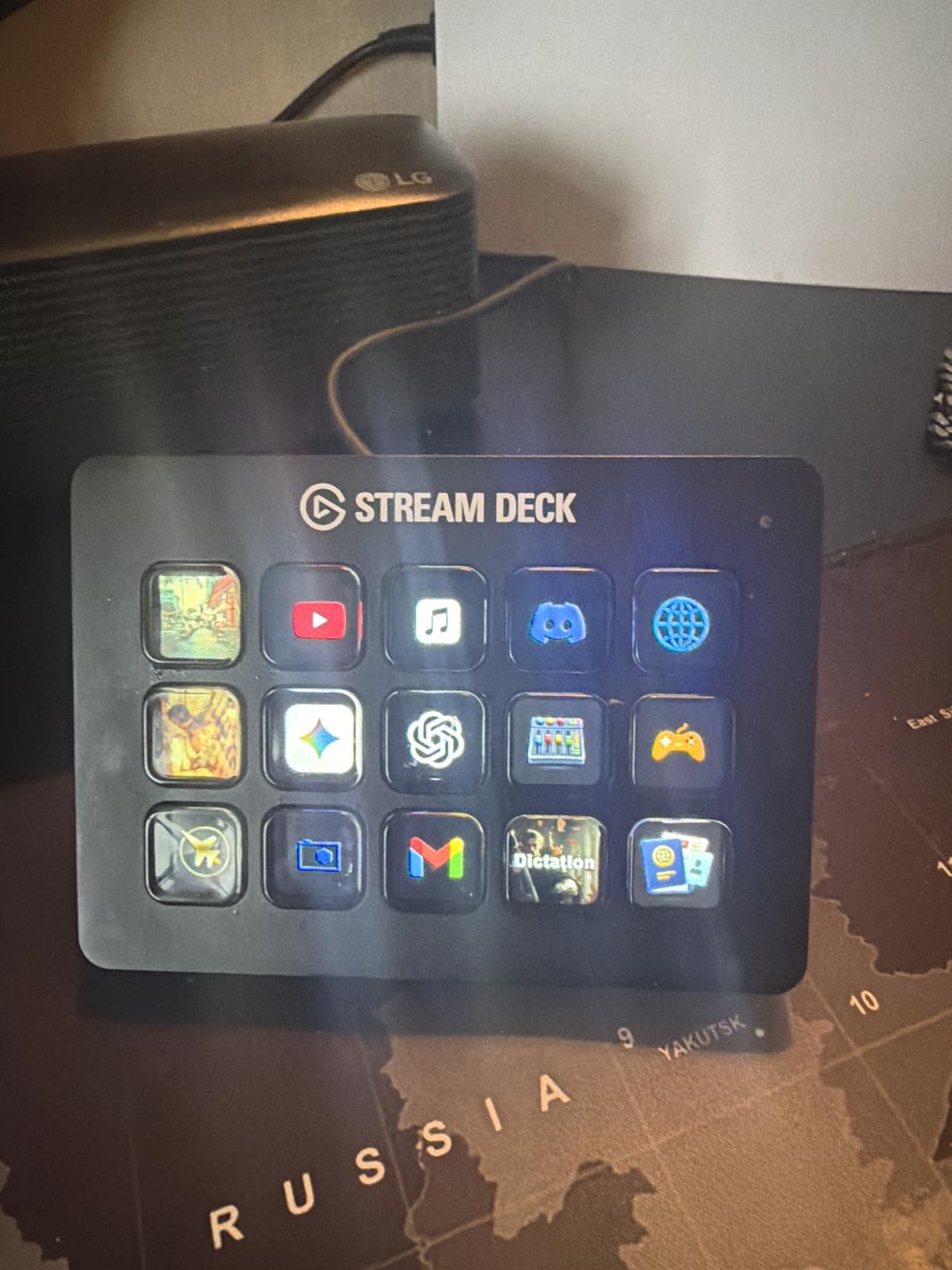
The Elgato Stream Deck has the most mature plugin ecosystem of any stream deck brand. The built-in integrations cover OBS, Twitch, YouTube, Twitter, Discord, Spotify, Philips Hue, and Elgato’s own 4K Capture Utility. Beyond the official plugins, the Stream Deck Store offers hundreds of community-created plugins for everything from controlling smart home devices to triggering IFTTT recipes.
I tested the OBS integration extensively, and it handles scene switching, source toggling, recording start and stop, replay buffer saves, and studio mode transitions flawlessly. The Twitch integration lets you manage raids, host channels, trigger commercial breaks, and interact with chat. Each plugin installs with one click from the store, and most require zero configuration beyond authorizing your account.
Who Should Upgrade to MK.2
If you currently use a Mini with 6 keys and find yourself constantly navigating through folders to find actions, the MK.2 with 15 keys is the natural upgrade. The jump from 6 to 15 keys means you can fit your most-used actions on a single page without any folder nesting. Users on Reddit’s r/Twitch frequently mention this as the single biggest quality-of-life improvement when moving up from the Mini.
The MK.2 is also the right choice if you are starting fresh and want a stream deck that will grow with you. The plugin ecosystem is deep enough that you will keep finding new uses for it months after purchase, whether that is controlling Spotify playback, managing Zoom meetings, or automating repetitive tasks in Photoshop and Premiere Pro.
4. Logitech MX Creative Console – Best for Designers and Editors
Logitech MX Creative Console 9 Customizable Keys – Pale Grey
9 LCD Keys
Control Dial
Bluetooth+USB-C
Adobe CC Included
Battery Powered
Pros
- Excellent build quality with aluminum dial
- Bluetooth connectivity for cable-free operation
- Seamless Adobe Creative Cloud integration
- Actions Ring on-screen overlay
- 3-month Adobe CC membership included
Cons
- Bluetooth connectivity issues reported
- Software can be buggy with custom inputs
- Jog wheel has about 1 second lag in Premiere Pro
- Limited third-party marketplace
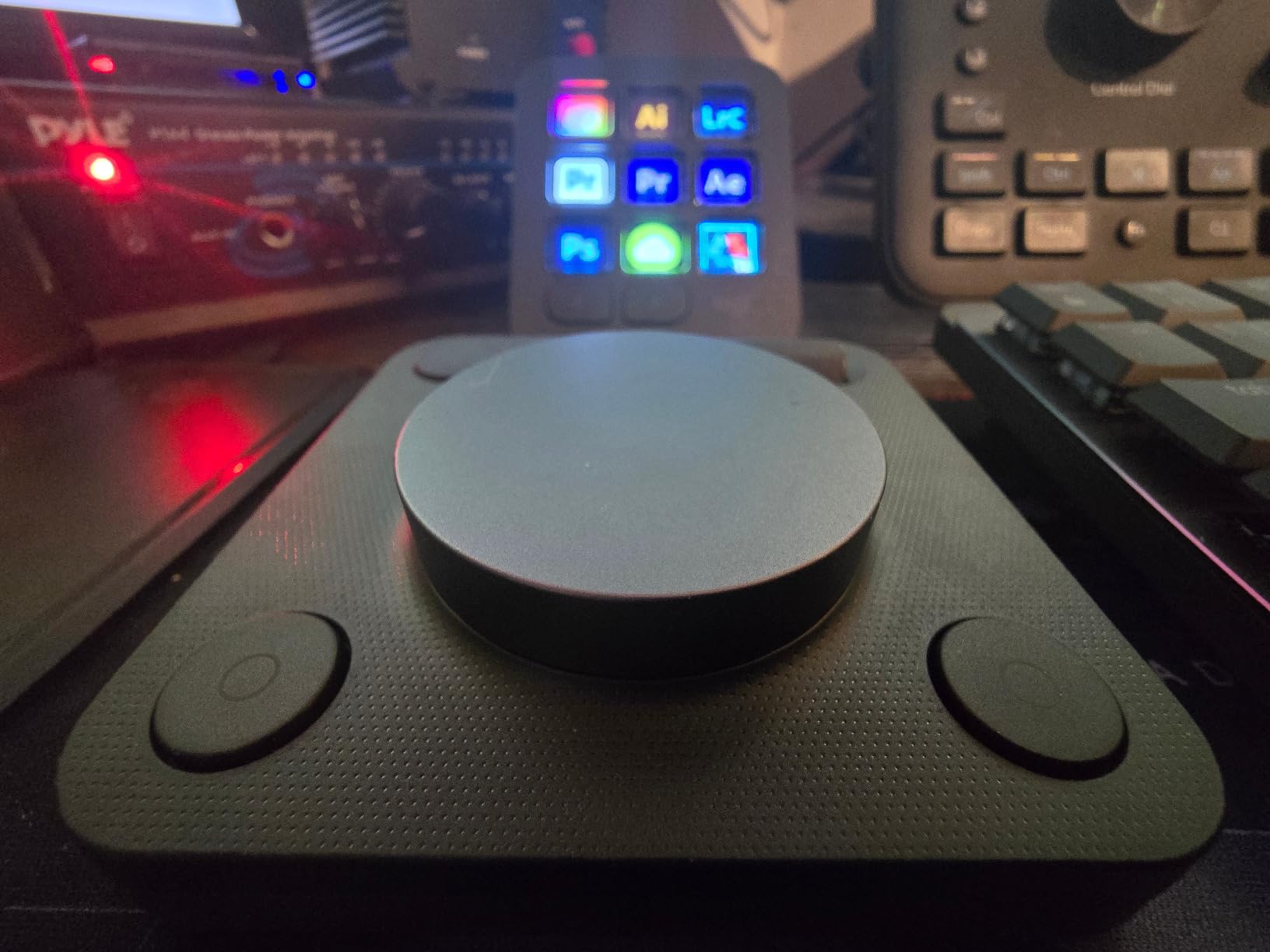
The Logitech MX Creative Console is not your typical stream deck. It is built from the ground up for creative professionals, and after testing it across Photoshop, Premiere Pro, Illustrator, and Figma, I can see exactly who it is for. The combination of 9 LCD keys and a tactile control dial with roller makes it feel more like a professional editing console than a streaming accessory.
Right out of the box, the build quality stands out. The aluminum dial has a satisfying weight and smooth rotation that feels premium. Unlike the Elgato Stream Deck + which uses plastic dials, Logitech went with a metal dial that gives you precise tactile feedback when scrubbing through timelines or adjusting brush parameters. The console itself runs on two AAA batteries that last up to 18 months, which means no cable clutter on your desk if you use Bluetooth mode.
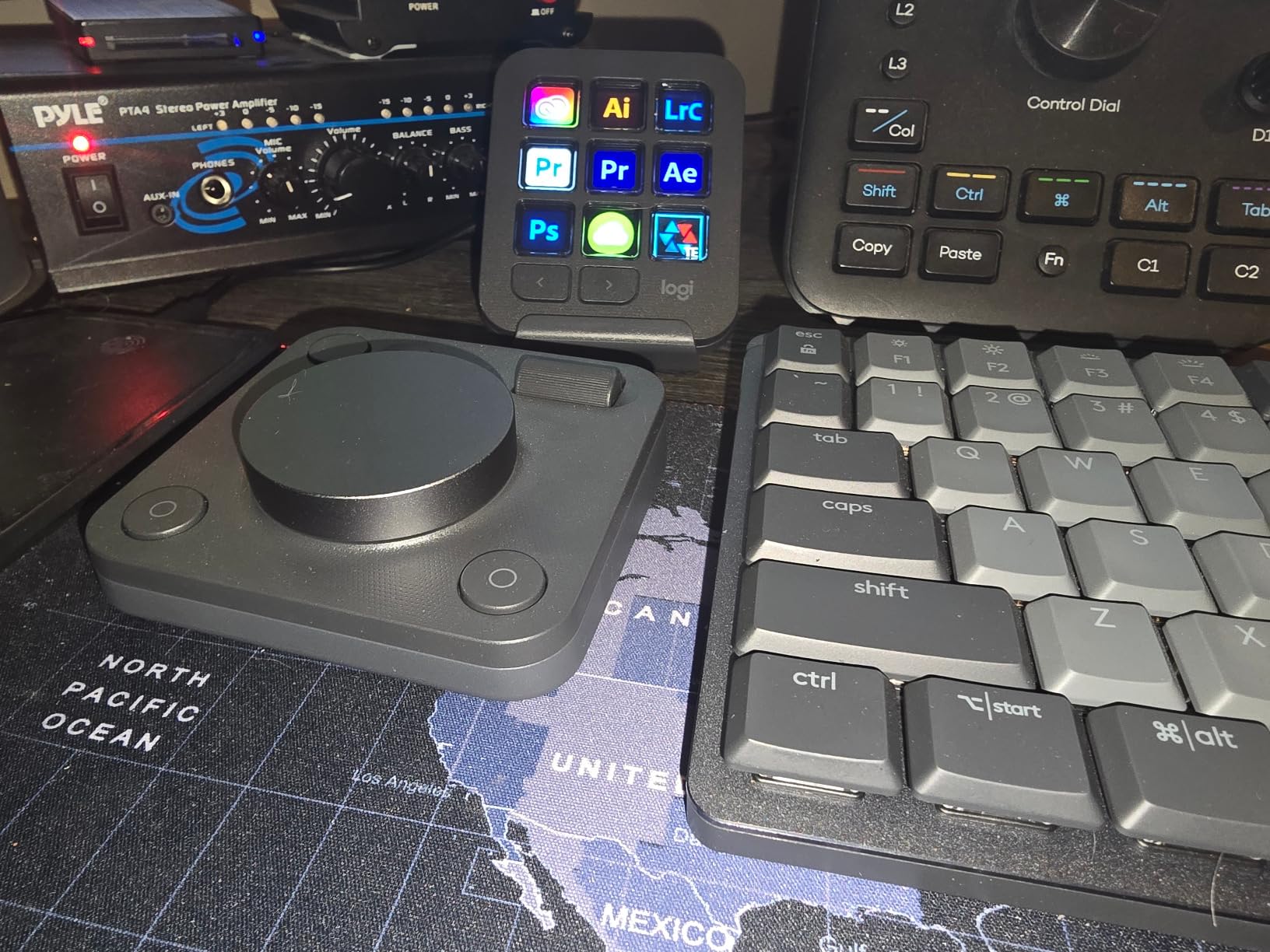
The Actions Ring feature is something no other stream deck offers. When you activate it, an on-screen overlay appears around your cursor showing relevant tools and actions for the application you are using. In Photoshop, it shows brush size, opacity, and tool selection. In Premiere Pro, it displays timeline navigation and clip editing tools. It is a clever approach that reduces the number of physical buttons you need while keeping tools accessible.
The included 3-month Adobe Creative Cloud membership adds significant value, effectively offsetting a portion of the purchase price if you were planning to subscribe anyway. Logitech’s app integrations cover Adobe Photoshop, Premiere Pro, Illustrator, Lightroom, Final Cut Pro, Figma, DaVinci Resolve, Spotify, and Zoom. That said, the plugin marketplace is much smaller than Elgato’s, which is the main trade-off.
Adobe Creative Cloud Integration
Where the MX Creative Console really shines is Adobe app integration. I tested it with Photoshop and Premiere Pro, and the pre-built profiles are genuinely useful. In Photoshop, the dial adjusts brush size while the roller controls opacity. In Premiere Pro, the dial scrubs through the timeline and the LCD keys provide quick access to cut, ripple delete, and add transition commands.
The profiles are customizable, so you can reassign any key or dial function. However, the Logitech software is not as polished as Elgato’s Stream Deck app. I ran into occasional bugs when assigning custom keyboard shortcuts, and the software sometimes failed to recognize my input correctly. It works well enough for most tasks, but power users who want deep customization may find it limiting.
Connectivity and Wireless Options
The dual connectivity is a genuine advantage. I used Bluetooth mode for a week and appreciated the clean desk setup without cables. Switching between Bluetooth and USB-C is seamless, and you can export and import your settings across different computers. This is particularly useful if you work on a desktop at home and a laptop on the go.
The Bluetooth connection was stable for most of my testing, but I did experience two disconnections during a two-week period. Each time, reconnecting took about 10 seconds. For streaming, where reliability is critical, I would recommend using USB-C. For design work where a dropped connection means a minor inconvenience rather than a disrupted broadcast, Bluetooth works fine.
5. Elgato Stream Deck Pedal – Best Hands-Free Controller
Elgato Stream Deck Pedal, 3 Hands-Free Macro Footswitches
3 Foot Pedals
Hands-Free
Adjustable Springs
Heavy-Duty Chassis
USB
Pros
- Hands-free operation ideal for streaming and gaming
- Sturdy heavy-duty build quality
- Interchangeable springs for custom pedal pressure
- Easy setup with Stream Deck app
- Quiet operation
Cons
- Difficult to feel which pedal with certain footwear
- Premium price for a specialized accessory
The Elgato Stream Deck Pedal takes a completely different approach to stream control by putting three programmable footswitches under your desk. I was skeptical at first, but after using it during two weeks of live streaming and gaming sessions, I found it surprisingly effective for specific scenarios where keeping your hands free matters.
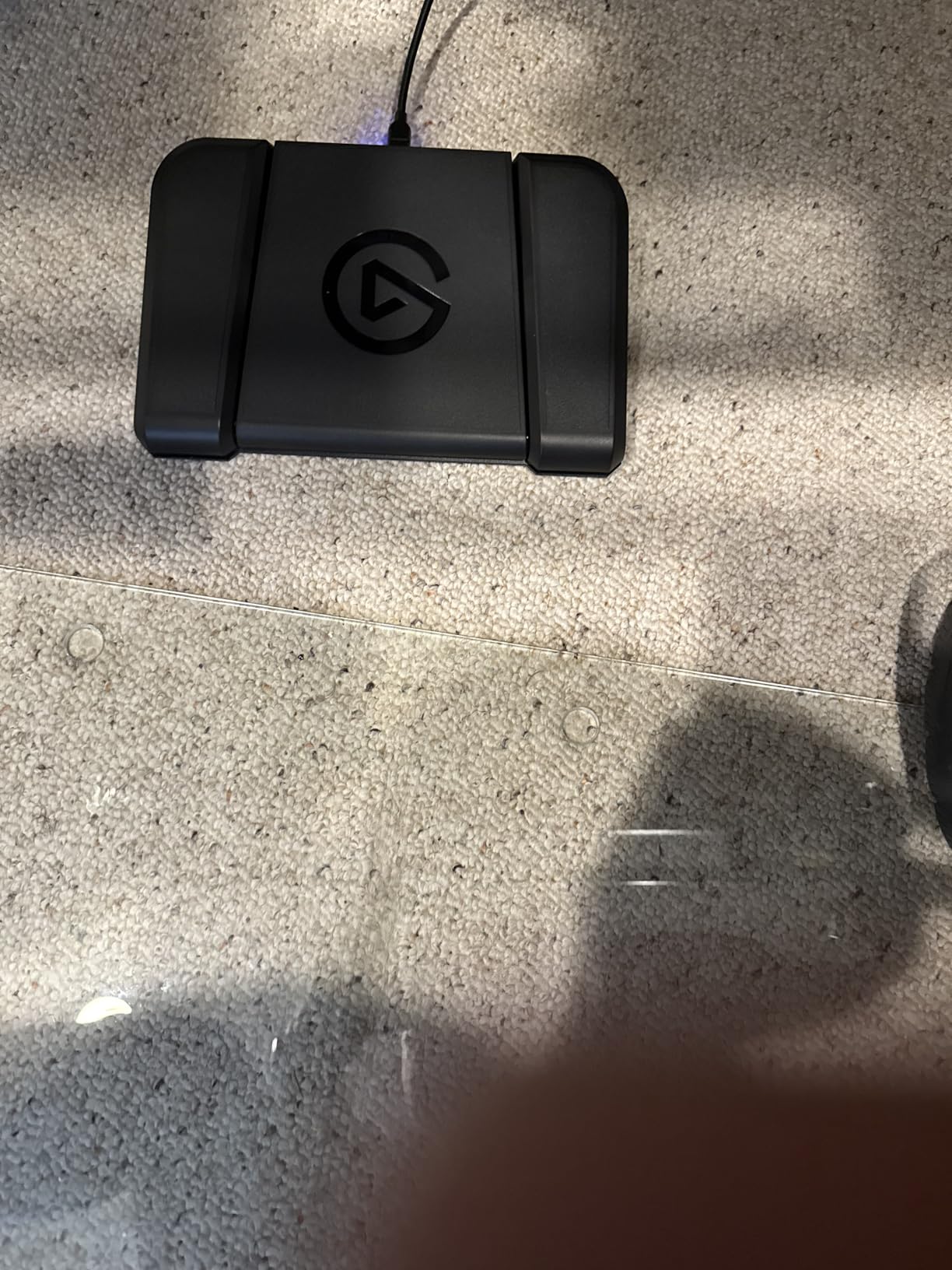
Setting up the pedal is identical to any Elgato stream deck. It shows up in the Stream Deck app, and you assign actions to each of the three pedals using the same drag-and-drop interface. I mapped the left pedal to push-to-talk in Discord, the center pedal to toggle my OBS recording, and the right pedal to switch between my main camera and face cam. During intense gaming sessions, being able to control these functions with my feet meant my hands never left the keyboard and mouse.
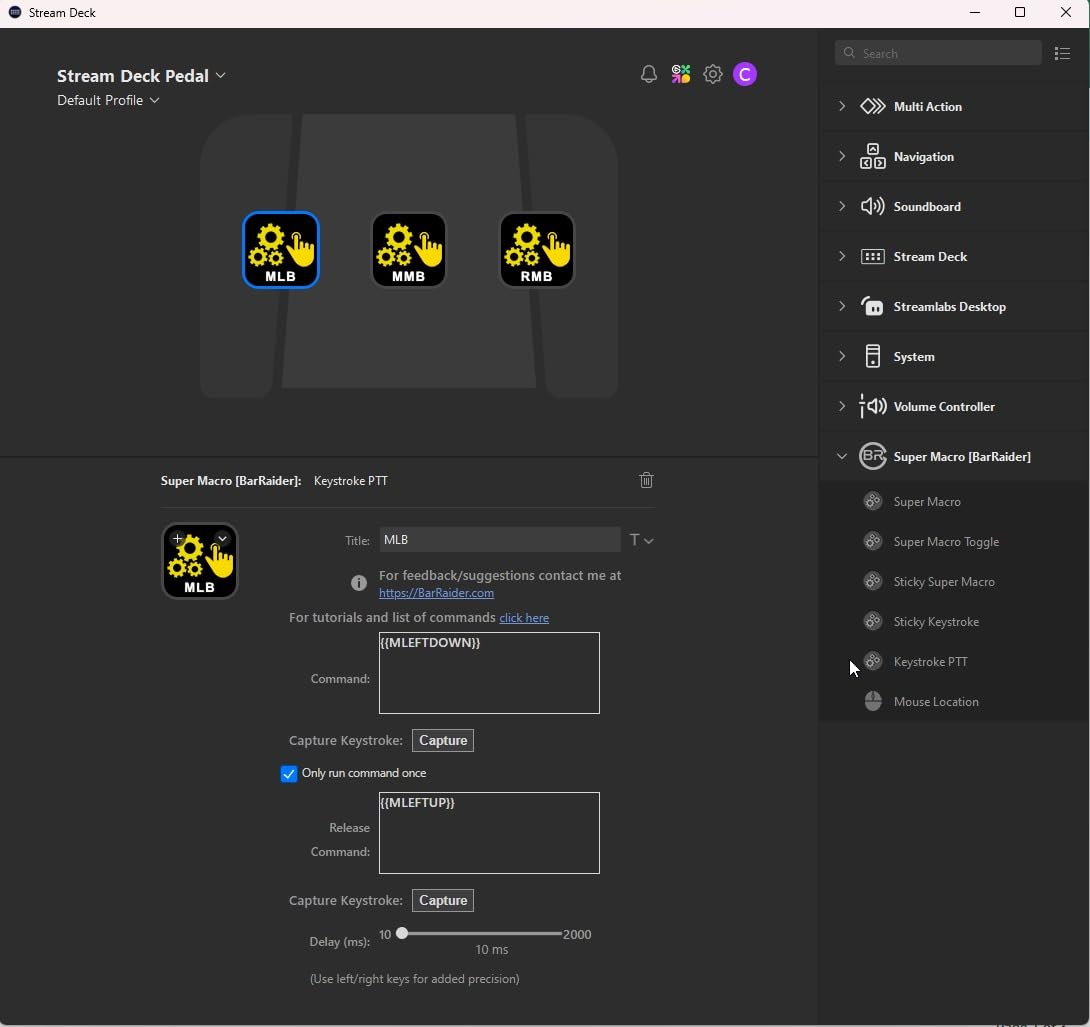
The build quality is excellent. The chassis weighs 960 grams and sits firmly on the floor without sliding. The three pedals feel sturdy and quiet during operation, with no audible click that would be picked up by your microphone. Elgato includes interchangeable springs so you can adjust the pedal resistance to your preference, which is a thoughtful touch that makes the pedal comfortable during long sessions.
The pedal uses the same plugin ecosystem as all Elgato stream decks, so you get full integration with OBS, Twitch, YouTube, Discord, Spotify, and Philips Hue. Over 1,600 Amazon reviewers give it a 4.5-star rating, with particular praise for its push-to-talk functionality and hands-free OBS scene control.
Foot Pedal Customization Options
Each pedal supports single actions, multi-actions, and toggle actions. I set up one pedal as a toggle for my microphone mute in OBS, so a single foot press mutes and another press unmutes. The multi-action feature works the same way as on the LCD stream decks: one pedal press can trigger multiple actions in sequence, such as muting Discord, lowering game audio, and activating a “BRB” scene in OBS.
The interchangeable springs come in three tension levels: light, medium, and heavy. I preferred the medium springs for general use, but the heavy springs felt better when I was wearing shoes during a streaming session. The light springs are ideal if you plan to use the pedal barefoot or with socks.
Practical Streaming Applications
Beyond gaming streams, the pedal has practical applications for podcast recording, music production, and presentation control. I tested it as a PowerPoint slide advancer during a Zoom presentation, and it worked flawlessly. Musicians could map the pedals to start and stop recording in a DAW, trigger samples, or toggle metronomes without reaching for the keyboard.
The main limitation is the three-pedal count. Power users who need more hands-free actions might consider combining the pedal with an LCD stream deck for a comprehensive setup. Forum users on r/elgato frequently pair the Stream Deck Pedal with the MK.2 or XL for the best of both worlds.
6. FIFINE AmpliGame Stream Controller D6 – Best Budget Stream Deck
FIFINE AmpliGame Stream Controller with 15 Macro Keys, Streaming Keyboard with Trigger Actions in OBS/Twitch/YouTube/Streamlabs, Shortcut Buttons Keypad Works with Mac and PC-D6
15 LCD Keys
RGB Lighting
OBS Compatible
USB-C
7.52oz
Pros
- Affordable alternative to premium brands
- 15 customizable LCD keys with visual display
- Vivid RGB lighting with 9 modes
- Easy drag-and-drop software configuration
- Solid build quality stays in place
Cons
- RGB lighting dimmer than expected
- Buttons have slight wobble
- Software is basic but functional
- No tilting stand included
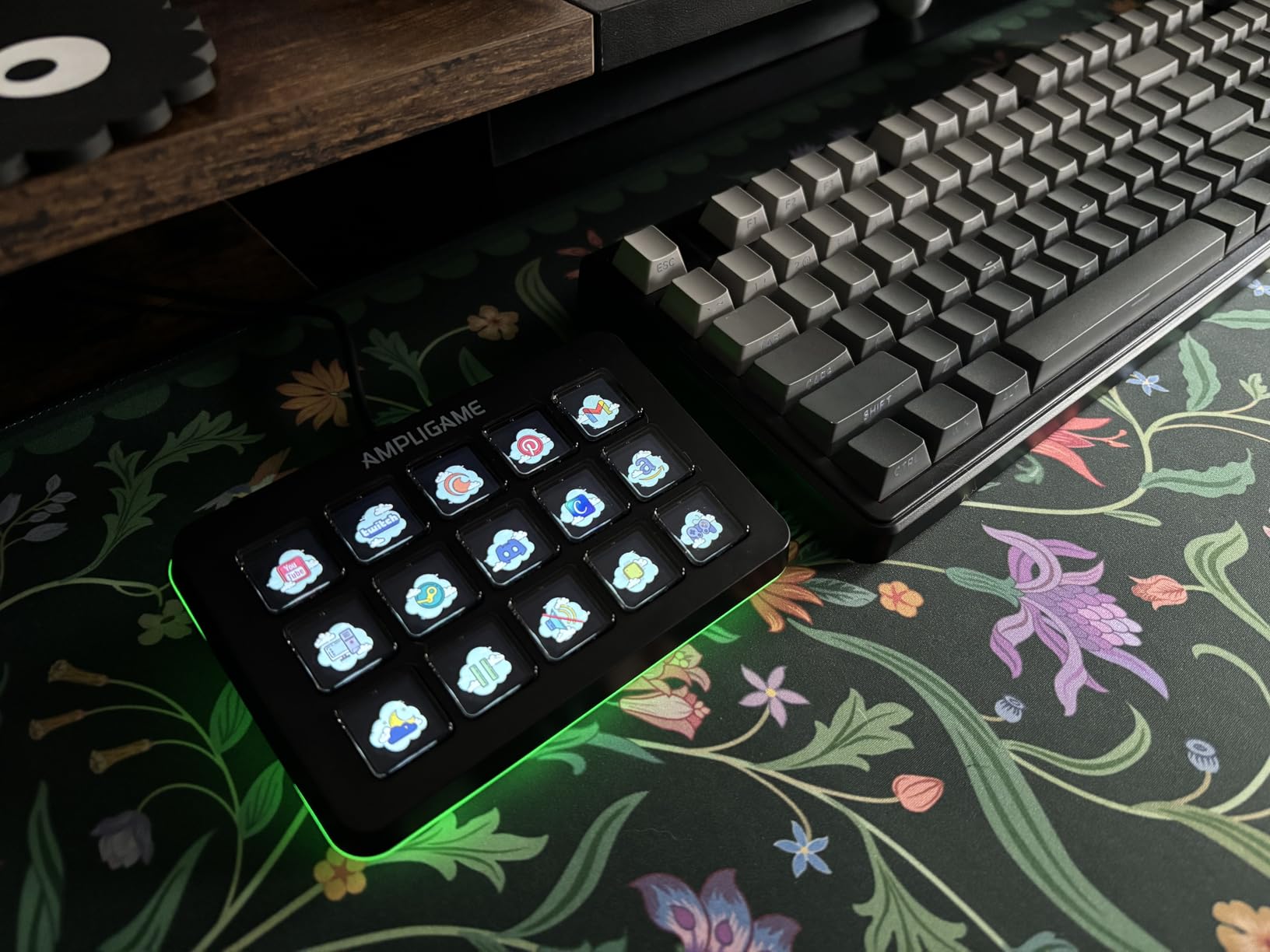
The FIFINE AmpliGame D6 proves you do not need to spend premium money to get a capable stream deck. After testing it for two weeks, I found it delivers 15 LCD macro keys with a functional software experience at a fraction of the cost of the Elgato MK.2. For streamers on a tight budget, this is where I would start.
The 15 LCD keys display custom icons and support folder navigation for organizing actions by category. I set up a streaming profile with OBS scene switches, audio controls, and Twitch chat commands, and the drag-and-drop software made the process straightforward. The keys provide visual feedback when pressed, confirming your command was executed, just like the premium Elgato models.
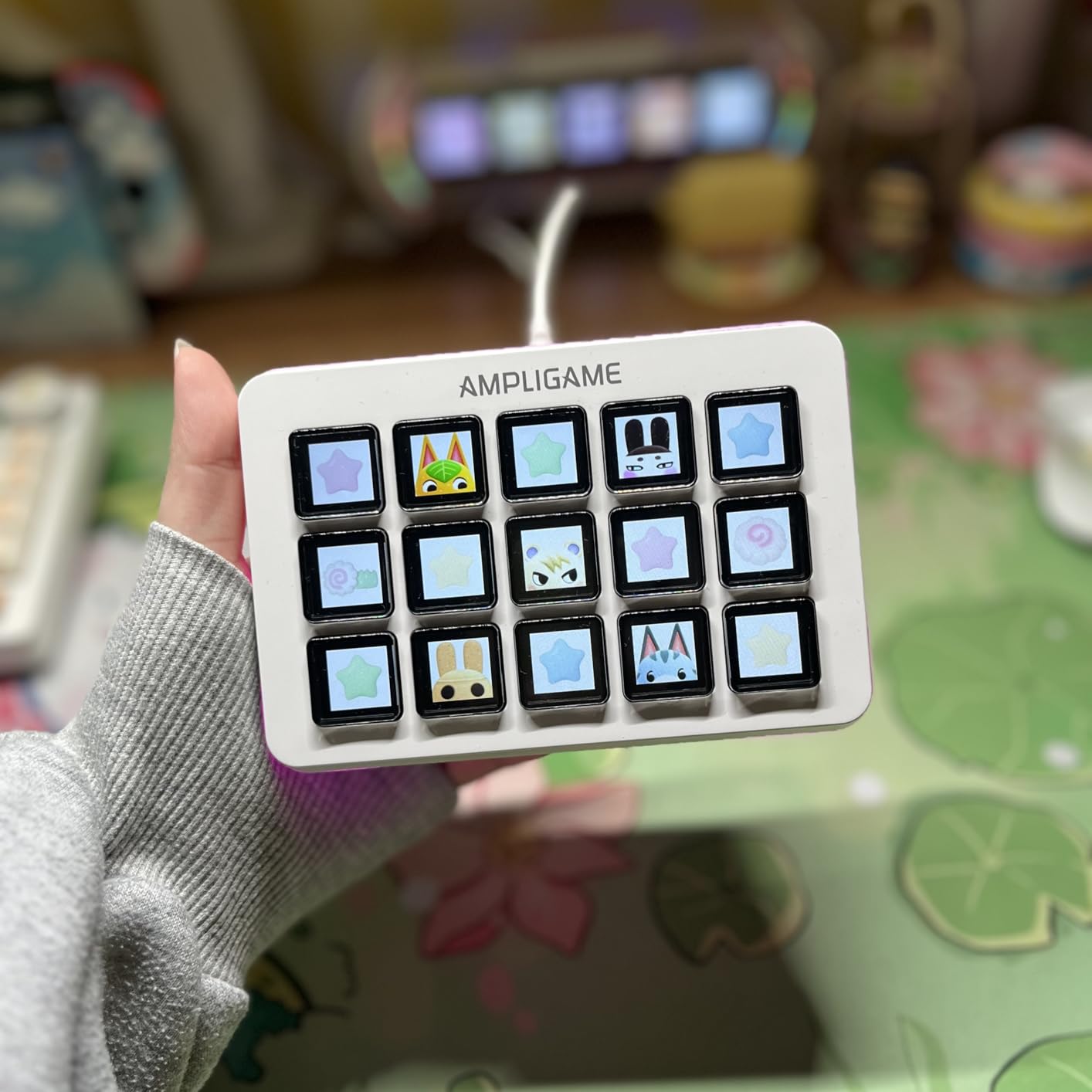
Build quality surprised me in a good way. At 7.5 ounces, it is heavy enough to stay planted on the desk without adhesive pads or a stand. The plastic housing feels solid, and the USB-C connection is firm. The RGB lighting around the base adds a nice ambient glow to your desk setup, with 9 controllable modes to match your aesthetic.
The main trade-offs are in the details. The buttons have a slight wobble due to their travel distance, and the RGB lighting is dimmer than other FIFINE products I have tested. The software is functional but basic compared to Elgato’s Stream Deck app. Some users have reported occasional button lag during rapid presses, though I did not experience this during normal streaming use. With 664 reviews and a 4.5-star rating on Amazon, most buyers are happy with the value proposition.
Software and OBS Integration
The FIFINE companion software supports OBS Studio, Streamlabs, Twitch, and YouTube integrations out of the box. Setting up OBS scene switching was simple: I selected the OBS plugin, chose my scene from a dropdown, and assigned it to a key. The software also supports hotkey assignments, text input, website launches, and media controls.
Where it falls short compared to Elgato is the plugin ecosystem depth. The FIFINE software covers the basics well, but you will not find the hundreds of community plugins available in the Elgato Store. For streamers who primarily need OBS and Twitch controls, this limitation may not matter. For power users who want smart home integration, audio mixing, and creative app control, Elgato’s ecosystem is significantly more capable.
RGB Lighting and Desk Aesthetics
The RGB light strip along the base of the D6 supports 9 different lighting modes, including static colors, breathing effects, and rainbow cycling. I found the lighting added a nice touch to my streaming setup, especially on camera during Twitch broadcasts. You can control the RGB mode through the companion software.
Keep in mind that the RGB is not as bright as what you see on FIFINE’s microphones and other peripherals. In a well-lit room, the RGB effect is subtle. In a darker streaming environment, it provides enough ambient glow to look professional on camera. The lighting cannot be synced with other FIFINE devices, which is a missed opportunity.
7. VSDINSIDE Macro Keypad M18 – Best Value for 18 Keys
VSDINSIDE Macro Keypad, Stream Controller Deck Gaming Streaming Shortcut Keyboard, 18 Programmable Keys Customizable Visual AI Pad USB Soundboard for OBS, YouTube, Desk Office Setup, Laptop, PC, Mac
18 Programmable Keys
Auto Profile Switch
RGB Ring
USB-C
Mac+PC
Pros
- 18 programmable keys for maximum control density
- Auto profile switching based on active app
- Customizable icons with JPG PNG GIF support
- RGB light ring for ambient desktop effect
- Built-in plugins for clock weather stopwatch
Cons
- RGB ring cannot be turned off or customized
- Initial software may be blocked by antivirus
- Instructions are sparse
- Audio device swapping can be problematic
The VSDINSIDE Macro Keypad M18 punches above its weight with 18 programmable keys, which is more than the Elgato MK.2 at a significantly lower price. After a week of testing, I came away impressed by the feature set for the money, even though the software experience is not as polished as Elgato’s.
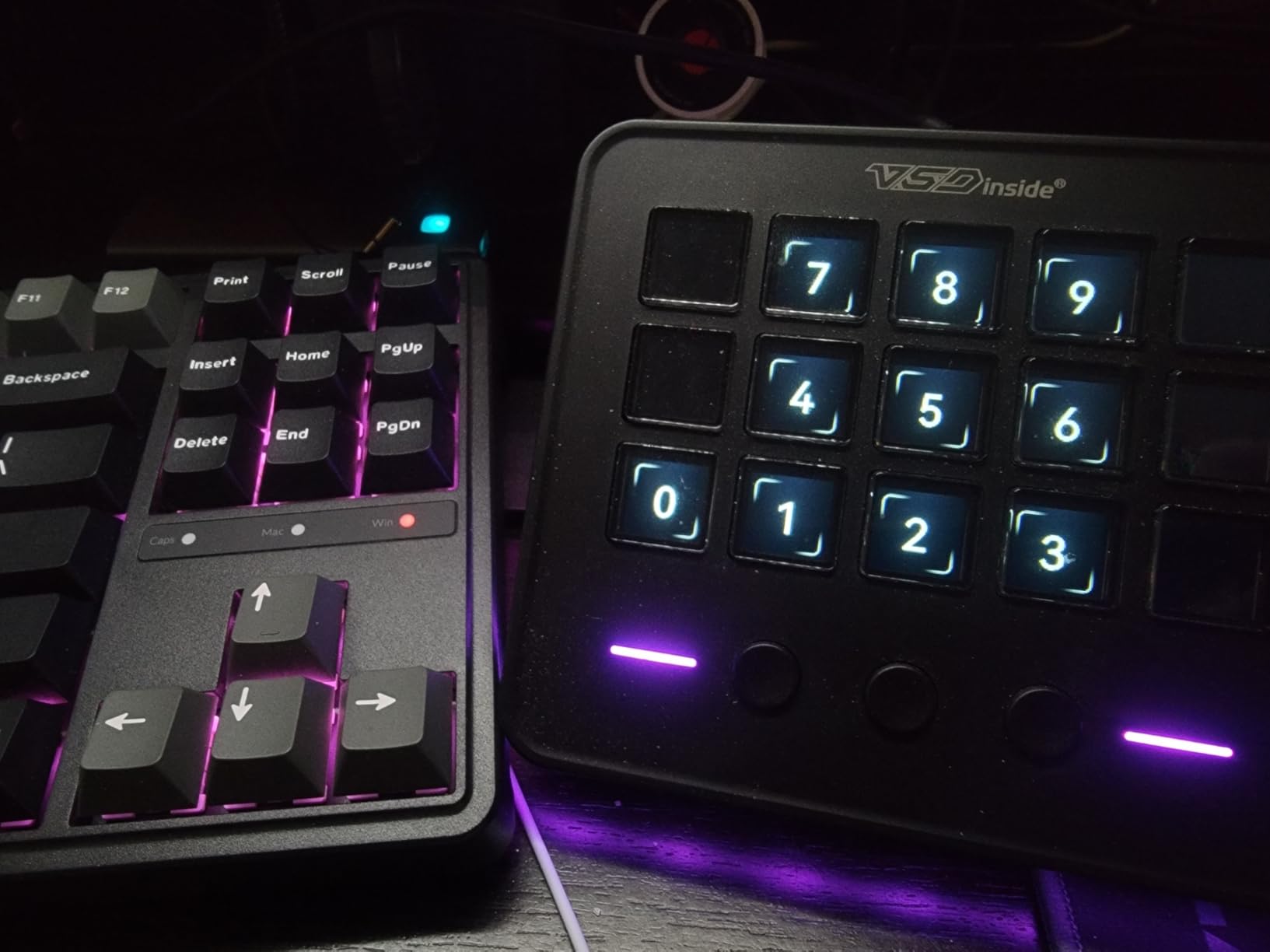
The keypad has 15 LCD keys plus 3 additional physical buttons, giving you 18 total inputs. I loaded custom icons in JPG, PNG, and animated GIF formats, and they all displayed clearly on the LCD screens. The folder system lets you organize profiles by application, and I set up separate layouts for OBS, Premiere Pro, and general productivity tasks.
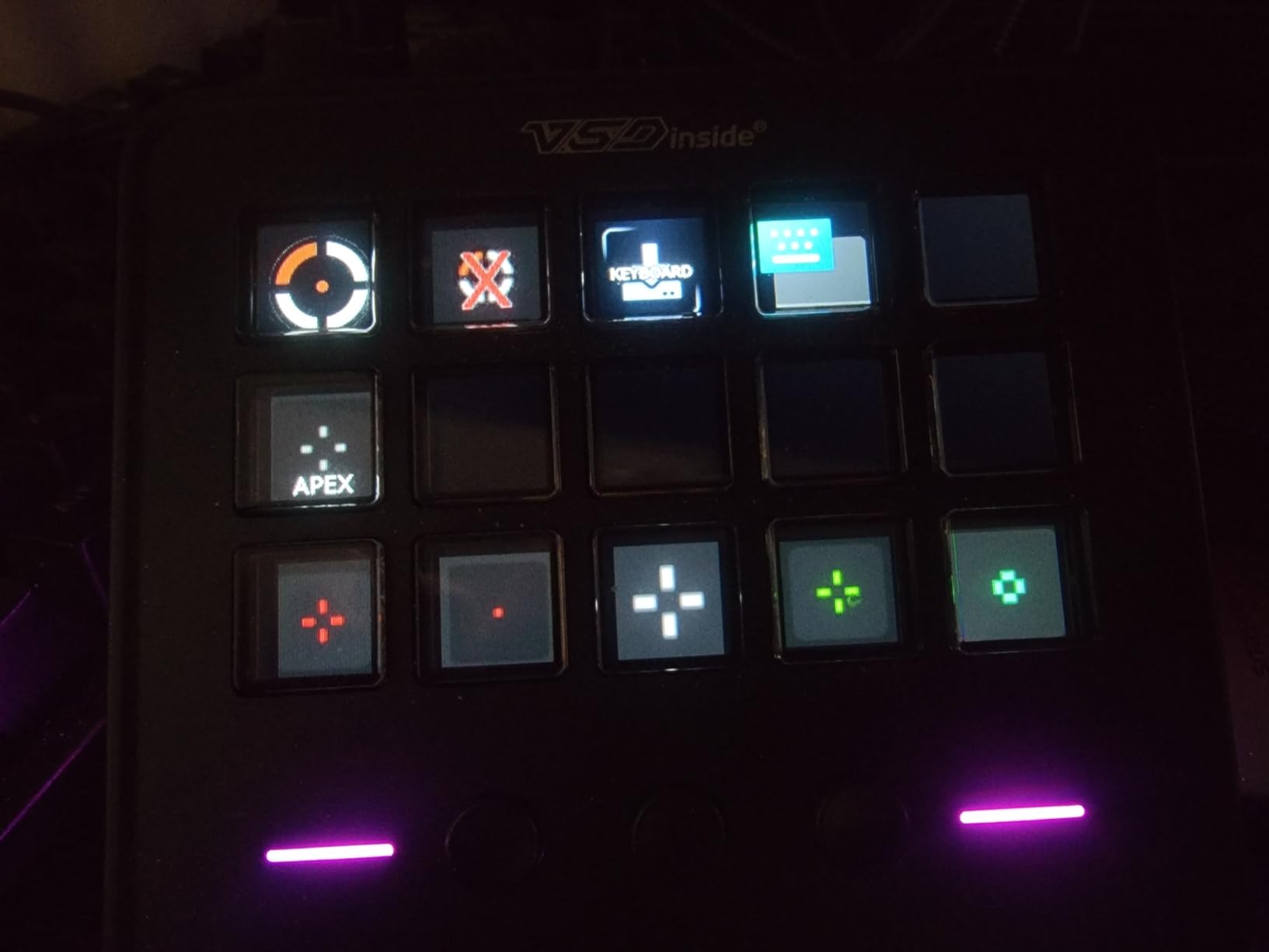
The standout feature is the auto profile switching. When I clicked from OBS to Photoshop to Spotify, the keypad detected the active window and loaded the corresponding key layout automatically. This is a feature typically found on premium models, and having it at this price point is a real advantage. The built-in utility plugins for clock, weather, stopwatch, and calendar are a nice bonus that add everyday value.
With 530 reviews and a 4.4-star rating on Amazon, the M18 has established itself as a strong budget contender. The build quality uses high-grade materials that feel durable, and the compact 4.6 by 4.1 inch footprint fits easily on any desk. The main drawback is the software: it is functional but sparse on documentation, and my antivirus initially blocked the download as a precaution.
Auto Profile Switching Feature
The auto profile switching works by monitoring which application window is currently active on your computer. When you switch from your web browser to OBS, the M18 automatically loads your OBS key layout. When you switch to Photoshop, it loads your editing layout. This happens in about one second, and the transition is smooth.
I tested this across 6 different applications and it worked reliably in all of them. The only caveat is that you need to create profiles for each application in advance. The software does not auto-detect your installed apps, so you will need to set up each profile manually. Once configured, though, the experience is seamless and saves you from manually switching profiles during your workflow.
Build Quality and Longevity
The M18 uses high-grade materials throughout, and at 0.66 pounds it has enough heft to stay in place during use. The keys have a satisfying press with reasonable travel distance, though they lack the crisp tactile feedback of Elgato’s buttons. The RGB light ring around the perimeter adds visual flair but cannot be turned off or customized, which is frustrating if you prefer a minimal desk aesthetic.
VSDINSIDE offers 24/7 customer service and free software updates, which provides some peace of mind for a smaller brand. The device is compatible with Windows 11 and above plus macOS 14.0 and above, covering most modern systems. If your workflow involves many different applications and you want automatic profile switching without paying premium prices, the M18 is a smart choice.
8. Elgato Stream Deck Mini – Best for Beginners and Small Desks
Elgato Stream Deck Mini, 6 Customizable LCD Macro Keys
6 LCD Keys
Compact Design
Multi-Action
USB
6.17oz
Pros
- Compact size perfect for limited desk space
- Seamless integration with Zoom Teams and Office apps
- Easy drag-and-drop software
- High-quality build construction
- Multi-action capability per key
Cons
- Limited to 6 buttons
- Rubber base needs protective sticker removed for grip
- Buttons require deliberate press
- Can slide on desk if not secured
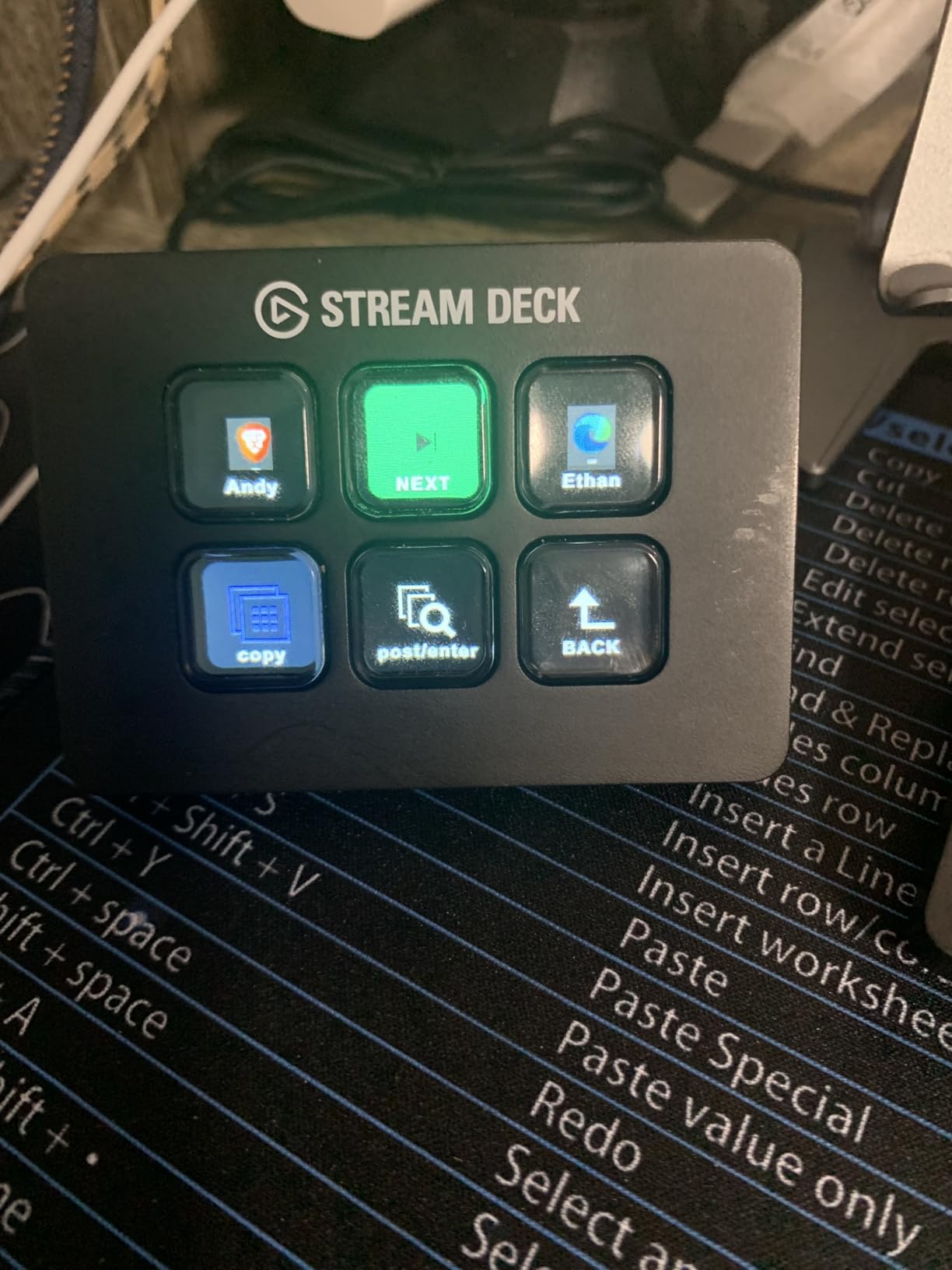
The Elgato Stream Deck Mini is the gateway drug of stream decks, and I mean that in the best possible way. After using it as my secondary controller for two weeks, I understand why so many people start here and eventually upgrade to larger models. Six buttons sounds limiting, but the multi-action and folder features stretch those 6 keys into a surprisingly capable controller.
What makes the Mini special is its versatility beyond streaming. I used it to control Zoom meetings (mute, camera toggle, screen share), trigger PowerPoint slide transitions, launch frequently-used Excel macros, and manage Spotify playback. The seamless integration with Microsoft Office apps and Zoom is something many people overlook, but for daily productivity tasks, the Mini punches well above its 6-button weight class.
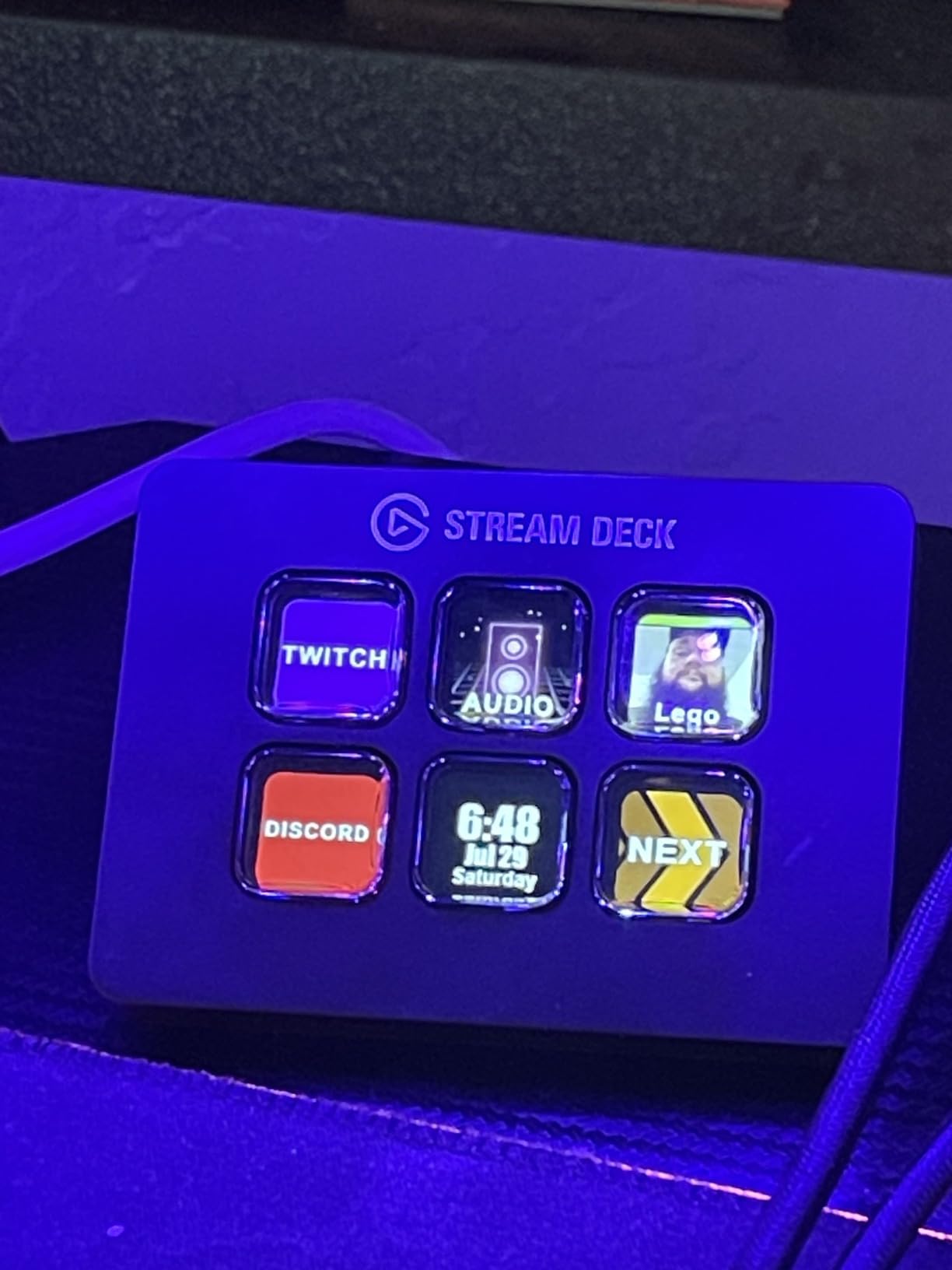
The compact 2.4 by 2.3 inch footprint fits anywhere. I placed it next to my laptop on a crowded coffee shop table without issue. The LCD keys use the same high-quality displays as the larger Elgato models, so icon clarity is not compromised. At 6.17 ounces, it is the lightest stream deck we tested, which is great for portability but means you should remove the protective sticker from the rubber base for proper desk grip.
With 7,803 reviews and a 4.8-star average on Amazon, the Mini has earned overwhelming positive feedback. Users consistently praise the build quality, the ease of setup, and the multi-action capability that lets each button trigger multiple commands in sequence. The Stream Deck app is identical to the software used by the MK.2 and XL, so you get the full Elgato plugin ecosystem despite the lower price.
Is 6 Buttons Enough
Honestly, it depends on how you work. For basic streaming, 6 buttons can cover your essential needs: scene switch, microphone mute, camera toggle, recording start, chat interaction, and one spare. Using the folder feature, you can nest additional actions behind any button, effectively giving you multiple pages of 6 buttons each.
I found 6 buttons adequate for focused tasks. When I was just running a Zoom meeting, 6 buttons covered everything I needed. When I was streaming on Twitch with OBS, I started to feel the limitation and had to use folders more frequently. Reddit users on r/Twitch often suggest the Mini as a starting point to see if you actually use a stream deck before investing in a larger model.
Productivity Beyond Streaming
The Mini excels as a productivity tool for non-streamers. I mapped keyboard shortcuts for Photoshop (undo, save, export), text expansion snippets for email responses, website launchers for my most-visited URLs, and media controls for Spotify. The multi-action feature means one button press can open a specific set of browser tabs, launch your email client, and start your focus music playlist.
Forum users on r/elgato frequently share creative Mini setups including smart home control dashboards, stock trading quick actions, and video editing shortcut panels. The compact size and full Elgato software support make it the best entry point for anyone curious about stream decks but not ready to commit to a 15 or 32-key model.
How to Choose the Best Stream Deck for Your Needs?
Picking the right stream deck comes down to how you plan to use it, how much desk space you have, and whether you value software ecosystem depth or hardware features. Our team tested all 8 of these controllers in real workflows, and here are the factors that actually matter when making your decision.
Number of Keys and Layout
More keys means less folder navigation, but also more desk space consumed. The Elgato Stream Deck XL with 32 keys is ideal if you want every command visible at once. The 15-key models like the Elgato MK.2, FIFINE D6, and VSDINSIDE M18 strike the best balance for most users. The 6-key Mini works well as a starter deck or for focused single-purpose workflows. If you want dials and touch strips alongside keys, the Elgato Stream Deck + and Logitech MX Creative Console offer mixed input types.
Consider how many actions you genuinely need immediate access to during your typical work session. Most streamers use 8 to 15 actions regularly, making the MK.2 or similar 15-key models the practical sweet spot.
Software Ecosystem and Plugin Support
This is where Elgato dominates. The Stream Deck Store offers hundreds of official and community plugins for OBS, Twitch, YouTube, Discord, Spotify, Philips Hue, vMix, VoiceMod, and many more. If deep software integration matters to you, Elgato models are the clear choice. The FIFINE and VSDINSIDE alternatives offer basic OBS and Twitch support but lack the extensive plugin marketplace.
The Logitech MX Creative Console sits in a different category. Its software is optimized for Adobe Creative Cloud and design applications rather than streaming. If your primary use case is Photoshop, Premiere Pro, or Figma, Logitech’s targeted integrations may actually serve you better than Elgato’s broader but less specialized ecosystem.
Form Factor and Desk Space
Measure your desk before buying. The Stream Deck XL at 7.17 inches wide requires significant space, while the Mini at 2.4 inches can fit almost anywhere. The Stream Deck + at 5.43 inches wide is a comfortable middle ground, especially since it includes an integrated stand. If cable management is a priority, the Logitech MX Creative Console offers Bluetooth connectivity for a wireless setup.
For users who already have a keyboard with programmable macro keys, a compact stream deck like the Mini or the Stream Deck + with dials can complement your existing setup without duplicating functionality.
Use Case: Streaming vs Editing vs Productivity
For live streaming on Twitch or YouTube, the Elgato MK.2 or XL is the industry standard for good reason. The OBS and Twitch integrations are the most mature, and the plugin marketplace has every tool a streamer could need. For video and photo editing, the Logitech MX Creative Console with its control dial and Adobe integration is purpose-built for that workflow. For general productivity and office tasks, the Elgato Mini provides enough buttons for Zoom, Teams, and Office shortcuts in a compact form.
Community feedback from Reddit’s r/Twitch and r/elgato consistently shows that price-to-value is the biggest decision factor for new buyers. The software ecosystem quality matters more than hardware specs over time, because the plugins and integrations determine how useful the device becomes in your daily workflow.
Budget Considerations
Stream decks range from around $50 to $250. The FIFINE D6 and VSDINSIDE M18 offer the most keys per dollar, making them excellent budget choices. The Elgato Mini is the cheapest way into the Elgato ecosystem with full plugin support. Mid-range options like the Elgato MK.2 provide the best balance of features and price. The premium tier includes the Stream Deck +, XL, and Logitech MX Creative Console, all of which justify their higher prices with additional hardware features like dials, extra keys, or wireless connectivity.
Forum users on r/Twitch frequently recommend starting with the Elgato Mini or a budget alternative to confirm you actually use a stream deck regularly before investing in a larger model. This practical approach has saved many buyers from purchasing more hardware than they need.
FAQs
What’s the best Stream Deck to get?
The Elgato Stream Deck + is the best overall stream deck in 2026 because it combines 8 LCD keys with 4 rotary dials and a touch strip, giving you three input methods in one device. For most streamers, the Elgato Stream Deck MK.2 with 15 keys offers the best balance of price, capability, and plugin support. If you are on a budget, the Elgato Stream Deck Mini provides 6 keys with the full Elgato software ecosystem at the lowest entry price.
What Stream Deck do most streamers use?
Most streamers use the Elgato Stream Deck MK.2 because it offers 15 customizable LCD keys at a mid-range price point with the most mature plugin ecosystem. The MK.2 has over 10,000 Amazon reviews with a 4.8-star average, making it the industry standard. Professional streamers who need more buttons often upgrade to the Elgato Stream Deck XL with 32 keys, while those who want physical dials for audio control choose the Elgato Stream Deck +.
Are stream decks worth it?
Yes, stream decks are worth it if you regularly perform repetitive computer tasks like switching OBS scenes, adjusting audio levels, or triggering keyboard shortcuts during live content creation. Users on Reddit’s r/Twitch and r/elgato consistently report that stream decks save time and reduce errors during streams and editing sessions. However, casual users who stream occasionally may find a free software alternative like TouchPortal sufficient before committing to hardware.
Can you use a stream deck for things other than streaming?
Absolutely. Stream decks are widely used for video editing in Premiere Pro and DaVinci Resolve, photo editing in Photoshop and Lightroom, audio production in DAWs, Zoom and Teams meeting controls, PowerPoint presentations, smart home automation, stock trading quick actions, and general productivity shortcuts. Many users on Reddit report that non-streaming use cases actually make up the majority of their stream deck usage.
Final Thoughts on the Best Stream Decks in 2026
After testing all 8 stream decks across live streaming, video editing, and daily productivity tasks, the Elgato Stream Deck + stands out as the best overall pick for 2026 thanks to its versatile combination of LCD keys, rotary dials, and touch strip. The Elgato Stream Deck MK.2 remains the best value for most streamers with its 15-key layout and unmatched plugin ecosystem, while the Elgato Stream Deck Mini is the smartest starting point for beginners or anyone with limited desk space.
For creative professionals, the Logitech MX Creative Console delivers a purpose-built editing experience with its aluminum control dial and Adobe integration. Budget-conscious buyers get strong options in the FIFINE AmpliGame D6 and VSDINSIDE M18, both offering capable streaming control at accessible prices. Whatever your workflow, there is a stream deck on this list that will make it faster and more intuitive.