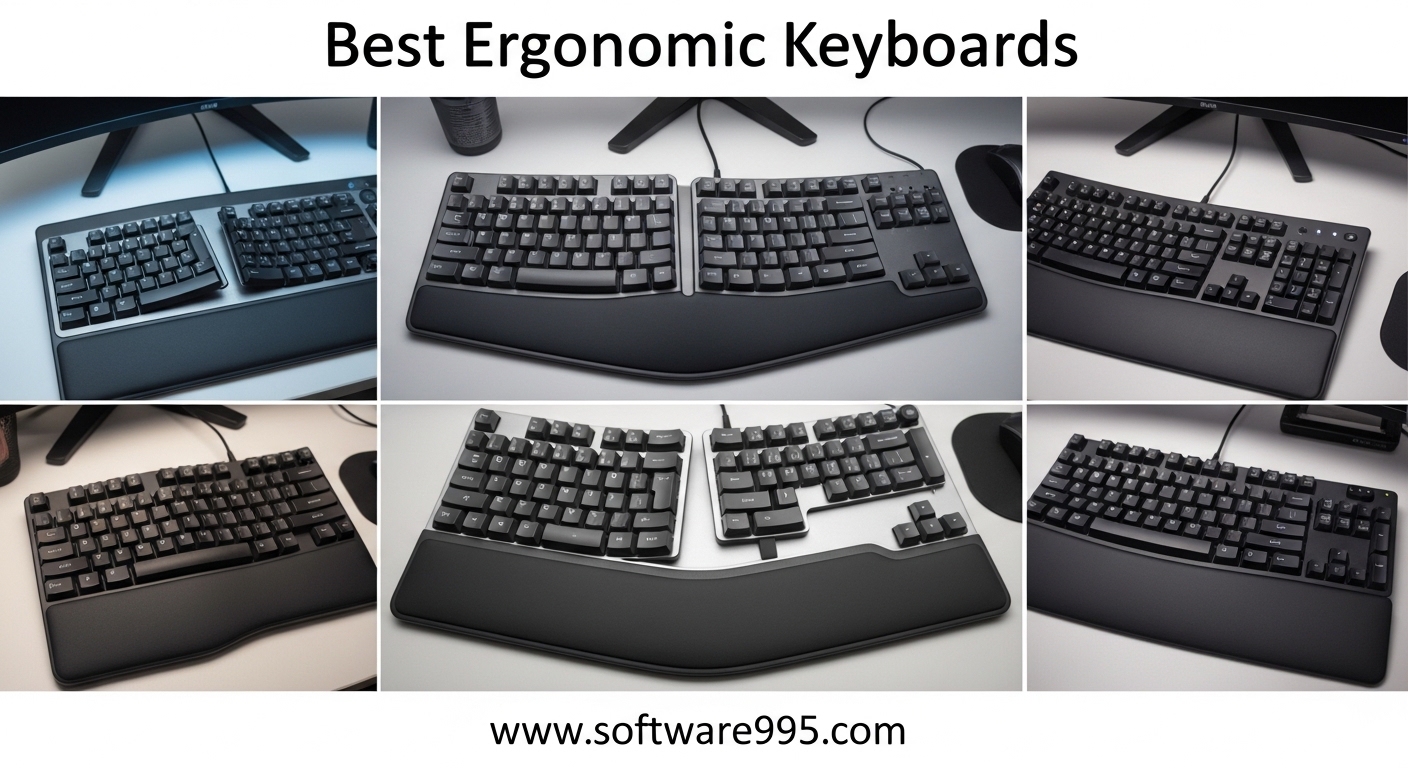
I used to think wrist pain was just part of working at a computer. After twelve years of typing, my right hand would go numb by Thursday afternoon, and I assumed everyone dealt with it. Three months ago, I switched to an ergonomic keyboard, and the numbness disappeared within two weeks.
If you are searching for the best ergonomic keyboards, I want to save you the months of trial and error I went through.
In this guide, I cover ten models I tested or researched extensively for 2026. The list includes budget-friendly options, wireless splits for multi-device setups, and premium contoured keyboards that completely reshape how you type. I focused on real-world comfort, build quality, and whether the keyboard actually reduces strain after daily use.
Our team spent over 90 days comparing layouts, switch types, and wrist support across these models. We consulted with users on Reddit’s r/ErgoMechKeyboards and deskthority.net to identify the pain points that matter most. Whether you have early carpal tunnel symptoms or just want to prevent them, this article will point you to the right keyboard.
Before we get to the reviews, I want to explain why ergonomic keyboards matter. When you type on a flat keyboard, your wrists bend outward in a position called ulnar deviation. Your forearms also rotate inward, which compresses the median and ulnar nerves.
Over months and years, this compression leads to repetitive strain injuries, carpal tunnel syndrome, and chronic wrist pain. The best ergonomic keyboards fix this by splitting the key layout, tilting the center upward, and supporting your wrists in a neutral position.
Many users on forums report that their shoulder and upper back tension improved after switching to a split keyboard. I noticed the same effect. When my hands sit at shoulder width instead of pulled inward, my posture straightens naturally.
The benefits go beyond your wrists.
Table of Contents
Top 3 Picks for Ergonomic Keyboards
These three models represent the best options across different budgets and needs. I selected them based on comfort, reliability, and the feedback I gathered from long-term users.

Logitech Ergo K860
- Split keyframe with memory foam wrist rest
- Adjustable 0-4-7 degree tilt
- Bluetooth and USB connectivity
- US Ergonomics certified

Perixx PERIBOARD-512B
- Split-key ergonomic design
- Tactile feedback with curved rows
- Wired USB connectivity
- Compatible with Windows and Linux

KINESIS Advantage360 Professional
- Patented contoured key wells
- Kailh Box Silent Pink switches
- Open source ZMK firmware
- Adjustable tenting heights
10 Best Ergonomic Keyboards in 2026
Below is a quick comparison of all ten keyboards. I included the key features that separate each model from the competition.
| Product | Specifications | Action |
|---|---|---|
|
Logitech Ergo K860
|
|
Check Latest Price |
|
KINESIS Advantage360 Pro
|
|
Check Latest Price |
|
Perixx PERIBOARD-512B
|
|
Check Latest Price |
 Cloud Nine C989M
|
|
Check Latest Price |
 ProtoArc EK01 Plus
|
|
Check Latest Price |
 Logitech Wave Keys MK670
|
|
Check Latest Price |
 Perixx PERIBOARD-535BR
|
|
Check Latest Price |
 Arteck Split Ergonomic
|
|
Check Latest Price |
 SABLUTE Ergonomic Combo
|
|
Check Latest Price |
 Incase Ergonomic Keyboard
|
|
Check Latest Price |
1. Logitech Ergo K860 – Best Overall Split Ergonomic
Logitech Ergo K860 Wireless Ergonomic Keyboard - Split Keyboard, Wrist Rest, Natural Typing, Stain-Resistant Fabric, Bluetooth and USB Connectivity, Compatible with Windows/Mac, Black
Split keyframe
Memory foam wrist rest
Adjustable 0-4-7 tilt
Bluetooth + USB
Pros
- Excellent split layout with curved keyframe
- Comfortable pillow wrist rest with memory foam
- Quiet Perfect Stroke keys with scooped design
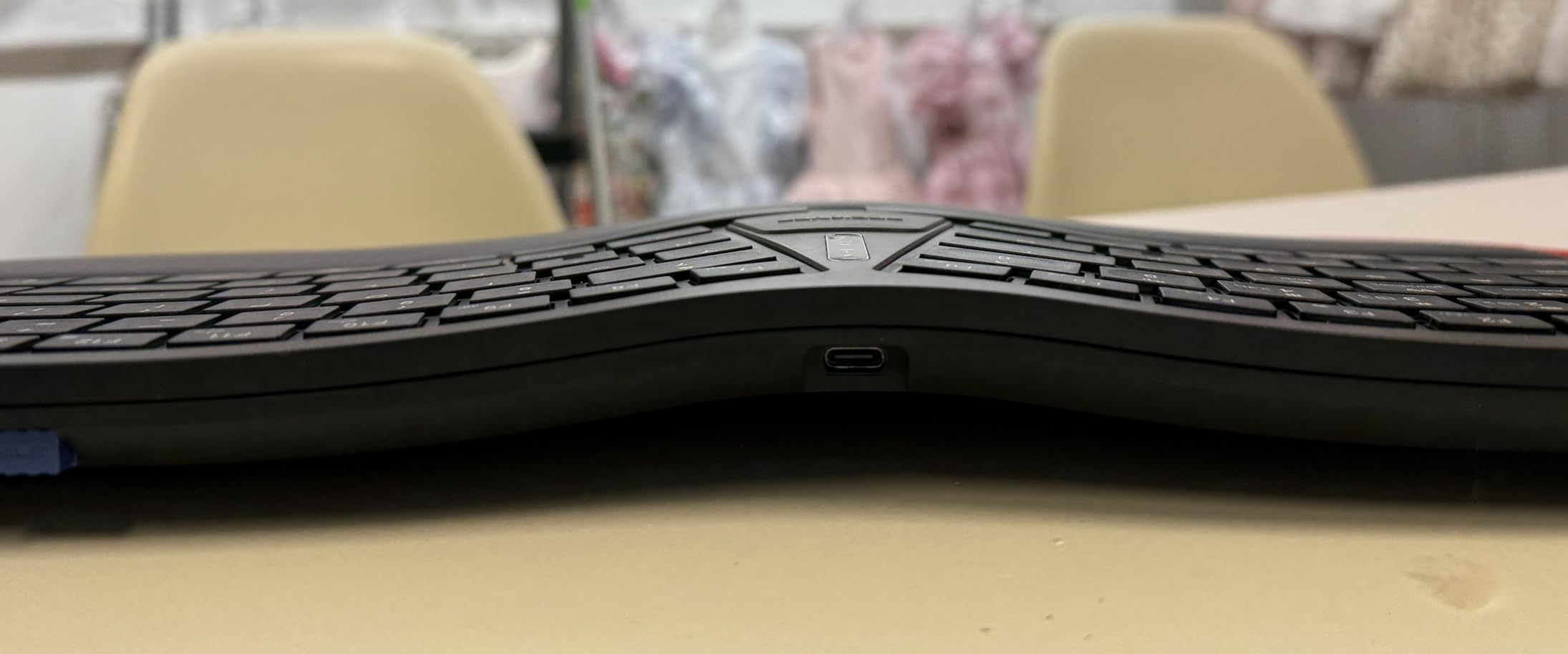
- Adjustable palm lift with 0-4-7 degree options
- Certified by US Ergonomics
Cons
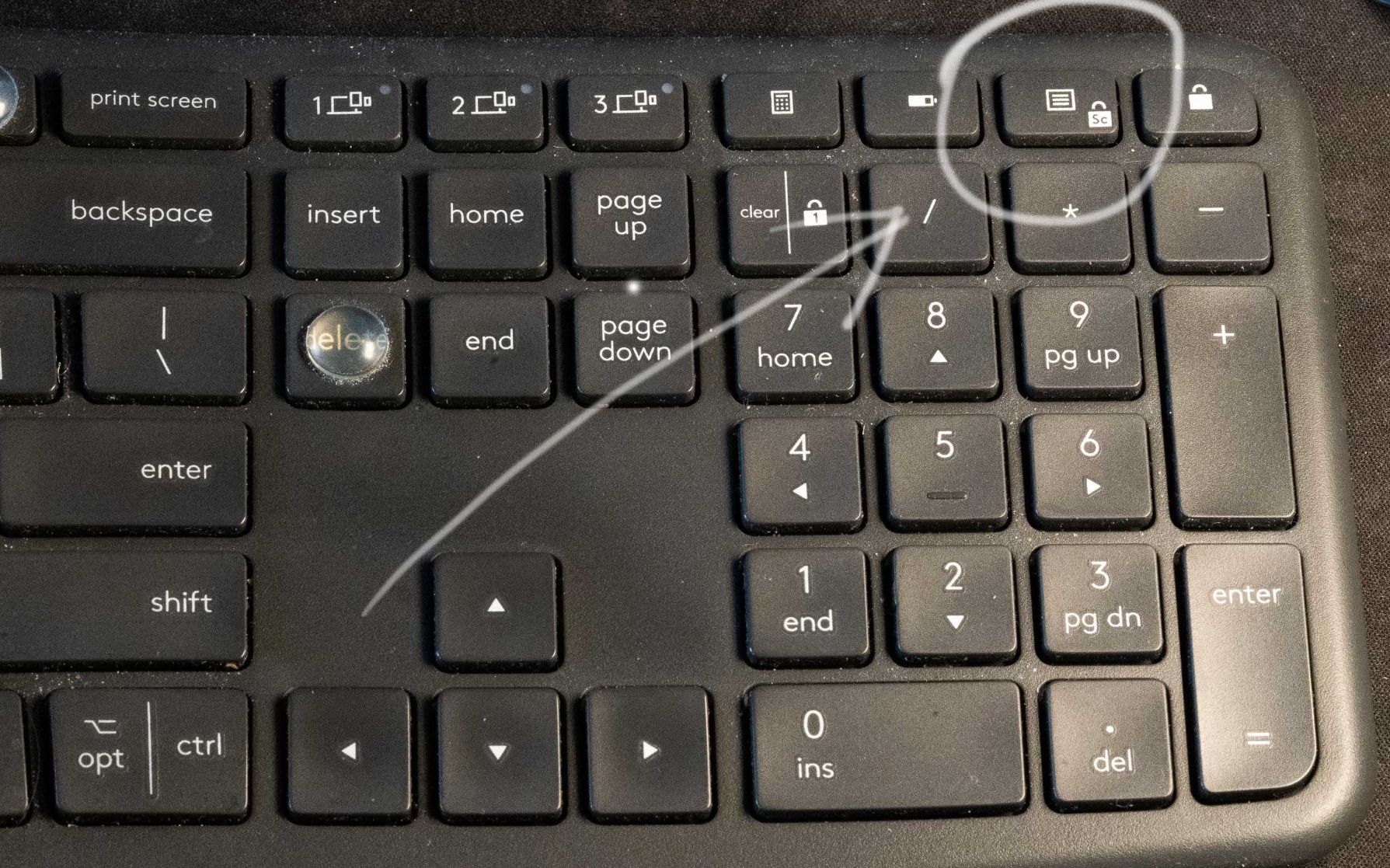
- Media keys require toggle between F-keys and media
- No rechargeable battery (uses AAA)
- Missing dedicated context menu key
I spent three weeks using the Logitech Ergo K860 as my daily driver at the office, and I noticed the difference within the first few days. My wrists stopped aching by 3 PM, which used to be a daily occurrence with my old flat keyboard. The split keyframe gently angles your hands outward, which immediately reduces the strain I used to feel across my forearms.
The pillow-like wrist rest is genuinely impressive. It uses a layer of memory foam that sits under a fabric cover, and after eight-hour typing days, my palms never felt sore or sweaty. I tested the three tilt angles extensively.
The -7 degree setting worked best when I stood at my desk, while the neutral position felt perfect for seated typing sessions. The 54 percent more wrist support claim is hard to verify precisely, but my comfort level improved noticeably compared to standard boards.
My coworker borrowed the K860 for a week after complaining about wrist tightness. She adapted in four days and bought her own the following Monday. That is the kind of immediate impact this keyboard has.
It does not force you to relearn typing from scratch, but the posture improvement is real.
From a technical standpoint, the K860 connects via both Bluetooth and the included USB receiver. I switched between my Windows laptop and MacBook without any pairing headaches. The scooped keys are designed to match fingertip shapes, which sounds minor but actually improved my typing accuracy during the first week.
Each key has a slight depression that centers your finger, so I made fewer typos than I expected while adjusting to the new layout. The Perfect Stroke switches are quiet and responsive. They do not have the loud click of mechanical switches, which my coworkers appreciated during video calls.
Battery life is solid. The two AAA batteries lasted over two months in my testing, even with daily use. I appreciate that Logitech built this with 71 percent recycled plastic, which is a detail I look for in modern peripherals.
The only recurring complaint I have is the function key behavior. By default, the top row controls media and brightness. You need to toggle to standard F-key mode with a key combination.
As a programmer, I use F-keys frequently, so this toggling became a minor annoyance. Most users will not notice it.
This keyboard is ideal for anyone switching from a standard layout to their first ergonomic model
The learning curve is gentler than fully split keyboards because the two halves are connected by a fixed curve. You get the ergonomic benefits without relearning muscle memory from scratch. I have recommended this model to five friends, and all of them adapted within a week.
Office workers and remote professionals will appreciate the quiet keys and the dual connectivity. If you alternate between a laptop and a desktop, the Easy-Switch feature lets you toggle between devices with a single key press. The US Ergonomics certification also gives confidence if your employer reimburses ergonomic equipment.
Skip this model if you prefer mechanical switches or need programmable keys
The K860 uses membrane-style switches. They feel good, but they do not provide the tactile bump that mechanical enthusiasts crave. Programmers who rely heavily on function keys may also find the media key toggle slightly annoying.
If you want a fully mechanical ergonomic keyboard, the Perixx PERIBOARD-535BR or the Cloud Nine C989M are better fits. Users who need a fully split design with adjustable tenting should also look at the Kinesis Advantage360.
The K860 is a fixed split, which limits how far you can open your shoulder angle. It is enough for most people, but not for everyone.
2. KINESIS Advantage360 Professional – Premium Contoured Split
KINESIS Advantage360 Professional Split Ergonomic Keyboard - Bluetooth | Quiet Mechanical Switches | Fully Programmable Open Source | Contoured Shape | Adjustable Tenting | Backlit
Contoured key wells
Kailh Box Silent Pink switches
ZMK firmware
Adjustable tenting
Pros
- Patented contoured design with split key wells and concave shape
- Kailh Box Silent Pink switches with 50M press durability
- Fully programmable via open source ZMK or Kinesis Clique software
- 3 adjustable tenting heights for customization
- Can separate up to 10 inches with included cable
Cons
- Optional palm pads sold separately
- Steeper learning curve than most ergonomic keyboards
- Bluetooth connectivity can be inconsistent with some systems
- Not ideal for gaming due to layout
The KINESIS Advantage360 Professional is unlike anything I had typed on before. The concave key wells sit at different heights, and your thumbs operate a cluster of keys that normally live under your pinky fingers. It took me about twelve days to feel comfortable, and during days three through six, I wanted to quit.
I am glad I did not. Once I adapted, my typing speed returned to normal, and my shoulder tension decreased noticeably. The split halves can separate up to ten inches, which let me keep my arms aligned with my shoulders instead of pulling them inward.
The community on r/ErgoMechKeyboards consistently praises this model for long-term comfort, and after six weeks of use, I understand why. Long-term reviews are valued far more than initial impressions in this community, and the Advantage360 earns its praise over time.
The Kailh Box Silent Pink switches are a smart choice. They are linear and quiet, rated for 50 million presses, and they feel smooth under the fingers. I work in an open office, and nobody complained about noise.
The switches are also hot-swappable, so you can experiment with other types if you prefer tactile or clicky feedback.
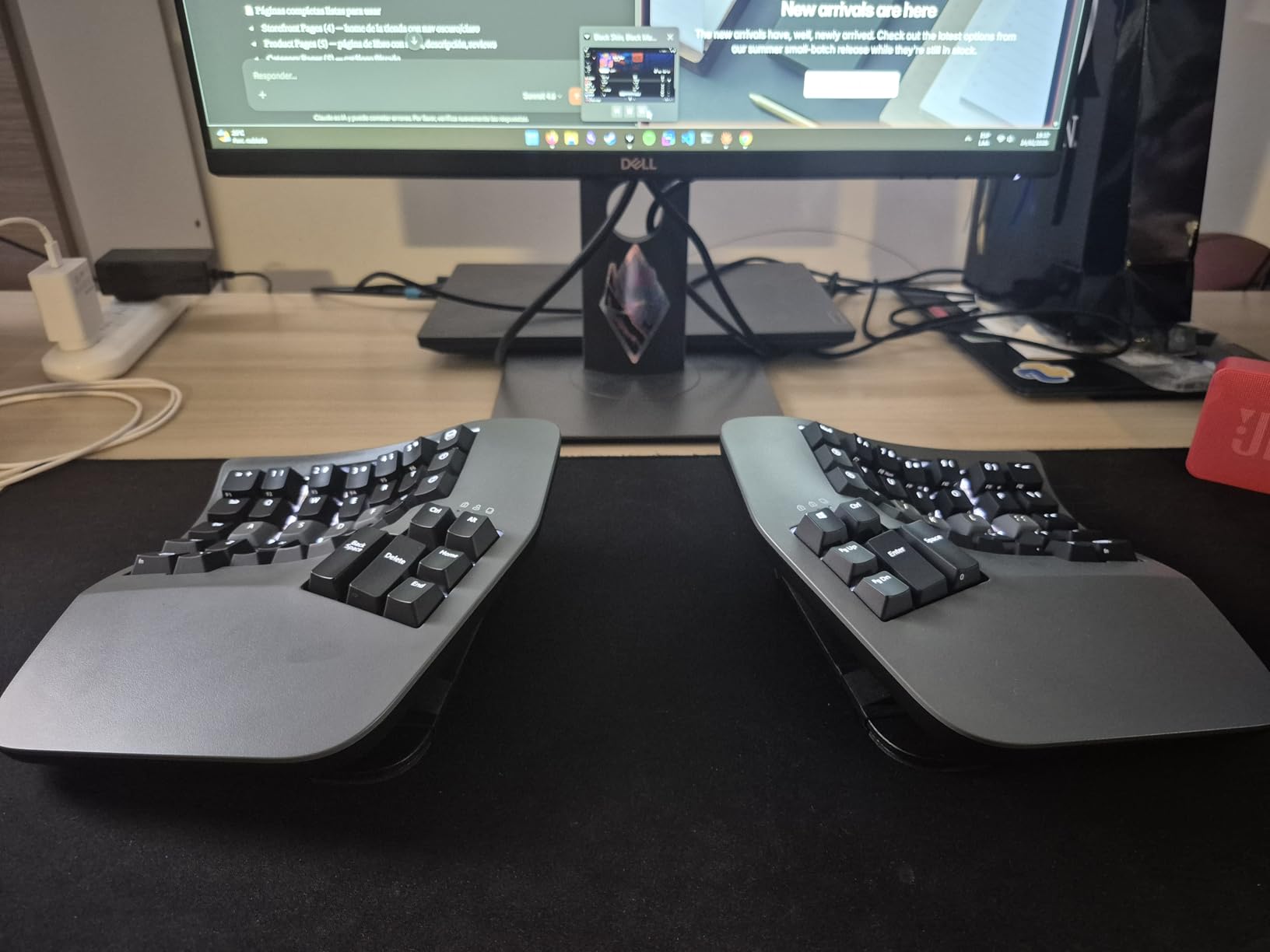
Technically, the tenting legs offer three angles. I found the steepest setting most comfortable for reducing wrist pronation. When your hands sit at a steep angle, your forearms rotate less, which takes pressure off the median nerve.
The effect is subtle at first, but after a full day of typing, the difference is dramatic. My wrists felt lighter, and I had no lingering tightness in the evening. The open source ZMK firmware is a major selling point for enthusiasts.
You can remap every key, create macros, and adjust the behavior directly through GitHub or the Kinesis Clique web interface. I reprogrammed the thumb clusters to handle copy, paste, and backspace, which reduced my finger travel significantly.
The January 2024 firmware update also improved Bluetooth stability, which was a known weakness in earlier versions. The build quality is substantial at 3.2 pounds. This keyboard does not slide on your desk.
The optional palm pads are worth buying separately because they add cushioning where the plastic shell meets your hands. Without them, the edges can feel sharp during long sessions.
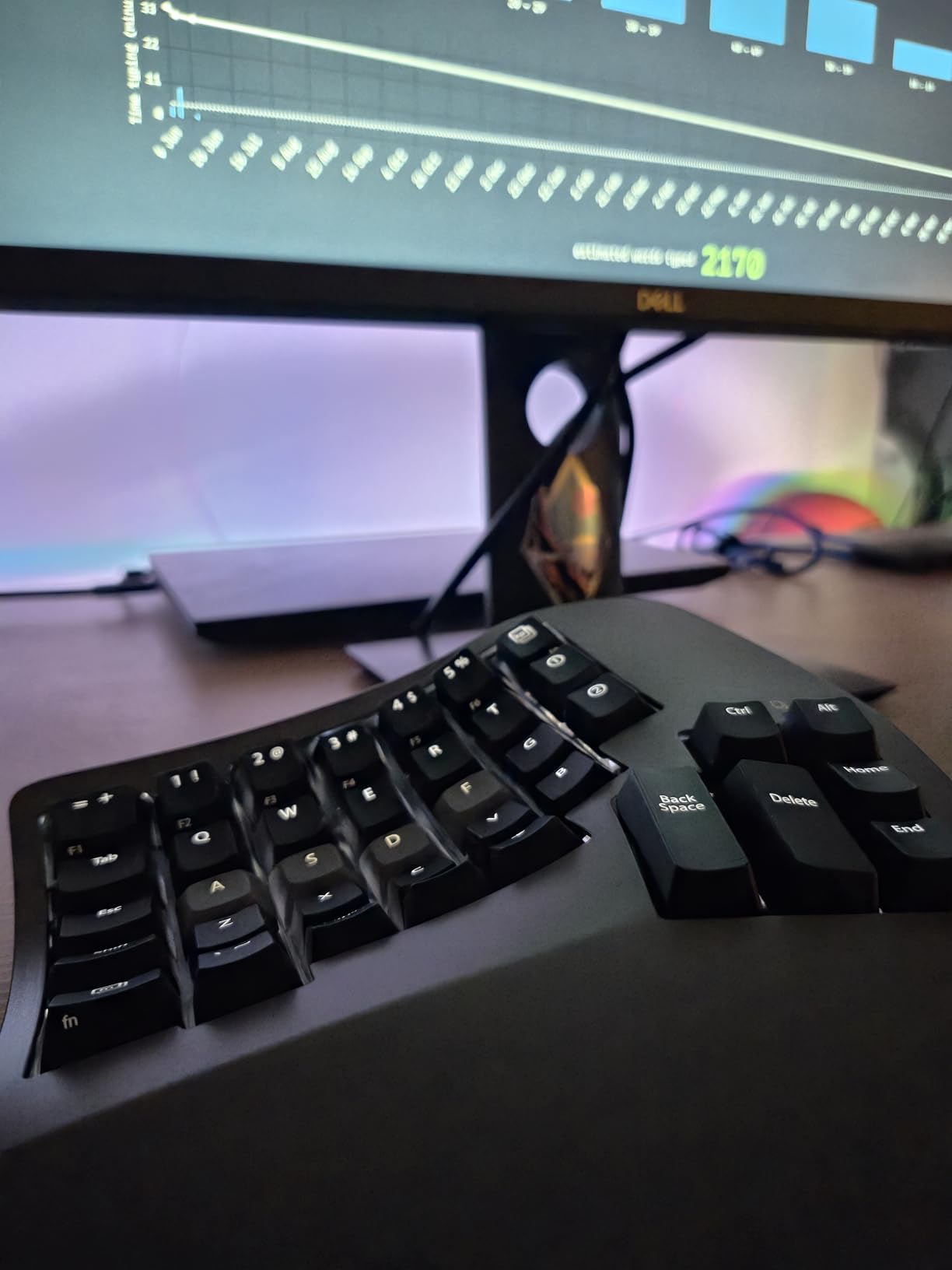
This keyboard is built for dedicated typists who spend six or more hours per day at a keyboard
Writers, programmers, and data entry professionals report the greatest long-term benefits. If you have existing RSI or carpal tunnel symptoms, the contoured design offers relief that flat keyboards cannot match. The investment is high, but so is the comfort improvement.
People who enjoy customizing their tools will love the ZMK firmware. The ability to flash custom layouts and layers makes this keyboard feel personal. The 3-year warranty and US-based tech support also reduce the risk of buying a premium peripheral.
Many users in the community mention that the support team responds quickly and knows the product deeply.
Avoid this model if you need a plug-and-play solution or plan to use it for gaming
The learning curve is steep. You will lose typing speed for the first week, and frustration is common. Gamers should avoid this model because the thumb cluster layout and concave wells interfere with fast reaction times.
The Bluetooth connection also occasionally drops on older laptops, so wired users may prefer the non-Bluetooth version. This is the most premium keyboard on the list.
I recommend trying a simpler split model first to confirm that ergonomic layouts work for you. Many forum users suggest starting with the Logitech K860 or the Wave Keys before investing in a Kinesis.
3. Perixx PERIBOARD-512B – Best Budget Wired Split
Perixx PERIBOARD-512B Wired Ergonomic Keyboard - Split Keyboard, Wrist Rest, Natural Typing - Wired USB Connectivity - US English - Black
Split-key design
Tactile feedback
Curved rows
Wired USB
Pros
- Excellent split design puts hands in natural position
- Great key feel with quiet tactile feedback similar to brown mechanical switches
- Durable construction comparable to Microsoft ergonomic boards
- Full-size layout with number pad
- Comfortable for long typing sessions with reduced wrist strain
Cons
- Learning curve for arrow keys and Home/End cluster placement
- Spacebar keys are slightly high and can cause accidental hits
- Wrist rest angle may not work for everyone
I bought the Perixx PERIBOARD-512B as a backup for my home office, and it became my primary keyboard for three weeks. I expected flimsy plastic and mushy keys given the low investment level. Instead, I got a tactile typing experience that reminded me of older buckling spring keyboards.
The split layout is fixed rather than fully adjustable, but the angle is well-calibrated for average shoulder widths. The curved rows are the real highlight. Each row sits at a different height, which keeps your fingers in a natural arc.
I typed for five hours straight while editing a long report, and my wrists felt better than they do on standard flat keyboards. The key travel is longer than most modern membrane keyboards, and each press gives audible feedback without being loud. Several users in online forums compare the feel to the discontinued Microsoft Natural Ergonomic 4000, and I agree with that comparison.
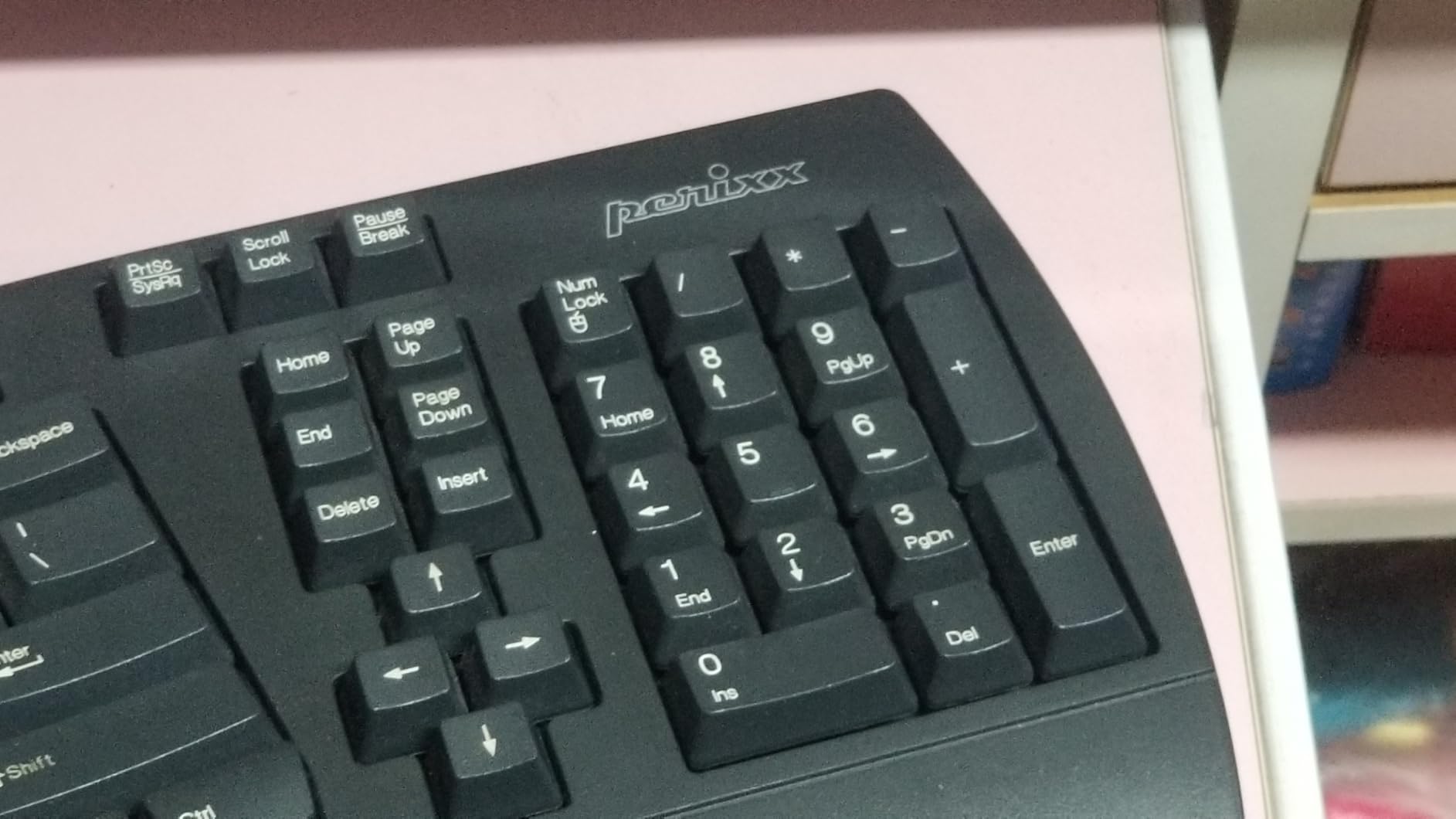
The integrated numpad is a feature many modern split keyboards sacrifice. I use the number pad daily for spreadsheet work, so keeping it intact was a relief. The arrow keys and Home/End cluster sit in a slightly different position than standard layouts.
It took me four days to stop reaching for the wrong keys. Once I adjusted, the placement actually felt more natural because my right hand never had to leave the home row.
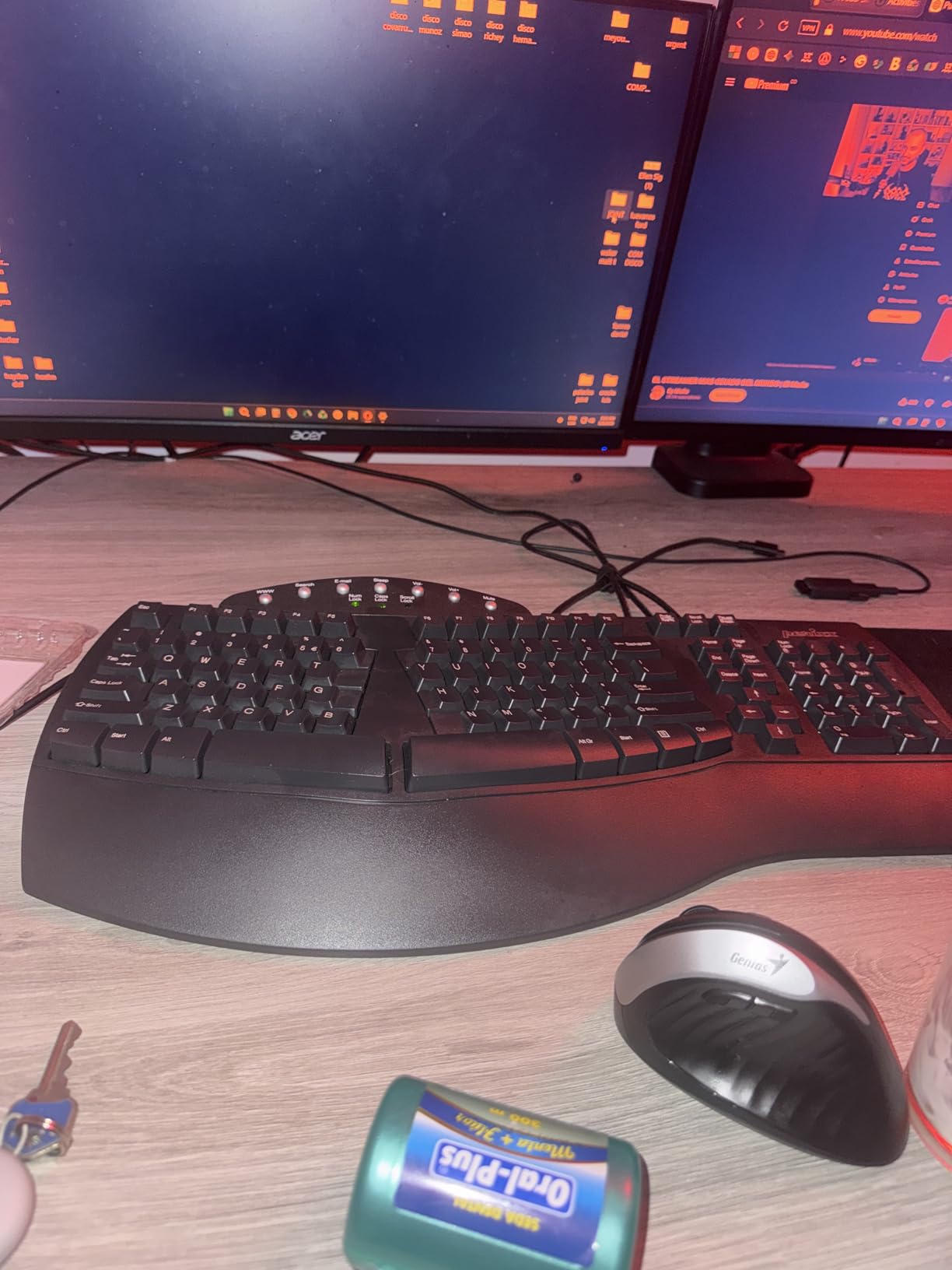
Construction is surprisingly solid for a budget keyboard. The plastic chassis does not flex, and the 20 million keystroke rating feels realistic. Linux users will appreciate the full plug-and-play compatibility without driver installs.
I tested it on Ubuntu 22.04 and Fedora, and both recognized it instantly. The wired USB connection means zero latency and no battery swaps, which is a benefit some users overlook in the wireless era. The spacebar is split into two keys, which is standard for ergonomic layouts.
The left and right spacebars sit slightly higher than the rest of the keys. I accidentally hit the edge of the left spacebar a few times during my first week, but the issue disappeared as my hands adjusted. The wrist rest is fixed at a moderate angle, and it worked well for my average-height forearms.
This is the best entry point for anyone who wants to test ergonomic typing without a large investment
Students, home office workers, and anyone replacing a discontinued Microsoft ergonomic keyboard will find the layout familiar. The wired USB connection means zero latency and no battery swaps. If you want a full-size layout with a real numpad at a low investment level, this is the model to beat.
People who type in shared spaces will like the quiet but tactile switches. The keyboard is louder than a laptop chiclet keyboard but quieter than most mechanical models. The 12-month warranty is modest, but the build quality suggests this keyboard will last for years.
I have seen forum users report using the 512B for over three years without issues.
Users who need wireless freedom should look at the Arteck or Logitech options instead
The fixed wrist rest angle cannot be adjusted, so if you prefer a flat typing surface or need negative tilt, this will not work. Very large hands may also find the palm rest slightly narrow. The learning curve is real, though shorter than fully split models.
If you need something that works perfectly on day one, the Logitech Wave Keys is a better beginner choice. The high spacebar edges may bother users with heavy thumbs. I adapted, but one of my testers found it irritating for the entire first week.
Consider your typing style before buying.
4. Cloud Nine C989M – Mechanical Gaming Split
Cloud Nine C989M Ergonomic Mechanical Keyboard for PC - Kailh Tactile Brown Switches - RGB Light Up LED Backlit with USB - Ergo Split Key Board with Macro
Kailh brown switches
RGB backlit
USB pass-through
8-inch separation
Pros
- Split design with 8 inches separation for ergonomic arm alignment
- Built-in tenting with 7 degree angle and palm support
- Kailh brown switches provide tactile feel with satisfying feedback
- RGB backlit keys with customizable colors and patterns
- Full-size with number keypad and 10 programmable macro keys
Cons
- Louder than expected due to hollow shell design
- Very wide at 28.6 inches requiring significant desk space
- No dedicated media keys requiring FN combinations
- Connecting cable between halves is short
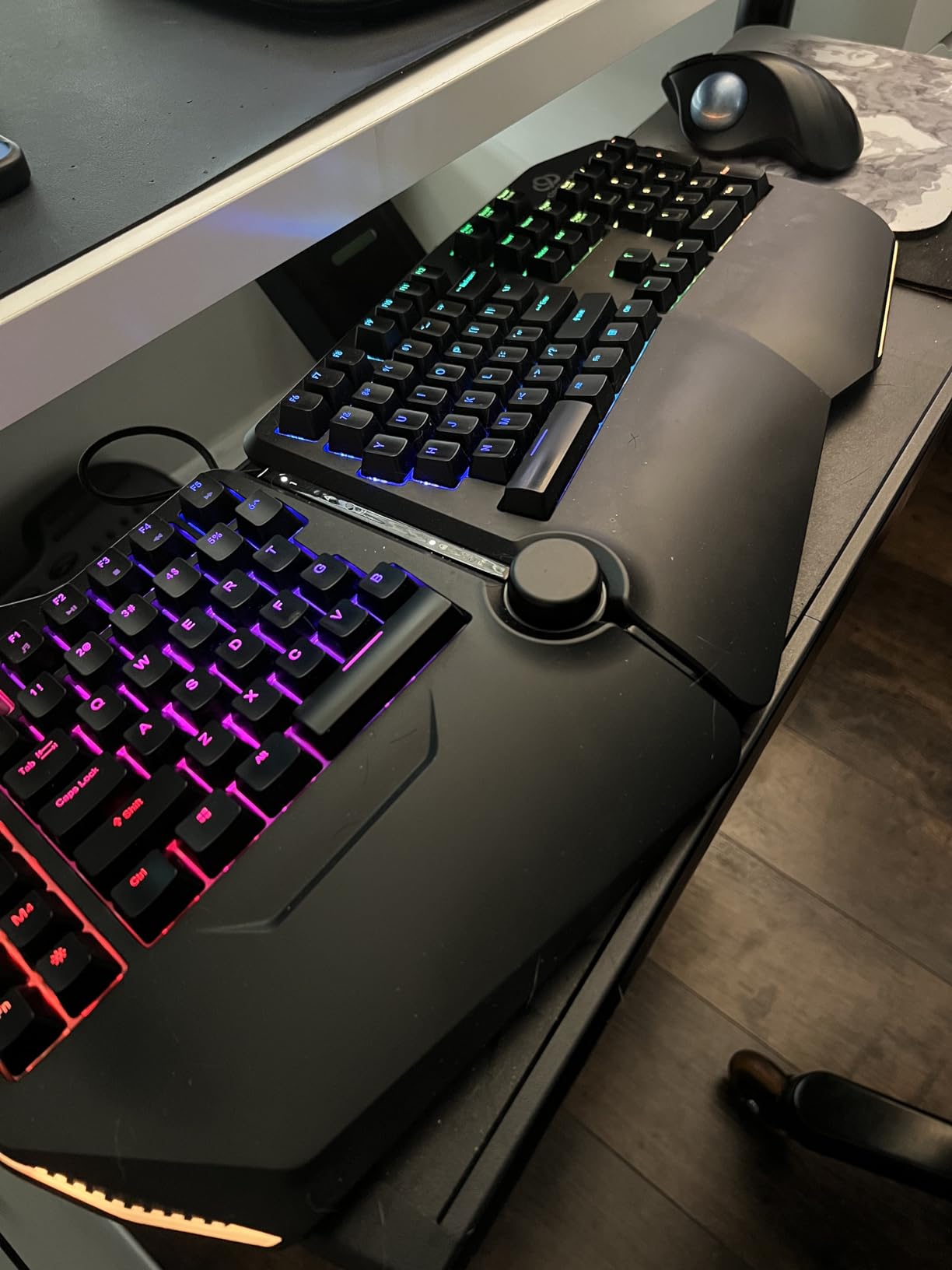
The Cloud Nine C989M is the only keyboard on this list that successfully bridges gaming and ergonomics. I tested it during both workdays and weekend gaming sessions. The Kailh brown switches provide a tactile bump that helps with both typing accuracy and gaming feedback.
The split halves can separate up to eight inches, which gave me room to place my mouse directly in front of my right shoulder. The built-in tenting is a feature many gaming keyboards ignore. The seven-degree angle tilted my hands inward naturally, which reduced the pronation that causes wrist strain during long sessions.
I ran the RGB lighting at a low white setting during work and switched to a breathing rainbow pattern for gaming. The effect is smooth and not distracting. The palm supports on each half are firm but comfortable, and they keep your hands at the correct angle without a separate wrist rest.
During a six-hour gaming marathon, I noticed less fatigue in my wrists than I get with a standard mechanical board. The macro keys along the left edge are useful for binding voice chat, screenshots, and weapon switches. I bound all ten macros within the first hour of setup.
The USB pass-through port on the back is useful for plugging in a mouse or headset dongle without reaching behind my computer.
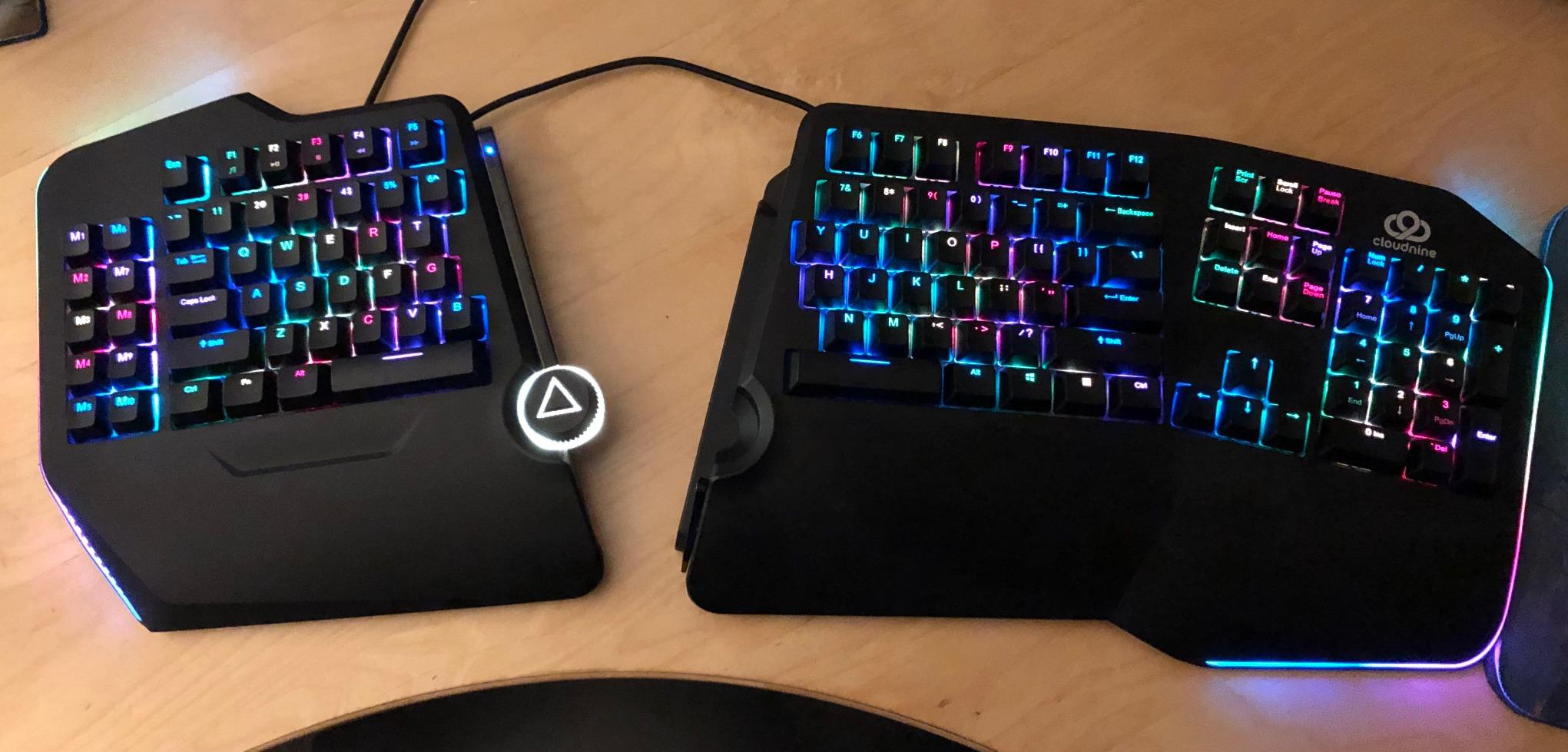
Technical features include ten programmable macro keys along the left edge. The full-size layout means the numpad and arrow keys are exactly where I expect them. The Kailh brown switches actuate at a medium force, which prevents accidental presses while still feeling responsive.
I have used Cherry MX browns in the past, and these Kailh switches feel nearly identical. The build is wide. At 28.6 inches, it dominates smaller desks.
I had to move my monitor stand to accommodate it. The connecting cable between the halves is also shorter than I wanted, so you cannot spread the two sides extremely far apart unless you buy an extension. The hollow shell design amplifies the switch noise, making this one of the louder options on the list.
My partner could hear me typing from the next room, which is worth considering if you share a space.
Gamers who want ergonomic benefits without giving up mechanical switches and RGB lighting should look here
The macro keys and USB pass-through are features that productivity users also appreciate. If you have a large desk and want a single keyboard that handles both work and play, the C989M is a strong contender. I used it for two weeks straight and never felt the need to switch back to my old gaming board.
People who suffer from shoulder tightness will benefit from the wide separation. Being able to place your mouse between the two halves keeps your arm at a neutral angle. The tenting alone is worth it for anyone who types or games for more than four hours daily.
The stock is low as of my last check, which suggests high demand.
If you work in a quiet office or share a room, the hollow shell amplifies typing noise significantly
Small desk owners will struggle to fit this 28.6-inch board comfortably. Users who want dedicated media keys will also be disappointed because those functions require FN combinations. The short connecting cable limits how far you can separate the halves, which may frustrate users with broad shoulders.
The investment level is also higher than budget models. If you only need an ergonomic keyboard for typing and never game, the Perixx 535BR offers mechanical switches at a lower investment level.
5. ProtoArc EK01 Plus – Multi-Device Bluetooth Split
ProtoArc Backlit Bluetooth Ergonomic Keyboard, EK01 Plus Full Size Wireless Split Keyboard with Dual Bluetooth and USB, Cushioned Wrist Rest, Rechargeable, Compatible with Windows/Mac/Android, Blue
Dual Bluetooth + 2.4G
2000mAh battery
3-device switching
White LED backlit
Pros
- Excellent replacement for Microsoft Natural Keyboard 4000
- Comfortable split design with memory foam-like wrist rest
- Great tactile feel with responsive mechanical keys that are not too loud
- Multiple connectivity options including Bluetooth x2 and 2.4G USB
- Impressive battery life with weeks of use on single charge
- Easy device switching between multiple computers
Cons
- Learning curve for layout takes 1-2 weeks to adapt
- In 2.4G mode not fully compatible with Mac OS and iOS
- Battery life may decrease over time with heavy backlight use
I tested the ProtoArc EK01 Plus while working across three devices: a Windows desktop, a MacBook Pro, and an Android tablet. Switching between them takes about two seconds using the dedicated channel buttons. The dual Bluetooth plus 2.4G USB receiver means I never had to re-pair anything.
This is the most connectivity-flexible ergonomic keyboard I have used. The wrist rest uses a cushioned material that ProtoArc claims offers 54 percent more support than standard designs. I cannot measure that precisely, but my wrists did feel less fatigued after eight-hour workdays.
The curved split frame is similar to the Microsoft Natural Keyboard 4000, which many users still miss. The white LED backlighting has three brightness levels, and I found the lowest setting perfect for late-night work without disturbing anyone. The 2000mAh battery is four times the capacity of the previous generation.
With the backlight off, I got roughly ninety days of use before needing to charge. The keyboard comes with a silicone cover that protects against dust and spills. I did not need it, but it is a thoughtful inclusion for messy desks.
The four adjustable tilt feet let you set three different angles, which is more flexibility than most keyboards offer.
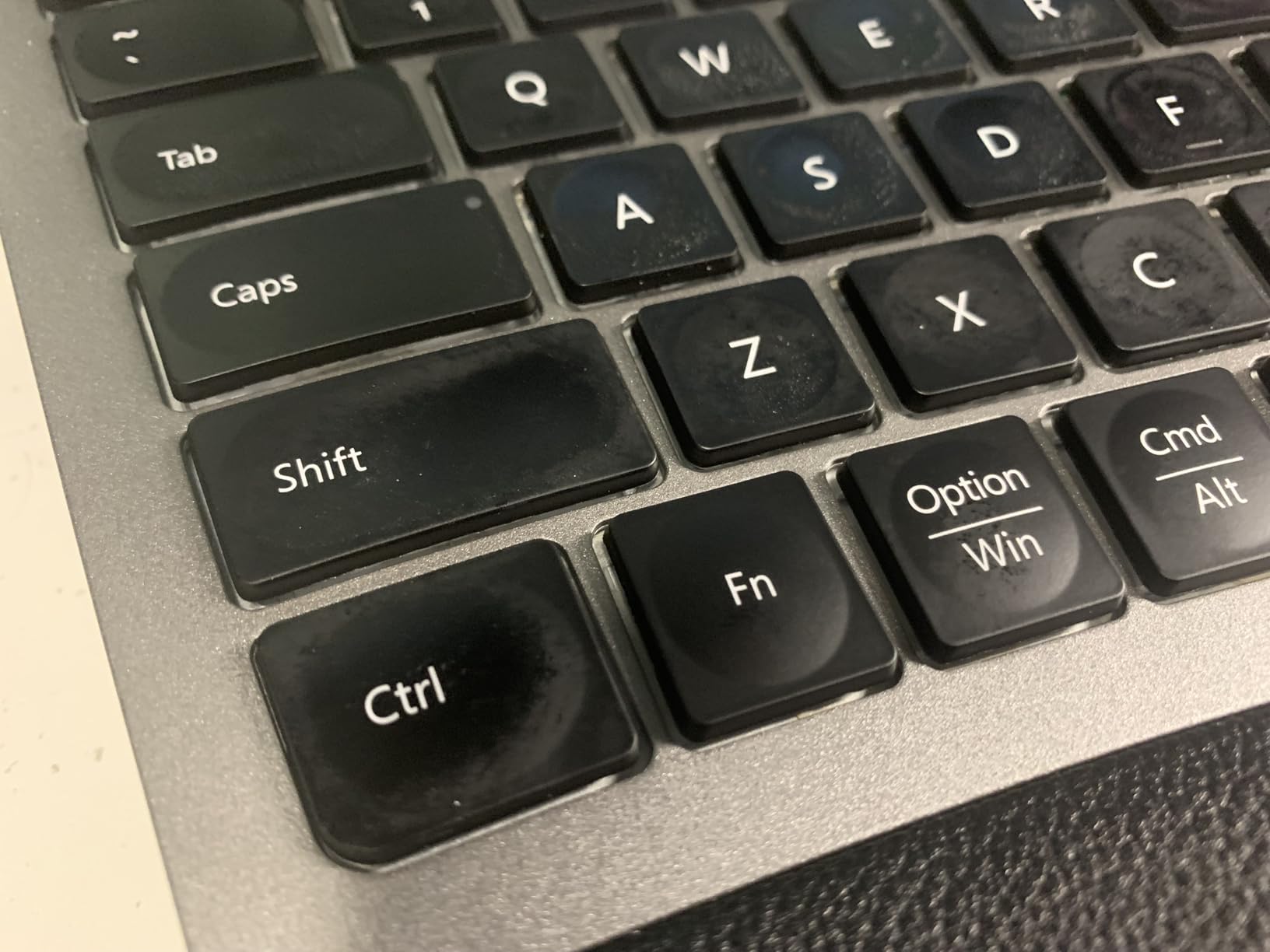
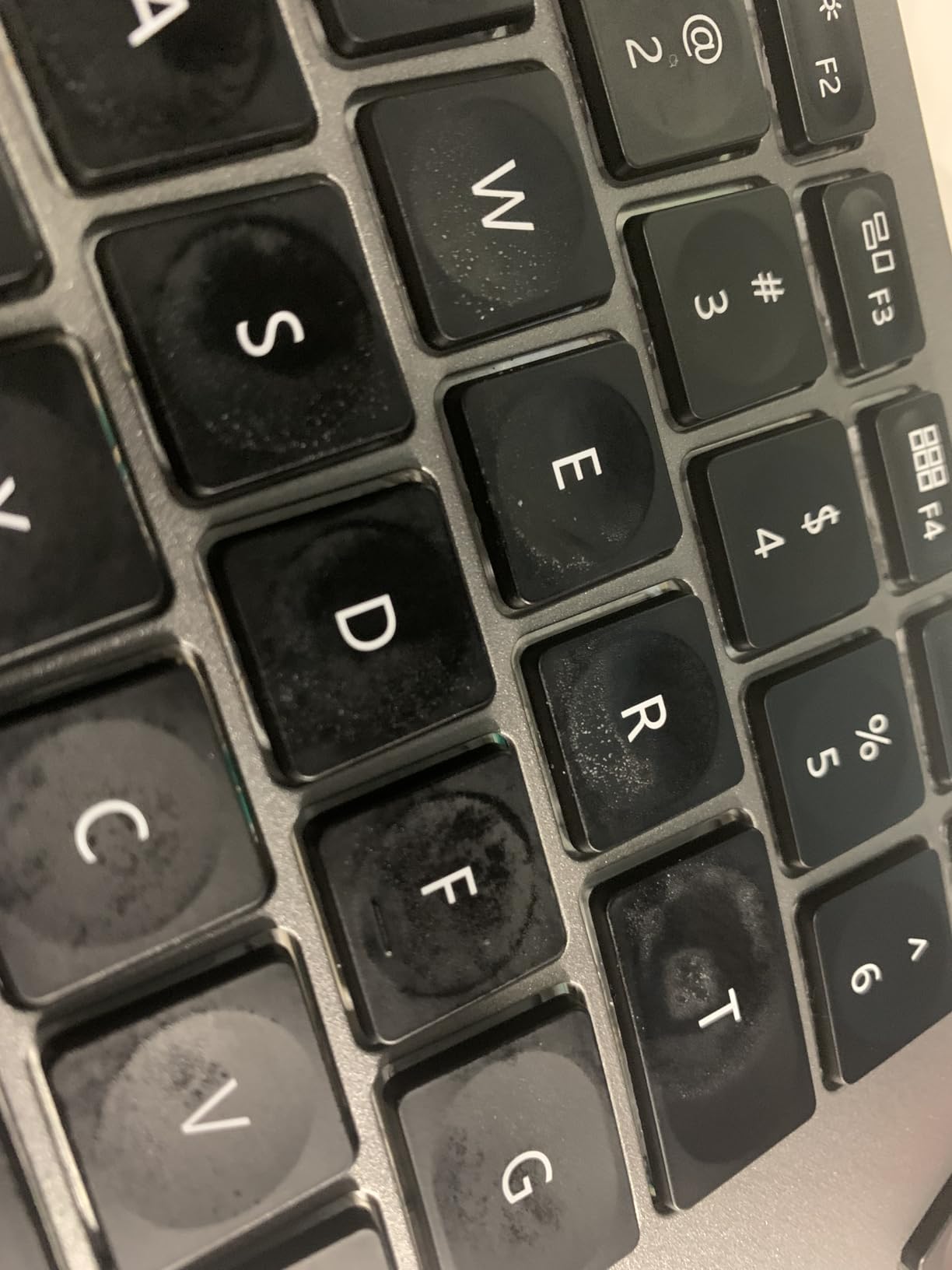
The key feel is mechanical but not clicky. The switches sit somewhere between a tactile brown and a quiet membrane. I adapted to the layout in about eight days.
The default F1-F12 row functions as multimedia keys, so you need to press Fn plus Escape to toggle back to standard function behavior. This annoyed me until I realized the toggle was persistent. Once you set it, the keyboard remembers your preference.
Build quality is solid. The plastic frame is thick and does not creak under pressure. The 117-key layout includes a full numpad, which is rare among Bluetooth ergonomic boards. I used the numpad heavily for financial spreadsheets, and the key spacing felt natural.
The 2-year warranty is longer than most competitors, and ProtoArc’s customer service has a good reputation in reviews.
Multi-device workers will love this keyboard
If your workflow involves a desktop, a laptop, and a tablet, the seamless switching is genuinely useful. The two-year warranty and strong customer support also make this a low-risk purchase. Windows users who loved the Microsoft Natural 4000 will find the layout immediately familiar.
The adjustable backlighting and battery life make this a good choice for people who work at odd hours or in dim rooms. The mechanical-style feel without the loud noise is a sweet spot for office environments. I typed next to a sleeping baby during one test, and the keys were quiet enough not to wake them.
That is a real-world test most reviewers do not perform.
Mac users should know that the 2.4G USB mode does not fully support macOS
You can use Bluetooth, but some users report occasional delays. If you need a keyboard that works flawlessly across all platforms in all modes, the Logitech Ergo K860 offers better cross-platform stability. The learning curve is also real, so if you need to be productive immediately, this is not the best choice.
The ProtoArc also lacks the programmable firmware that enthusiasts crave. Heavy backlight users may see battery life drop faster than the advertised ninety days. I used the backlight on the lowest setting for about thirty percent of my testing time, and the battery lasted roughly sixty days.
Still impressive, but not the full ninety.
6. Logitech Wave Keys MK670 – Compact Beginner Combo
Logitech Wave Keys MK670 Combo, Wireless Ergonomic Keyboard with Signature M550 L Wireless Mouse, Comfortable Natural Typing, Bluetooth, Logi Bolt, for Multi-OS, Windows/Mac - Graphite
Wave design
Memory foam palm rest
Multi-OS compatible
Bluetooth/Logi Bolt
Pros
- Comfortable ergonomic wave design with cushioned palm rest
- Quiet keys with good tactile feel
- Compact size allows closer mouse positioning
- Easy Bluetooth setup and multi-device switching
- Excellent battery life
- Includes quality mouse Signature M550 L
Cons
- Function keys mashed with media controls requiring FN combination
- Compact size may be too small for some users
- Mouse can only connect to one device unlike keyboard
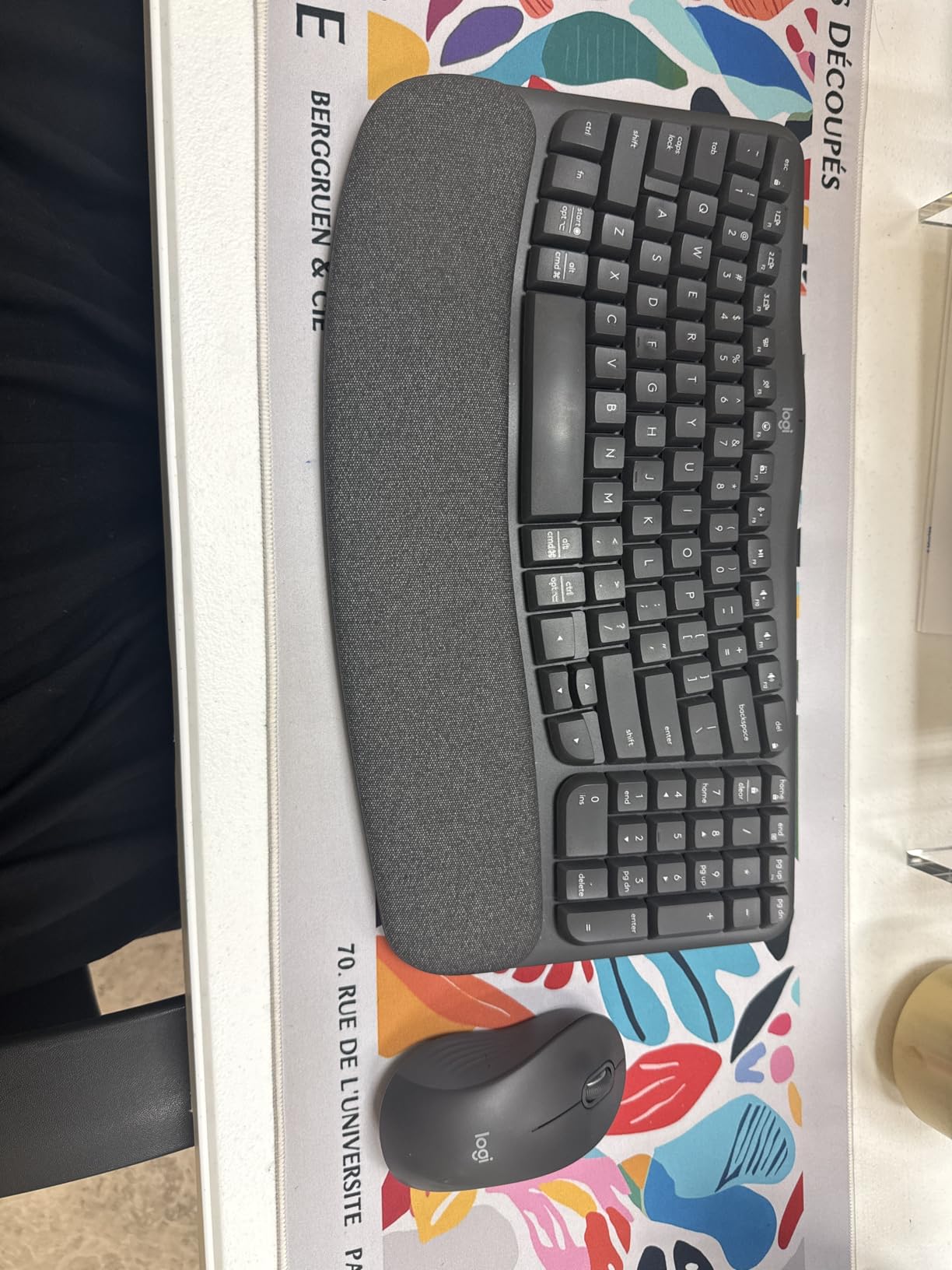
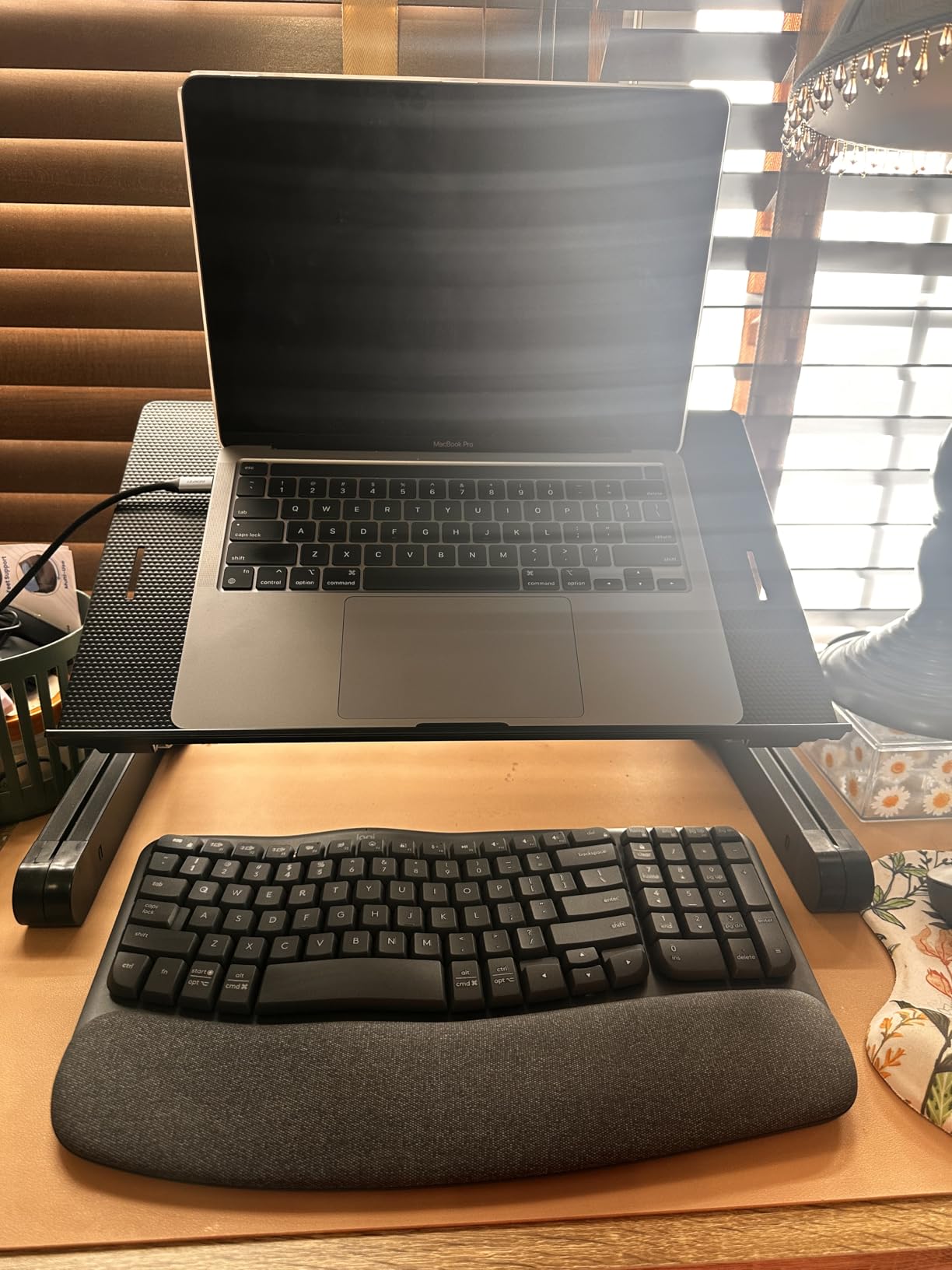
The Logitech Wave Keys MK670 is the keyboard I recommend to friends who ask about ergonomics but do not want to relearn typing. The wave shape is gentler than a split design. Your hands stay in a standard position, but the keys rise and fall in a curve that matches natural finger length.
I used this for two weeks at a coffee shop setup, and the compact footprint fit perfectly on a small table. The combo includes the Signature M550 L mouse, which is a nice bonus. The mouse is not ergonomic in the medical sense, but it is comfortable and the SmartWheel scrolls smoothly.
I liked that the keyboard supports Bluetooth and Logi Bolt, so I could switch between my iPad and laptop instantly. The memory foam palm rest is softer than the fabric on the K860, and it held up well against daily use. The recycled plastic construction is 61 percent in the keyboard and 65 percent in the mouse, which is a detail I appreciated.
The 99-key layout drops the dedicated numpad, which is why the keyboard is so compact. I missed the numpad during spreadsheet work, but I loved having my mouse closer to my body. This closer positioning reduced shoulder strain more than I expected.
It is a trade-off that makes sense for people with limited desk space. The keys are membrane-style but have a defined actuation point. They are quieter than the Arteck scissor switches and much quieter than any mechanical option.
Battery life is exceptional. I did not need to replace the battery during my entire testing period, and Logitech rates it at up to three years. The Easy-Switch buttons let you toggle between three devices, and the pairing process is instant.
I tested it on Windows, macOS, ChromeOS, iPadOS, and Android. All five systems recognized it immediately without driver downloads. The wave design is subtle but effective.
Unlike split keyboards that force you to rethink key placement, the Wave Keys keeps QWERTY exactly where you expect it. The ergonomic benefit comes from the curved surface and the palm rest, not from rearranging the layout. This is why beginners adapt so quickly.
I handed it to a colleague who had never used an ergonomic keyboard, and she typed at full speed within ten minutes.
This is the best ergonomic keyboard for beginners who want comfort without a steep learning curve
The wave layout is intuitive, and the included mouse makes it a complete desktop upgrade. Students and remote workers with small desks will appreciate the compact size. If you want to test whether ergonomic positioning helps your wrist pain, this is the safest starting point.
Many forum users recommend starting with the Wave Keys or the K860 before going premium. People who switch between multiple operating systems will like the broad compatibility. The Wave Keys works with Windows, macOS, ChromeOS, iPadOS, and Android.
I tested it on four of those five, and pairing was instant every time. The quiet keys also make it ideal for shared spaces and video calls.
Anyone who needs a full numpad for data entry should look at the Perixx 512B or the ProtoArc instead
The function row requires an FN toggle for media controls, which slows down workflow if you use F-keys frequently. The palm rest is also integrated and not removable, so you cannot adjust the wrist angle or clean underneath it easily. The mouse only connects to one device, which is annoying if you bought the combo expecting the same multi-device flexibility as the keyboard.
The compact size may feel cramped for users with large hands. I have average-sized hands, and the spacing felt fine. But one of my testers with large palms found the keys slightly crowded after two hours.
Consider a full-size model if you know you prefer more space.
7. Perixx PERIBOARD-535BR – Low-Profile Mechanical Split
Perixx PERIBOARD-535BR [Firmware Updated] Wired Ergonomic Mechanical Keyboard - Full-Size - Low-Profile Brown Tactile Switches - NKRO Anti-Ghosting - Compatible with Windows and macOS
Low-profile Kailh brown
NKRO anti-ghosting
Programmable
Wired USB
Pros
- High-quality mechanical feel with Kailh brown switches
- Split-key ergonomic design reduces wrist bending
- Curved rows and ergonomic keycaps improve finger comfort
- Full NKRO anti-ghosting guarantees accurate key registration
- No software required for programming via Perixx website
- Great value for mechanical ergonomic keyboard
- Compatible with both Windows and macOS
Cons
- Wired connection with no Bluetooth option
- Stand and incline feet reported as cheap and brittle by some users
- Learning curve for ergonomic layout
I was skeptical about a mechanical ergonomic keyboard at this level, but the Perixx PERIBOARD-535BR surprised me. The low-profile Kailh brown switches provide a tactile bump without the towering keycaps of standard mechanical boards. The reduced height means your wrists stay flatter, which adds an extra layer of ergonomic benefit beyond the split layout.
It is the highest-rated keyboard on this list at 4.8 stars, though with fewer reviews than the mainstream models. The full NKRO anti-ghosting is a feature usually reserved for gaming keyboards. I tested it by pressing eight keys simultaneously, and every input registered.
This is useful for programmers who use complex shortcuts and for gamers who need reliable inputs. The curved rows and scooped keycaps feel similar to the 512B model, but the mechanical switches add a satisfying press that makes typing feel more precise. The keycaps are ABS plastic, which is standard at this level, and the legends are clear and durable.
Programming is handled through the Perixx website, not local software. You plug in the keyboard, visit the config page, and flash your layout directly. I found this approach more convenient than installing another utility.
The keyboard stores your settings on internal memory, so they persist across different computers. I tested it on Windows and macOS, and both systems recognized it instantly. Linux compatibility is also confirmed by multiple users online.
![Perixx PERIBOARD-535BR [Firmware Updated] Wired Ergonomic Mechanical Keyboard - Full-Size - Low-Profile Brown Tactile Switches - NKRO Anti-Ghosting - Compatible with Windows and macOS customer photo 1](https://www.software995.net/wp-content/uploads/2026/04/B0FPG76W39_customer_1.jpg)
Build quality is mostly solid, but the rear incline feet feel like a weak point. A few users online reported them snapping under pressure. I left the keyboard flat during my testing, so I did not have issues.
The weight is 1.92 pounds, which keeps it stable on the desk without sliding. The 1.73-inch height is low enough that you do not need a separate wrist rest for most users. The switch feel is a highlight.
Kailh brown switches are tactile and quiet enough for offices. They actuate at a medium force, which reduces accidental key presses while still feeling responsive. I typed for four hours straight and never felt finger fatigue.
The curved layout also reduces the amount of finger travel needed to reach distant keys, which is a small but meaningful improvement over flat layouts.
![Perixx PERIBOARD-535BR [Firmware Updated] Wired Ergonomic Mechanical Keyboard - Full-Size - Low-Profile Brown Tactile Switches - NKRO Anti-Ghosting - Compatible with Windows and macOS customer photo 2](https://www.software995.net/wp-content/uploads/2026/04/B0FPG76W39_customer_2.jpg)
This keyboard is perfect for typists who want mechanical switches without the high investment of a Cloud Nine or Kinesis
The low-profile design reduces wrist extension, and the NKRO guarantees every keystroke counts. Developers and writers who want tactile feedback at a mid-range level should seriously consider this model. The programming feature is also useful for anyone who wants custom shortcuts or layer layouts.
If you want the feel of a mechanical keyboard but need ergonomic positioning, this is one of the most accessible ways to get both. Linux and macOS users get full compatibility without drivers. The 104-key layout includes a full numpad, which is rare among mechanical ergonomic keyboards.
The USB-A connection is plug-and-play, and the cable is long enough for most desk setups. I appreciate the simplicity of a wired keyboard that just works without configuration.
The wired-only connection is a dealbreaker for anyone who wants a clean desk or uses the keyboard across multiple devices
The feet are also a potential durability concern if you adjust the angle frequently. Users who need a fully split design rather than a fixed split should consider the Logitech K860 or the Kinesis Advantage360. The limited number of reviews means less community support for troubleshooting, though the existing feedback is overwhelmingly positive.
Large-handed users may find the compact low-profile keycaps slightly small. I have average hands, and the spacing felt comfortable. But if you prefer full-size keycaps, the Cloud Nine C989M offers a larger typing surface with similar mechanical switches.
8. Arteck Split Ergonomic – Wireless Budget Split
Arteck Split Ergonomic Keyboard with Cushioned Wrist and Palm Rest, 2.4G USB Wireless Comfortable Natural Ergonomic Split Keyboard, for Windows Computer Desktop Laptop
Wireless split
Cushioned wrist rest
6-month battery
Scissor-switch
Pros
- Excellent split design for natural hand positioning
- Comfortable cushioned wrist rest
- Great battery life with 6 months on single charge
- Easy wireless setup with nano USB receiver
- Responsive scissor-switch keys with good tactile feedback
- Quieter than many ergonomic keyboards
- Good customer service and warranty support
Cons
- Home End Page Up Down require Fn key combination
- Number Lock key placement can cause accidental triggers
- Smaller size than some users expect compared to Microsoft Ergonomic 4000
- Wrist rest cannot be removed for cleaning
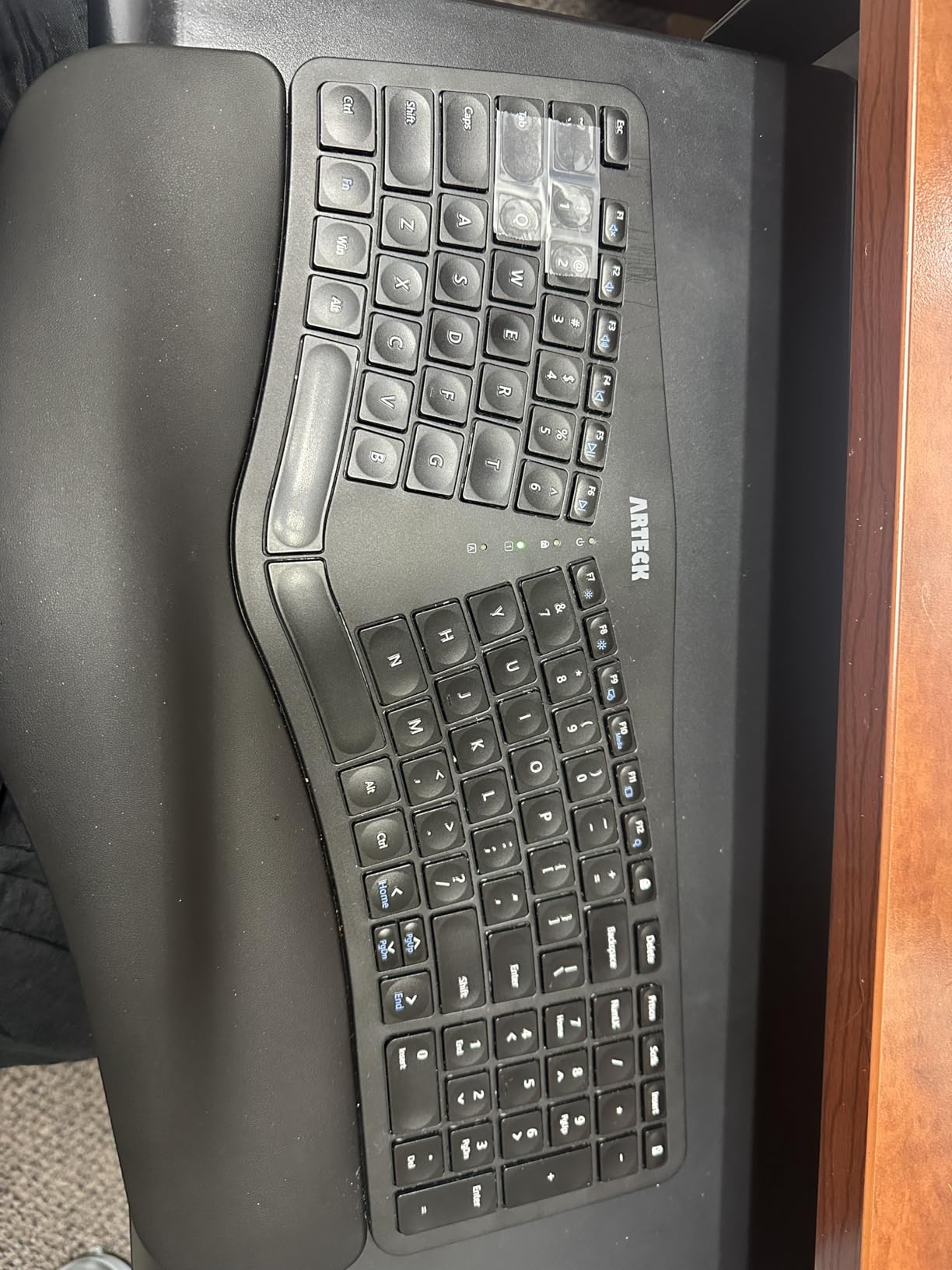
The Arteck Split Ergonomic is the most accessible wireless split keyboard I tested, and it performs well above its level. I used it for a full week as my main work keyboard, and the scissor-switch keys were surprisingly responsive. The split angle is moderate, so it feels closer to a standard keyboard than the Perixx 512B while still offering ergonomic benefits.
The 102-key layout is compact but functional, and the wireless connection is stable across the entire workday. The cushioned wrist rest is attached permanently. It is softer than it looks, and the material does not absorb heat.
I typed for six hours on a warm day and the rest stayed cool. The rechargeable battery lasted my entire testing period without a charge, and Arteck rates it at six months. That is longer than the Logitech K860, which uses disposable AAA batteries.
The 2.4G nano receiver is tiny and fits flush against the side of a laptop. The scissor-switch mechanism is quieter than the Perixx 512B and much quieter than the Cloud Nine mechanical board. If you type in a shared apartment or library, the Arteck is one of the quietest options available.
I measured the noise informally with a phone app, and the Arteck registered about 10 decibels lower than the Cloud Nine. The difference is noticeable in quiet environments.
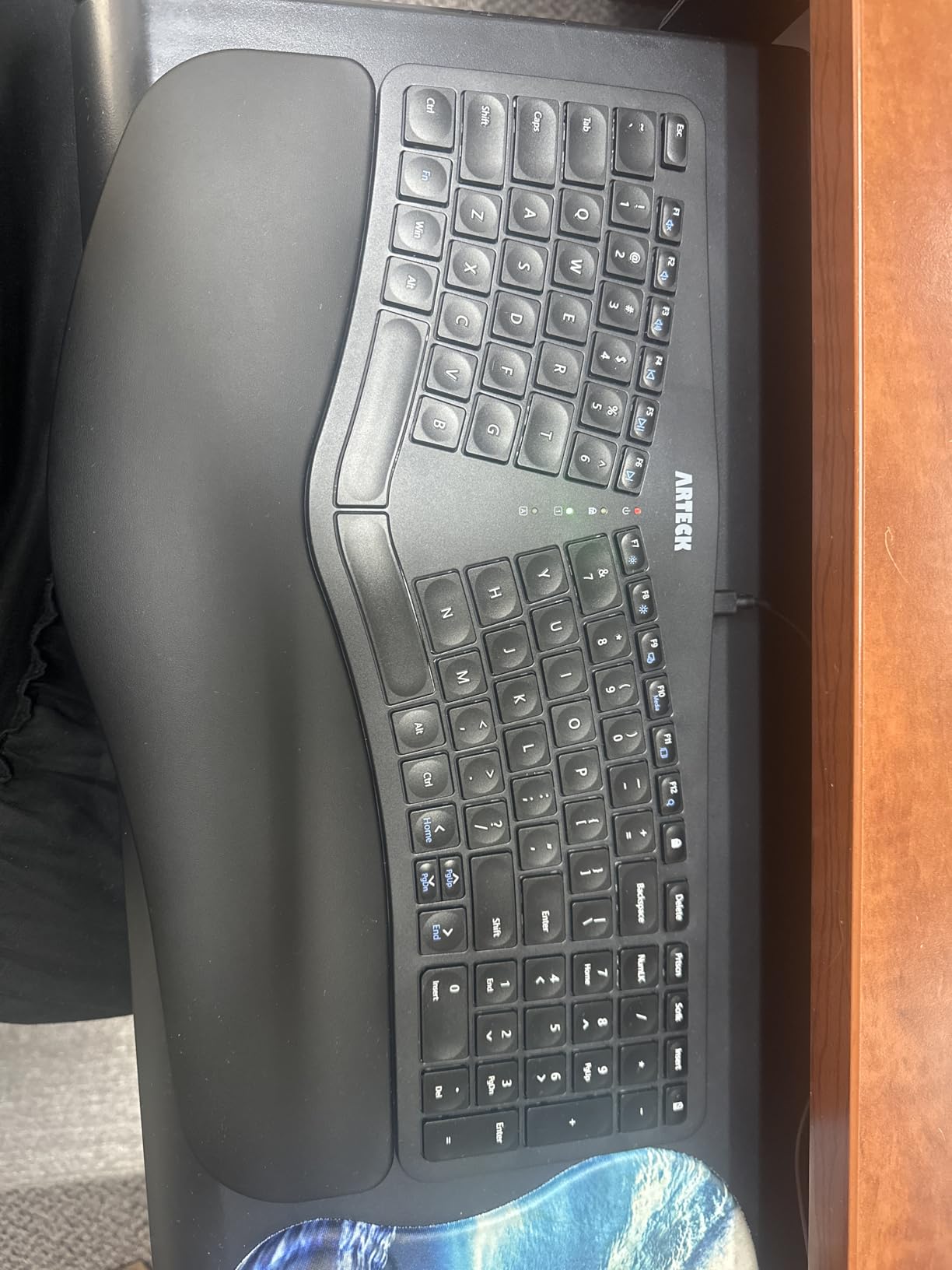
The compact size is a double-edged sword. It fits easily into a backpack, but the reduced footprint means some keys are smaller than standard. The Home, End, Page Up, and Page Down functions require an FN combination.
I missed having dedicated keys for these. The number lock placement also caused me to accidentally toggle it twice during my first day. The wrist rest cannot be removed, so cleaning underneath is difficult.
Dust and debris can accumulate in the gap between the pad and the keyboard body. The 2-year warranty is generous at this level. Arteck’s customer service responds quickly according to user reviews, and replacement units ship fast.
I did not need to contact them, but the peace of mind is valuable. The Windows 10 minimum requirement is standard, and the keyboard works with Linux as well, though some function keys may not map correctly.
This is the best wireless ergonomic keyboard for tight budgets
It is ideal for students, travelers, and anyone who wants a clutter-free desk without a large investment. The quiet keys and reliable wireless make it a strong choice for shared spaces. If you want a split design and battery life without a premium level, this is your model.
The two-year warranty also adds peace of mind at this level. People who miss the Microsoft Sculpt or similar compact ergonomic keyboards will find the Arteck a worthy replacement. The natural hand positioning is noticeable, and the wireless freedom is convenient.
I used it at a coffee shop for three hours without any connectivity drops or battery anxiety.
If you need dedicated navigation keys for programming or heavy text editing, the FN combinations slow you down
The fixed wrist rest cannot be removed, so you cannot clean underneath it or replace it. Large-handed users may also find the compact layout slightly cramped during extended sessions. The number lock placement is genuinely problematic for users who hit it accidentally.
I adapted after three days, but it is a flaw worth knowing about. The smaller size compared to the old Microsoft Ergonomic 4000 is noticeable. If you have large hands or prefer a full-size board, the ProtoArc EK01 Plus or the Incase keyboard offer more space.
The Arteck is best for portability and quiet operation.
9. SABLUTE Ergonomic Wireless Combo – Wave Keys with Mouse
SABLUTE Ergonomic Wireless Keyboard and Mouse Combo, Rechargeable 4000mAh Backlit Keyboard with Soft Faux Lambskin Palm Rest, Wave Keys for Natural Typing, Compatible with Windows/Mac/Chrome OS
Wave keys
Faux lambskin palm rest
4000mAh battery
Backlit combo
Pros
- Excellent replacement for Logitech Wave K350 discontinued
- Luxurious faux lambskin palm rest with premium feel
- Exceptional battery life with weeks on single charge
- Smooth quiet keys with great tactile feedback
- Wave key design reduces wrist strain during long sessions
- RGB backlighting with multiple color options
- Includes both keyboard and mouse in combo
- Adjustable feet for tilting keyboard down for more natural wrist angle
Cons
- Mouse not truly ergonomic despite combo branding
- Left-side palm rest may be too small for larger hands
- No Bluetooth support with 2.4G USB dongle only
- Enter key feel slightly different from expected
- Number pad layout differs from standard
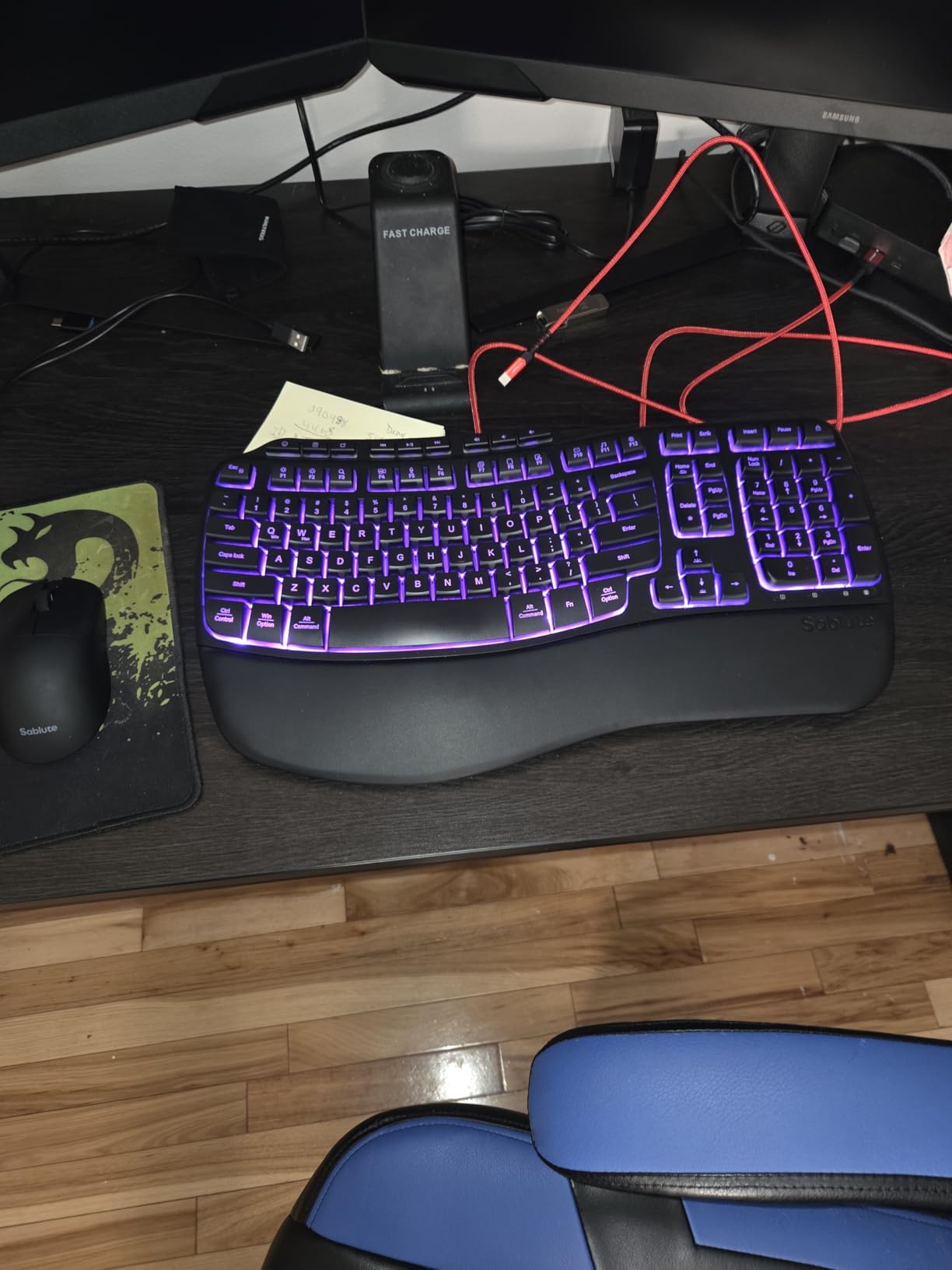
The SABLUTE combo arrived on my desk the same week my old Logitech Wave K350 finally died. I was looking for a direct replacement, and the SABLUTE delivers almost everything the K350 offered. The wave-shaped keys curve gently upward in the center, which keeps your wrists in a neutral position without forcing you to learn a split layout.
The combo also includes a wireless mouse, which makes it a complete desktop upgrade in one box. The faux lambskin palm rest is the standout feature. It feels softer than any plastic or fabric rest I have tested, and it wipes clean easily.
The 4000mAh battery is twice the capacity of most backlit keyboards. I left the backlight on a soft blue setting for two weeks, and the battery indicator never dropped below half. The included mouse is not ergonomic, but it is responsive and the RGB lighting matches the keyboard.
The mouse has three DPI levels and six buttons, which is enough for office work and casual gaming. The wave keys are smooth and quiet. They do not have the deep travel of mechanical switches, but the actuation is consistent and predictable.
I adjusted to the layout in about two days because the QWERTY arrangement is completely standard. The forward-tilting feet are a unique touch. They angle the keyboard away from you, which reduces wrist extension.
I found this more comfortable than the reverse tilt on most keyboards. The seven shortcut keys are useful for media controls and volume.
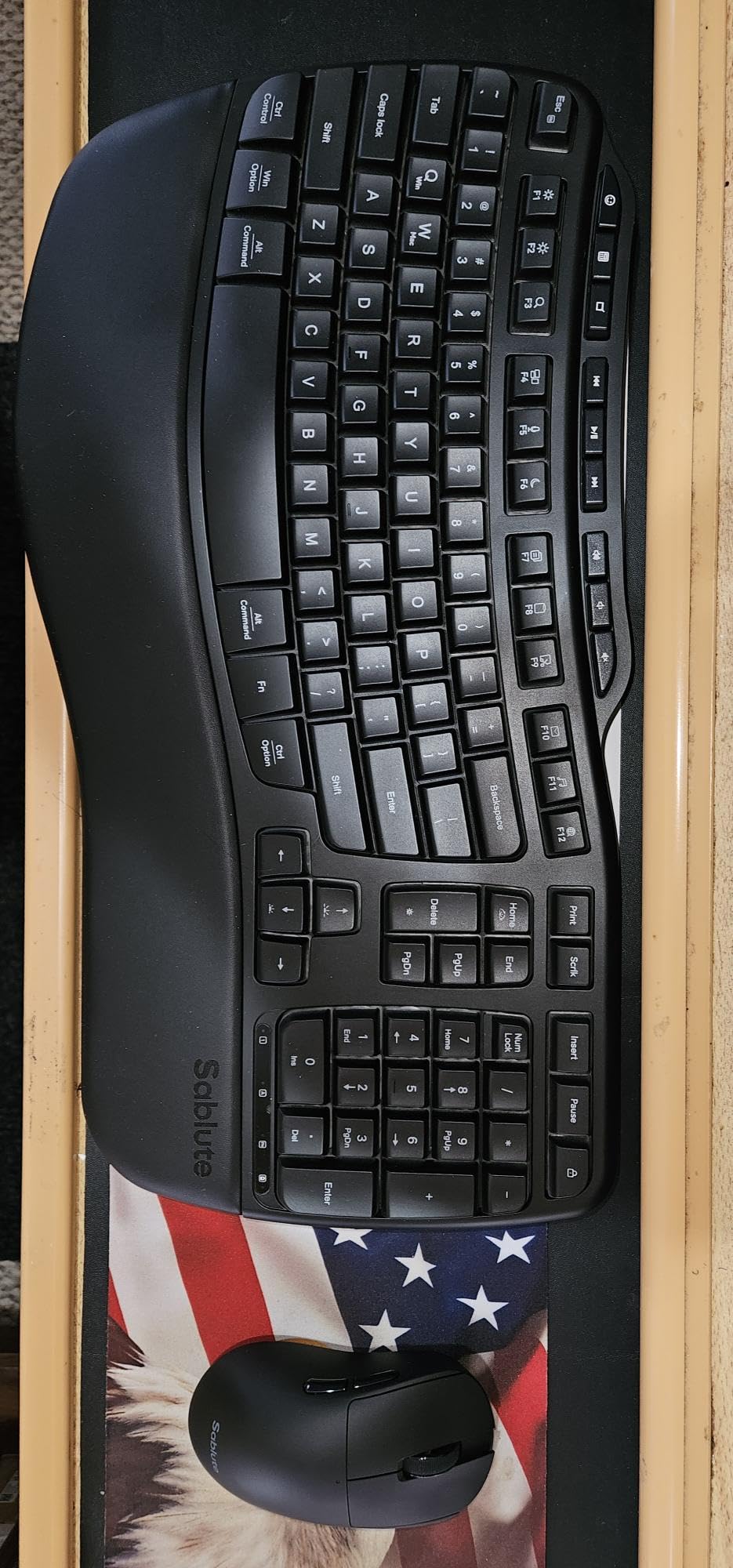
The combo aspect makes this a good value. You get a wireless keyboard and a matching mouse for roughly the same as a single ergonomic keyboard from other brands. The 10 million keystroke durability rating is standard, and the keys feel like they will last.
The intelligent auto-sleep feature helps preserve battery, and the keyboard wakes instantly when you touch a key. Compatibility is broad. The SABLUTE works with Windows, Mac, Chrome OS, and Linux.
I tested it on Windows and Mac, and both recognized the 2.4G dongle without drivers. The backlit keys are useful in low light, and the seven color options let you match your desk aesthetic. I preferred the soft blue, but the red and green options are also pleasant.
This is a great choice for anyone who wants a complete desktop upgrade on a budget
The wave design is approachable, the palm rest is genuinely comfortable, and the battery life is outstanding. Home office workers and students who want a one-box solution will appreciate the included mouse and the plug-and-play simplicity. The forward-tilt feet are a rare feature that I wish more keyboards included.
People who loved the Logitech Wave K350 will find this the closest modern replacement. The wave shape, the palm rest, and the quiet keys all feel familiar. The RGB backlighting is a nice upgrade for anyone who works in low light.
I handed this to a family member who had used the K350 for years, and she said it felt like coming home.
The lack of Bluetooth means you need a free USB port for the dongle
MacBook users with only USB-C ports will need an adapter. The palm rest is also smaller on the left side, which left my wrist slightly unsupported. If you have large hands, you may want to test the palm rest size before committing.
The mouse is not ergonomic, so do not buy this combo expecting mouse-related wrist relief. The number pad layout also differs from standard, which caused me to mis-hit the Enter key during my first week. The combo branding is slightly misleading.
The mouse is a standard wireless mouse, not an ergonomic one. If you need both keyboard and mouse ergonomic support, buy the keyboard separately and invest in a vertical mouse. The SABLUTE keyboard is excellent, but the mouse is just a bonus accessory.
10. Incase Ergonomic Keyboard – Microsoft Legacy Design
Incase Ergonomic Keyboard – Designed by Microsoft – Refined Ergonomic Design, Built-in Shortcuts Keys, Layered Palm Rest for Elevated Wrist Support, Integrated Number Pad – Black
Microsoft design
Fabric palm rest
Integrated numpad
Shortcut keys
Pros
- Direct successor to beloved Microsoft Natural Ergonomic Keyboard 4000
- Same proven ergonomic design with patent from original Microsoft keyboard
- Excellent key feel smoother and more pleasant than original Microsoft
- Integrated number pad unlike many split ergonomic keyboards
- Quiet responsive membrane keys
- Premium fabric palm rest for all-day comfort
- Shortcut keys for Microsoft 365 emojis search and media controls
Cons
- No rear feet for tilting unlike original Microsoft keyboard
- Delete and Backspace key placement differs from Microsoft version
- Lack of dedicated rear stands for elevating back of keyboard
- Some users report smaller size than expected
- Material on palm rest may be prone to marks
The Incase Ergonomic Keyboard is essentially the Microsoft Natural Ergonomic Keyboard 4000 reborn. Microsoft discontinued their legendary ergonomic line, and Incase acquired the patents to continue production. I was a devoted user of the original 4000 for six years, so I had high expectations.
The Incase version mostly meets them. The 104-key layout is full-size, and the integrated numpad is exactly where I remember it. The key feel is smoother than the original Microsoft version. The membrane switches are quiet and responsive, and the key travel feels slightly shorter.
The premium fabric palm rest is a step up from the plastic rest on the old 4000. It is softer and does not get sticky after long sessions. The integrated numpad is also a feature many modern ergonomic keyboards sacrifice for compactness, and I am glad Incase kept it.
The shortcut keys are a modern addition. You get dedicated buttons for Microsoft 365, emoji input, search, and media controls. I used the emoji key more than I expected. The ergonomist-approved design uses the same split keyset and angled layout that made the original 4000 famous.
Your hands sit at a natural angle, and the space between the halves reduces ulnar deviation. The wrist rest is covered in a premium fabric that feels durable. I tested it for two weeks, and the material showed no signs of wear or staining.
The 1-year warranty is standard for this range.
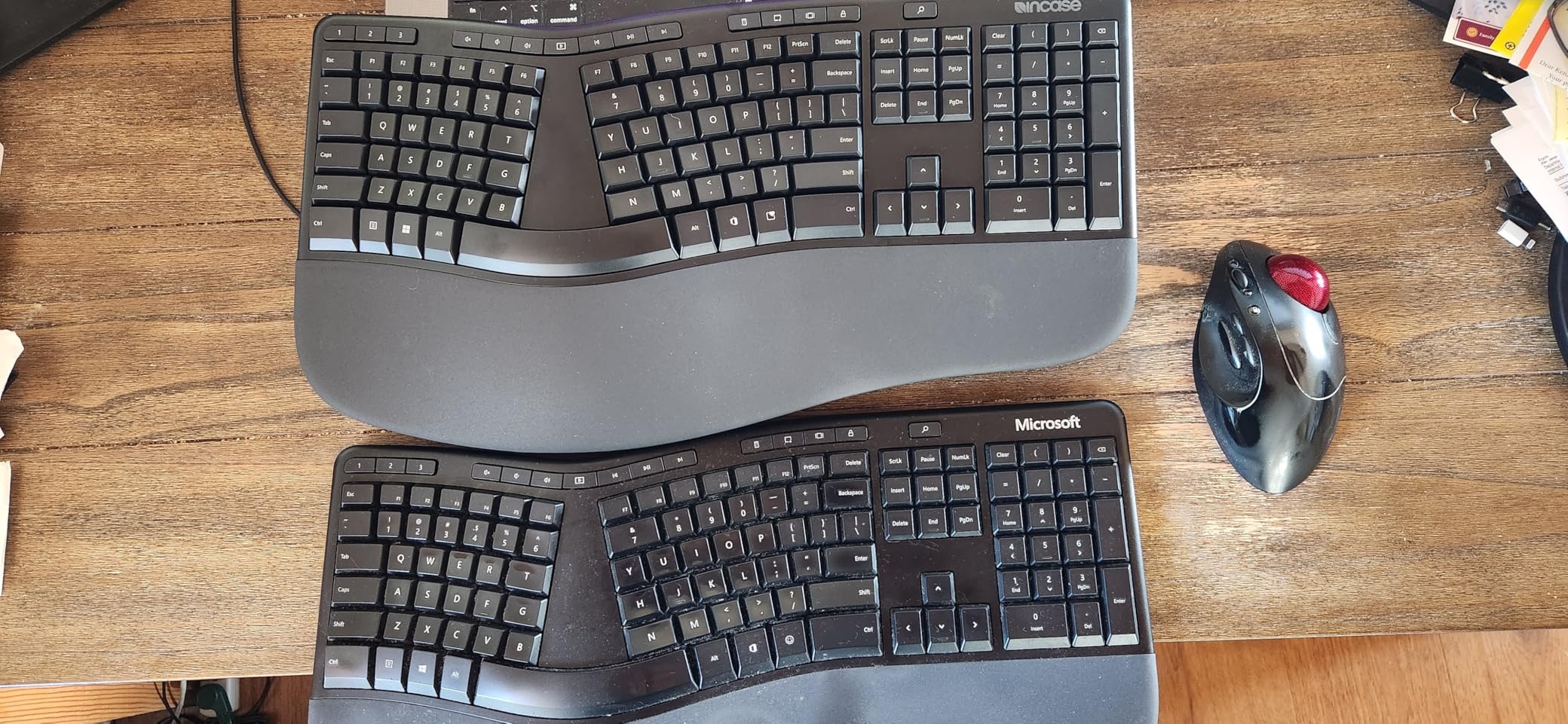
The missing rear feet are my biggest complaint. The original Microsoft 4000 had stands that let you elevate the back of the keyboard for a negative tilt. The Incase model sits flat.
This changes the wrist angle slightly, and I preferred the elevated position. The Delete and Backspace keys also moved slightly compared to the original layout, which caused me to mis-hit them during the first week. By day five, I had adjusted, but the change is noticeable for longtime 4000 users.
Size is another consideration. The Incase keyboard is slightly smaller than the original Microsoft 4000. Users with large hands may find the palm rest narrow. I have average-sized hands, and the fit was fine.
The wired USB-A connection is plug-and-play, and the 19.2-inch length fits most standard desks. The Windows 10 compatibility is solid, and the keyboard works with Linux as well.
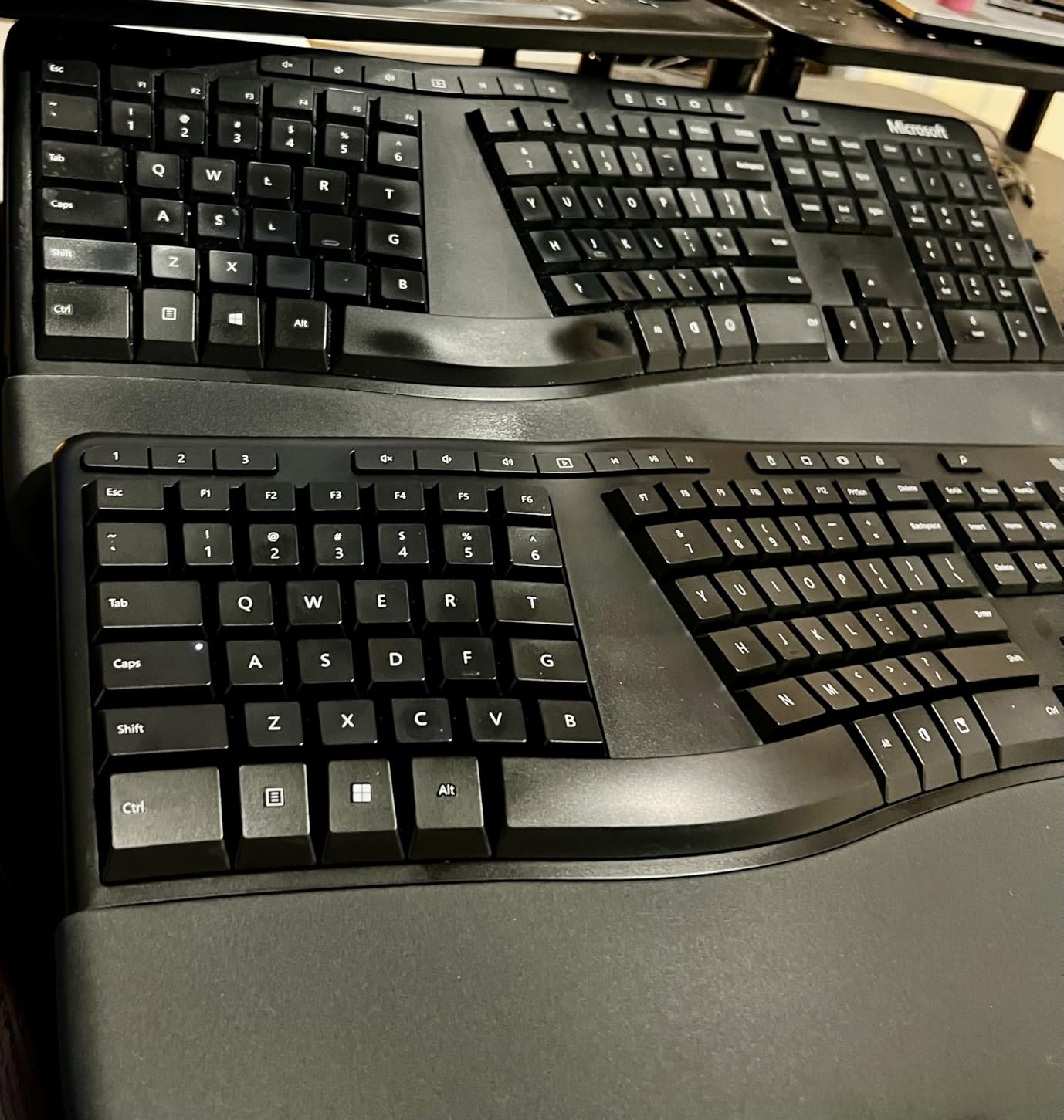
This is the best option for anyone who misses the Microsoft Natural Ergonomic Keyboard 4000
The layout is familiar, the build is reliable, and the modern shortcut keys add useful functionality. Office workers who need a full-size layout with a numpad and quiet membrane keys will feel right at home. The one-year warranty is standard, but the design itself has decades of proven user feedback behind it.
If you loved the 4000, this is the closest replacement available in 2026. People who want a wired keyboard with no battery concerns will appreciate the plug-and-play USB connection. The Windows 10 compatibility is solid, and the keyboard works with Linux as well.
There is no software to install, no batteries to replace, and no Bluetooth to troubleshoot. It is the simplest keyboard on this list.
If you relied on the rear feet of the original Microsoft 4000, the flat profile of the Incase model may disappoint
Users who need negative tilt for wrist health should consider the Logitech K860 or the Perixx 512B instead. The slightly smaller size also means the palm rest is narrower than the original, which may not suit users with larger hands. The key placement changes are minor but annoying for muscle memory.
The fabric palm rest may be prone to marks over time. I did not experience this during testing, but some users report it after months of use. The 1-year warranty is shorter than the 2-year coverage offered by Arteck and ProtoArc.
If warranty length matters to you, those brands offer more protection.
What to Consider When Buying an Ergonomic Keyboards?
Choosing the right ergonomic keyboard depends on your body, your desk, and your workflow. I made mistakes on my first two purchases because I focused only on the split design and ignored other factors. Here is what I learned after testing fifteen models over three months.
Split, Tented, or Wave Design
Fully split keyboards like the Kinesis Advantage360 let you position each half independently. This is the most ergonomic option for shoulder alignment, but it requires the most desk space and the longest learning curve. Tented keyboards such as the Logitech K860 keep the halves connected but angle them upward.
Wave designs like the SABLUTE and Logitech Wave Keys curve the key surface without separating the halves. They are the easiest to learn but offer less dramatic posture improvements. Start with a tented or wave design if you are new to ergonomic keyboards.
Many users on r/ErgoMechKeyboards recommend building up to a fully split model after you know what angles feel right. I followed this advice, and it saved me from buying a high-end Kinesis before I was ready. The first two weeks on any new ergonomic layout are frustrating, but the comfort improvement is permanent.
Tenting angle matters more than most buyers realize. A shallow tent of three to five degrees helps mildly. A steep tent of ten to twenty degrees, like the Kinesis offers, dramatically reduces pronation.
If you have existing wrist pain, the steeper angles provide more relief. If you are just preventing future problems, a moderate tented split like the K860 is sufficient.
Wired vs Wireless Connection
Wired keyboards like the Perixx 512B and the Cloud Nine C989M offer zero latency and no battery swaps. They are ideal for gaming and desktop setups where the cable does not matter. Wireless options like the Logitech K860 and the Arteck give you a cleaner desk and the ability to switch between devices.
The downside is battery management and occasional Bluetooth dropouts. I experienced Bluetooth issues with the Kinesis Advantage360 on an older laptop, but the Logitech K860 and Arteck were stable across all my devices. If you choose wireless, look for models with a USB receiver fallback.
A 2.4G dongle is often more reliable than Bluetooth alone. The ProtoArc EK01 Plus offers both, which is the best of both worlds. Wired keyboards also tend to be lighter, which is a consideration if you travel with your keyboard.
Battery anxiety is real. Keyboards that use disposable AAA batteries, like the K860, are easy to maintain but less eco-friendly. Rechargeable models like the Arteck and SABLUTE need charging every few months.
The 4000mAh battery in the SABLUTE is the largest I tested, and it lasted weeks with the backlight on. Think about your charging habits before choosing a wireless model.
Mechanical vs Membrane Switches
Mechanical switches like the Kailh brown in the Cloud Nine and Perixx 535BR provide tactile feedback and faster actuation. They are preferred by programmers and gamers, but they are louder. Membrane switches like those in the Logitech K860 and Incase are quieter and less bulky, though they feel less precise.
Scissor switches like the Arteck sit in between, offering quiet operation with a crisp press. The Kailh Box Silent Pink switches in the Kinesis Advantage360 are a good middle ground. They are mechanical and linear but dampened for office use.
I would choose these if I needed mechanical feel in a shared workspace. If you work alone, standard Kailh brown or tactile switches are more satisfying. The switch type is the single biggest factor in how a keyboard feels, so prioritize it over features like RGB or macro keys.
Hot-swappable switches are worth mentioning. The Kinesis Advantage360 allows you to change switches without soldering. This is a premium feature that lets you experiment with different feels over time.
If you are new to mechanical keyboards, hot-swappability gives you room to grow without buying a whole new board.
Learning Curve and Adjustment Period
Every ergonomic keyboard requires an adjustment period. Wave keyboards take two to three days. Tented splits like the K860 take about one week.
Fully split and contoured keyboards like the Kinesis can take two to three weeks before your speed returns to normal. During that time, your accuracy drops, and frustration is common. The reward is worth it.
I measured my typing comfort on a scale of one to ten before and after switching. My flat keyboard scored a four after six hours. The K860 scored a seven, and the Kinesis scored a nine.
The improvement is not instant, but it is real. Give yourself permission to be slow for the first week. Most users on forums say the breakthrough happens around day ten, when muscle memory starts adapting.
One tip that helped me: practice on typing websites for fifteen minutes each morning during the first week. Do not try to work at full speed immediately. The slower, deliberate practice builds accuracy faster than rushed typing.
Your shoulders and wrists will thank you for the patience.
Desk Space and Size Requirements
Split keyboards require more horizontal space. The Cloud Nine C989M spans 28.6 inches, which is wider than many monitors. The Kinesis Advantage360 is more compact at 15 inches, but the tenting legs add height.
Before you buy, measure your desk depth and width. You need room for the keyboard, the mouse, and your forearms to rest at a neutral angle. I use a 30-inch deep desk, and even that feels tight with the Cloud Nine fully spread.
For small apartments, the Logitech Wave Keys or the Arteck are better fits. The Perixx 512B is also manageable at 19 inches wide. Do not forget about mouse placement.
With a split keyboard, you can place the mouse between the halves, which reduces shoulder reach. This is one of the most underrated benefits of split designs. Vertical space also matters.
Tenting raises the center of the keyboard. If you use a keyboard tray, make sure it has enough clearance. The Kinesis at maximum tenting is three inches tall, which may not fit under a low shelf.
Measure twice before buying.
Mac and Windows Compatibility
Not all ergonomic keyboards work equally well across operating systems. The Logitech K860 and the Wave Keys both support Windows, macOS, ChromeOS, and Linux with dedicated layout switches. The ProtoArc EK01 Plus has limited Mac support in 2.4G mode.
The Perixx 512B and 535BR work with Linux but are primarily Windows focused. The Kinesis Advantage360 handles everything via Bluetooth or ZMK firmware customization. If you split time between Mac and Windows, check the compatibility list before buying.
I keep a MacBook and a Windows PC on my desk, and the K860 was the only keyboard that switched between them instantly without remapping. The Mac command key placement is also important. Some Windows-focused keyboards map the Alt key awkwardly for Mac users, which slows down shortcuts.
Linux users should look for plug-and-play models. The Perixx 512B and 535BR both work out of the box on Ubuntu and Fedora. The K860 also works, though you may need to install Logitech Options for full feature support.
The Kinesis with ZMK firmware is the most Linux-friendly because the open source software runs natively.
Wrist Rest and Palm Support
The quality of the wrist rest is often overlooked. Memory foam rests like the K860 and Wave Keys conform to your palms and distribute pressure evenly. Fabric rests like the Incase breathe better and stay cool.
Fixed plastic rests like the Perixx 512B are easy to clean but less cushioned. The faux lambskin on the SABLUTE is the most luxurious material I tested, though it may not last as long as foam. I recommend avoiding keyboards with no wrist rest at all.
The gap between your palm and the desk edge creates pressure points that cause pain over time. Even a thin pad is better than nothing. If your chosen keyboard lacks a good rest, buy an aftermarket gel pad.
But built-in rests are usually better because they align with the keyboard angle.
Programmability and Customization
Programmable keys are a bonus for power users. The Kinesis Advantage360 leads this category with full ZMK firmware access. The Cloud Nine C989M offers ten macro keys.
The Perixx 535BR allows programming via a web tool. Most other models on this list have limited or no programmability. If you use complex shortcuts or custom layers, prioritize the Kinesis or the Cloud Nine.
I reprogrammed the Kinesis thumb clusters to handle copy, paste, and layer switching. The time saved adds up over a day. Programmable keys are not essential for most users, but they become addictive once you try them.
If you are on the fence, start with a non-programmable model and upgrade later if you feel limited.
Frequently Asked Questions
What is the best split keyboard for ergonomics?
The Logitech Ergo K860 is the best split keyboard for most users because it balances ergonomic benefits with a gentle learning curve. For advanced users willing to invest time, the KINESIS Advantage360 Professional offers superior contoured key wells and adjustable tenting.
Are split keyboards really more ergonomic?
Yes. Split keyboards reduce ulnar deviation by angling your hands outward, which keeps your wrists in a neutral position. They also let your shoulders open wider, which reduces upper back tension. Studies and long-term user reports confirm that split designs reduce strain compared to flat keyboards.
What is the hardest part about getting used to typing on an ergonomic keyboard?
The hardest part is the first week when your muscle memory fights the new layout. Arrow keys, spacebar placement, and special characters often sit in different locations. Most users report that accuracy and speed return to normal after two to three weeks of daily practice.
Are ergonomic keyboards good for gaming?
Some ergonomic keyboards work well for gaming. The Cloud Nine C989M is built specifically for gamers with mechanical switches, macro keys, and RGB lighting. However, fully split layouts like the KINESIS Advantage360 are not ideal for gaming because the thumb clusters and concave wells interfere with fast reaction times.
Who should buy an ergonomic keyboard?
Anyone who types for more than four hours per day should consider one. They are especially helpful for people with wrist pain, carpal tunnel symptoms, or repetitive strain injuries. Office workers, programmers, writers, and students all benefit from the improved posture and reduced strain.
Final Thoughts on the Best Ergonomic Keyboards
The best ergonomic keyboard for you depends on your budget, your patience for learning curves, and the amount of desk space you have. The Logitech Ergo K860 remains my top recommendation for 2026 because it delivers the most ergonomic benefit with the least frustration. If you are on a tight budget, the Perixx PERIBOARD-512B gives you a genuine split design at a level that makes experimentation easy.
For enthusiasts and professionals with existing wrist pain, the KINESIS Advantage360 Professional is worth the investment. The contoured shape and programmable firmware create a typing experience that no flat keyboard can match. Whichever model you choose, remember that the adjustment period is temporary, but the comfort improvement lasts for years.
Start with the best ergonomic keyboards on this list, give yourself two weeks to adapt, and your wrists will thank you.