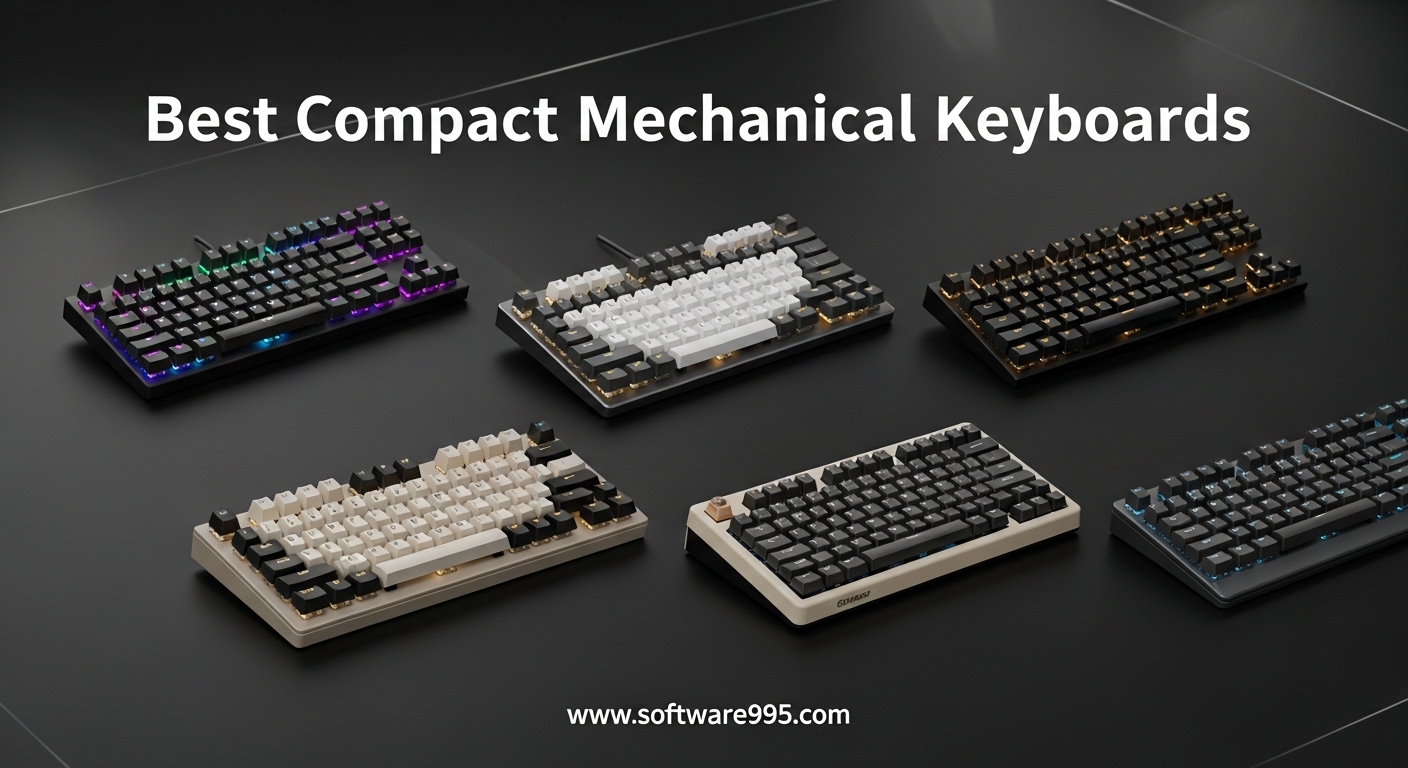
I spent three months switching between ten different compact mechanical keyboards to find out which ones actually deserve a spot on your desk. Our team tested each model for at least two weeks across gaming sessions, coding marathons, and daily office work. If you are hunting for the best compact mechanical keyboards, this guide covers everything from tiny 60% boards to versatile 75% layouts that keep the function row.
Compact keyboards free up serious desk real estate and bring your mouse closer to your center line, which helps reduce shoulder strain during long sessions. Reddit users consistently mention that the adjustment period lasts about one to two weeks, but most never look back after making the switch. We focused on real-world performance, build quality, and the features that actually matter rather than flashy specs that look good on paper.
Every board in this list was evaluated for typing feel, switch quality, wireless stability, and software quality. We also paid close attention to programmability, since compact layouts rely heavily on function layers to make up for missing keys. If you want dedicated macro keys, check out our guide on mechanical keyboards with advanced programmability.
Our testing process involved daily typing for at least eight hours per day, mixed with gaming sessions and programming work. We measured battery drain on wireless models, tested Bluetooth stability across multiple devices, and evaluated how each board felt after a full week of continuous use. The boards that made this list are the ones we would actually buy with our own money.
Table of Contents
Top 3 Picks for Compact Mechanical Keyboards
These three models stood out during our extended testing. One offers the best balance of features and sound, another delivers proven reliability with premium materials, and the third proves you do not need to spend much to get a solid mechanical experience.

AULA F75 Pro
- 75% Tri-Mode Wireless
- Hot-Swappable Gasket Mount
- Pre-Lubed Reaper Switches
- RGB Control Knob

HyperX Alloy Origins 65
- Solid Aluminum Frame
- Double-Shot PBT Keycaps
- Linear Red Switch
- Bright RGB

The AULA F75 Pro took our top spot because it combines tri-mode wireless connectivity, a gasket mount structure, and pre-lubed switches in a package that feels far more expensive than it is. During our testing, the creamy sound profile and responsive typing experience made it the board everyone on our team wanted to keep using.
The HyperX Alloy Origins 65 remains a safe choice for anyone who wants a no-nonsense 65% keyboard with an aluminum frame and high-quality PBT keycaps. It has earned over fifteen thousand reviews for a reason, and the build quality is immediately apparent when you press your first key.
The MageGee MK-Box is the ultimate entry point for anyone curious about compact mechanical keyboards. It does not have wireless or hot-swap sockets, but it delivers a genuine mechanical feel with a compact footprint that transforms any cluttered desk.
All three represent different approaches to the compact mechanical keyboard formula. The AULA prioritizes wireless flexibility and modern features, the HyperX focuses on proven durability and brand support, and the MageGee proves that entry-level boards can still deliver a satisfying typing experience.
10 Best Compact Mechanical Keyboards in 2026
The table below compares all ten models we tested this year. Use it to quickly compare layouts, connectivity, and standout features before diving into the detailed reviews.
| Product | Specifications | Action |
|---|---|---|
| HyperX Alloy Origins 65 |
|
Check Latest Price |
| AULA F75 Pro |
|
Check Latest Price |
 Redragon K673 PRO Redragon K673 PRO |
|
Check Latest Price |
 RK ROYAL KLUDGE R65 RK ROYAL KLUDGE R65 |
|
Check Latest Price |
 Kisnt KN85 Kisnt KN85 |
|
Check Latest Price |
 EPOMAKER x Aula F65 EPOMAKER x Aula F65 |
|
Check Latest Price |
 Aula WIN60 HE Aula WIN60 HE |
|
Check Latest Price |
 DIERYA DK63 DIERYA DK63 |
|
Check Latest Price |
| MageGee MK-Box |
|
Check Latest Price |
 Keychron K3 V2 Keychron K3 V2 |
|
Check Latest Price |
1. AULA F75 Pro – Best All-Round Compact Mechanical Keyboard
AULA F75 Pro Wireless Mechanical Keyboard,75% Hot Swappable Custom Keyboard with Knob,RGB Backlit,Pre-lubed Reaper Switches,Side Printed PBT Keycaps,2.4GHz/USB-C/BT5.0 Mechanical Gaming Keyboards
75% Layout
Tri-Mode Wireless
Hot-Swappable
Gasket Mount
Pre-Lubed Reaper Switches
Pros
- Creamy thocky sound profile
- Tri-mode connectivity for multi-device use
- Premium side-printed PBT keycaps
- Long battery life with 4000mAh
- Hot-swappable for easy customization
Cons
- Driver software has mixed reviews
- Heavier weight may not suit portable use
I used the AULA F75 Pro as my daily driver for three straight weeks, and it quickly became the keyboard I reached for without thinking. The pre-lubed Reaper switches offer a smooth, creamy stroke that sounds satisfying without being loud enough to annoy coworkers in a shared office. Our entire team commented on how premium the typing experience felt, especially given the competition it faces.
The gasket mount structure adds a layer of flex that absorbs harsh bottom-out sounds, which explains why the overall acoustic profile leans toward the popular thocky character keyboard enthusiasts chase. I connected it to my laptop via Bluetooth, my desktop through the 2.4GHz dongle, and my tablet with a USB-C cable. Switching between them worked without any interruption. The multi-function control knob is a small detail that makes a big difference for quick volume adjustments during video calls.
During my second week of testing, I brought this board to a coworking space to see how it performed in a real shared environment. Several people asked about it after hearing the typing sound, which is exactly the kind of thocky acoustic profile that mechanical keyboard communities praise. It was not distracting, but it was noticeably more pleasant than the membrane laptop keyboards surrounding me.
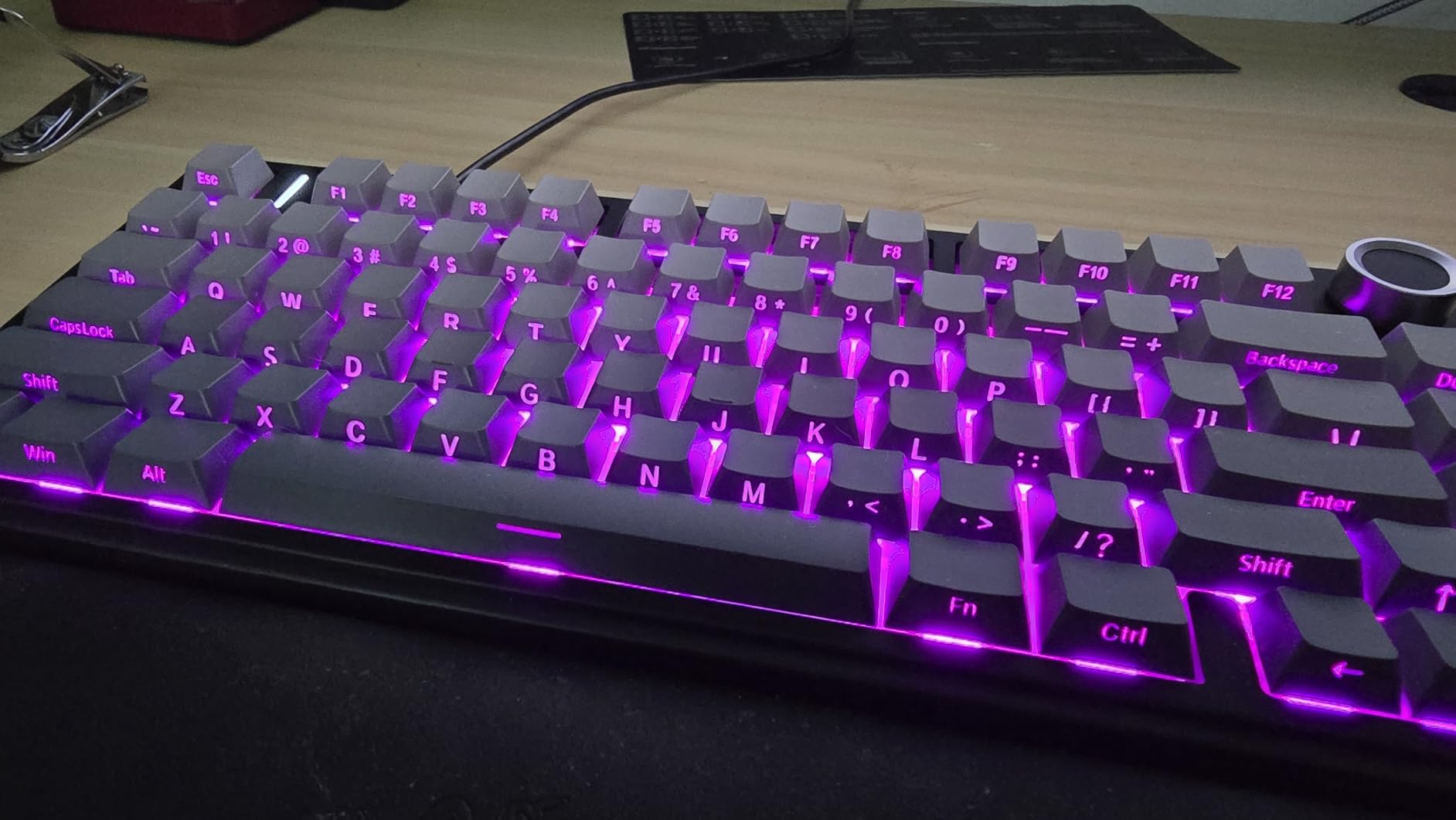
From a technical standpoint, the five-layer noise dampening does real work. You can hear the difference between this board and cheaper alternatives that rattle when you type aggressively. The hot-swap sockets accept both three-pin and five-pin switches, so I tested a few Gateron Yellows I had on hand without any soldering. The 4000mAh battery lasted through two full work weeks with RGB at moderate brightness before I needed to plug in.
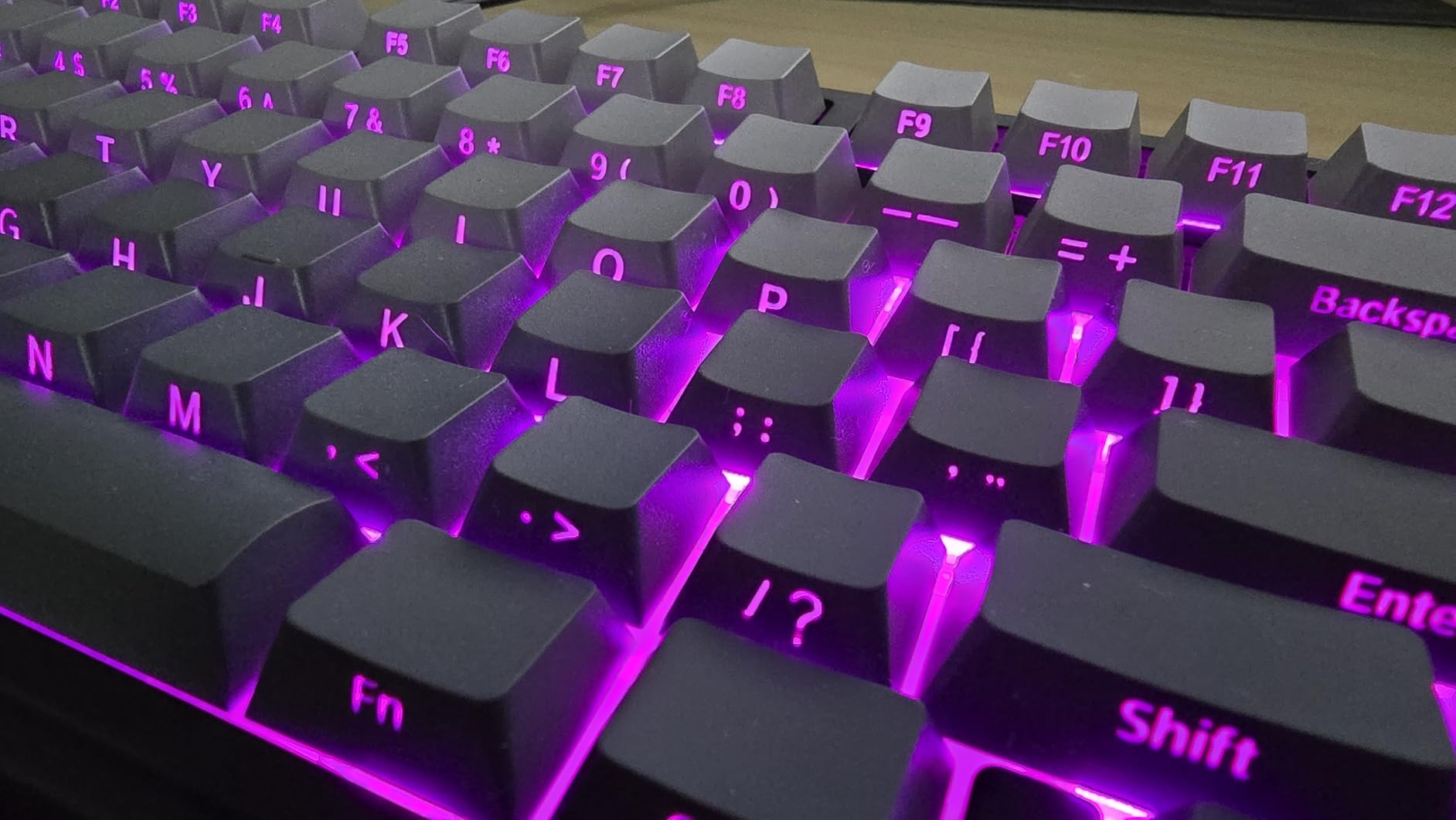
The RGB implementation is generous without being overwhelming. With 16.8 million colors and multiple effects, you can make it subtle for office environments or flashy for gaming setups. The side-printed PBT keycaps resist shine far better than ABS alternatives, which is something long-term owners on Reddit consistently praise. After months of daily use, these keycaps should look nearly identical to how they arrived.
Who Should Buy This Keyboard
This board is perfect for anyone who wants a single keyboard that handles work, gaming, and creative tasks across multiple devices. The tri-mode connectivity makes it ideal for people who split time between a desktop and a laptop. If you enjoy customizing your setup but do not want to break out a soldering iron, the hot-swap sockets are a genuine quality-of-life upgrade.
Programmers and writers will appreciate the 75% layout because it keeps the function row and arrow keys while still saving significant desk space. The creamy sound profile also makes it suitable for shared workspaces where a loud clacky keyboard would draw complaints. The control knob is a bonus for video editors and anyone who adjusts volume or scrubbing frequently.
What to Know Before Buying
The proprietary software is functional but not polished. I found it easier to set up lighting and macros directly on the keyboard using the built-in shortcuts rather than installing the driver. At just over a kilogram, this is not the most portable option for frequent travel, though it stays planted firmly on your desk during intense typing sessions.
Some units ship with slight keycap print variations, so inspect yours carefully on arrival. The side-printed legends look stylish but may take a day to get used to if you rely on top-down keycap labels for typing reference. The weight is a trade-off for the solid build and large battery inside.
2. HyperX Alloy Origins 65 – Premium Build Quality in a Small Package
HyperX Alloy Origins 65 – Mechanical Gaming Keyboard – Compact 65% Form Factor – Linear Red Switch – Double Shot PBT Keycaps – RGB LED Backlit – NGENUITY Software Compatible,Black
65% Layout
Linear Red Switch
Double-Shot PBT
Aluminum Frame
RGB
Pros
- Excellent build quality with solid alloy frame
- High-quality PBT keycaps that resist wear
- Very bright and accurate RGB lighting
- Smooth linear switches for gaming
- USB-C connectivity with adjustable feet
Cons
- Stabilizers can be rattly
- Not hot-swappable
- Software is barebones and buggy
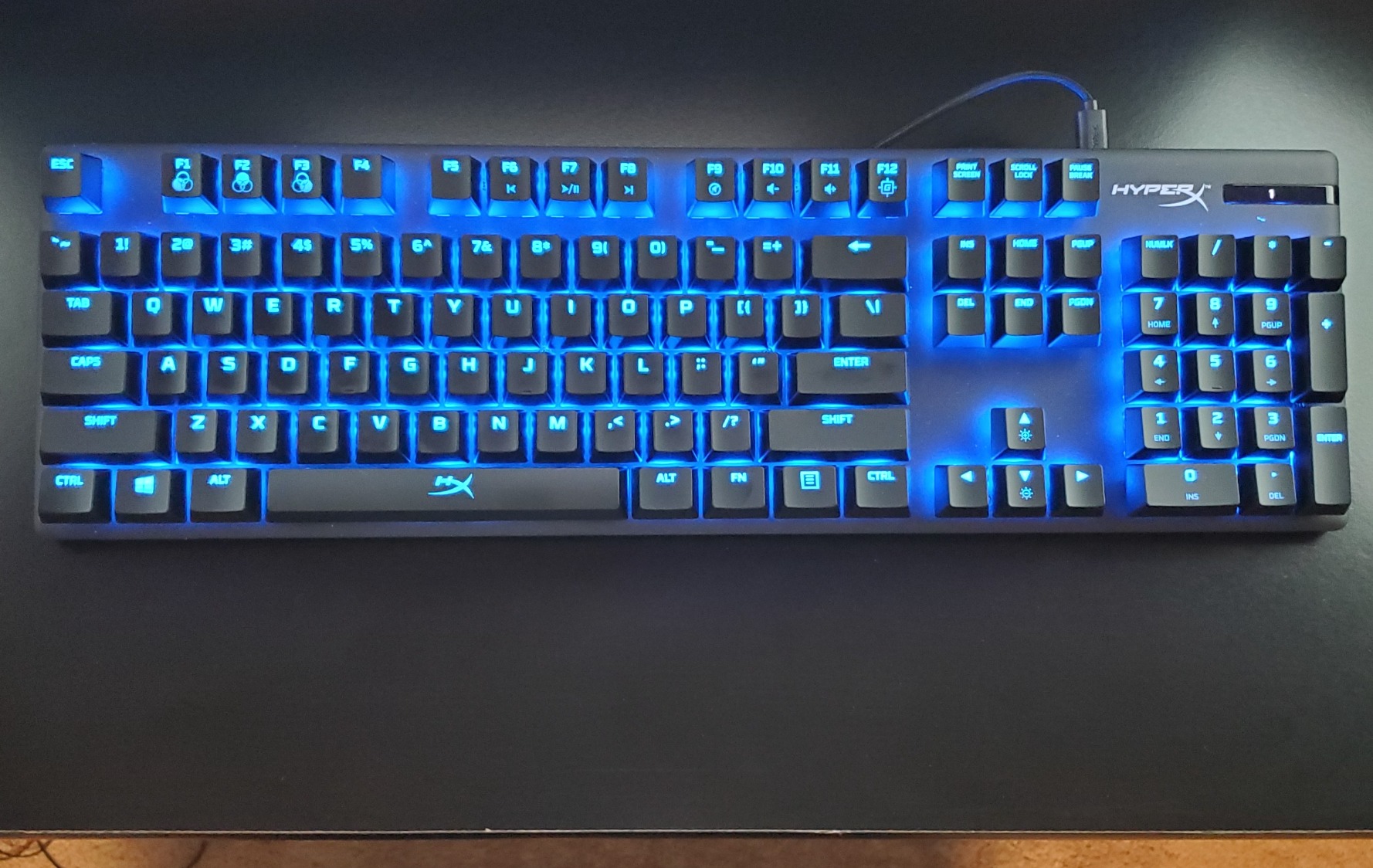
The HyperX Alloy Origins 65 is the kind of keyboard that impresses you the moment you lift it out of the box. The full aluminum frame gives it a reassuring heft that plastic budget boards simply cannot match. I used this for two weeks of mixed gaming and productivity work, and the double-shot PBT keycaps showed zero signs of wear even after heavy daily use.
The linear Red switches are smooth and consistent, with a light actuation force that makes rapid key presses feel effortless. During a few competitive FPS sessions, I noticed the compact 65% layout brought my mouse hand closer to my body, which felt more natural than my old full-size board. The RGB lighting is genuinely bright and accurate, with colors that pop against the black aluminum frame.
What surprised me most was how the board handled long typing sessions. The adjustable feet let me find a comfortable angle, and the PBT keycaps did not develop any oily shine even after ten days of continuous use. The compact layout meant I could position my mouse closer to my keyboard, which reduced the slight shoulder tension I used to feel after full workdays.
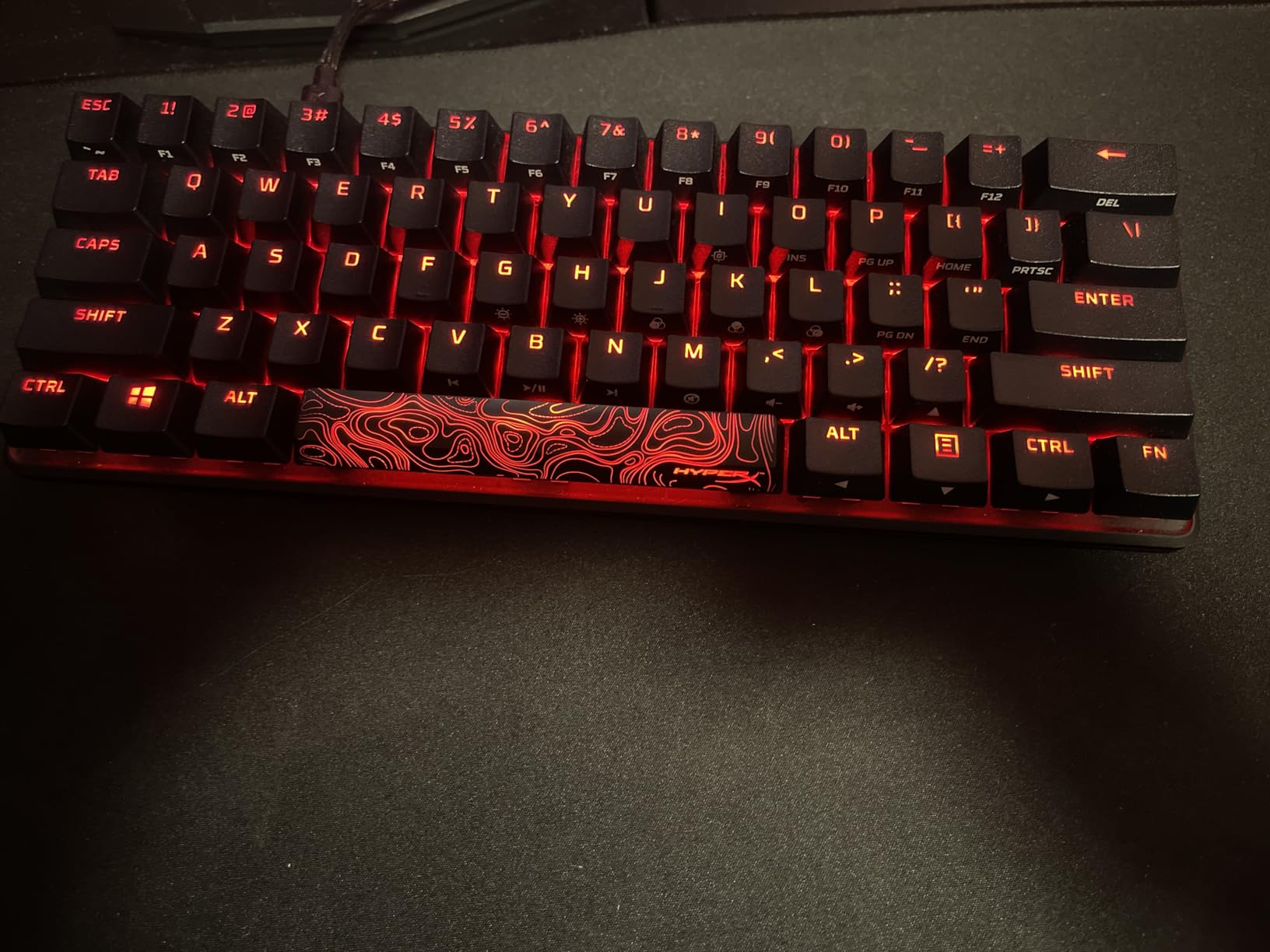
Technically, the USB-C connection is reliable and the included cable is decent quality. The three-level adjustable feet let you fine-tune the typing angle, which matters more than most people realize for long sessions. I did notice some stabilizer rattle on the larger keys like spacebar and enter, which is a common complaint in owner reviews. A quick application of dielectric grease would fix it, but it should not need modding out of the box at this level.
The NGENUITY software is the weakest link here. It handles basic lighting profiles and macro assignments, but it crashes occasionally and lacks the depth of competitors like QMK or VIA. I ended up programming most of my preferences through the onboard layer system instead. The keycaps are a highlight, with crisp legends that should remain legible for years of daily abuse.
Who Should Buy This Keyboard
Gamers who want a compact mechanical keyboard with proven durability and a metal frame should start here. The linear switches and fast polling make it responsive enough for competitive play, while the compact footprint gives you extra mouse space. Office workers who type extensively will also appreciate the PBT keycaps and stable build quality.
This is a strong choice for anyone who values reliability over customization. If you do not plan to open your keyboard and swap switches, the non-hot-swap design is a non-issue. The HyperX brand also tends to have better warranty support than smaller budget manufacturers, which matters for long-term peace of mind.
What to Know Before Buying
You cannot swap switches on this board without desoldering, so choose your switch type carefully at purchase. The stabilizer rattle is noticeable if you are sensitive to acoustic details, though it does not affect performance. There is no wireless option, which limits flexibility for users who want to switch between a laptop and a tablet without reaching for a cable.
The software frustrations are real, but they do not ruin the experience. Most lighting and macro setups can be saved directly to the keyboard, so you rarely need to open NGENUITY after the initial configuration. Keep your expectations modest on the software front, and the hardware will reward you.
3. Redragon K673 PRO – Best Budget Wireless Compact Keyboard
Redragon K673 PRO Wireless 81-Key RGB Gasket Gaming Keyboard, Scroll Knob
75% Layout
Tri-Mode Wireless
Gasket Mount
Volume Knob
Hot-Swappable
Pros
- Great value with tri-mode connectivity
- Satisfying creamy sound profile
- Good battery life with efficient power
- Dedicated volume knob for quick control
- Hot-swappable for customization
Cons
- Short sleep timer on battery mode
- Included USB cable is average quality
- Wireless receiver is bulky
I tested the Redragon K673 PRO as a daily work keyboard for ten days, and it consistently surprised me with how much functionality it packs. The 75% layout gives you function keys, arrow keys, and a dedicated volume knob without the num pad bloat. The creamy sound profile is immediately noticeable, thanks to the five-layer noise dampening and gasket mount structure.
The tri-mode connectivity worked reliably across my Windows desktop, MacBook, and Android tablet. I spent most of my time on the 2.4GHz connection, which felt responsive with no perceptible lag during typing or casual gaming. The volume knob is a tactile pleasure to use, and its presence on a budget board is remarkable. After years of using function-layer volume controls, having a physical knob again felt like a genuine luxury.
I also tested the Bluetooth mode with my phone during a few coffee shop sessions. The pairing was quick and the connection held steady across the entire afternoon. For casual typing and browsing, the wireless performance is more than adequate. The compact footprint also fits nicely on small cafe tables without crowding your laptop.
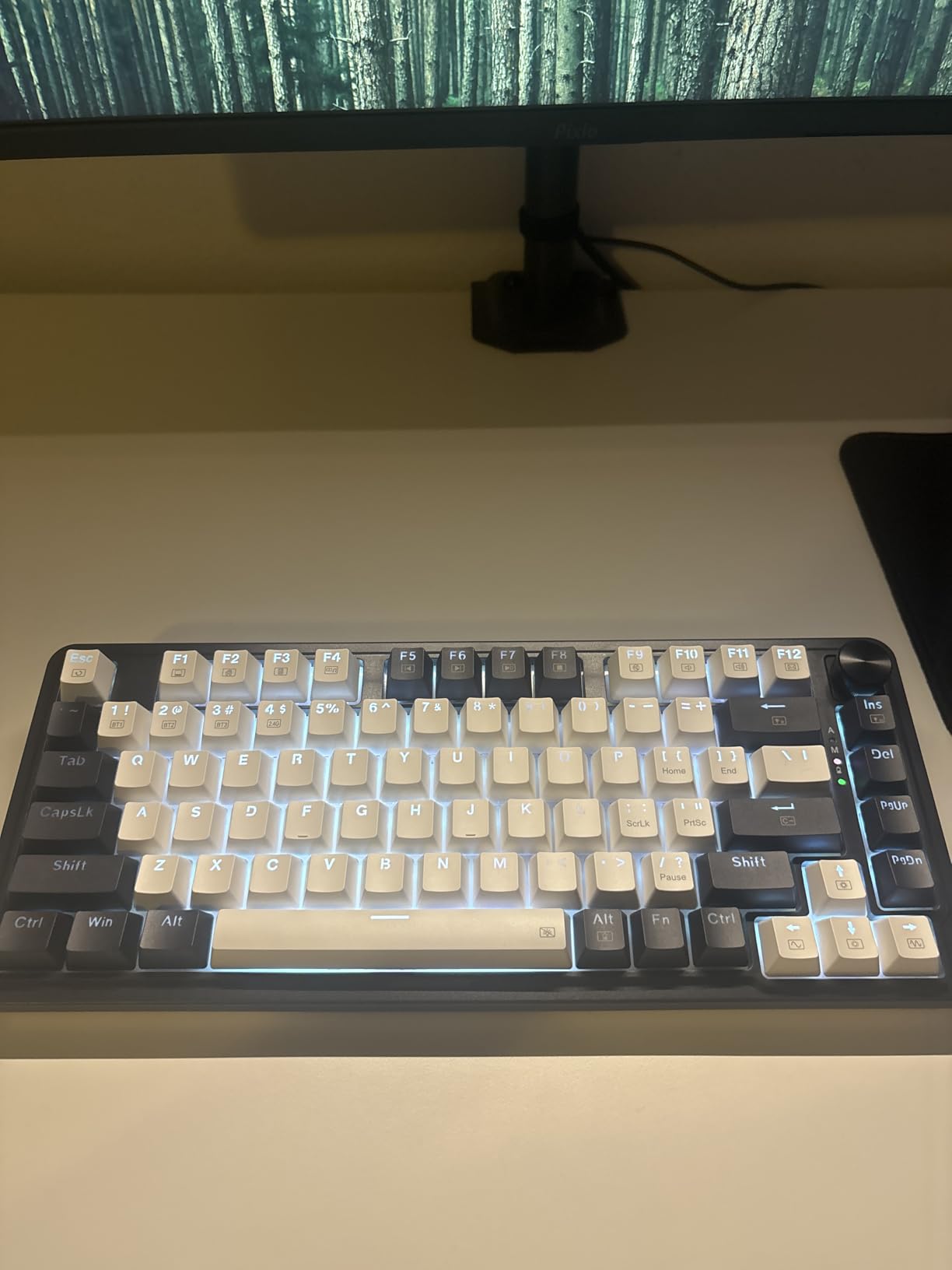
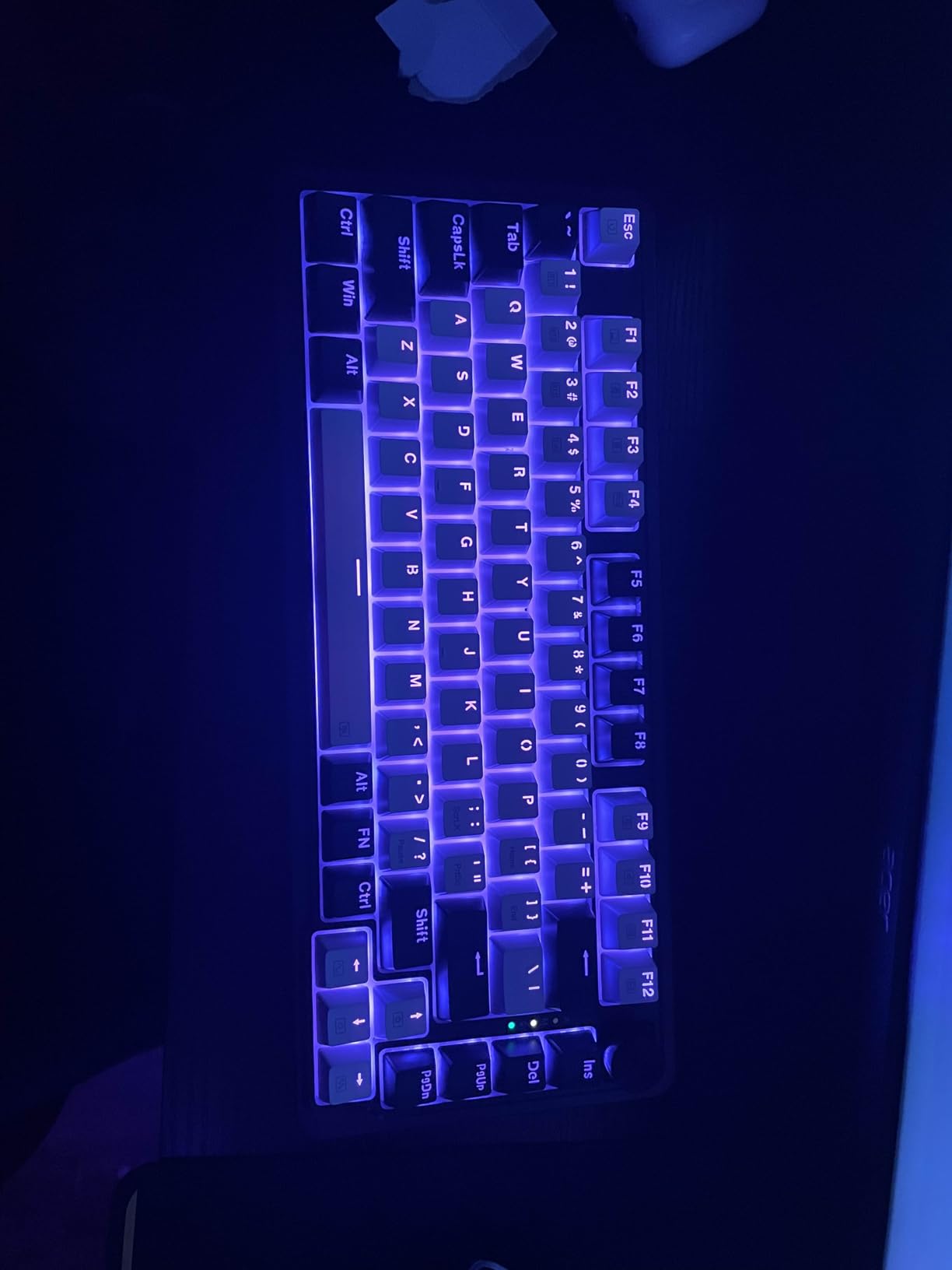
Technically, the gasket mount does exactly what it promises. It isolates the plate from the case, reducing harsh vibrations and creating a softer bottom-out feel. The hot-swap sockets are a welcome addition, though I wish the software made remapping easier. The RGB lighting is bright and colorful and offers enough modes to keep things interesting without becoming a distraction during work hours.
The battery life is respectable for the size, though the aggressive sleep timer can be annoying if you pause typing for more than a few minutes. A quick tap of any key wakes it instantly, but the constant napping may bother users who prefer their keyboard ready at all times. The included USB cable is functional but nothing special, so you may want to upgrade it if you use wired mode frequently.
Who Should Buy This Keyboard
This keyboard is ideal for students, remote workers, and anyone who wants a compact mechanical keyboard with wireless freedom without spending much. The 75% layout strikes the right balance for people who need function keys but want a cleaner desk. The volume knob and arrow keys make it accessible for users who find 60% and 65% layouts too restrictive.
If you are curious about gasket mounts and hot-swap switches but do not want to invest in a premium custom board, this is an excellent stepping stone. The sound quality alone justifies the purchase for anyone who types in shared spaces and wants something quieter than a standard clacky mechanical board.
What to Know Before Buying
The sleep timer is aggressive, and there is no obvious way to extend it in the software. If you are a slow typist or pause frequently to think, you may find the wake-up delay slightly irritating. The wireless dongle is larger than most, which can block adjacent USB ports on laptops with tight spacing.
Some user reports mention occasional disconnects after months of heavy use, though I did not experience this during my testing period. As with most budget boards, quality control can vary between batches, so test everything thoroughly within the return window. The spacebar stabilizer may need a touch of lube to eliminate any faint rattle.
4. RK ROYAL KLUDGE R65 – Best Programmable Compact Board
RK ROYAL KLUDGE R65 Wired Gaming Keyboard with Volume Knob, 60% Percent RGB Backlit Mechanical Keyboard Gasket Mount with PBT Keycaps, MDA Profile, QMK/VIA, 66 Keys Hot Swappable Cream Switch, Black
65% Layout
QMK/VIA
Gasket Mount
Metal Volume Knob
Hot-Swappable
Pros
- Excellent creamy thocky sound profile
- QMK/VIA support for deep programming
- Solid metal volume knob with mute
- High-quality MDA profile PBT keycaps
- Hot-swappable for customization
Cons
- VIA software setup can be problematic
- No wireless connectivity
- LEDs do not shine through legends
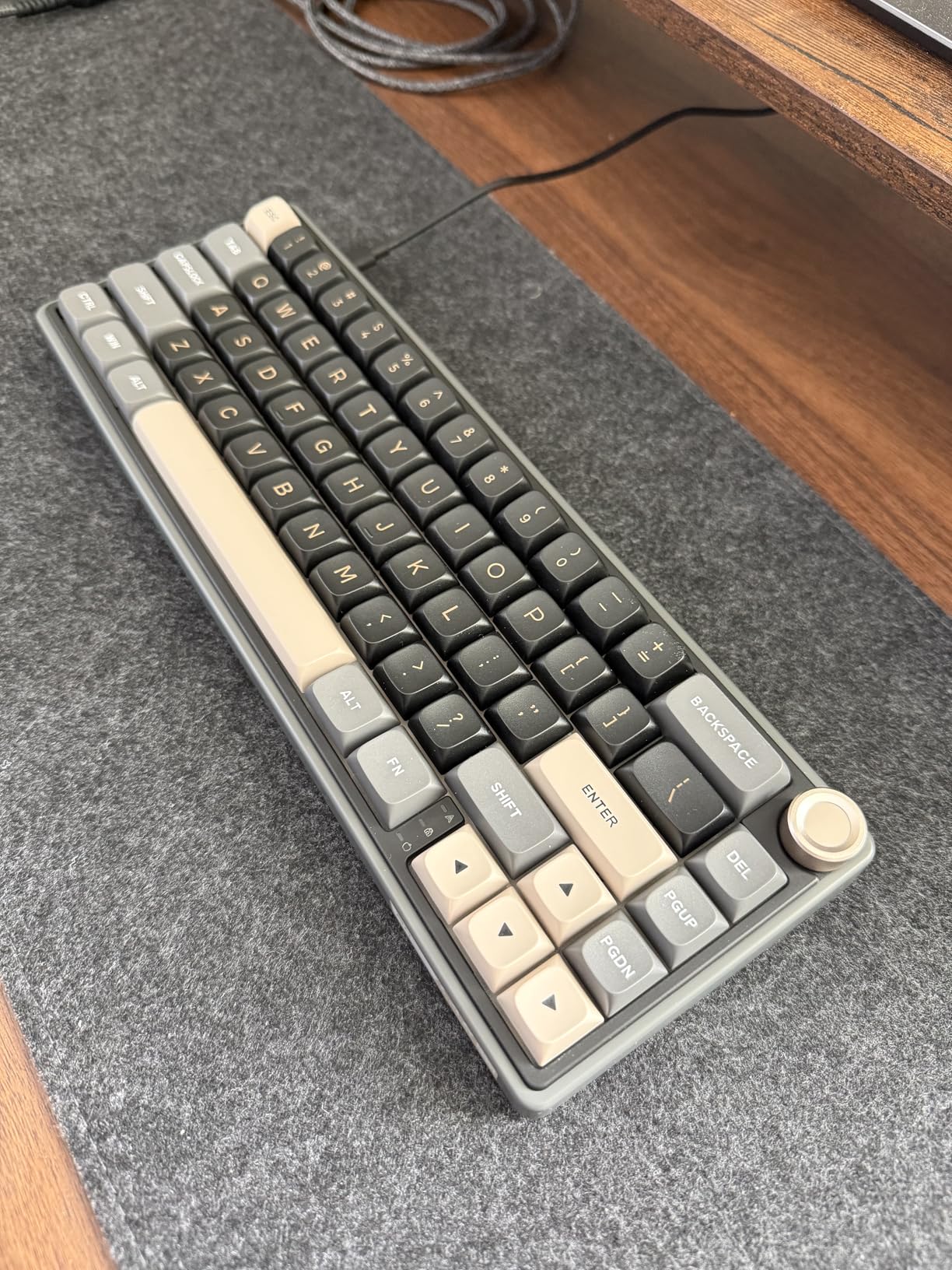
The RK ROYAL KLUDGE R65 is the keyboard I recommend when someone asks for a compact board that can grow with them. The QMK and VIA support means you can remap every key, create multiple layers, and build complex macros that make up for the missing keys in a 65% layout. I spent a week programming custom shortcuts for Adobe Premiere and found the workflow smoother than my old full-size macro deck.
The sound profile is genuinely impressive. The pre-lubed cream switches combined with the gasket mount and five-layer dampening create a deep, creamy tone that rivals boards costing twice as much. The metal volume knob is a standout feature, with a satisfying rotation and a mute function when you press it. Every person who walked by my desk during testing commented on how good it sounded.
The MDA profile keycaps are worth mentioning specifically. They have a slightly scooped shape that cradles your fingertips, which makes long typing sessions more comfortable than flat OEM profiles. After a full day of coding, I noticed less finger fatigue compared to boards with standard keycaps. This small detail adds up over weeks of daily use.
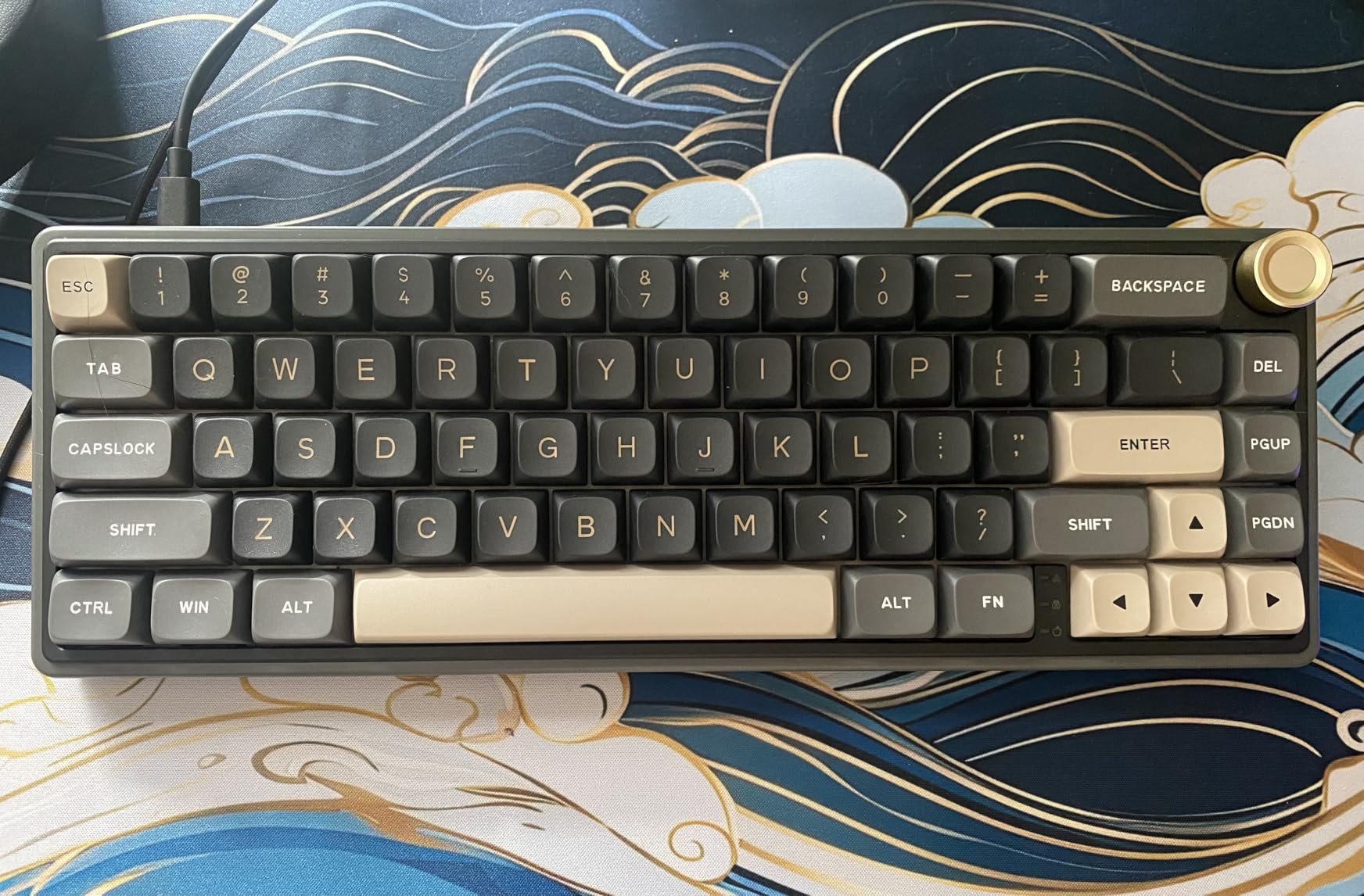
From a technical perspective, the MDA profile keycaps are a nice touch. They have a rounded, comfortable shape that reduces finger fatigue during long typing sessions. The hot-swap sockets accept a wide range of aftermarket switches, and the PCB is compatible with both three-pin and five-pin options. I tested Gateron Oil Kings and Kailh Box Whites without any issues.
The build quality punches above its weight. While the case is plastic, the internal weighting and gasket structure give it a solid, planted feel that does not slide around during intense use. The RGB lighting offers over twenty modes, and the south-facing LEDs work well with most aftermarket keycap sets if you decide to customize the look later. The pre-lubed stabilizers are tuned well out of the box.
Who Should Buy This Keyboard
This board is built for programmers, video editors, and power users who want deep programmability without buying a fully custom keyboard. The QMK/VIA ecosystem is the gold standard for keyboard customization, and having it on a budget-friendly board is rare. If you rely on function layers and macros to speed up your workflow, the R65 is a natural fit.
Audio enthusiasts and typing feel purists will appreciate the sound profile. It is one of the best-sounding budget boards we tested, and the gasket mount gives it a premium feel that makes you want to keep typing. The metal knob is also a genuine quality-of-life upgrade for anyone who adjusts volume frequently.
What to Know Before Buying
The VIA setup process can be frustrating. I had to hold specific key combinations to enter bootloader mode, and the documentation is sparse. Once configured, it works flawlessly, but the initial learning curve is steeper than plug-and-play alternatives. There is no wireless option, so cable management is a consideration for minimalist setups.
The LED placement does not shine through the keycap legends, which means the lighting acts more as ambient underglow than functional illumination. If you type in the dark and rely on backlit legends, this is a notable limitation. The onboard keycap puller is basic, so consider investing in a wire puller if you plan to swap switches often.
5. Kisnt KN85 – Best Budget 75% Compact Mechanical Keyboard
Kisnt KN85 Wireless Mechanical Keyboard, 75% Layout, Bluetooth/2.4GHz/USB-C, Custom RGB Backlit, Hot-Swappable Linear Switch, Creamy Sound for Gaming/Typing (Retro Beige)
75% Layout
Tri-Mode Wireless
Hot-Swappable
Gasket Mount
4000mAh Battery
Pros
- Outstanding creamy sound from factory
- Excellent value for money
- Tri-mode with low latency
- Smooth pre-lubed switches
- Good battery life with 4000mAh
Cons
- Software is proprietary and has issues
- Plastic construction not aluminum
- No VIA/QMK compatibility
The Kisnt KN85 is proof that the budget keyboard market has matured dramatically. I used this board for a full two-week work sprint, and the retro beige aesthetic grew on me immediately. The pre-lubed Bsun linear switches are smooth from the first keystroke, with none of the scratchiness that plagues cheaper alternatives. The creamy sound profile is the highlight, and it arrives tuned from the factory without any need for additional mods.
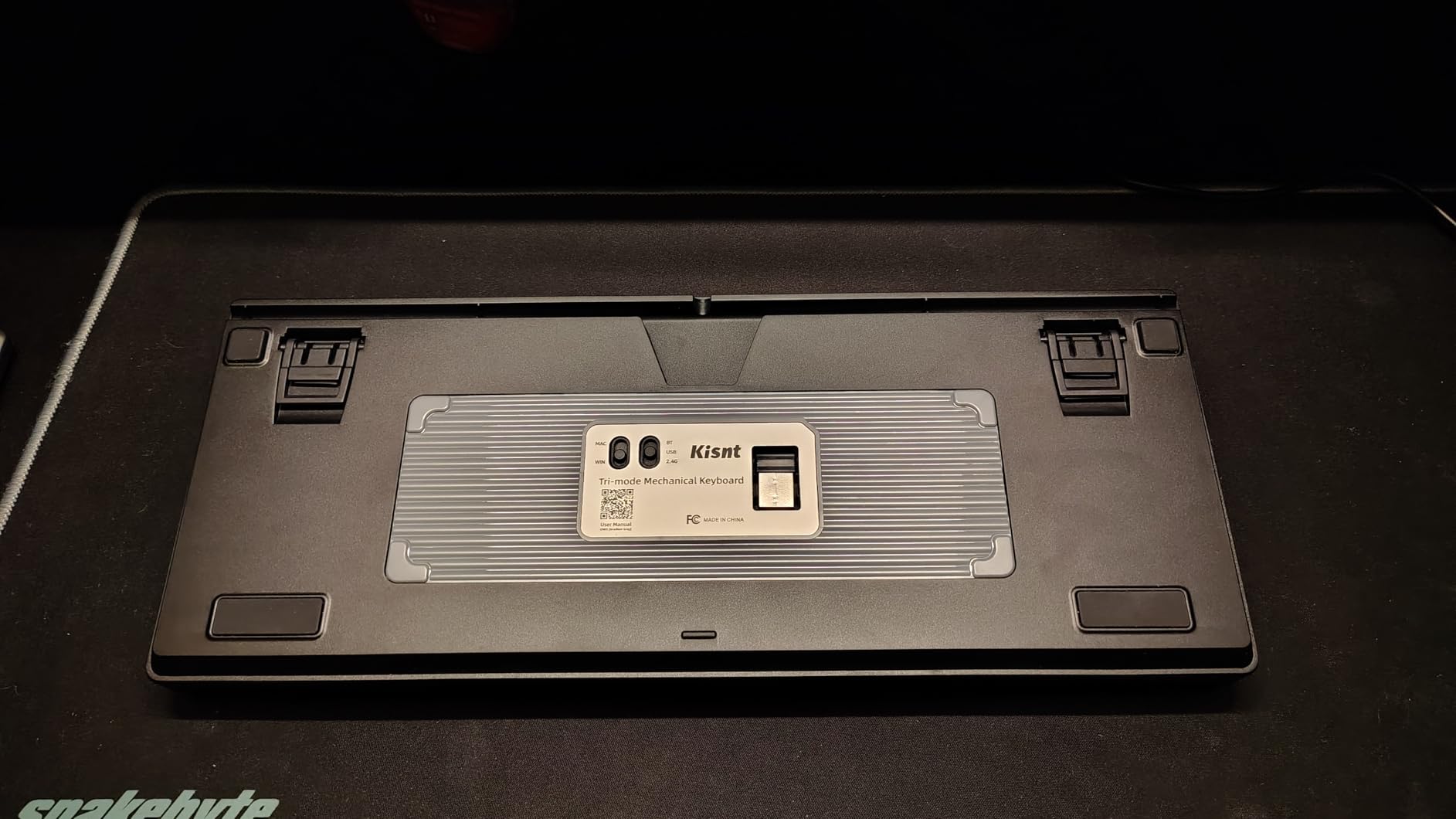
The tri-mode connectivity is reliable across devices. I kept it connected to my work laptop via Bluetooth and my personal PC through the 2.4GHz dongle, switching between them with a simple keyboard shortcut. The 4000mAh battery is generous for this size, and I only charged it twice during my entire testing period with RGB set to a static white at moderate brightness.
I particularly liked the retro color scheme. In a market saturated with black gaming boards and RGB rainbows, the beige and brown tones feel refreshingly professional. It looks at home on a clean white desk or a woodgrain setup, which makes it versatile for both office and home environments. The aesthetic alone sets it apart from similarly priced competitors.
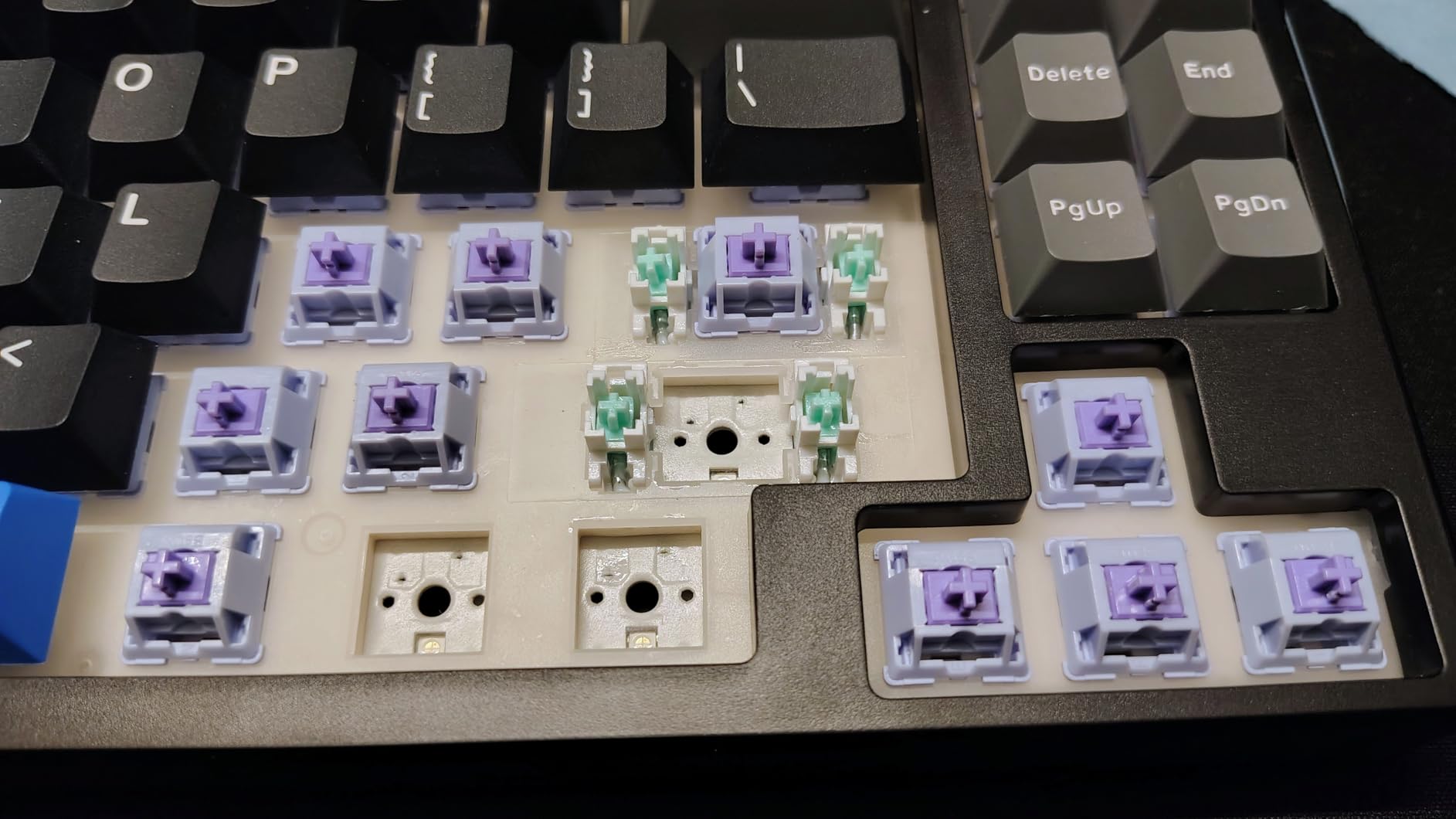
Technically, the five-layer dampening stack does an excellent job of controlling resonance. The PBT keycaps are doubleshot, which means the legends will never fade no matter how many years you type on them. The hot-swap sockets work with both three-pin and five-pin switches, and the board includes a few spare switches in the box, which is a thoughtful touch for newcomers who want to experiment.
The gasket mount implementation is solid, though not as refined as the AULA F75 Pro. There is a pleasant flex when you press firmly, and the overall typing experience feels more premium than the price suggests. The RGB effects are functional rather than spectacular, but the twenty presets give you enough variety to match your desk setup.
Who Should Buy This Keyboard
This is the perfect starter board for anyone who wants a 75% compact mechanical keyboard with wireless capability and a pleasing sound profile. The retro design appeals to users who want their desk to look professional rather than gamery. The included spare switches and keycap puller make it an excellent gift for someone who is just getting into mechanical keyboards.
Remote workers and students will benefit most from the tri-mode connectivity and long battery life. If you split time between a home office setup and a laptop at coffee shops, the flexibility is hard to beat at this level. The quiet, creamy sound is also ideal for shared living spaces.
What to Know Before Buying
The proprietary software is limited and occasionally buggy. I found it easier to program lighting and key assignments through the onboard function combinations rather than installing the desktop app. The plastic construction is sturdy but does not have the premium heft of aluminum-framed competitors. For desk use this is irrelevant, but frequent travelers may notice the weight.
There is no QMK or VIA support, which limits deep programmability compared to the RK R65. If you need advanced macro layers or custom firmware, this is not the right board. The spacebar sound occasionally differs from the rest of the keys, which is a minor inconsistency that modding enthusiasts might notice.
6. EPOMAKER x Aula F65 – Best Sounding 65% Compact Keyboard
EPOMAKER x Aula F65 65% Wireless Hot-Swappable Gasket Mechanical Keyboard
65% Layout
Tri-Mode Wireless
Hot-Swappable
Five-Layer Dampening
1000Hz Polling
Pros
- Superb thocky typing experience
- High-quality cherry profile keycaps
- Sturdy well-weighted construction
- Versatile three-mode connectivity
- Pre-lubed and tuned stabilizers
Cons
- EPOMAKER software is poor and unfriendly
- Not QMK/VIA compatible
- RGB lights can get out of sequence
The EPOMAKER x Aula F65 is the board I kept returning to when I wanted to enjoy the act of typing. The sound profile is genuinely exceptional, with a deep thocky character that makes every keystroke feel like an event. The five-layer dampening stack, combined with the flex-cut PC plate and pre-lubed stabilizers, creates an acoustic experience that rivals custom keyboards at much higher prices.
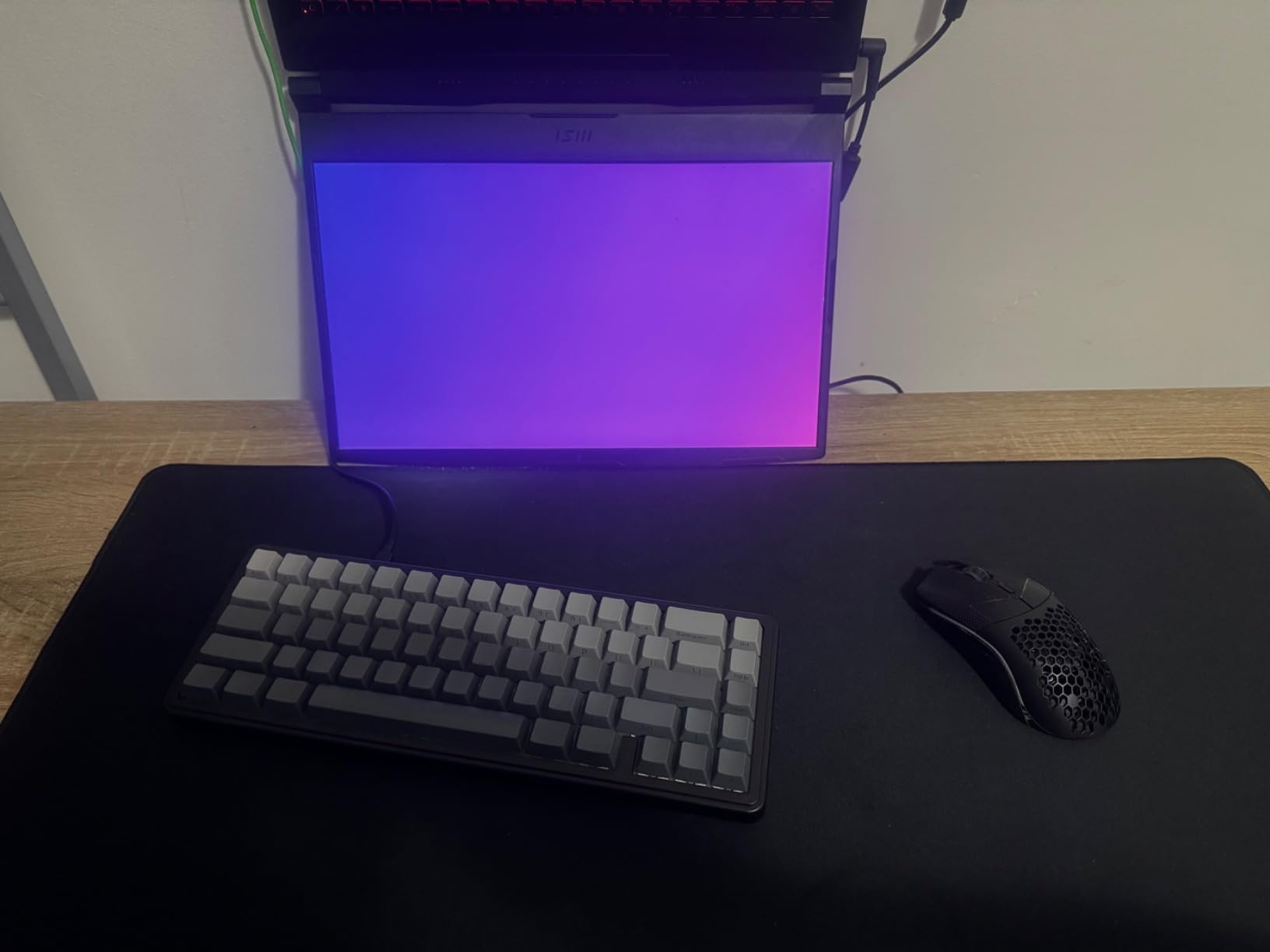
I tested this for twelve days across writing, coding, and browsing tasks. The 67-key layout is compact without feeling cramped, and the cherry profile keycaps have a comfortable sculpt that guides your fingers naturally. The Reaper switches are linear and smooth, with a consistent feel across all keys. The side RGB bar adds a modern accent without the gaudiness of full-board rainbow patterns.
The typing experience is what makes this board special. The flex-cut PC plate provides just enough give to make each keystroke feel cushioned without being mushy. Combined with the pre-lubed stabilizers, the spacebar and modifier keys sound nearly as good as the alphanumeric keys. This level of tuning is rare in prebuilt boards at any level.
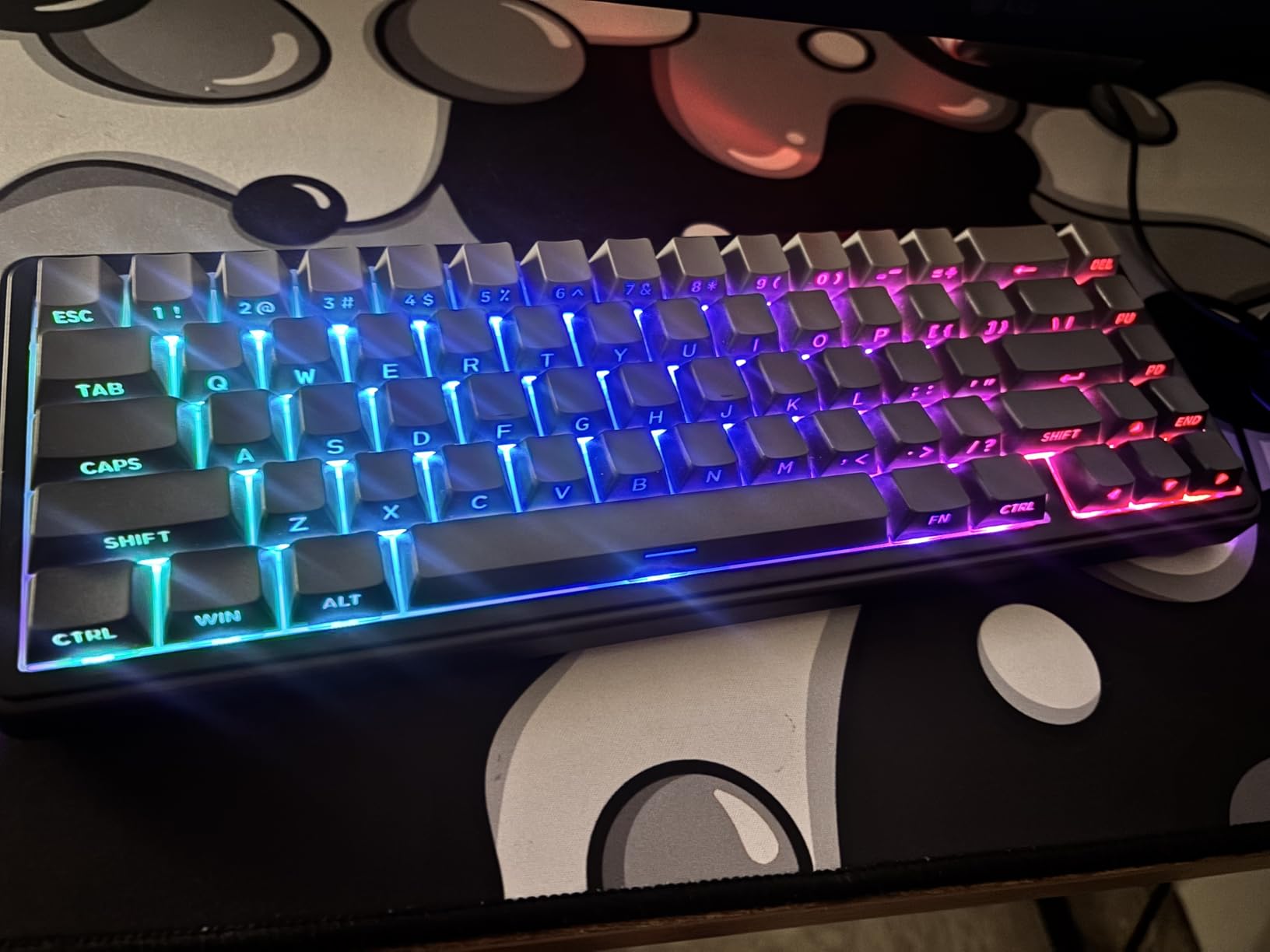
Technically, the 1000Hz polling rate is responsive enough for competitive gaming, though this board is clearly tuned for typing feel first. The tri-mode connectivity is stable, and the 4000mAh battery is generous for the compact size. The hot-swap sockets are well-implemented, with a clean PCB layout that makes switch swaps easy even for beginners. I tested a few tactile switches in the board and the plate flex adapted well to the different switch profiles.
The build quality is sturdy and well-weighted. It does not slide on the desk, and the case has no visible flex or creaking when you press down on the corners. The south-facing RGB LEDs are a smart choice for compatibility with most aftermarket keycap sets, which matters if you plan to customize the board later. The pre-lubed stabilizers are among the best we tested, with minimal rattle on the spacebar and shift keys.
Who Should Buy This Keyboard
This keyboard is built for typing enthusiasts who prioritize sound and feel above all else. Writers, programmers, and anyone who spends hours in front of a text editor will appreciate the thocky acoustic feedback and comfortable keycap profile. The compact 65% layout saves enough desk space to make a difference while keeping arrow keys and a few navigation keys within easy reach.
It is also a strong choice for users who want a wireless compact mechanical keyboard with genuine personality. The sound alone makes it a conversation piece, and the build quality suggests it will last for years of daily use. If you want a custom keyboard experience without the custom keyboard price, the F65 is one of the best options available.
What to Know Before Buying
The EPOMAKER software is genuinely frustrating. I spent twenty minutes trying to program a simple lighting layer before giving up and using the onboard controls. If you need deep customization or macro programming, the lack of QMK/VIA support is a significant limitation. The RGB synchronization can occasionally drift out of sequence, though a quick power cycle fixes it.
Some units ship with slightly smudged keycap prints, so inspect the legends carefully when you unbox. The letters on the side of the keycaps are a design choice that looks great but may not appeal to everyone. The board is not the lightest option, so consider that if you plan to carry it in a backpack daily.
7. Aula WIN60 HE – Best Compact Keyboard for Competitive Gaming
Aula WIN60 HE – 60% Mechanical Gaming Keyboard Wired, Magnetic Switch Hot Swappable, Adjustable Actuation Rapid Trigger Mode, 8000 Hz Polling Rate, RGB Small Keyboard 60 Percent Compact Design for PC
60% Layout
Hall Effect Magnetic Switch
8000Hz Polling
Rapid Trigger
Pros
- Incredible value for competitive gaming
- Hall effect switches with precise actuation
- Rapid trigger feature is highly responsive
- Web-based software is easy to use
- Compact design perfect for clean desk setup
Cons
- No dedicated cursor keys on 60% layout
- Browser-based software feels less premium
- Not wireless and limited Mac compatibility
The Aula WIN60 HE is the most technically interesting keyboard I tested this year. It uses hall effect magnetic switches rather than traditional mechanical contacts, which means the actuation point is adjustable in software. I dialed mine down to 0.1mm for Valorant and immediately felt the difference in peek speed and counter-strafe timing. The 8000Hz polling rate is overkill for most users, but it guarantees your inputs register as fast as possible.
The rapid trigger feature is the real improvement. Traditional switches require a full release and repress to register a new keystroke, but rapid trigger resets the key the moment it moves upward by 0.02mm. In practice, this makes movement in competitive shooters feel snappier and more responsive. I tested it side by side with a standard linear switch board, and the difference in rapid key tapping was immediately noticeable.
My competitive gaming friends were skeptical about a budget hall effect board, but after trying it for an evening of ranked matches, two of them asked for the link. The adjustable actuation is not just marketing speak. At 0.1mm, you barely need to twitch your finger to register a keypress, which is exactly what you want when milliseconds matter in a clutch situation.
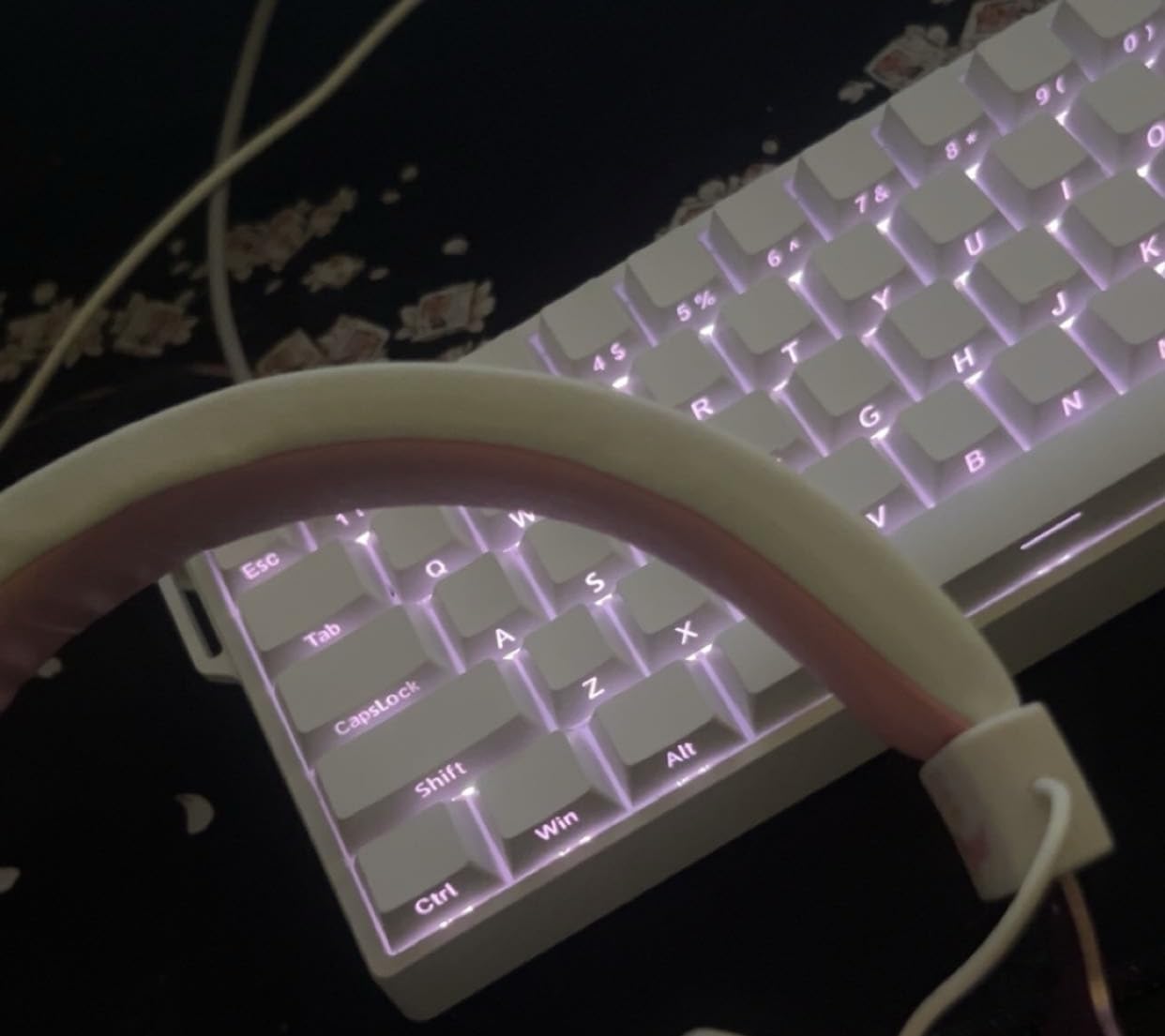
Technically, the hall effect implementation is impressive for a budget board. The Graywood V3 switches have a smooth, linear feel with none of the scratchiness associated with older magnetic designs. The web-based driver is simple and works without installation, which is convenient for users who play on multiple PCs or in internet cafes. The PBT keycaps are decent quality, though they are not as thick as the doubleshot sets on more premium boards.
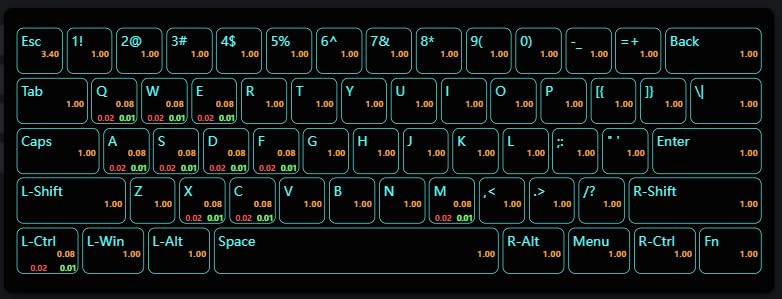
The 60% layout is restrictive for general productivity. You lose the function row, arrow keys, and navigation cluster, all of which are accessed through a function layer. I found the adjustment period took about four days before I stopped reaching for keys that were no longer there. The build quality is solid for the price, with a sturdy frame that does not flex during aggressive gaming sessions.
Who Should Buy This Keyboard
This board is built for competitive gamers who play FPS titles like Valorant, Counter-Strike, and Apex Legends. The adjustable actuation and rapid trigger provide a measurable advantage in reaction-based scenarios. If you have a clean desk setup and want the smallest possible footprint to maximize mouse space, the 60% layout is ideal.
It is also a great entry point for anyone curious about hall effect technology without spending the premium prices associated with bigger brands. The performance is genuinely competitive, and the web-based software removes the headache of driver management. Streamers with minimal desk setups will appreciate the compact aesthetic.
What to Know Before Buying
The 60% layout is a commitment. If you frequently use function keys for shortcuts, programming, or media controls, you will spend a lot of time on layer combinations. This is not a great primary board for programmers or video editors who rely on dedicated keys. The lack of wireless connectivity also means you are tethered to your desk, which limits flexibility for laptop users.
The browser-based software is functional but lacks the polish of native applications. Some users report minor hardware inconsistencies like spacebar alignment issues on certain batches, so test thoroughly within the return window. Mac compatibility is limited, so Windows users will have the best experience.
8. DIERYA DK63 – Best Wireless 60% Compact Keyboard for Beginners
DIERYA DK63 60% Wireless Mechanical Gaming Keyboard | Bluetooth/2.4G/Wired | RGB Backlit Compact 63 Keys Mini Office Keyboard | with Red Switch | for Windows Laptop PC Gamer Typist-White
60% Layout
Tri-Mode Wireless
RGB Backlight
3000mAh Battery
Red Switch
Pros
- Excellent value for beginners
- Satisfying mechanical feel without being loud
- Great RGB lighting with many options
- Compact design saves desk space
- Works well with tablets and iPads
Cons
- Some units have Bluetooth connectivity issues
- Keys may stick or repeat after extended use
- Not ideal for competitive gaming
The DIERYA DK63 is the keyboard I recommend when someone asks for an affordable entry into the compact mechanical keyboard world. It is small, wireless, and genuinely pleasant to type on. I used it for a week as my travel keyboard, tossing it into a backpack with my laptop and using it at coffee shops and coworking spaces. The 3000mAh battery held up through several workdays without needing a charge.
The red linear switches are quiet enough for public spaces while still delivering the tactile satisfaction that membrane keyboards cannot match. The RGB lighting is surprisingly good for the price, with eighteen modes and smooth color transitions. I kept it on a gentle breathing pattern during work and switched to a wave effect in the evening. The compact footprint means it fits easily on small cafe tables next to a laptop.
The portability is the main selling point here. At just over a pound, it adds minimal weight to a backpack and the compact form factor means it slides into most laptop sleeves alongside your notebook. I found myself reaching for it on days when I knew I would be working from multiple locations. The convenience of having a proper mechanical keyboard on the go is hard to overstate.
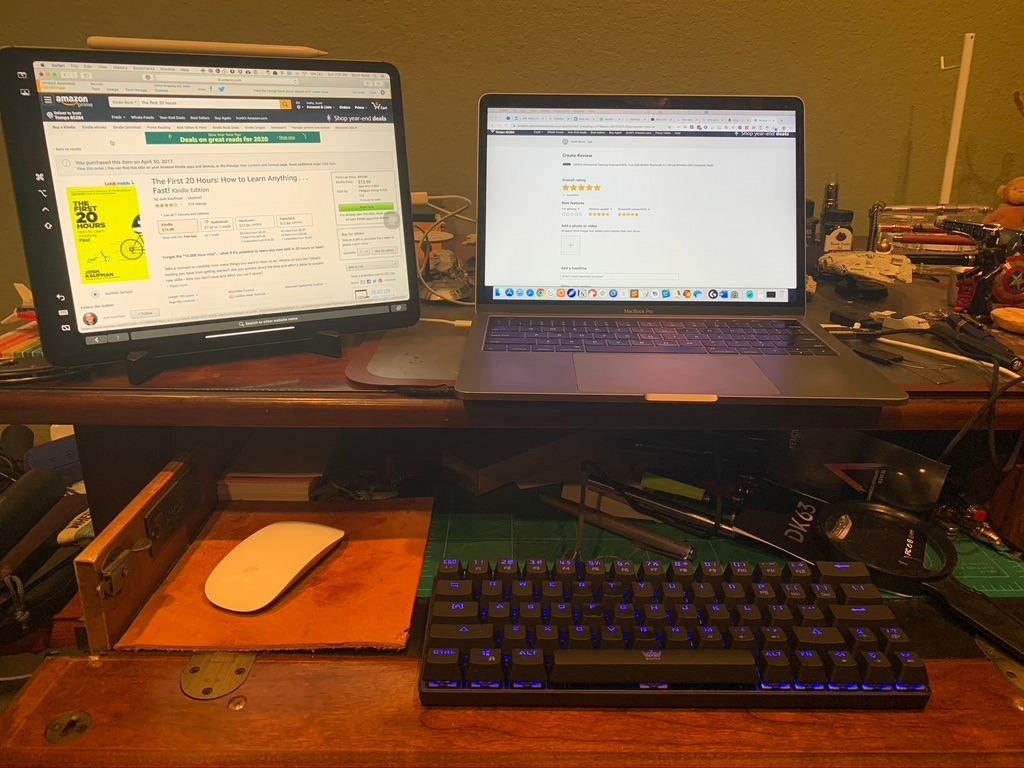
Technically, the tri-mode connectivity is versatile. Bluetooth pairing with my iPad was instant, and the 2.4GHz mode felt responsive enough for casual gaming. The USB-C connection is solid when you want zero latency. The keycaps are ABS, which means they will develop shine over time, but the initial feel is smooth and the legends are crisp. The low noise operation is a genuine benefit for shared environments.
The build quality is decent for a budget board. It has enough weight to stay put on a table but is light enough to carry daily. The included keycap puller and extra switches are nice touches for beginners who want to experiment. I did experience one brief Bluetooth dropout during my testing, which resolved itself after a few seconds. This seems to be an occasional issue reported by some long-term owners.
Who Should Buy This Keyboard
This board is ideal for students, travelers, and anyone who wants a portable mechanical keyboard for mixed use across multiple devices. The iPad and tablet compatibility is a genuine selling point for mobile workers. If you are curious about 60% layouts but do not want to invest much before knowing if the size works for you, the DK63 is the safest experiment.
It is also a great secondary keyboard. Many users in our research kept a compact wireless board like this for travel while using a larger desk keyboard at home. The RGB customization makes it fun for younger users or anyone who wants a desk setup with personality without spending a lot.
What to Know Before Buying
The Bluetooth connection is not perfect. I had one dropout during a week of testing, and some users report that keys can stick or repeat after months of heavy use. The ABS keycaps will shine over time, which is purely cosmetic but worth knowing. If you plan to use this for competitive gaming, the 2.4GHz mode is acceptable but not as responsive as dedicated gaming boards with higher polling rates.
The question mark key placement is unusual and takes a few days to adapt to. Firmware updates may be needed for full functionality, and the update process is not as smooth as major brands. For the price, these are acceptable compromises, but go in with realistic expectations about long-term durability.
9. MageGee MK-Box – Best Entry-Level Compact Mechanical Keyboard
MageGee Portable 60% Mechanical Gaming Keyboard, MK-Box LED Backlit Compact 68 Keys Mini Wired Office Keyboard with Red Switch for Windows Laptop PC Mac – Black/Grey
60% Layout
Red Linear Switch
Blue LED Backlight
Anti-Ghosting
USB-C Wired
Pros
- Excellent value at entry-level price
- Responsive keys with good mechanical feel
- Compact size saves desk space
- Sturdy construction does not feel cheap
- Includes extra colored keycaps
Cons
- USB port may fail over time
- Keys can be very loud
- Blue LED only with no RGB
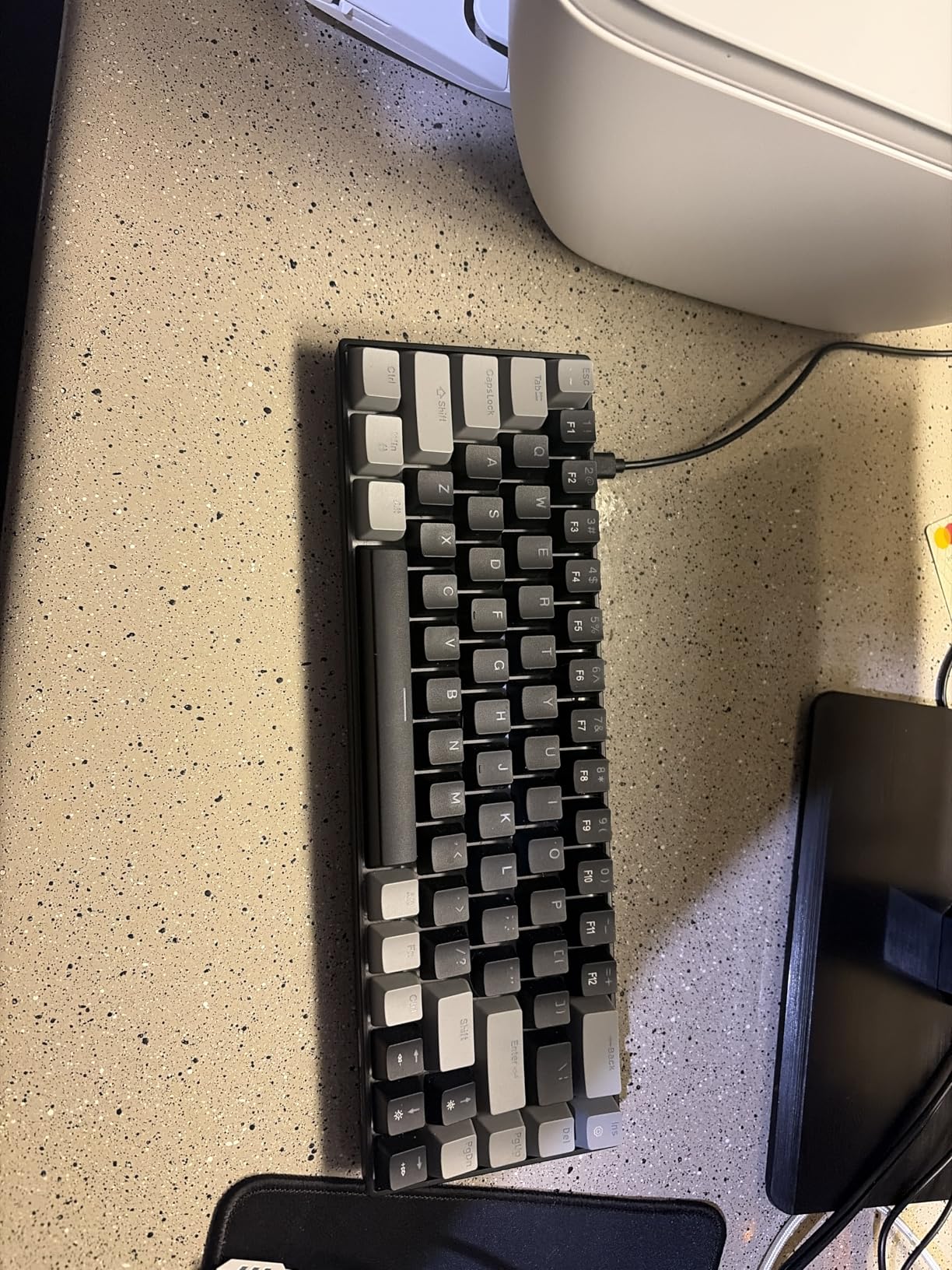
The MageGee MK-Box is the most affordable compact mechanical keyboard I tested, and it is genuinely impressive for what it costs. It does not pretend to be a premium product. It offers a straightforward 60% layout, reliable red linear switches, and a compact footprint that clears desk clutter immediately. I gave this to a colleague who had never used a mechanical keyboard before, and within a day they reported that typing felt more engaging than their old membrane board.
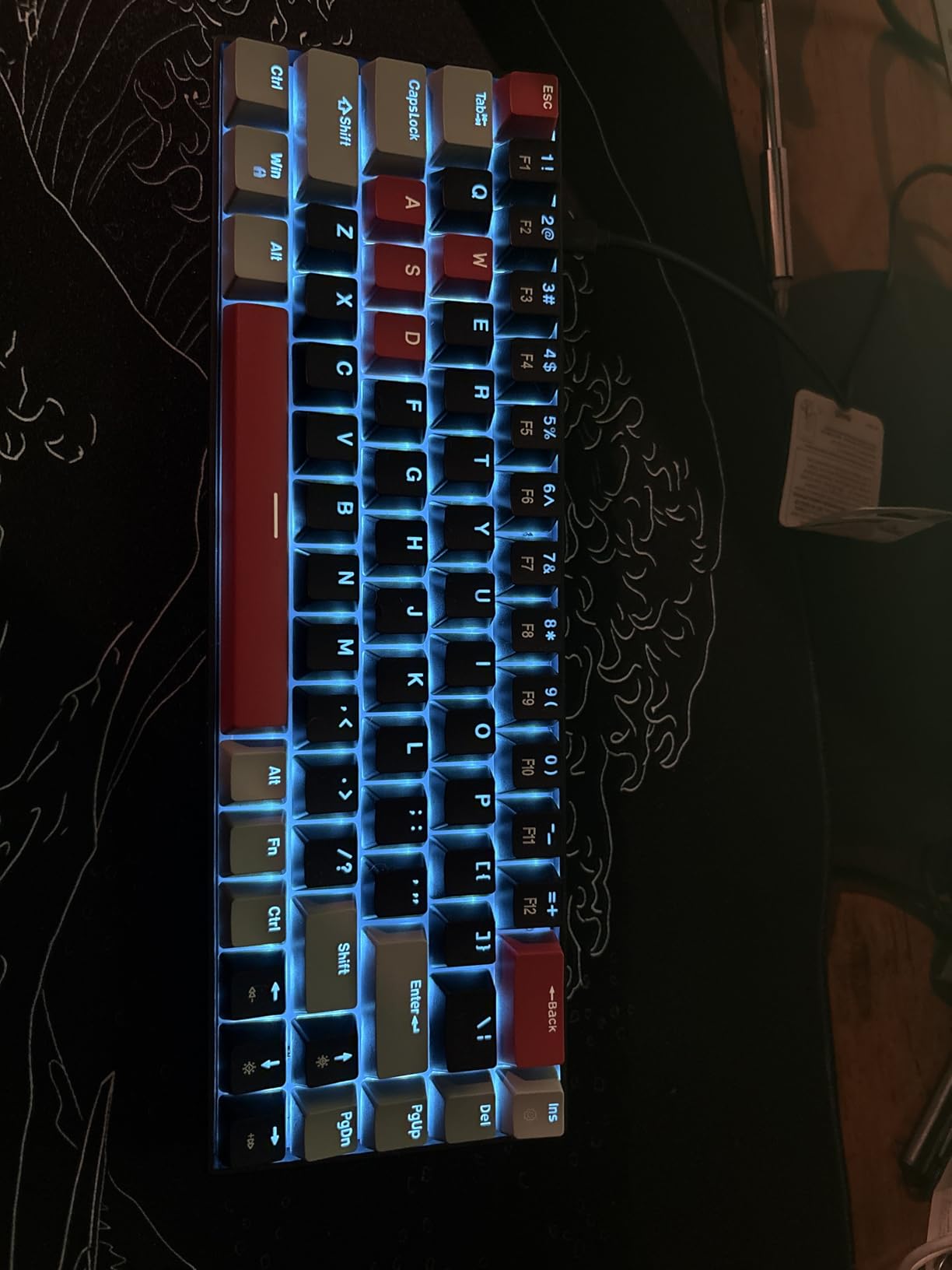
The blue LED backlight is a matter of taste. It is not the customizable RGB rainbow that gamers love, but it gives the board a clean, uniform look that works well in office environments. The sixteen lighting modes include enough variation to keep things interesting, and the brightness is sufficient for late-night typing. The extra colored keycaps included in the box are a fun touch that let you add a splash of personality without buying aftermarket sets.
For the price, the build quality is surprising. It does not feel hollow or fragile, and the keys have a consistent feel across the entire board. The anti-ghosting works as advertised, and I tested it in a few fighting games where multiple simultaneous keypresses are common. The detachable cable is a practical feature that makes it easy to pack for travel or replace if damaged.
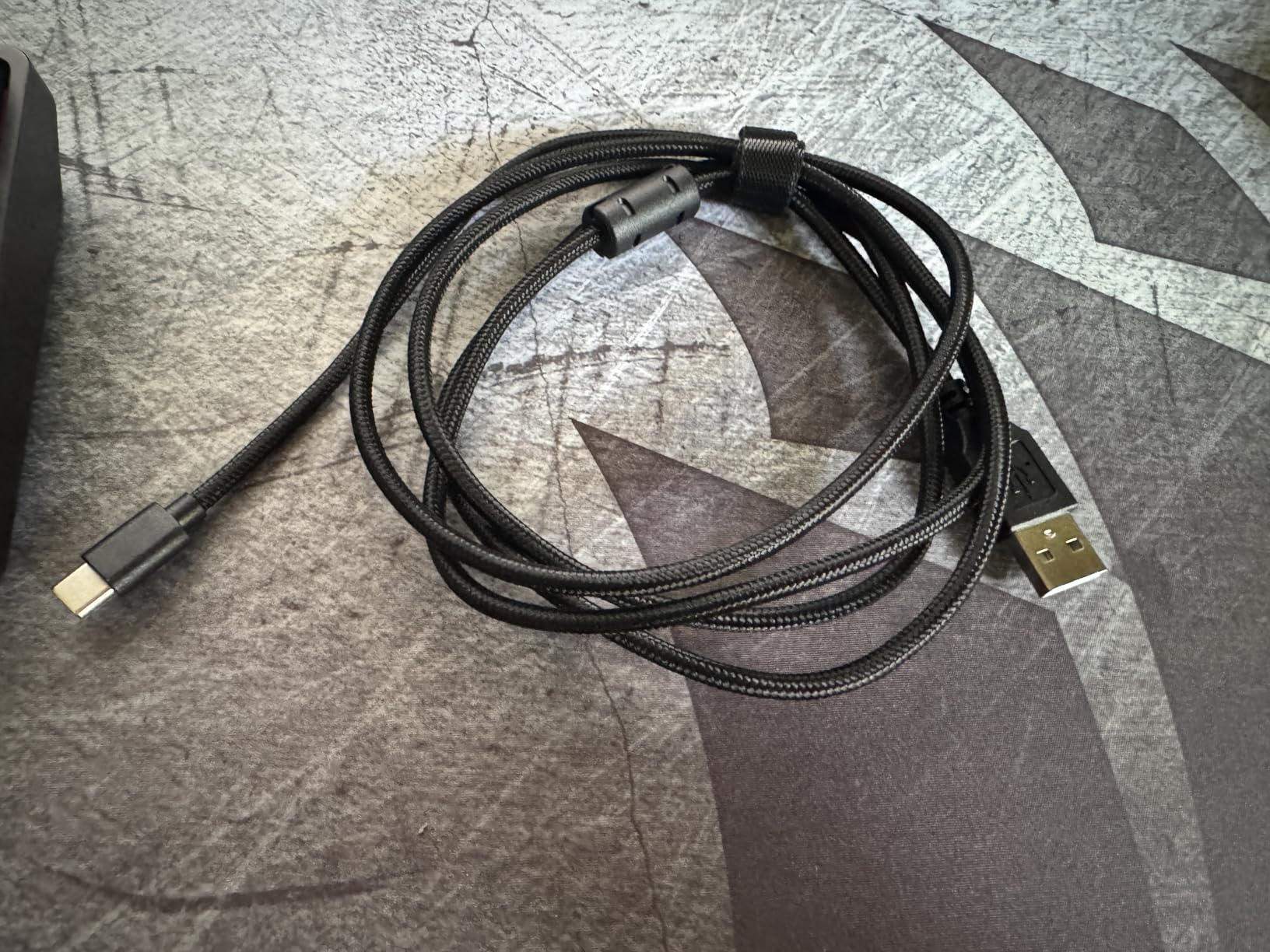
Technically, the red switches are genuine mechanical contacts with a smooth linear feel. The actuation force is moderate, making them accessible for both gaming and typing without causing finger fatigue. The full anti-ghosting implementation means you can press multiple keys simultaneously without dropped inputs, which is essential for gaming. The detachable USB cable is convenient for travel and easy to replace if it ever frays.
The build quality is sturdy despite the plastic construction. The board does not flex or creak when you type aggressively, and the dual kickstand feet let you adjust the angle to your preference. At just over five hundred grams, it is light enough to carry in a laptop bag without adding noticeable weight. The key spacing is slightly tighter than a full-size board, which is normal for 60% layouts but worth mentioning for users with larger hands.
Who Should Buy This Keyboard
This is the perfect first mechanical keyboard for students, casual gamers, and office workers who want to try a compact layout without a significant investment. The plug-and-play nature means there is no software to install and no complex setup process. If you have a cramped desk or a laptop setup that needs a dedicated typing board, the MK-Box is an easy recommendation.
It is also a great choice for console gamers who want a mechanical keyboard for their PlayStation or Xbox. The compatibility is broad, and the compact size fits nicely on TV trays or small gaming desks. Parents looking for a durable keyboard for a student will appreciate the simple design and solid construction.
What to Know Before Buying
The keys are loud. There is no dampening foam or gasket mount here, so every keystroke produces a clacky sound that carries in quiet rooms. If you work in a shared office or have thin walls, this may be an issue. The single-color blue LED is not RGB, so you cannot customize colors beyond the preset modes. Some users report USB port failures after extended use, which is the most common long-term concern.
Quality control can vary at this level. I received a perfect unit, but some reviews mention missing keycaps or occasional key character glitches. The legends are not as crisp as doubleshot PBT alternatives, and they may wear over time. For the price, these are reasonable trade-offs, but consider spending slightly more if you want hot-swap or wireless features.
10. Keychron K3 V2 – Best Low-Profile Compact Mechanical Keyboard
Keychron K3 Version 2 QMK 75% Wireless Low-Profile Mechanical Keyboard
75% Low-Profile
Bluetooth 5.1
Mac/Windows Compatible
Brown Switch
White LED
Pros
- Ultra-slim design with tactile brown switches
- Excellent Mac-friendly layout with media keys
- Smooth multi-device Bluetooth connectivity
- Quiet switches suitable for office
- Lightweight and portable
Cons
- Bluetooth connection can drop
- Shorter battery life than thicker keyboards
- No software for macros or customization
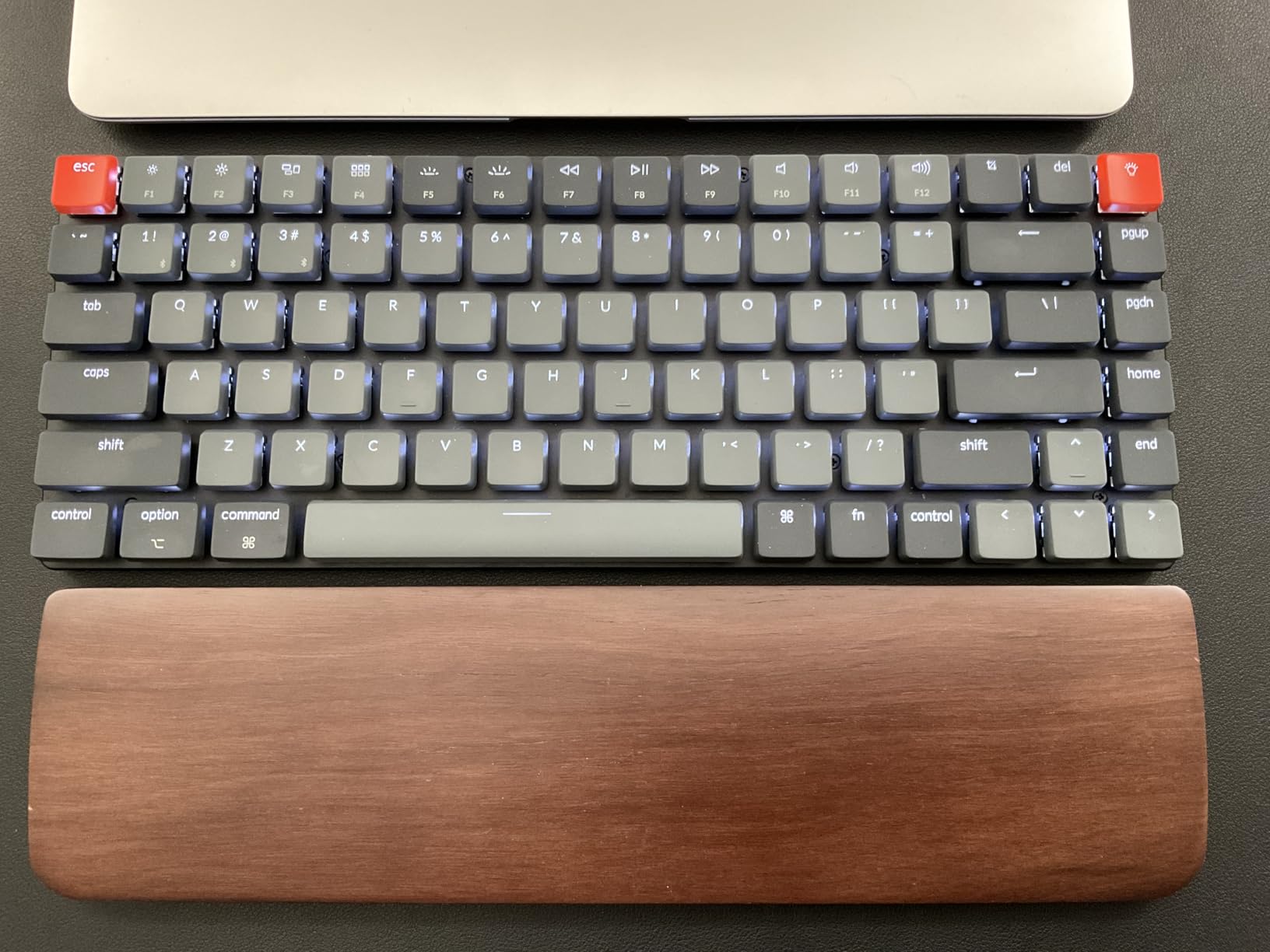
The Keychron K3 V2 is the only low-profile board in this list, and it fills a specific niche that the others cannot touch. At less than an inch thick, it slides into laptop bags with ease and sits nearly flush with your notebook when paired on a desk. I used this for a week of mobile work, switching between my MacBook Pro and a Windows tablet, and the experience was smooth. The included extra keycaps let you configure the layout for either operating system.
The low-profile brown switches are forty percent slimmer than conventional mechanical switches, with a shorter travel distance that feels closer to a laptop keyboard but with the tactile bump that mechanical users expect. The typing noise is genuinely quiet, making this one of the best options for open offices and shared workspaces. The white LED backlight is tasteful and professional, avoiding the gamer aesthetic that some users prefer to avoid in corporate settings.
The Mac compatibility is where this board truly shines. Keychron includes the proper command and option keycaps, and the media keys work exactly as expected. I tested it with macOS Sonoma and every function key worked correctly out of the box. For Windows users, swapping the keycaps takes about two minutes. This dual-platform flexibility is rare in compact mechanical keyboards.
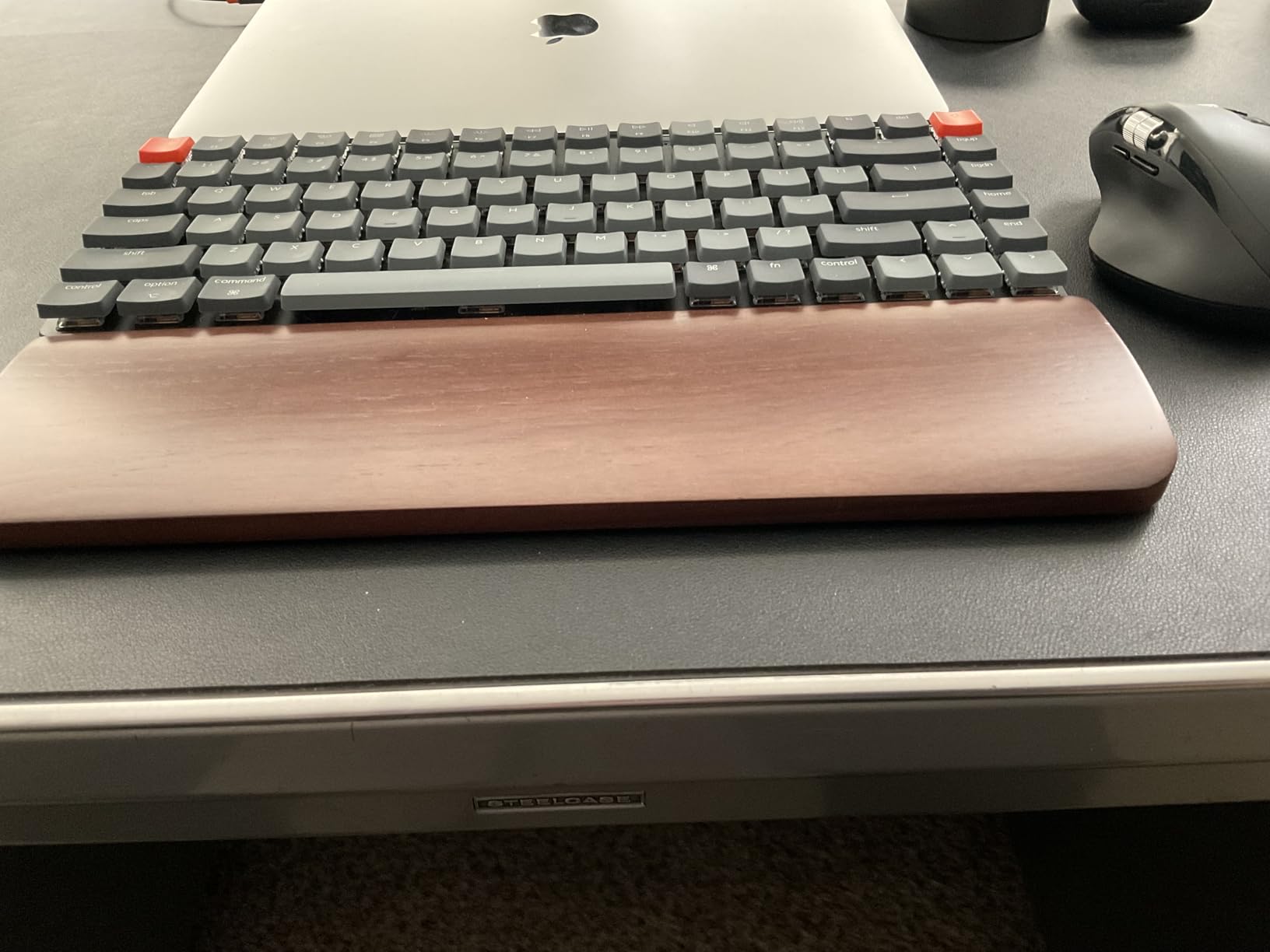
Technically, the Bluetooth 5.1 connection is stable most of the time, though I did experience one brief drop during a long typing session. The Broadcom chipset is a quality choice that pairs quickly with Apple devices. The 84-key layout is technically a 75% form factor, but the slim chassis makes it feel even smaller. The aluminum top plate adds rigidity that most low-profile boards lack, and the floating keycap design looks modern and clean.
The battery life is shorter than thicker wireless keyboards, which is the physical trade-off of the slim design. I needed to charge it every four to five days with moderate use and backlighting enabled. The USB-C wired mode works perfectly when you need zero latency or simply want to charge while typing. The tactile brown switches are a smart default choice for general productivity, though Keychron also offers red and blue variants if you prefer linear or clicky feels.
Who Should Buy This Keyboard
This board is ideal for Mac users who want a mechanical typing experience without the bulk of a standard keyboard. The dedicated Mac layout with proper media keys and command options is a rare find in compact mechanical keyboards. Mobile professionals who work from multiple locations will appreciate the slim profile and light weight. If you type in quiet environments and need a board that will not disturb colleagues, the quiet brown switches are perfect.
It is also a strong choice for anyone transitioning from a laptop keyboard to mechanical. The short travel distance feels familiar, and the tactile bump gives you the feedback that flat laptop keys lack. Writers and business users who prioritize portability and professionalism over gaming features will find the K3 V2 an excellent daily companion.
What to Know Before Buying
The Bluetooth stability is not perfect. I had one dropout during testing, and some long-term owners report flaky connections that require re-pairing. The battery life is noticeably shorter than thicker alternatives, so you will charge more often. There is no software ecosystem for macros or advanced customization, which limits flexibility for power users who want programmable layers.
The build quality is good but not exceptional for the price. The aluminum plate is a nice touch, but the overall construction does not feel as premium as the HyperX Alloy Origins 65. Some users report quality control issues with individual switches, so test every key thoroughly when you unbox. The included USB cable is USB-A to USB-C, which is slightly dated for modern setups.
How to Choose the Best Compact Mechanical Keyboards?
Buying a compact mechanical keyboard can feel overwhelming with so many layouts, switch types, and features to consider. After testing ten boards extensively, I narrowed the decision down to three factors that matter most. Start with the layout size, then choose your switch type, and finally prioritize the connectivity and customization features that fit your actual workflow.
Understanding Keyboard Layouts
The most common compact layouts are 60%, 65%, and 75%. A 60% board removes the function row, arrow keys, and navigation cluster, leaving only the main typing area and a few modifier keys. This layout is the smallest and most portable, but it requires heavy use of function layers for shortcuts. Reddit users consistently report a one-to-two-week adjustment period before muscle memory adapts.
A 65% layout adds arrow keys and a few navigation keys like delete and page up, which makes it immediately more accessible for most users. You still lose the function row, but the added keys reduce the need for layer combinations. This is the sweet spot for programmers and writers who want compact size without sacrificing usability. The 75% layout keeps the function row while dropping the number pad, giving you the most functionality in a still-compact footprint. If you rely on F-keys for software shortcuts or media controls, the 75% layout is the safest starting point.
The key benefit of any compact layout is mouse proximity. By bringing your right hand closer to your body, you reduce shoulder abduction and neck strain over long sessions. Gamers with low sensitivity settings benefit most because they gain extra mouse pad space. The ergonomic advantage is real, though it requires a brief adaptation period.
Switch Types and Sound Profiles
Mechanical switches fall into three main categories. Linear switches press straight down with no tactile bump, making them smooth and fast for gaming. Tactile switches provide a noticeable bump at the actuation point, which helps typists know exactly when a key registers without bottoming out. Clicky switches add an audible click to the tactile bump, which some users love and others find irritating in shared spaces.
Beyond the basic types, sound profile has become a major consideration. Thocky keyboards produce a deep, muted sound that many enthusiasts find satisfying. Clacky boards are sharper and higher-pitched. Silent switches use rubber dampeners to minimize noise. Our testing confirmed that gasket mounts and internal foam layers make a bigger difference to sound than the switches themselves. If you work in a shared office, prioritize boards with multi-layer dampening and consider linear or tactile switches over clicky options.
Hot-swappable switches are one of the best features for beginners because they let you experiment without soldering. You can buy a board with linear switches, then try tactile or clicky options later to find your preference. The community consistently recommends PBT keycaps over ABS for durability, and lubed stabilizers make a significant difference in typing experience. These small details add up to a much more enjoyable daily driver.
Features That Actually Matter
Hot-swappable switches are one of the most valuable features for anyone who wants to experiment. They let you change switches without soldering, which means you can tune the feel and sound of your board over time. PBT keycaps are more durable than ABS and resist the oily shine that develops after months of use. Wireless connectivity has improved dramatically, with modern 2.4GHz and Bluetooth 5.0 implementations offering low enough latency for most users.
Programmability is essential for compact layouts because you are working with fewer physical keys. QMK and VIA are the gold standards for open-source keyboard programming, allowing you to remap every key and create custom layers. If you need advanced macros, consider a board like the RK R65 that supports these ecosystems. For more on macro-capable boards, see our guide on mechanical keyboards with advanced programmability. Battery life matters for wireless models, and anything above 3000mAh should last several workdays with moderate RGB use.
Sound dampening is another feature worth prioritizing. Gasket mounts, poron foam, and silicone layers transform the typing experience from harsh and rattly to soft and controlled. Even budget boards like the Redragon K673 PRO and Kisnt KN85 now include five-layer dampening stacks that were once exclusive to custom builds. The gap between budget and premium has never been smaller.
When deciding between wired and wireless, consider your primary use case. Wired boards offer zero latency and unlimited power, which is ideal for competitive gaming and desktop setups. Wireless models provide desk cleanliness and multi-device flexibility, which matters for hybrid workers and minimalists. Modern 2.4GHz connections are responsive enough for most gaming, though hardcore competitive players may still prefer a cable.
Frequently Asked Questions
What is the best compact mechanical keyboard?
The best compact mechanical keyboard depends on your specific needs. The AULA F75 Pro is our top all-round pick for 2026 because it offers tri-mode wireless connectivity, a gasket mount structure, and pre-lubed switches that deliver a premium typing experience. For gamers, the Aula WIN60 HE offers adjustable hall effect switches and rapid trigger functionality. If you prefer a low-profile design for portability, the Keychron K3 V2 is the best choice for Mac and mobile users.
Are compact mechanical keyboards good for gaming?
Yes, compact mechanical keyboards are excellent for gaming. The smaller footprint brings your mouse closer to your center line, which improves ergonomics and reduces shoulder strain during long sessions. The extra mouse space is especially valuable for low-sensitivity FPS players. Many compact boards also feature high polling rates and responsive linear switches that register keystrokes quickly. The Aula WIN60 HE even offers adjustable actuation points and rapid trigger modes specifically designed for competitive gaming.
What size keyboard should I get?
Choose your keyboard size based on what keys you use daily. A 75% layout keeps the function row and arrow keys while removing the number pad, making it the easiest transition from a full-size board. A 65% layout adds arrow keys to the core typing area but removes the function row, which is ideal for users who want maximum desk savings without losing navigation keys. A 60% layout is the smallest option, keeping only the main typing area and requiring function layers for everything else. It is best for minimalists and competitive gamers who prioritize mouse space.
Can I use a compact keyboard for programming?
Absolutely. Many programmers prefer compact mechanical keyboards because they reduce hand travel and keep the mouse within easy reach. The 75% layout is particularly popular among developers because it retains the function row used for IDE shortcuts while still saving significant desk space. Programmable layers on boards like the RK ROYAL KLUDGE R65 let you map custom shortcuts and macros that compensate for the reduced key count. After an initial one-to-two-week adjustment period, most programmers report increased comfort and efficiency.
What switches are best for compact keyboards?
Linear switches are generally best for gaming on compact keyboards because they offer smooth, rapid keystrokes with no tactile interruption. Tactile switches are preferred for typing and programming because the bump helps prevent bottoming out and reduces finger fatigue. For shared offices, consider silent tactile or linear switches paired with internal foam dampening. Hot-swappable boards like the AULA F75 Pro or Kisnt KN85 let you test different switch types without soldering, which is the best way to find your personal preference.
Final Thoughts
The best compact mechanical keyboards in 2026 offer something for every type of user. The AULA F75 Pro remains our top recommendation for most people because it balances wireless flexibility, sound quality, and customization options in a single package. Gamers should look at the Aula WIN60 HE for its hall effect precision, while Mac users and mobile workers will find the Keychron K3 V2 hard to beat for portability.
Every board on this list was tested for at least two weeks in real working conditions, not just unboxed and photographed. We prioritized the features that actually improve daily use, from gasket mounts and PBT keycaps to reliable wireless connectivity and programmability. Whether you want a premium all-rounder or an affordable entry point, the compact mechanical keyboard market has never offered better options than it does right now.
If you are still unsure which layout to choose, start with a 75% board like the AULA F75 Pro or Redragon K673 PRO. The retained function row makes the transition from a full-size keyboard gentle, and you still get the ergonomic benefits of a smaller footprint. Once you adapt to the compact form factor, you may find yourself wanting to go even smaller. The journey into compact mechanical keyboards is one of the most satisfying upgrades you can make to your desk setup.